

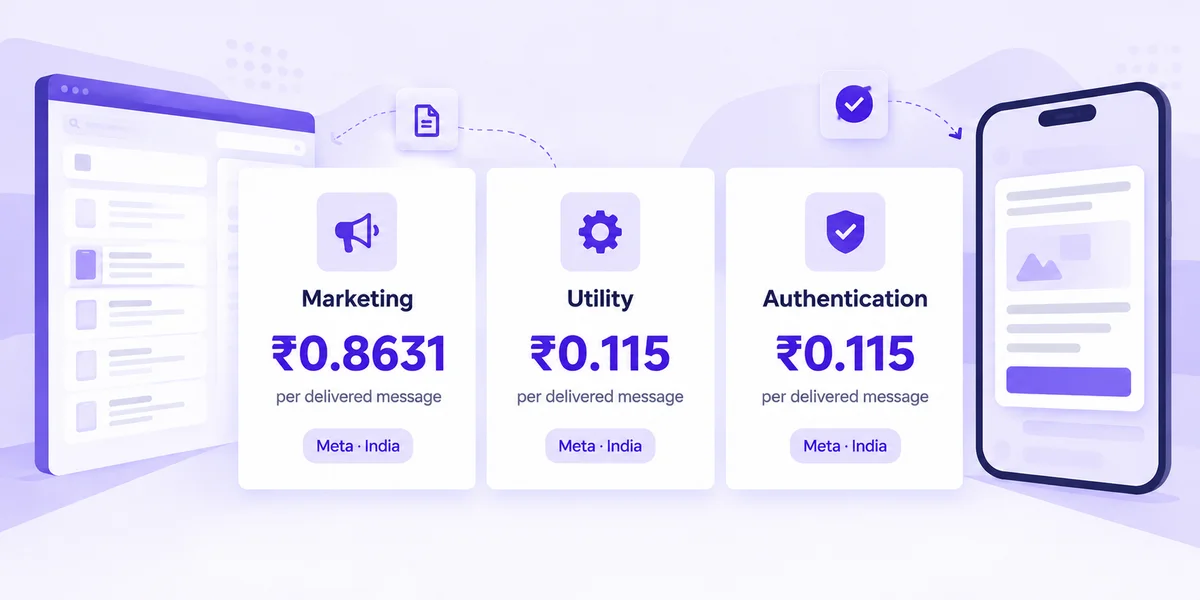
Direct answer: WhatsApp message templates are pre-approved message formats on the WhatsApp Business Platform. You need an approved template to message customers outside the customer service window. Meta puts every template in one of three categories — marketing, utility or authentication — and that category sets the price. On Meta's India rate card effective 1 October 2026, a delivered marketing message costs ₹0.8631, while utility and authentication cost ₹0.115 each. This guide covers approval rules, rejection fixes, category pricing and 60 copy-ready examples from the Mark360 template library.
Key takeaways
- Templates are the only way to open a WhatsApp conversation outside the customer service window.
- Pick marketing, utility or authentication carefully: the category sets Meta's per-message price and the approval bar.
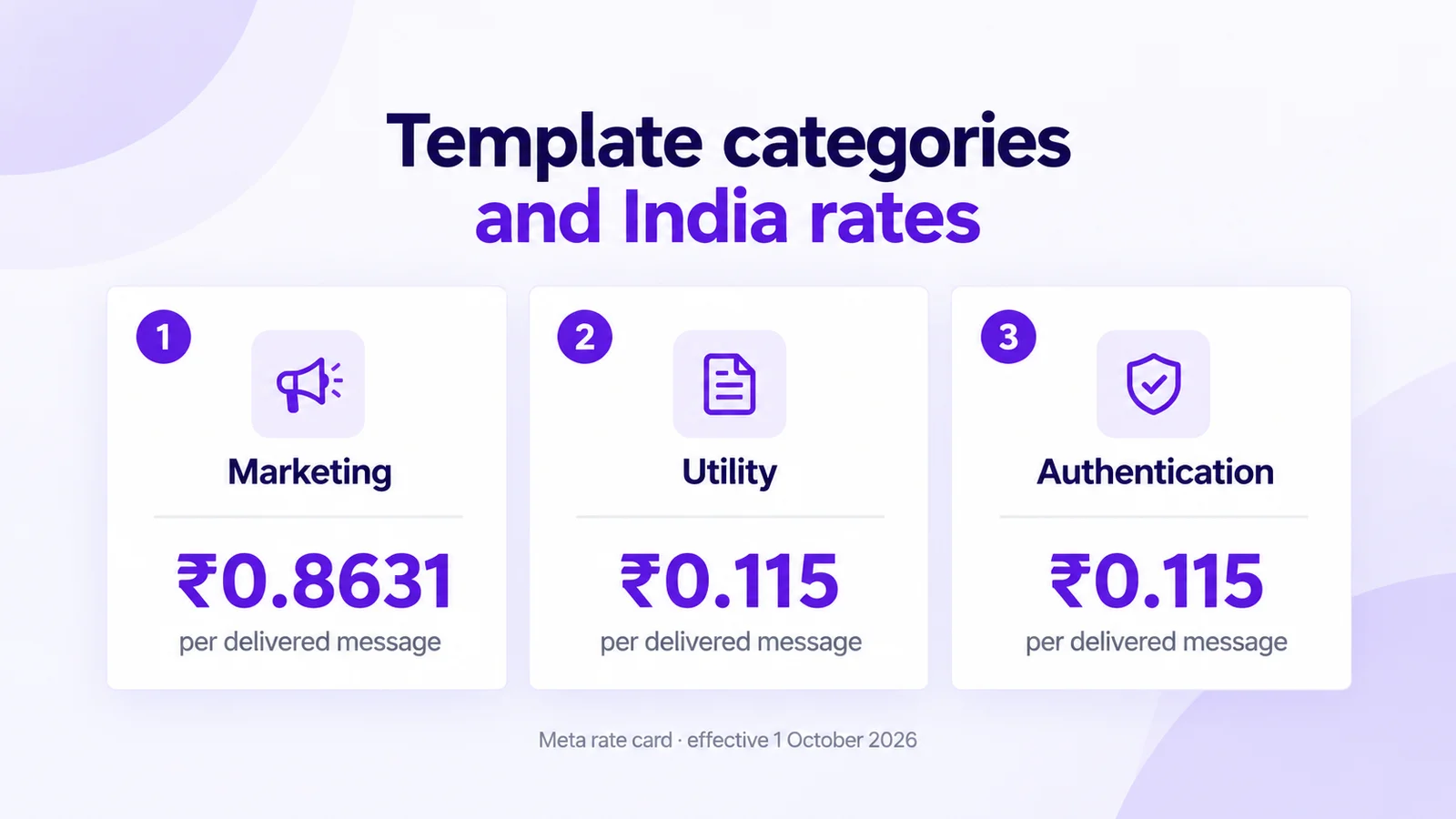
- India list rates (Meta rate card, 1 October 2026): marketing ₹0.8631, utility ₹0.115, authentication ₹0.115 per delivered message.
- Since 9 April 2025, a utility submission that Meta judges promotional is approved as marketing, not rejected — check the final category before you budget.
- Common rejections: variables at the start or end, non-sequential variables, vague copy, policy violations and duplicates.
- Mark360's /templates hub has 60 copy-ready examples across 10 use-case categories you can paste into the builder and submit.
Rules and prices come from Meta's template overview, categorization, review and components docs, plus Meta's rate cards effective 1 October 2026, checked on 17 October 2026. Meta updates policies and rates, so confirm the linked pages before you submit or budget. Mark360 plan prices: Free $0/mo; Scale $19/mo billed quarterly.
What are WhatsApp message templates?
A WhatsApp message template is a Messaging account asset on the WhatsApp Business Platform. You create it once, Meta reviews it, and only then can you send it as a template message. Meta's template fundamentals state that template messages are the only type you can send to WhatsApp users outside a customer service window — the short window that opens after a customer messages you.
Teams use templates for bulk updates and for one-off notifications when no chat window is open: order confirmations, payment reminders, festival offers, OTPs and more. Inside an open customer service window you can still send free-form replies without a template.
Mark360 is an Official Meta Business Partner. You create templates in the Mark360 builder (or start from our template library), submit them for Meta approval, then send them from campaigns, workflows or the API.
Template categories and India pricing
Every template must be categorized as marketing, utility or authentication. Meta's categorization guidelines (updated 15 September 2026) define each bucket, and the category drives pricing.
| Category | What it is for | India Meta rate (delivered) | Approval tip |
|---|---|---|---|
| Marketing | Offers, launches, retargeting, newsletters, win-back, mixed promo+utility | ₹0.8631 (US$0.0118) | Most flexible; highest price; keep opt-out clear |
| Utility | Order, shipping, payment, appointment and account updates with no promo intent | ₹0.115 (US$0.0014) | Must be non-promotional and tied to a user action or request |
| Authentication | OTP and login codes with Meta's fixed wording | ₹0.115 (US$0.0014) | Use Meta's preset; no custom offers or links in the body |
These India figures are Meta's list rates on the rate card effective 1 October 2026. Meta charges only when a message is delivered. Your workspace bills per message from prepaid credits on top of the plan; see live per-message prices on our pricing page or run a month through the pricing calculator. For the full India pricing picture, read WhatsApp Business API pricing in India and service message pricing from 1 October 2026.
Utility vs marketing: the expensive mistake
Utility must be non-promotional and either specific to a user action or essential to the user. An order update that also says "enjoy 10% off your next order" is marketing, not utility. Since 9 April 2025, Meta no longer rejects that mix as a failed utility template: it approves it as marketing instead. You can still request a category review within 60 days, but every send bills at the marketing rate until that changes. For Shopify-specific utility vs marketing examples, see utility vs marketing templates for Shopify. For OTP authentication templates, see WhatsApp OTP authentication templates in India.
How Meta approves templates
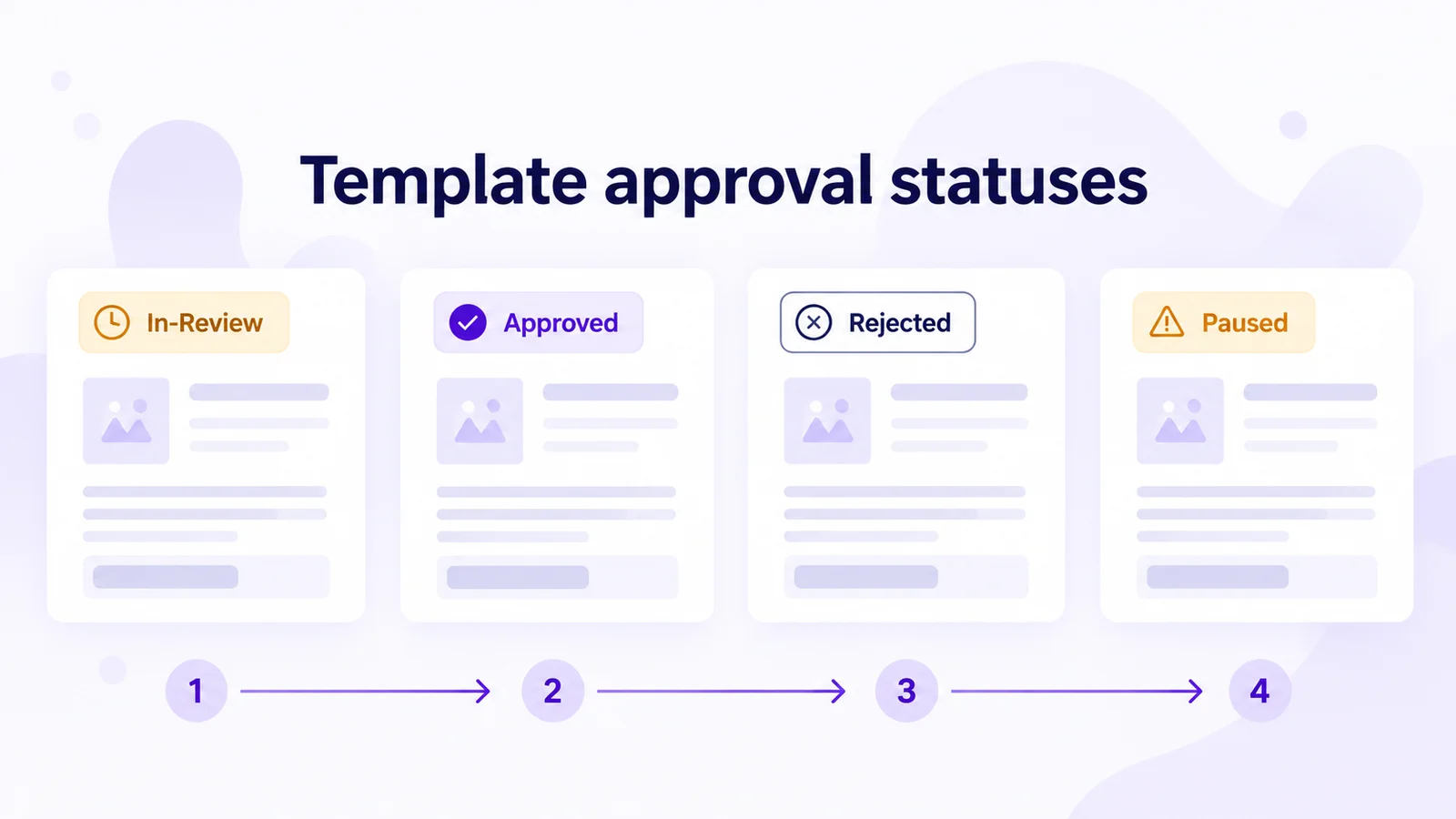
When you create or edit a template, Meta reviews it with automated checks and, when needed, a human review. Meta's template review page says a decision can take up to 24 hours. Admins get an email, WhatsApp Manager shows a notification, and the message_template_status_update webhook fires.
- In-Review — still under review; you cannot send it yet.
- Active – Quality pending / High / Medium / Low — approved and sendable; quality can change with customer feedback.
- Rejected — edit and resubmit, or appeal with a sample.
- Paused / Disabled — stopped for recurring negative feedback or low read rates; fix the issues before relying on it again.
- Appeal Requested — an appeal is in progress (typically decided within 24 hours).
Portfolio limits matter too: an unverified business portfolio is capped at 250 templates per Messaging account; a verified portfolio with an approved display name can hold up to 6,000. Meta also archives templates that sit inactive for 12 months.
Character limits and components
Templates are built from a header, body, footer and buttons. The body is required. Limits below come from Meta's template components documentation (updated 24 June 2026); Wati's 2026 character-limits guide matches the same numbers and stresses that substituted variable values count toward the limit.
| Component | Limit | Notes |
|---|---|---|
| Template name | 512 characters | Lowercase letters, numbers and underscores only |
| Body | 1,024 characters | Includes substituted variable values |
| Text header | 60 characters | At most one variable; no Markdown special characters |
| Footer | 60 characters | Static text only — no variables |
| Button label | 25 characters | Quick reply, URL and phone labels |
| URL in a URL button | 2,000 characters | One variable allowed at the end; percent-encode special characters |
| Copy-code value | 20 characters | Used on copy-code buttons |
Test with your longest real customer name and order ID, not the short sample. Format body text in our WhatsApp text formatter before you paste it into the builder.
Common rejection reasons and how to fix them
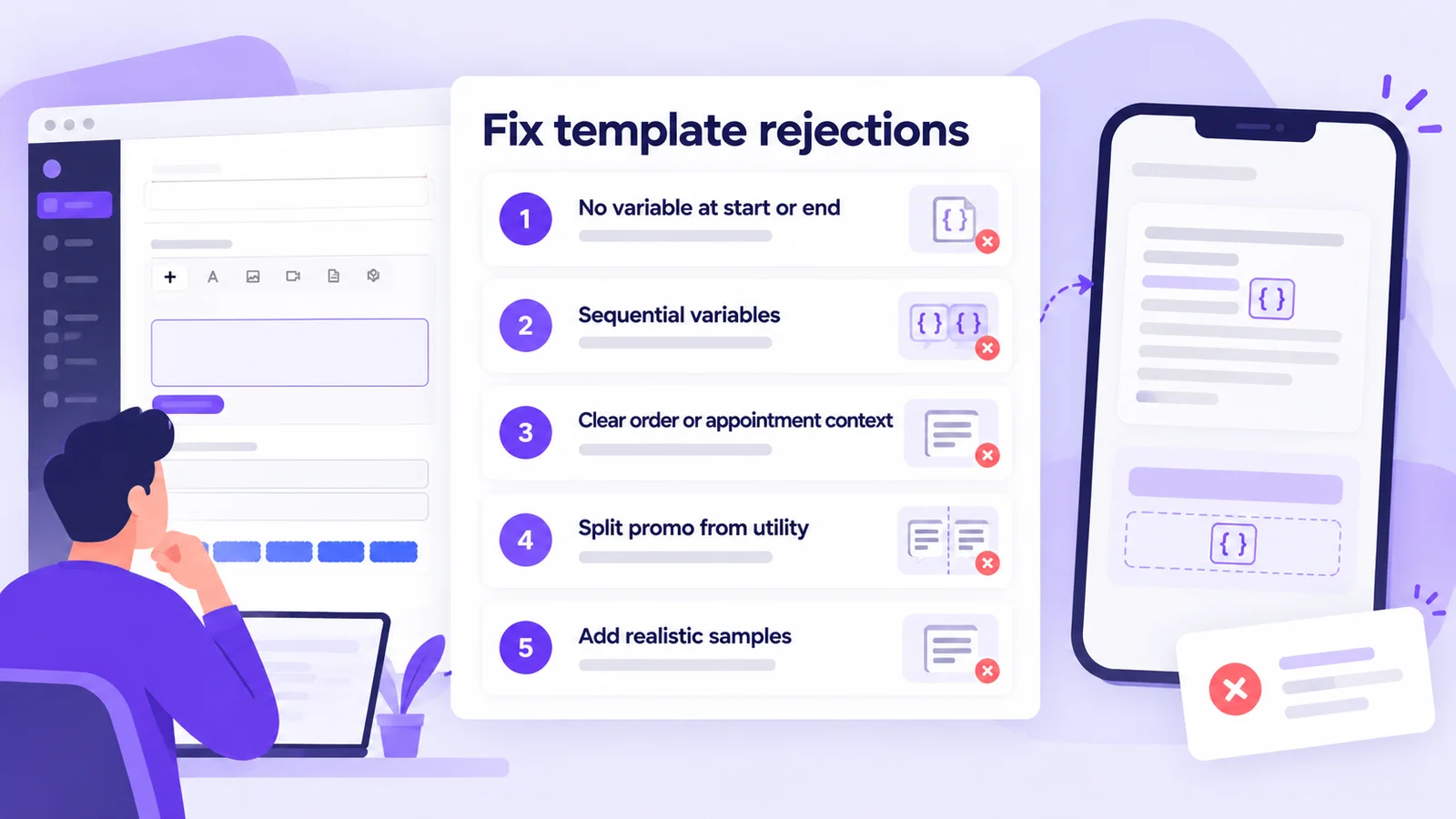
Meta's review docs and BSP explainers (including AiSensy's rejection roundup) converge on the same failure patterns. Use this checklist before you submit:
| Rejection reason | How to fix it |
|---|---|
| Starts or ends with a variable | Add plain text before the first {{1}} and after the last one |
| Non-sequential or malformed variables | Use {{1}}, {{2}}, {{3}} in order, or unique named params like {{order_number}} |
| Too many variables for the length | Add clarifying sentences or drop unused variables |
| Vague body ("Hi {{1}}, thanks") | State the order, appointment or account the message is about |
| Utility copy with a promo line | Split into a utility update and a separate marketing template |
| Duplicate of an existing template | Change both the name and the body wording (authentication is exempt) |
| Sensitive identifiers requested | Ask only for a partial ID, or send users to a secure page |
| Language mismatch | Set the language code to match the body text |
Always attach realistic sample values for every variable. Vague samples slow review and invite rejection. If Meta rejects the template, edit it in Mark360, add samples again and resubmit — or file an appeal with a sample from WhatsApp Manager.
60 approved-style examples from the Mark360 library
Our WhatsApp templates hub publishes 60 copy-ready examples across 10 categories (six each). They are written to match Meta's category guidelines so you can paste them into Mark360, swap in your variables and submit for approval. Browse by hub:
| Category hub | Examples on Mark360 | Typical Meta category |
|---|---|---|
| Order updates | Order confirmed, shipped with tracking, out for delivery, delivered today, delivery attempt failed, split shipment | Utility |
| Payment reminders | Invoice due in 3 days, overdue gentle, payment received, UPI link, EMI due, payment OTP | Utility / Authentication |
| Abandoned cart | Hour-later reminder, low stock, price drop, free-shipping shortfall, COD unconfirmed, wishlist back in stock | Marketing |
| Festival offers | Diwali preview, Diwali last evening, Navratri, Eid gifting, New Year gift card, end-of-season | Marketing |
| Appointment reminders | 24-hour reminder, same morning, rescheduled, cancelled, what to bring, rebook | Utility |
| Education | Class starts tomorrow, assignment due, fee due, result published, demo invite, exam login OTP | Utility / Authentication |
| Healthcare | Appointment tomorrow, lab report ready, prescription refill, vaccination due, checkup package, clinic closed | Utility / Marketing |
| Real estate | Site visit booked, visit tomorrow, matching listing, price revised, possession update, booking checklist | Utility / Marketing |
| Restaurants | Table booked, table in two hours, waitlist ready, pickup ready, weekend thali, festive tasting menu | Utility / Marketing |
| Travel | Booking confirmed, hotel pre-arrival, web check-in, flight delay, day-wise itinerary, monsoon package | Utility / Marketing |
Ten samples to copy today (full library linked above):
| Use case | Sample body (copy and adapt) | Suggested category |
|---|---|---|
| Order confirmed | Hi {{1}}, we have your order {{2}} for {{3}}. Total {{4}}. We will message you again when it ships. | Utility |
| Shipped with tracking | Hi {{1}}, order {{2}} has shipped with {{3}}. Tracking number {{4}}. | Utility |
| Invoice due in 3 days | Hi {{1}}, invoice {{2}} for {{3}} is due on {{4}}. This note is a reminder of that bill, not a new charge. | Utility |
| Cart reminder (1 hour) | Hi {{1}}, you left {{2}} in your cart at {{3}}. We can hold it until {{4}}. Complete checkout if you still want it. | Marketing |
| Diwali sale, last evening | Hi {{1}}, the {{2}} Diwali code {{3}} is {{4}} off and ends tonight at the time on the site. | Marketing |
| Appointment in 24 hours | Hi {{1}}, this is a reminder of your appointment at {{2}} on {{3}} at {{4}}. Reply if you cannot attend. | Utility |
| Lab report ready | Hi {{1}}, the report for visit {{2}} at {{3}} is ready. Sign in to view it. We do not send results on WhatsApp. | Utility |
| Table booked | Hi {{1}}, your table at {{2}} is booked for {{3}}, party of {{4}}. We hold it for 15 minutes past the time. | Utility |
| Flight delay | Hi {{1}}, {{2}} scheduled for {{3}} is delayed. The new time is on your booking page and may move again. | Utility |
| Exam login OTP | Use Meta's authentication preset with a Copy code button — see our OTP guide for the fixed wording. | Authentication |
Open any hub page, copy the body, then create the template in Mark360 and submit. Festival and cart flows are marketing; order, payment and most appointment messages are utility; login codes use authentication.
Create and submit a template in Mark360
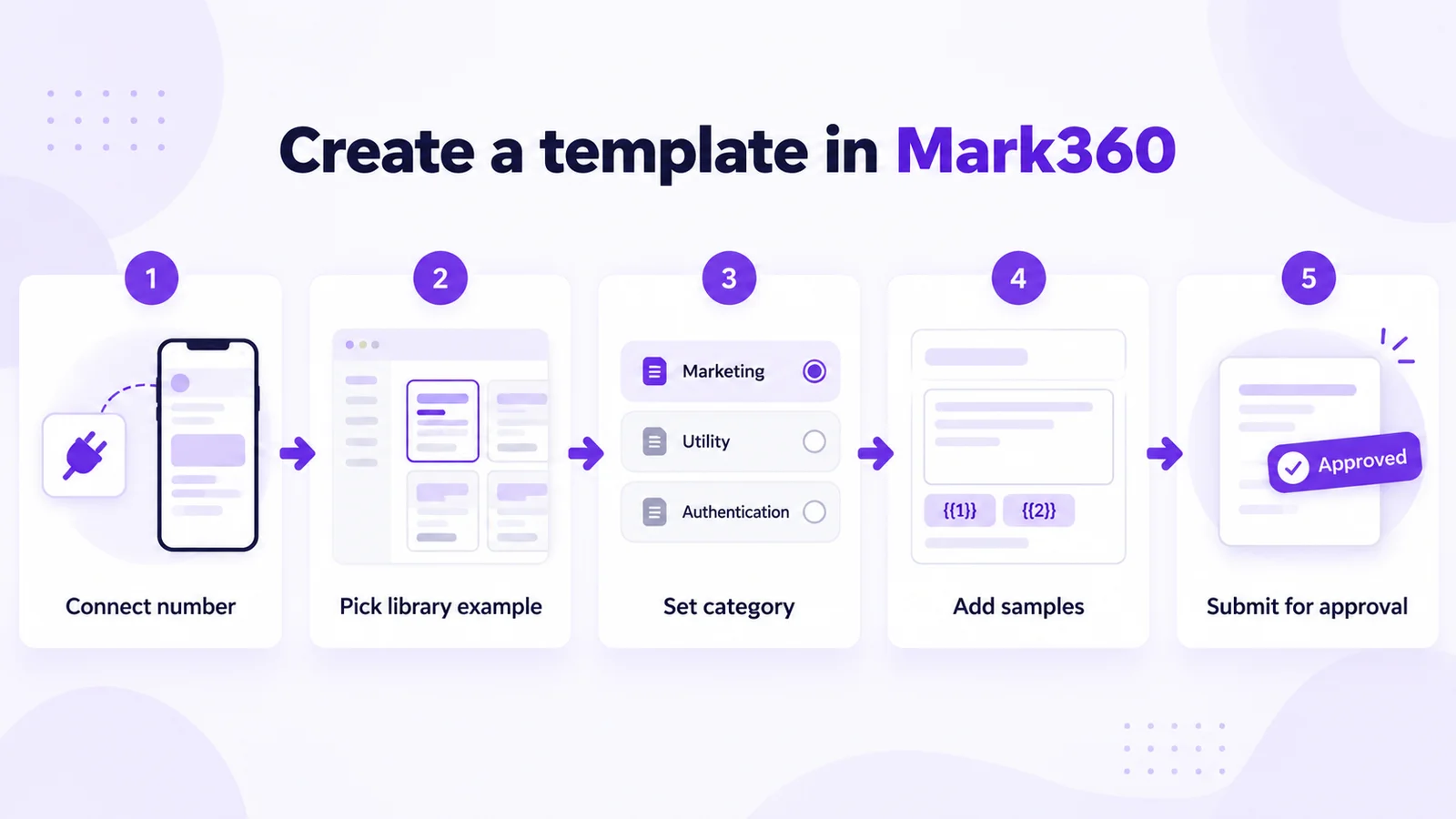
- Connect your WhatsApp number on the Free plan ($0/mo) through Meta's Cloud API. See the WhatsApp Business API page if you are still comparing options.
- Start from a library example on /templates or click Create Template in the app. Pick the category that matches the copy.
- Add components — optional header, body with sequential or named variables, footer, and buttons (URL, phone, quick reply or copy code).
- Add sample values for every variable, then submit for Meta approval.
- Watch status in the template list. When it shows approved / Active, use it in broadcasts, workflows or the API.
Copy a template into Mark360 and submit for approval
Mark360 is trusted by 100+ businesses and based in Surat, India. Start on Free ($0/mo) or Scale ($19/mo billed quarterly), open the template library, copy any of the 60 examples, and submit it for Meta approval from the builder. Need OTP depth? Read the authentication templates guide. Ready to send? Check pricing or the API docs.