For Shopify merchants, choosing the right WhatsApp template category is no longer a simple checkbox during template submission. The difference between Utility and Marketing affects how a message is classified, how its cost should be modeled, and whether a template may later be recategorized. The practical question behind the whatsapp utility vs marketing template decision is therefore not 'Which category do I want?' but 'What is this message actually communicating to the customer?'
That distinction matters across the entire Shopify customer lifecycle. Order confirmations, fulfillment updates, delivery-status messages, promotional campaigns, abandoned-cart reminders, review requests, back-in-stock alerts, and win-back campaigns can all look similar at first glance because they may contain order details, product names, links, or personalization variables. Their purpose, however, can be very different.
Meta evaluates the content and intended purpose of the template rather than simply trusting the category selected by a merchant. A template can therefore be recategorized when its content does not align with the submitted category. Merchants should also understand that promotional language mixed into an otherwise transactional message can change the practical classification and cost profile of a campaign.
This guide explains how Shopify merchants can build a cleaner template library in 2026, separate operational notifications from promotional communication, prepare templates before submission, monitor category-change notifications, and keep category-based WhatsApp costs visible. For official information, merchants should review Meta's WhatsApp template guidelines and pricing updates, the official WhatsApp pricing documentation, and the WhatsApp Business Management API documentation for message templates.
WhatsApp Utility vs Marketing Templates for Shopify: What Is the Difference?
A Utility template is generally used for a customer-requested, transaction-related, account-related, or operational communication where the primary purpose is to provide information needed to complete, manage, or understand an interaction. Examples include confirming an order, communicating a fulfillment event, or providing a delivery update.
A Marketing template is intended to promote a product, service, offer, brand, or commercial action. It can be used for campaigns such as discounts, product launches, abandoned-cart recovery with promotional incentives, win-back campaigns, cross-sells, upsells, or other promotional outreach.
The important point for Shopify merchants is that the category is determined by the message's substance and purpose. A template does not become Utility simply because its headline says 'Order Update' or because it contains an order number. Similarly, a message does not become Utility merely because it includes a dynamic Shopify variable such as a product name, delivery date, or cart URL.
If the same message combines operational information with a promotional objective, merchants should consider separating those purposes into distinct templates. This makes the template library easier to understand, improves cost visibility, and reduces the risk that a mixed message will be interpreted differently from the category originally selected.
Merchants should also avoid treating template categorization as a technical workaround. The safest approach is to write the message first according to its real business purpose, then select the category that accurately represents that purpose.
Shopify Lifecycle Events: Which WhatsApp Template Category Should You Use?
The following framework provides a practical starting point for Shopify stores. The exact treatment of a template depends on its content, context, and current Meta rules, so merchants should validate important templates against the latest official documentation before submitting them.
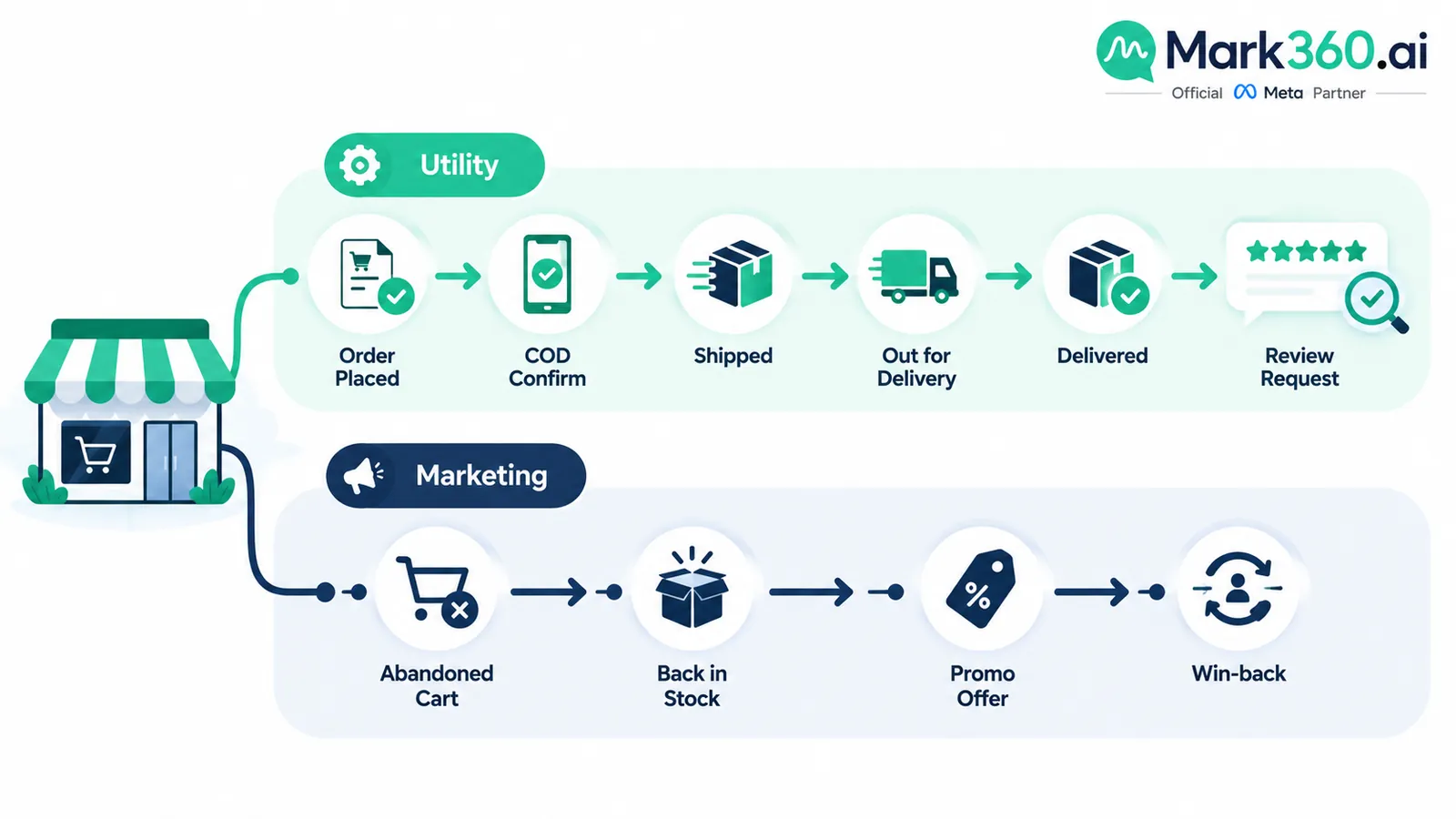
| Shopify lifecycle event | Typical category | Why | Common content to avoid mixing in |
|---|---|---|---|
| Order confirmation | Utility | The customer needs confirmation that an order was received, with relevant transaction details. | Unrelated discounts, promotional product recommendations, sales announcements. |
| Shipping or fulfillment update | Utility | The message communicates a change in fulfillment or shipment status for an existing order. | Cross-sells, coupons, limited-time offers, promotional banners. |
| WISMO or delivery status | Utility | The primary purpose is helping the customer understand where an existing order is or when it is expected. | Promotional recommendations unrelated to delivery information. |
| COD confirmation | Utility | The message supports completion or confirmation of an existing cash-on-delivery transaction. | Discount offers, new-product promotions, unrelated sales messaging. |
| Abandoned cart | Marketing | The message attempts to bring a shopper back to complete a purchase and can contain promotional persuasion. | Assuming it is automatically Utility because the cart contains a customer-selected product. |
| Promos and discounts | Marketing | The primary purpose is to promote an offer, sale, coupon, product, or commercial opportunity. | Presenting promotional content as a purely operational notification. |
| Review request | Usually Utility when genuinely tied to a completed customer transaction and designed to obtain feedback; validate current rules and content. | The purpose can be post-purchase feedback about an existing transaction rather than a new sale. | Discount-led review incentives or unrelated promotional offers can change the message's character. |
| Back-in-stock alert | Marketing | Although triggered by inventory availability, the message encourages a customer to purchase an available product. | Treating the inventory trigger alone as proof that the message is Utility. |
| Win-back campaign | Marketing | The objective is to re-engage a past customer and encourage another purchase. | Calling it a service update when the real purpose is renewed commercial engagement. |
This table should be used as a planning framework rather than as a substitute for Meta's current policy and template-review rules. The content itself remains important. A merchant can create two messages triggered by the same Shopify event and still have different categories because their purposes are different.
Order confirmation is not a promotional billboard
An order-confirmation template should primarily tell the customer that an order has been received and provide useful details such as order identification, item information, amount, or next steps. If the merchant adds a section such as 'You may also like these products' or 'Use code SAVE20 on your next order,' the message now carries an additional commercial purpose.
A cleaner architecture is to keep the operational order confirmation focused on the transaction and handle promotional recommendations through a separate marketing template and campaign. This also makes reporting easier because operational and promotional communication are not mixed together.
Abandoned cart deserves separate treatment
Abandoned-cart messaging is one of the most common places where Shopify merchants become confused about categorization. The message can contain a specific cart, a product name, a checkout link, and information about the customer's previous action. But the business purpose is normally to encourage the customer to complete a purchase.
When the message includes a coupon, discount, urgency language, free-shipping offer, or other persuasion, its promotional nature becomes even clearer. Merchants should plan abandoned-cart sequences as marketing communication rather than attempting to force them into an operational template structure.
Meta Judges Template Content, Not Just the Category You Select
One of the most important concepts for WhatsApp Business API users is that category selection is not an entitlement. The category selected during template creation communicates the merchant's intended use, but Meta can evaluate the actual content and determine that a different category is more appropriate.

This means a merchant should not build a strategy around finding wording that appears operational while the actual purpose is promotional. A template should accurately describe what it is going to do for the recipient. The content, context, and purpose need to be consistent.
Meta may recategorize a template when the content does not align with the category selected by the business. Merchants should therefore treat the category as part of message governance rather than as a one-time administrative field.
If a template is recategorized, the merchant should review the notification, understand why the content was interpreted differently, and decide whether to accept the classification or create a genuinely different template whose purpose is better aligned with the desired workflow. Merchants can also request a category review through the available WhatsApp Manager or Business Support process within the applicable review window, including the 60-day review period referenced in Meta's template guidance.
For operational teams, this creates an important process requirement: category changes should not be silently ignored. A recategorization can affect cost assumptions, campaign reporting, and the way future templates are designed.
Why Mixed Utility + Promotional Templates Create Problems
A common Shopify template looks something like this in concept: 'Your order #12345 has shipped. Track it here. Also, enjoy 15% off your next purchase with code SAVE15.' The first part is operational. The second part is promotional.
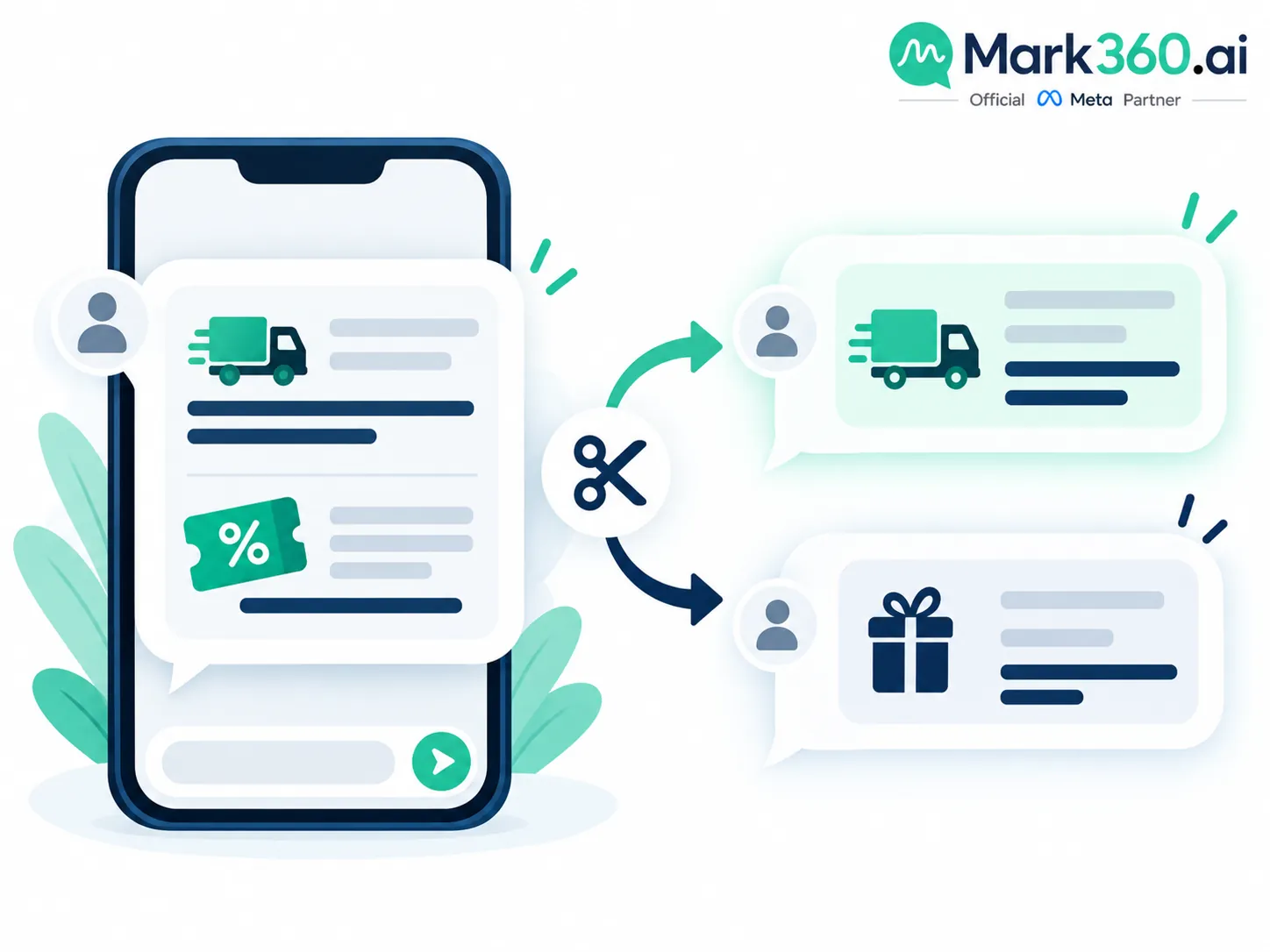
The problem is not that either type of communication is inherently wrong. The problem is that combining different objectives into one template makes categorization less clear and makes cost planning harder. The merchant may think of the entire message as an order notification, while the recipient also receives a sales message.
A better approach is to split the workflow into separate templates. The first message communicates the shipment event. A separate marketing communication can promote an offer when appropriate under the applicable messaging rules.
This separation also produces cleaner analytics. Utility messages can be tracked as customer-service or transaction communications, while marketing messages can be evaluated based on campaign performance, audience segment, conversion behavior, and promotional spend.
Template separation should be based on genuine differences in purpose. It should not be used to disguise promotional content as Utility. The objective is clarity, not categorization manipulation.
How to Prepare a Shopify WhatsApp Template Before Submission
A disciplined pre-submission review can prevent many avoidable template problems. Before creating or submitting a template, the merchant should understand the exact Shopify event that triggers the message, the customer action or information the message is intended to support, and whether any part of the copy is promotional.

| Pre-submission check | Question to ask | Action |
|---|---|---|
| Trigger | What Shopify event starts this message? | Document the event, such as order creation, fulfillment, delivery status, cart abandonment, or customer reactivation. |
| Primary purpose | Is the message informing, servicing, or promoting? | Choose the category that matches the actual purpose. |
| Promotional content | Does the message contain an offer, discount, product promotion, or purchase incentive? | Review whether the template belongs in Marketing and separate promotional content where appropriate. |
| Variables | Do variables add factual context or promotional persuasion? | Check every variable and ensure the completed message remains consistent with the intended category. |
| Call to action | What should the recipient do after reading? | Make sure the CTA matches the stated purpose of the message. |
| Compliance | Does the message follow WhatsApp Business and applicable commerce requirements? | Review the current WhatsApp Business Messaging Policy before submission. |
| Cost model | Which category will this message use for budgeting? | Map the template to the merchant's current category-based pricing model. |
| Change monitoring | Who will notice a category-change notification? | Assign ownership and create an operational review process. |
This review is particularly important for automated Shopify flows because one template can be used across thousands of customer interactions. A small classification mistake can therefore become a recurring operational and budgeting issue.
WhatsApp Template Approval Is a Governance Process, Not a Guarantee
Merchants often search for ways to improve WhatsApp template approval. The right objective is not to discover a guaranteed approval phrase or a workaround. There is no responsible substitute for submitting content that accurately represents its purpose and complies with the current rules.
Template approval should be treated as part of a broader governance process. Marketing teams create the customer message, ecommerce teams define the Shopify trigger, customer-support teams understand the customer context, and the WhatsApp administrator manages the template library. These teams should agree on the purpose and category before submission.
For larger Shopify stores, maintaining a naming convention can also help. A merchant might organize templates by lifecycle stage, purpose, language, and category so that the operational team can quickly identify what each template is designed to do.
For example, a naming system can distinguish order confirmation, fulfillment, delivery, COD confirmation, abandoned cart, promotion, review request, and win-back templates. The exact naming format is up to the business; the important principle is that the name should make the workflow understandable to the people maintaining it.
Make WhatsApp Marketing Message Cost Visible by Category
WhatsApp Business API costs should be modeled using the current pricing rules applicable to the merchant's market, message type, and account configuration. Merchants should not use outdated rate cards or assume that a historical Utility-versus-Marketing difference will remain unchanged.
The safest approach is to maintain an internal cost map that connects each Shopify workflow to its expected template category. That map can then be reviewed whenever Meta changes pricing or template rules.
For example, an ecommerce business might separate its forecast into operational flows such as order confirmations, shipping updates, delivery notifications, and COD confirmations, then separately model promotional flows such as abandoned-cart campaigns, discounts, back-in-stock messages, and win-back campaigns.
For India-facing Mark360 customers, an illustrative customer-facing rate example may be ₹0.94 per Marketing message and ₹0.138 per Utility message. These are Mark360 customer-facing rates for the applicable offering and are not Meta official pricing. Merchants should always check their current commercial agreement and the official Meta WhatsApp pricing documentation before building a financial forecast.
The key lesson is not to memorize a particular number. It is to know which workflows are generating which category of traffic and to make the resulting cost visible to the ecommerce team.
How Mark360 Helps Shopify Teams Manage the Workflow
For a Shopify merchant, template governance becomes harder as the number of automations increases. One store may have separate flows for order confirmation, fulfillment, delivery tracking, COD verification, abandoned cart, customer support, review collection, product availability, and retention.
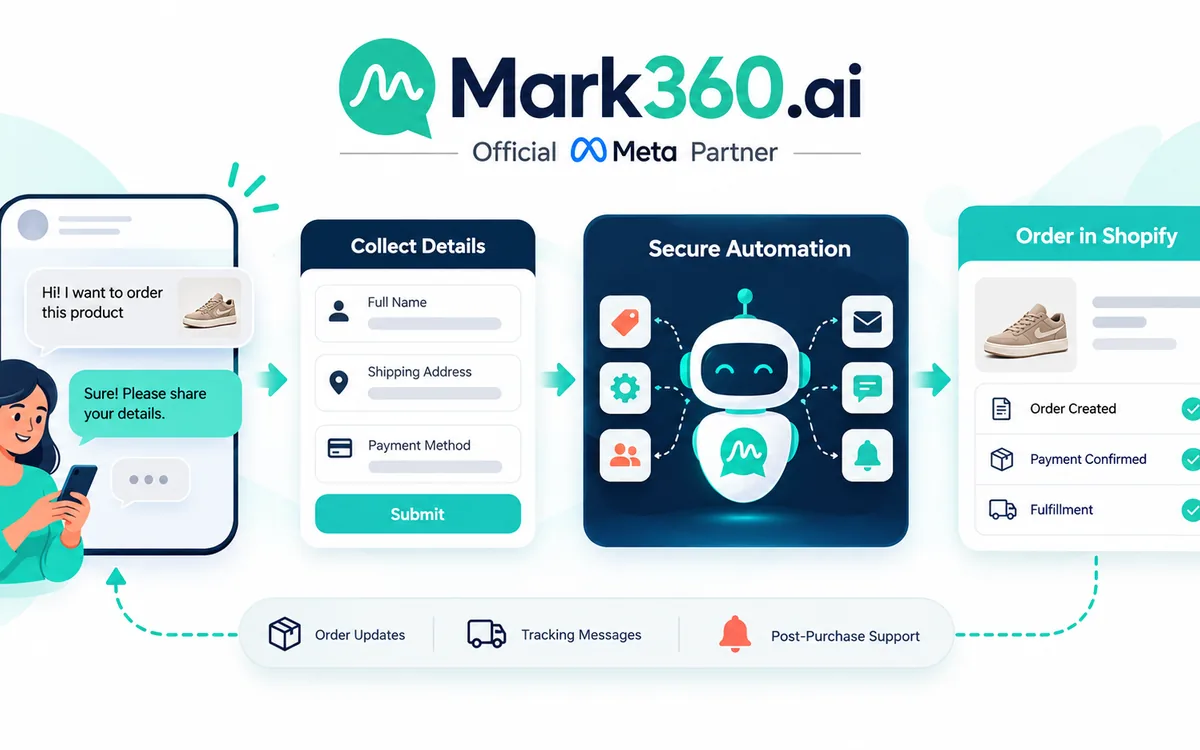
Mark360.ai provides a WhatsApp-first automation workflow for businesses using WhatsApp Business API, including Shopify-focused automation, shared team inbox capabilities, campaigns, templates, triggers, segmentation, and customer communication workflows.
The value of a platform such as Mark360 is not a promise that every template will receive a particular category or approval outcome. Approval remains subject to Meta's rules and review systems. The practical value is operational: merchants can structure customer journeys, keep transactional and promotional workflows more clearly separated, manage templates centrally, and make category-based communication costs easier to monitor.
A well-managed setup should also make it easier to respond when Meta changes a template category. Instead of discovering the issue after a finance report shows unexpected spend, the team can identify which workflow changed, review the template content, and decide whether to keep the new classification or redesign the communication.
Shopify merchants can also use the official Shopify Help Center as a reference for Shopify-side order, fulfillment, inventory, and customer workflows that may serve as triggers for WhatsApp automation.
A Practical Operating Model for 2026
The strongest WhatsApp template setup is not a collection of isolated messages. It is an operating model connecting Shopify events, customer intent, template content, category, compliance review, and cost tracking.
Start with the Shopify lifecycle. List the major events that can trigger customer communication. Next, classify the business purpose of each communication. Then write the template around that purpose without adding unrelated promotional content.
After the template is written, review the complete message as a customer would see it. Do not review only the static text. Consider how variables will populate, what the CTA says, what links are included, and whether the combined message still represents the selected category.
Once approved, monitor the template rather than assuming the classification will never change. Category-change notifications should have a clear owner. If a category is changed, the team should review the reason, update its internal cost map, and assess whether a separate template would create a cleaner customer journey.
Finally, keep marketing and operational reporting separate. A delivery notification should not be evaluated using the same KPI framework as an abandoned-cart campaign. Clear template architecture improves both compliance management and business analysis.
Common Shopify WhatsApp Template Mistakes to Avoid
One common mistake is selecting Utility because the message is triggered by a Shopify event. A trigger does not automatically determine the message category. The actual content and purpose still matter.
Another mistake is assuming that a product-specific message is automatically Utility. A back-in-stock notification, for example, may be triggered by inventory data, but its practical purpose can be encouraging a customer to buy an available product.
A third mistake is mixing discount language into transactional notifications. If an order confirmation also contains a promotional offer, the merchant has created a message with multiple purposes. Splitting the communication is usually easier to govern and measure.
A fourth mistake is relying on old screenshots, old pricing tables, or advice from previous years. WhatsApp pricing and template rules can change, so merchants should use the current official documentation when making operational or financial decisions.
A fifth mistake is treating template approval as a permanent guarantee. Approval does not mean the merchant should stop monitoring the template. If Meta recategorizes a template, the merchant needs a process for reviewing the change.
Finally, template content should always accurately represent the communication that the customer is meant to receive, both at submission and in every message sent. The goal is sustainable compliance, not temporary classification.
Build a Cleaner Shopify WhatsApp Template Library
A clean template library starts with a simple rule: one message should have a clear primary purpose. When the purpose is transactional or operational, write it as an operational message. When the purpose is promotional or designed to drive another purchase, build it as marketing communication.
For Shopify stores, this means treating the customer lifecycle as a set of distinct communication moments. Order confirmation, shipping, delivery status, and COD confirmation can be designed around existing transactions. Abandoned-cart, promotional, back-in-stock, and win-back journeys should be planned around commercial re-engagement. Review requests need careful attention to their actual content and purpose, particularly if incentives or promotional elements are included.
This structure creates three benefits. First, customers receive clearer messages. Second, internal teams can understand why each template exists. Third, finance and marketing teams can see which workflows are driving different categories of WhatsApp communication and budget accordingly.
For the latest template-management information, merchants can refer to the official WhatsApp Business Management API documentation and the current template and pricing guidance.
The most effective WhatsApp automation strategy is therefore not about finding a clever label. It is about aligning Shopify events, message content, customer intent, template category, compliance, and cost reporting. When those pieces agree, merchants have a much more predictable foundation for scaling WhatsApp customer communication in 2026.