
Google Sheets integration
Connect Google Sheets to WhatsApp
Name a Google Sheets connection, authorise Google, and sync customer data with your Mark360.ai contacts. You message those contacts from Mark360.ai with approved templates. The sheet is not a send button.
- Native catalog connection
- Contacts you can group and template
- No Zapier step
Trusted by 100+ businesses. Official Meta Business Partner.
WhatsApp has more than 3 billion monthly active users. Source — Mark Zuckerberg, Meta Q1 2025 earnings call, 30 April 2025.
Customer data in, templates out
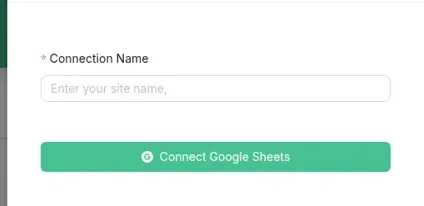
The connect dialog starts with a connection name. If it asks you to match columns, match them there. This page does not invent a column list.
| You have | Mark360.ai does |
|---|---|
| A Google Sheet of customers | Syncs that customer data to contacts after you connect and authorise |
| Tags and custom fields | Filters those contacts into a group |
| An approved WhatsApp template | Sends it from a campaign or workflow, not from inside the spreadsheet |
Connect the sheet
Authorise the Google account that owns the sheet.
1
Open Integrations
Choose Google Sheets.
2
Name the connection
Then authorise Google.
3
Sync customer data
Confirm any column match the dialog shows you.
4
Group and send
Build a group from tags, status, or custom fields, then send an approved template.
Three jobs for the sheet
Only the lead list sends a message. The other two are choices about where the data should live.
A lead list
Someone fills a form or a booth sheet. The row becomes a contact. The team does not paste numbers into a phone. The example below has no real person in it.
Mark360
A lead list
SheetRow: name, phone, tag “demo booked”.
Mark360.aiContact synced. Tag: demo booked.
Mark360.aiYou asked for a walkthrough. Reply with a time that suits you.
A broadcast audience
Dynamic groups update from filters. You see the filtered count before you send. That is the audience, not a CSV dropped into WhatsApp.
When a sheet is the wrong tool
Zoho CRM is the lead record if sales already lives there. Shopify events should start a workflow, not a row you retype. The API covers anything else.
Send from Mark360.ai, not from the sheet
“Send WhatsApp from Google Sheets” means the sheet holds the list and Mark360.ai does the sending. A business-initiated message needs a template Meta has approved. Marketing messages in India are ₹0.94. Utility messages are ₹0.138. Both are Mark360.ai totals.
You do not need Zapier. Zapier is not in the catalog, and the old Zapier URL redirects to the integrations hub.
Connect the sheet so customer data syncs to contacts, then send approved templates from Mark360.ai. The sheet is the list. Mark360.ai is the sender.
Integrations, Google Sheets, a connection name, then authorise the Google account.
No. Google Sheets is a native integration. Zapier is not in the catalog.
Shopify, Razorpay, Stripe, Twilio, SMTP, Shiprocket, Zoho CRM, GoKwik, Shopflo, FlexyPe, and Super Money.
Yes. The Free plan is $0/month and does not ask for a card. Scale is $19/month billed quarterly. Scale+ is $99/month. WhatsApp messages are billed per message on every plan.
Sync a sheet on the free plan
Authorise Google, check that a test row arrives as a contact, then send one approved template.
Trusted by 100+ businesses. Free plan, no credit card.