
Bulk WhatsApp
Send bulk WhatsApp messages on the official API
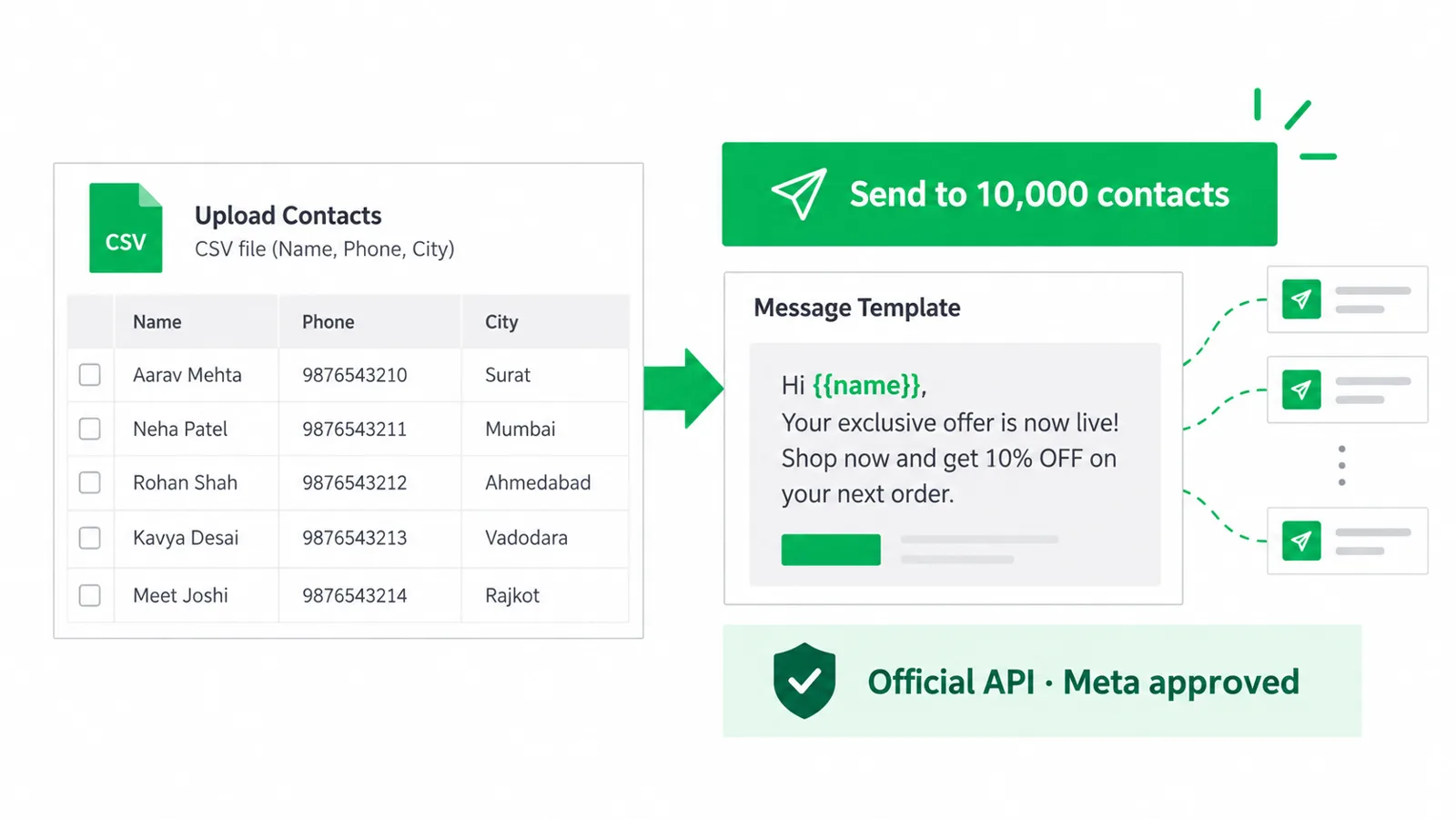
Import contacts, pick an approved template, and send or schedule. Mark360.ai uses the WhatsApp Cloud API. It is not an unofficial bulk-sender app.
- Official Cloud API
- Approved templates
- Opt-out handling
Free plan, no credit card required. Built on the official WhatsApp Cloud API.
Example chat
Mark360.aiHi. Your October invoice is ready. Pay from this message if you want to.
CustomerPaid.
Why unofficial bulk tools get numbers banned
WhatsApp allows business-initiated messages through the official platform, as approved templates, to people you are allowed to message. Browser extensions and unofficial sender apps break those rules.
Meta sets a limit on unique people you can message in a rolling window. That limit changes with quality. Mark360.ai shows the current limit in the product. This page does not publish a daily cap, because the number is not one fixed figure.
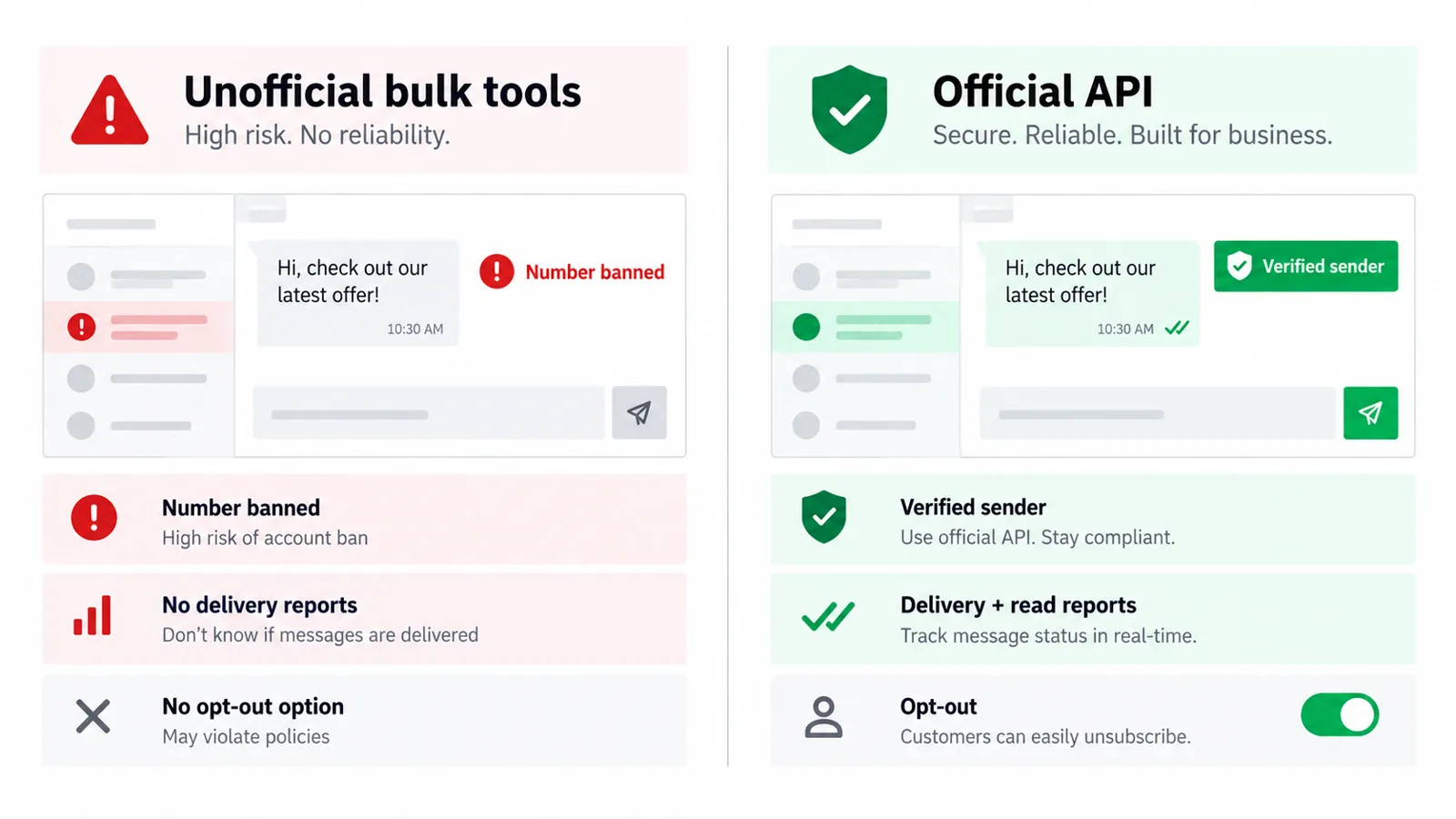
A send that can be explained to Meta
01
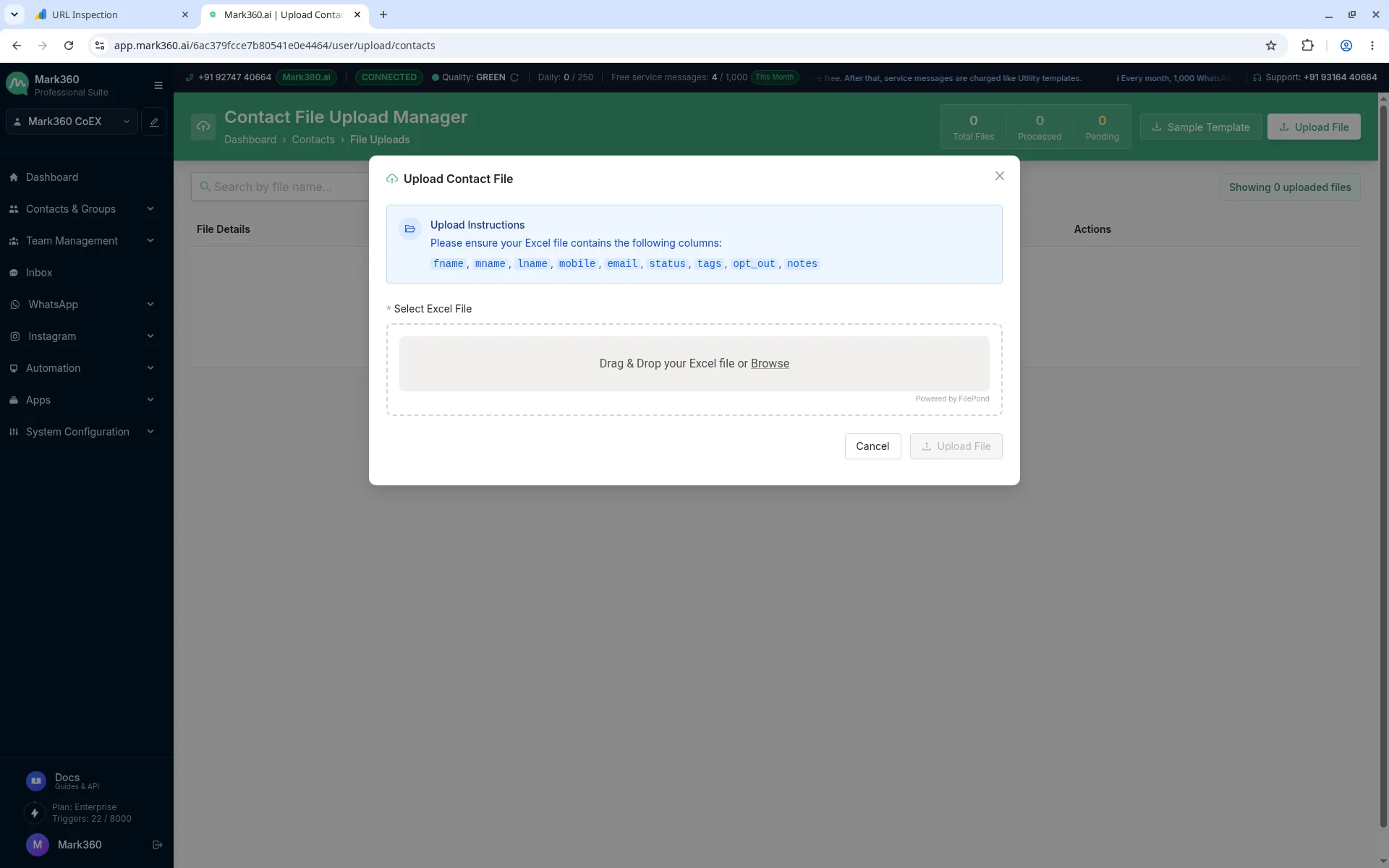
Import the list
Upload contacts with name, mobile, tags, and opt-out. A sample file shows the columns.
02
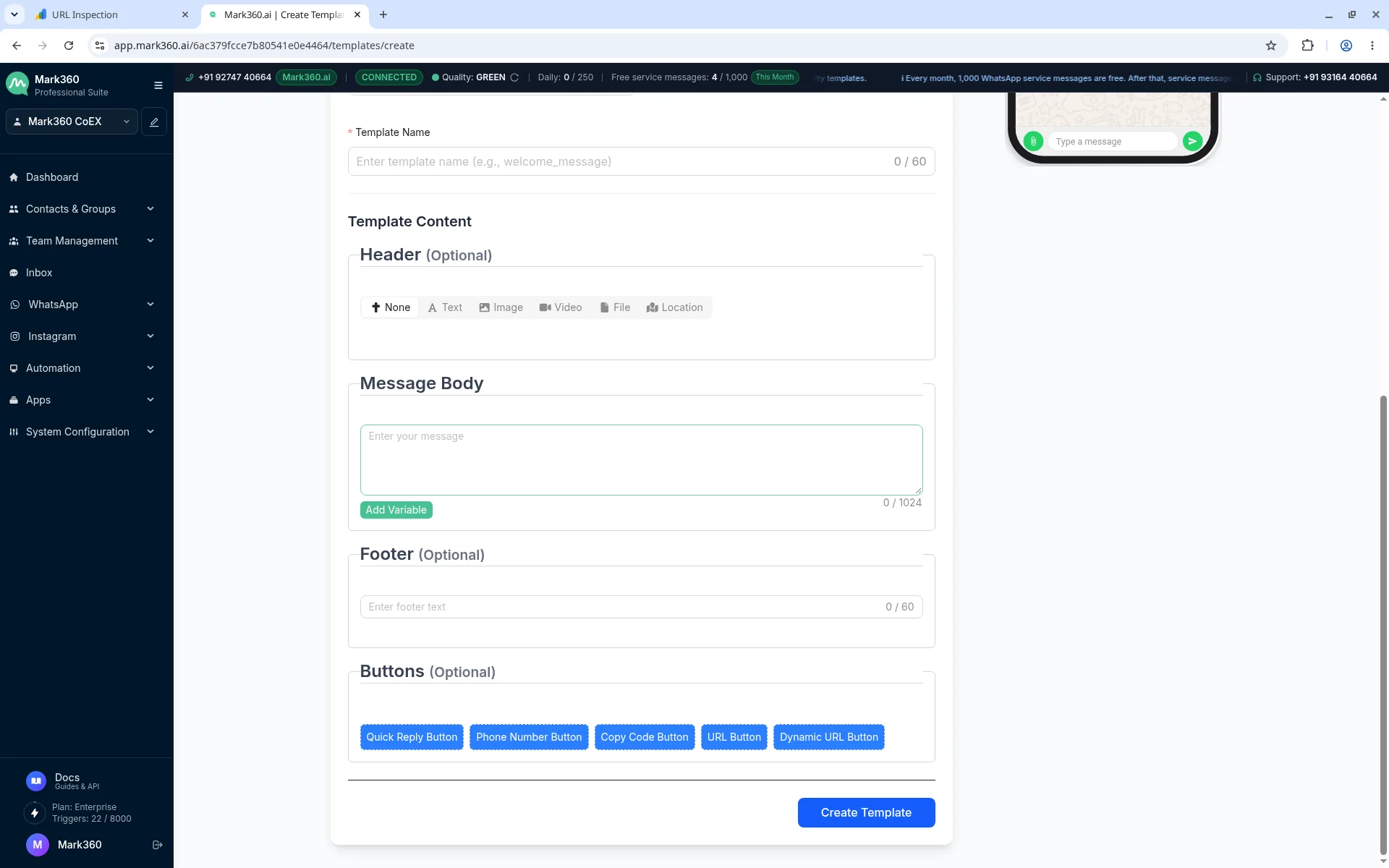
Pick an approved template
The wizard will not send a draft. Marketing, utility, and authentication are different categories.
03
Map the fields
The template's variables have to match columns on the contact.
04
Send or schedule
A recent-message filter can skip people you just wrote to. Replies land in the inbox.
What you check after the send
Campaign wizard
Template, contact groups, custom fields, then send or schedule. Each step has to be valid before the next one opens.
Delivery view
Analytics show messages, delivery, reads, and failures for the channel. They are your account's numbers, not a promise on this page.
The ledger
Every sent message is itemised with category, unit price, and status. India Marketing is ₹0.94. India Utility is ₹0.138.
Yes, through the official WhatsApp Business Platform with approved templates and people you are allowed to message. Unofficial bulk-sender apps break WhatsApp's terms.
Meta sets a limit of unique recipients that changes with quality. Mark360.ai shows your current limit in the product. This page does not invent a daily number.
In India, a Marketing message costs ₹0.94 and a Utility message costs ₹0.138. Those are the prices on Mark360.ai. Rates differ by country and category. Meta publishes its own rate card, and every message you send is itemised in Transaction History with its category, unit price and status.
Yes. Mark360.ai has a Free plan at $0/month with no credit card required. Paid plans start with Scale at $19/month billed quarterly (list price $35/month). Scale+ is $99/month. WhatsApp messages are billed per message on top of the plan. Annual billing is 10% off.
Start free on Mark360.ai
Connect your WhatsApp number on the free plan and set up the first automation. Move to Scale at $19/month billed quarterly when you need more triggers, seats or campaigns.
Trusted by 100+ businesses. Free plan, no credit card.