
Guides
Documentation
The short version of how to set up Mark360.ai is on this page. The chapter-length guides, with every field, are at docs.mark360.ai.
- Self-serve WhatsApp
- Bots, campaigns, Flows
- docs.mark360.ai
Free plan, no credit card required. Built on the official WhatsApp Cloud API.
Unassigned
Mine
Resolved
- CCustomerWhere is my order?Unassigned
- LLeadCan we talk on Thursday?Mine
- GGuestWhat time is pickup?Resolved
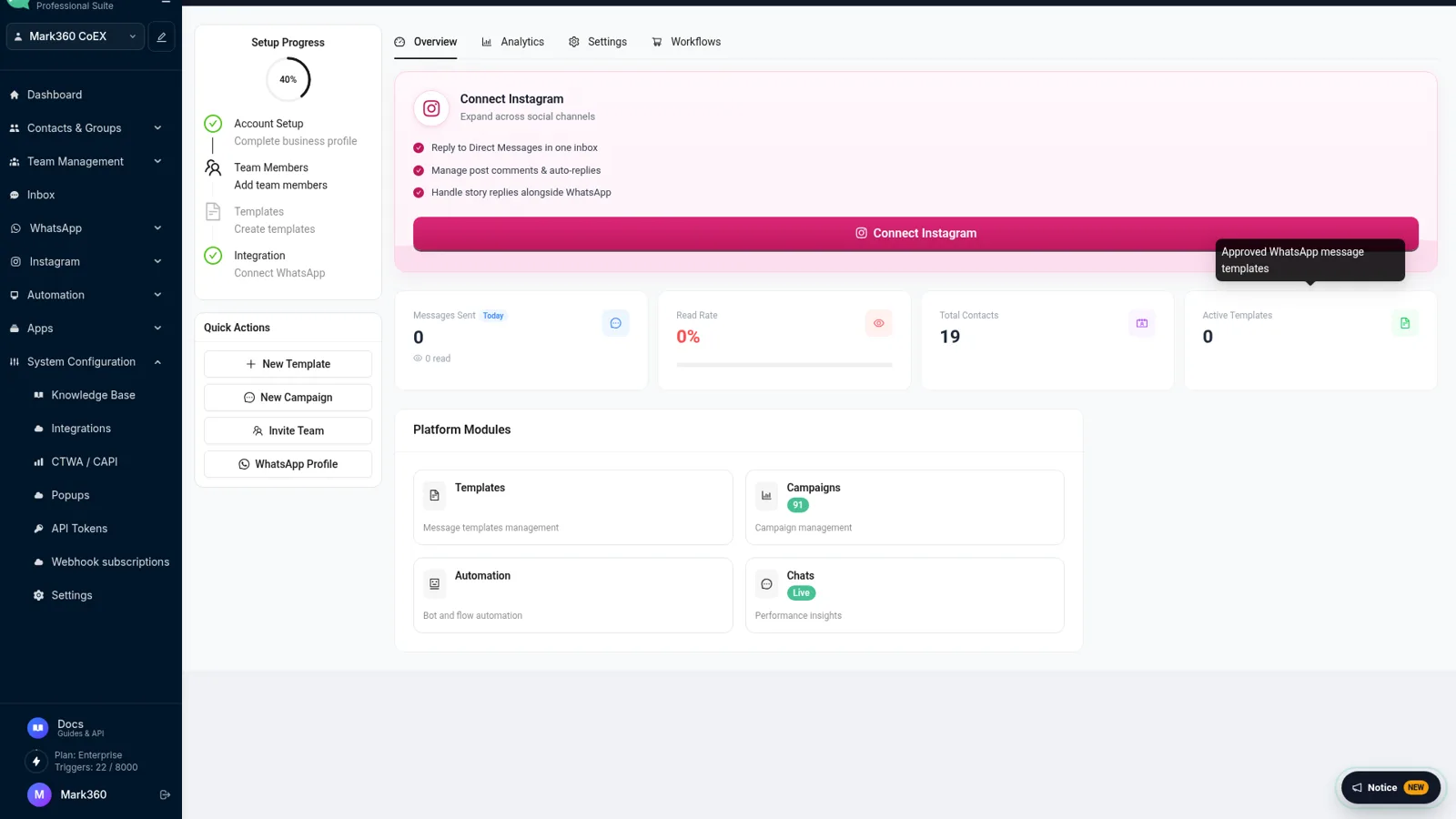
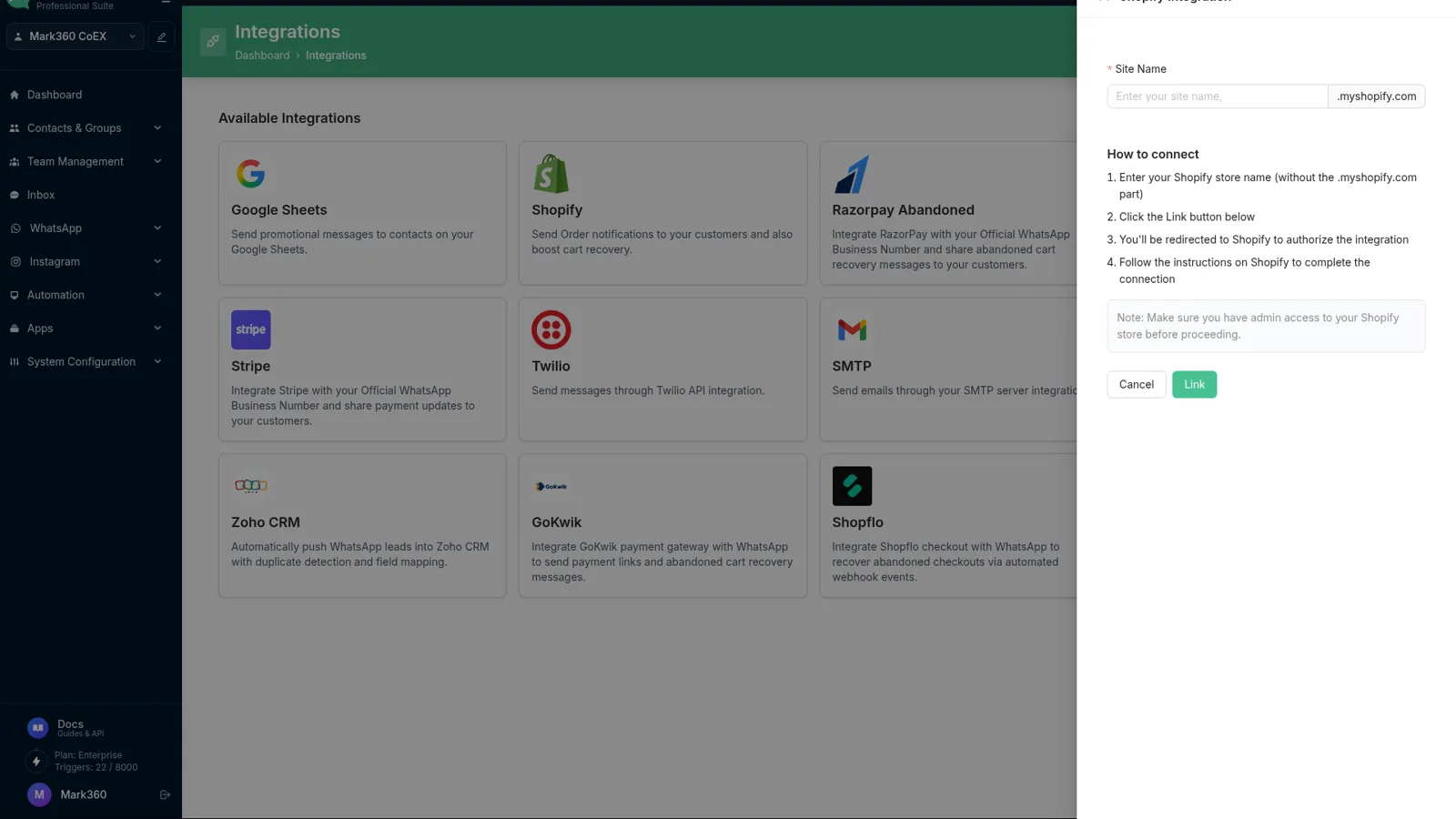
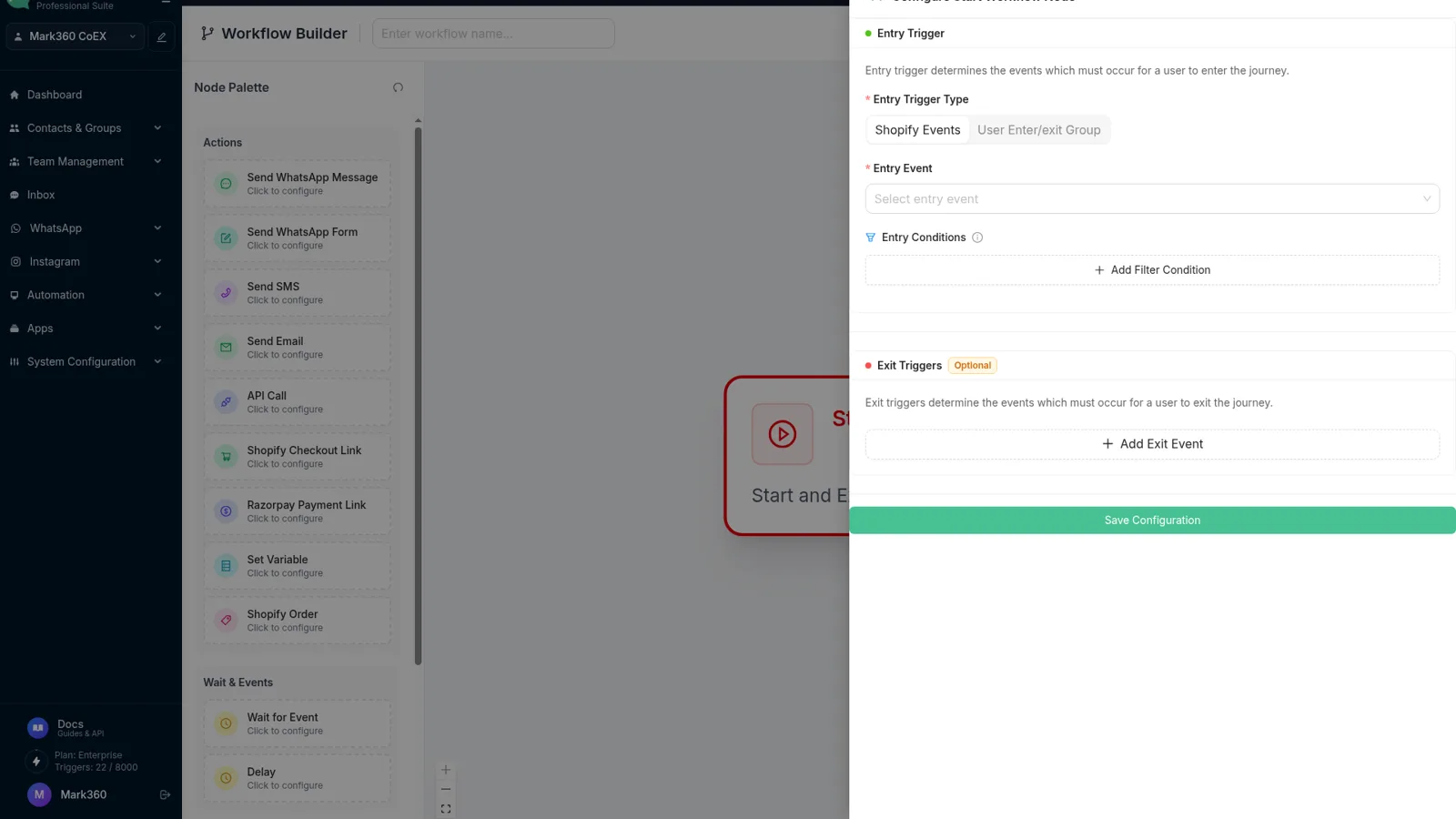
Screens from the product
Screens from app.mark360.ai.
Before you connect WhatsApp
You need a Facebook Business Manager account, a website that matches the business, and a phone number that is not active on the WhatsApp mobile app. Verify the number by SMS or a voice call during Connect by yourself.
If you are moving a number from another provider, disable two-step verification in WhatsApp Manager, email [email protected], and turn two-step verification back on after the move.
- Connect by yourself: business details, WhatsApp Business Account, public profile, then the number.
- The docs say the account links within a few minutes.
- Previous chats on the mobile app do not come across.
Inbox, campaigns, drips and bots
The team inbox assigns chats to a bot, by round-robin, or by hand, and can follow working hours. Filters include status, tag and assignee. Internal notes support @mentions.
A campaign has four steps: approved template, contact groups, the template's custom fields, then send or schedule. A recent-message filter can skip people you just wrote to. Drips are sequences you build on a canvas. Bots are drag-and-drop, with cards for messages, questions, conditions, delays, API calls, Shopify and payments.
Flows, Instagram, payments, widgets
WhatsApp Flows are multi-screen forms inside the chat. Instagram connects with Meta login and then shares the inbox. Payment links can be sent from a chat or from a workflow. The website widget is created under WhatsApp, then Chat Widgets, and published with a script.
Read the matching chapter on docs.mark360.ai when you want the field-by-field version. This site's feature pages cover inbox, Flows, payments, Shopify and Instagram in more depth.
At docs.mark360.ai. This page is the map. The docs site is the field-by-field guide.
Email [email protected]. For a sales or partnership conversation, use [email protected] or the contact page.
Yes. Mark360.ai has a Free plan at $0/month with no credit card required. Paid plans start with Scale at $19/month billed quarterly (list price $35/month). Scale+ is $99/month. WhatsApp messages are billed per message on top of the plan. Annual billing is 10% off.
Start free on Mark360.ai
Connect your WhatsApp number on the free plan and set up the first automation. Move to Scale at $19/month billed quarterly when you need more triggers, seats or campaigns.
Trusted by 100+ businesses. Free plan, no credit card.