
WhatsApp for Shopify
WhatsApp for Shopify stores
Recover an open cart, confirm a cash-on-delivery order, and send the shipping update from Shopify events. Mark360.ai runs those journeys on WhatsApp, and can add email on the same workflow.
- Workflow presets for cart, order, delivery and shipment
- COD confirmation, with a prepaid Razorpay link when you want one
- Shopify, Shiprocket, GoKwik, Shopflo and FlexyPe in the catalog
Trusted by 100+ businesses. Official Meta Business Partner. Free plan, no credit card.
Shopify App Store listinghttps://apps.shopify.com/m360-whatsapp-marketing-chat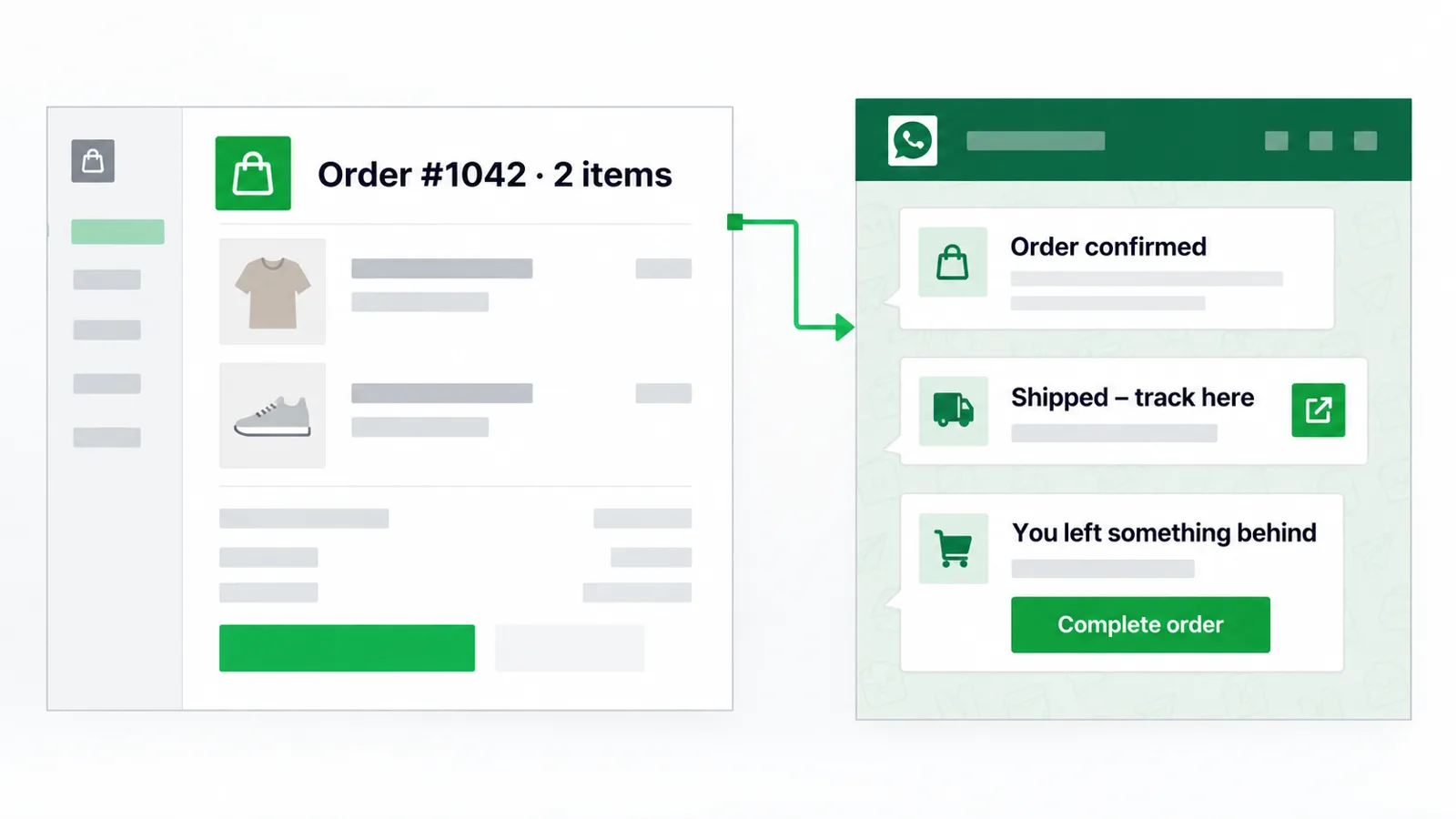
Mark360
Example chat
Mark360.aiYour cart is still open. Complete checkout when you are ready.
CustomerSend the checkout link
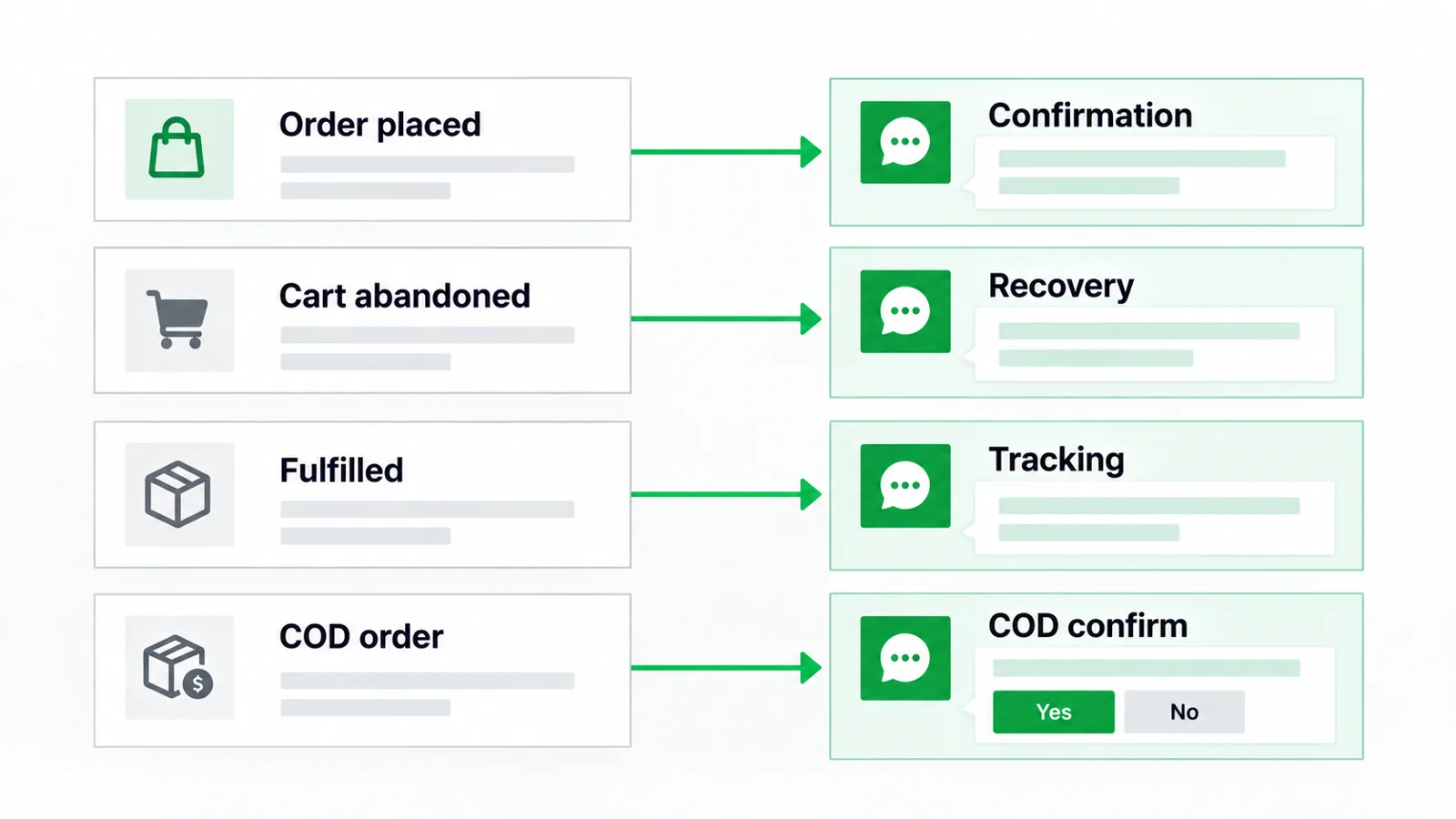
Four Shopify events, four WhatsApp messages
These are presets and nodes in the product, not a promise about recovery rate. Meta still has to approve the template you send, and a marketing message in India is ₹0.94 on Mark360.ai.
Abandoned cart
A shopper leaves checkout. The cart-abandonment preset can message them on WhatsApp and send an email from the same workflow. The WhatsApp message can include a Shopify checkout link.
Mark360
Abandoned cart
Mark360.aiYou left items in your cart. Here is the checkout link.
CustomerOpening it now
Order confirmation
When the order is placed, the order-confirmation preset tells the buyer the order exists. The email designer has an order-confirmed preset for the same moment.
Mark360
Order confirmation
Mark360.aiOrder #1042 is confirmed. We will message you when it ships.
CustomerThank you
COD to prepaid
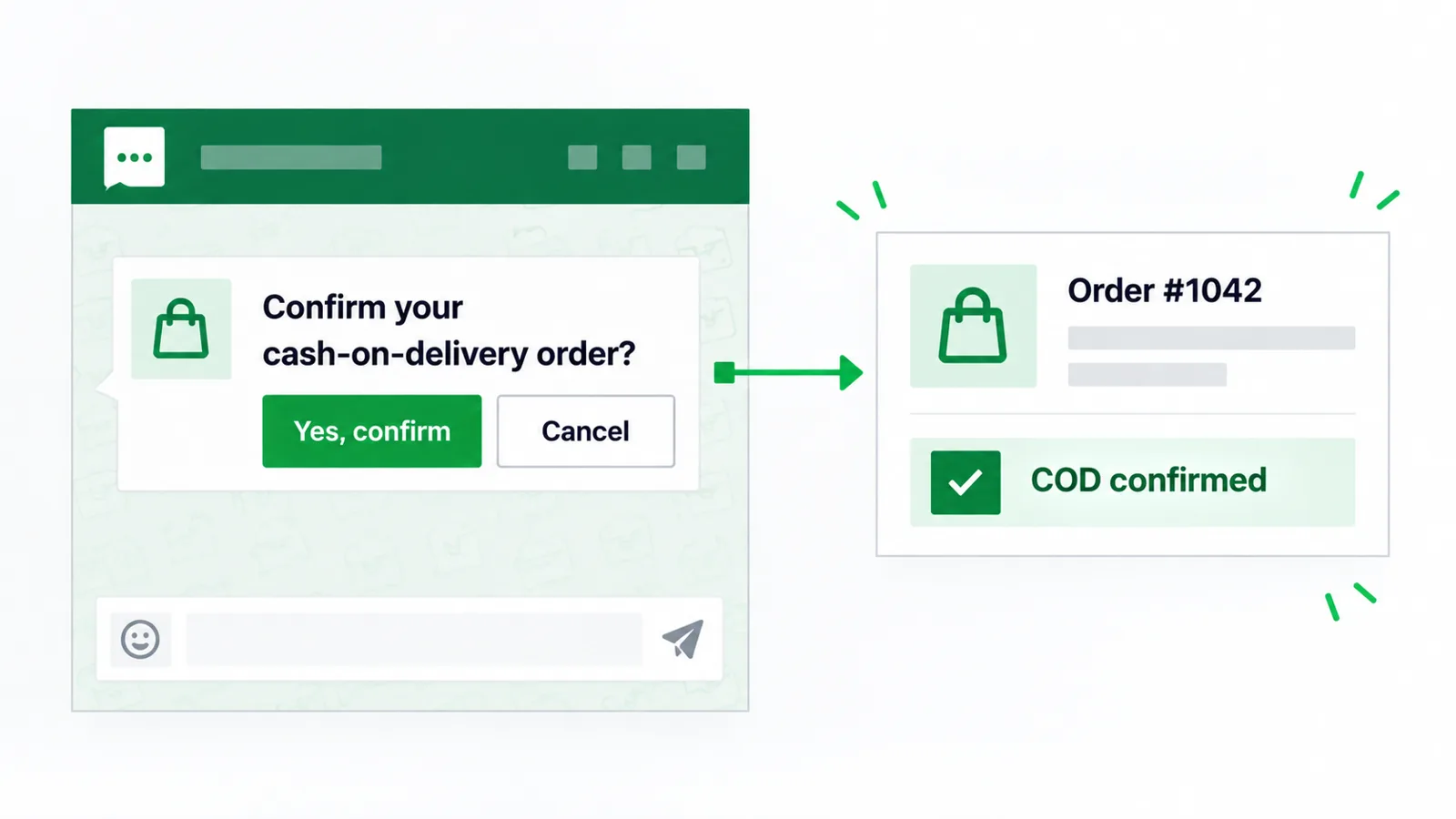
COD confirmation is a workflow and an email preset. Before dispatch, WhatsApp can ask the buyer to confirm cash on delivery or pay now. The pay-now path is a Razorpay payment link. Stores use this to cut returns. Mark360.ai does not publish a return-rate figure.
Mark360
COD to prepaid
Mark360.aiOrder #1042 is cash on delivery. Reply COD to keep it, or pay now to switch to prepaid.
CustomerPay now
Mark360.aiHere is the Razorpay link for this order.
Shipping updates
Order-delivered and shipment-update presets cover the handoff. Shiprocket is in the integrations catalog for shipping. The email designer also has an order-shipped preset.
Mark360
Shipping updates
Mark360.aiOrder #1042 has shipped. The tracking link is in this chat.
CustomerGot it
From a Shopify event to a sent template
Four steps. No code. The same canvas can wait, branch, and send WhatsApp, SMS, or email.
1
Connect Shopify
Enter the store name and approve the app with Shopify OAuth. Start from the Shopify App Store listing or from Integrations inside Mark360.ai.
2
Turn on a preset
Cart abandonment, browse abandonment, welcome, order confirmation, order delivered, or shipment update.
3
Edit the wait and the template
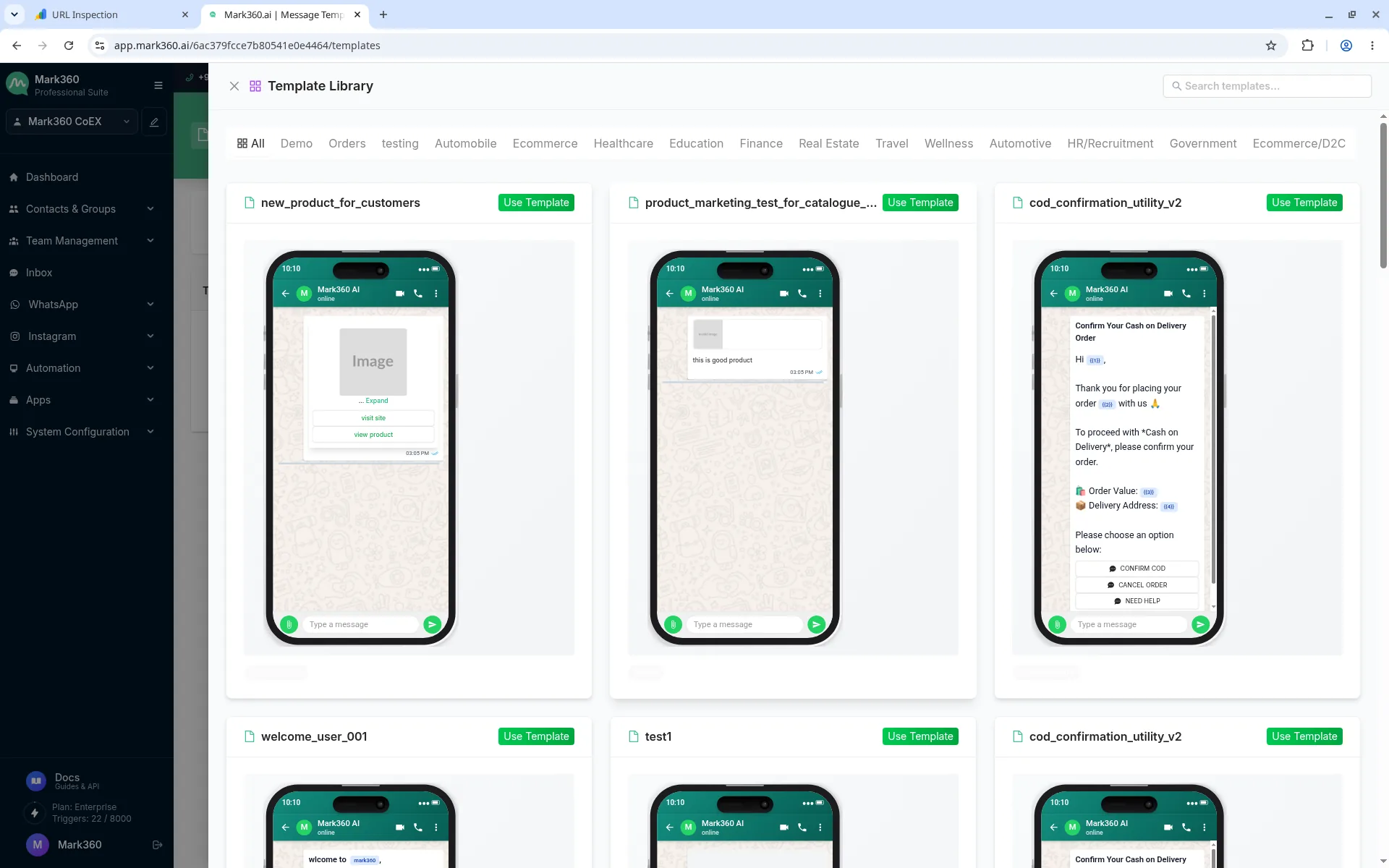
Map the checkout link, order number, or tracking link. Submit the WhatsApp template for Meta’s category review.
4
Read the result
Workflow screens show what ran. Transaction History shows each WhatsApp message, its category, and the unit price.
Events the workflows can hear
Catalog and WhatsApp orders stay in Mark360.ai too: connect a Facebook catalog, then review order id, products, status, and total. This page does not show a customer name or phone number.
| Shopify-side event or tool | What Mark360.ai can send |
|---|---|
| Abandoned cart | WhatsApp, plus the abandoned-cart email preset |
| Browse abandonment | Workflow preset |
| Order placed | Order-confirmation WhatsApp and email |
| Cash on delivery | COD confirmation, optional Razorpay prepaid link |
| Shipment and delivery | Shipment-update and order-delivered presets. Shiprocket is a separate catalog connection |
| GoKwik, Shopflo, FlexyPe | Abandoned-cart events, alongside Shopify |
| Razorpay checkout left unfinished | Razorpay abandoned-checkout event, separate from the Shopify cart preset |
Where to click
Connect from the Shopify App Store listing or from Integrations → Shopify inside Mark360.ai. The dialog asks for the store name, then Shopify shows the OAuth screen.
After OAuth, open Workflows and enable only the presets you want. Utility messages (order and shipping updates the buyer expects) and marketing messages (cart reminders) are different Meta categories. In India, Mark360.ai’s total is ₹0.138 for a utility message and ₹0.94 for a marketing message. Other countries follow Meta’s rate card.
Plan prices are separate. Free is $0. Scale is $19/month billed quarterly. Scale+ is $99/month.
In Mark360.ai, open Integrations, choose Shopify, enter the store name, and approve the app. Or install the Shopify App Store listing and then open Mark360.ai. After that, switch on cart, COD, and order-update workflows.
Confirming a COD order before dispatch, and offering a prepaid link, is how stores try to cut returns. Mark360.ai includes a COD confirmation workflow and can send a Razorpay payment link. We do not publish a percentage.
Shopify, plus GoKwik, Shopflo, FlexyPe, and Razorpay abandoned-cart events. Shiprocket is in the catalog for shipping.
No. Presets, templates, and the workflow canvas are no-code. API tokens and webhooks are there if a developer wants them. See the API docs.
Send cart reminders only to people you may message, on a template Meta has approved, with a working opt-out. Mark360.ai uses the official WhatsApp Cloud API. An opt-out keyword removes the contact from later campaigns.
The plan is separate from messages. Free is $0. Scale is $19/month billed quarterly. Scale+ is $99/month. In India, a marketing message is ₹0.94 and a utility message is ₹0.138. Those are Mark360.ai totals.
Yes. The Free plan is $0/month and does not ask for a card. Scale is $19/month billed quarterly. Scale+ is $99/month. WhatsApp messages are billed per message on every plan.
Start free on Mark360.ai
Connect the Shopify store, turn on one preset, and send the first approved template from the free plan.
Trusted by 100+ businesses. Free plan, no credit card.