
WhatsApp Flows
Build WhatsApp Flows without leaving the chat
A Flow is a multi-screen form that opens inside WhatsApp when someone taps a button. Customers book, register or upload a file without a browser tab.
- Multi-screen builder
- If and Switch
- Responses in one list
Free plan, no credit card required. Built on the official WhatsApp Cloud API.
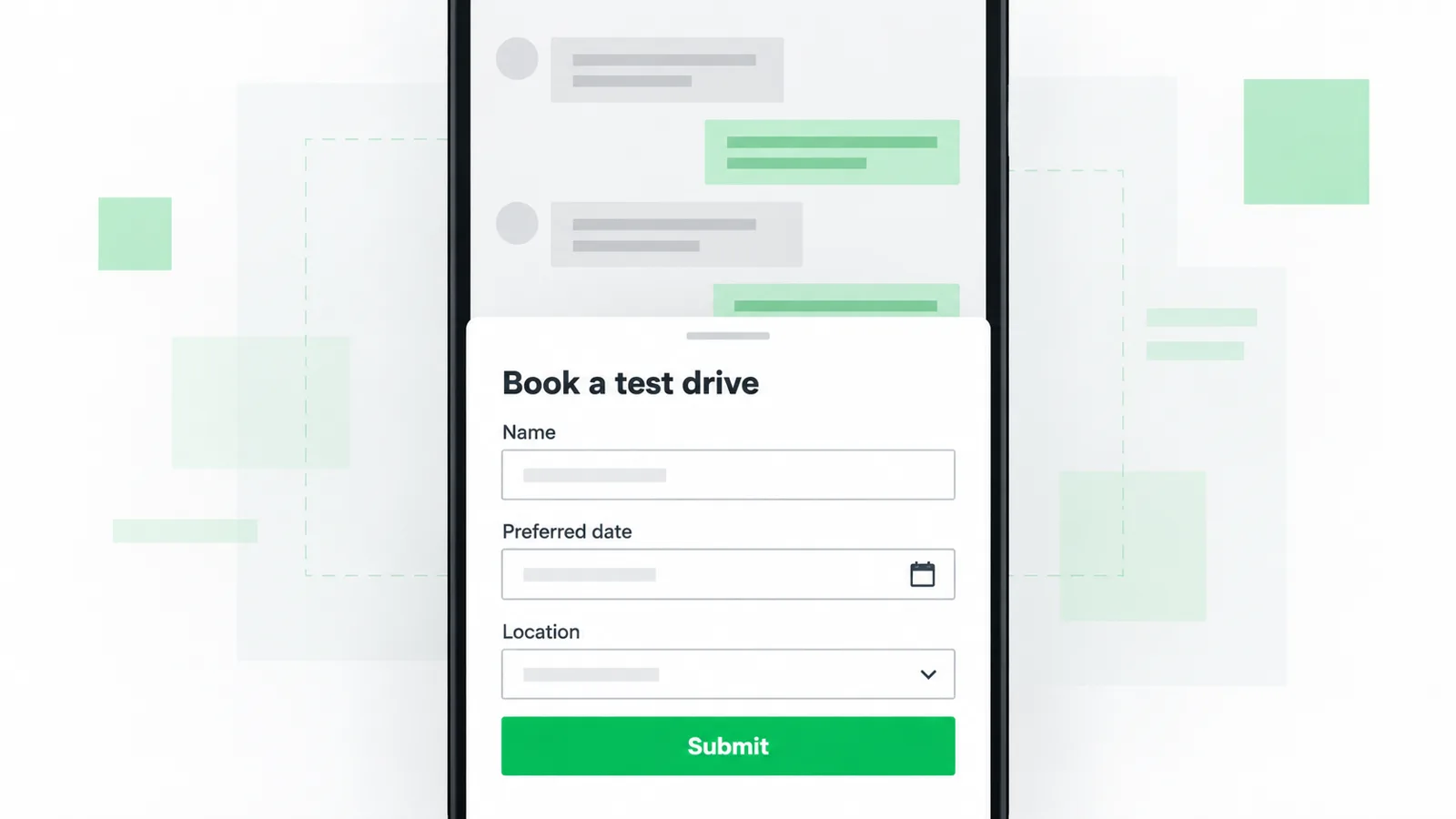
Example chat
Mark360.aiBook a visit. The form opens in WhatsApp.
CustomerShares a date, a name and a phone number.
Flows teams ship first
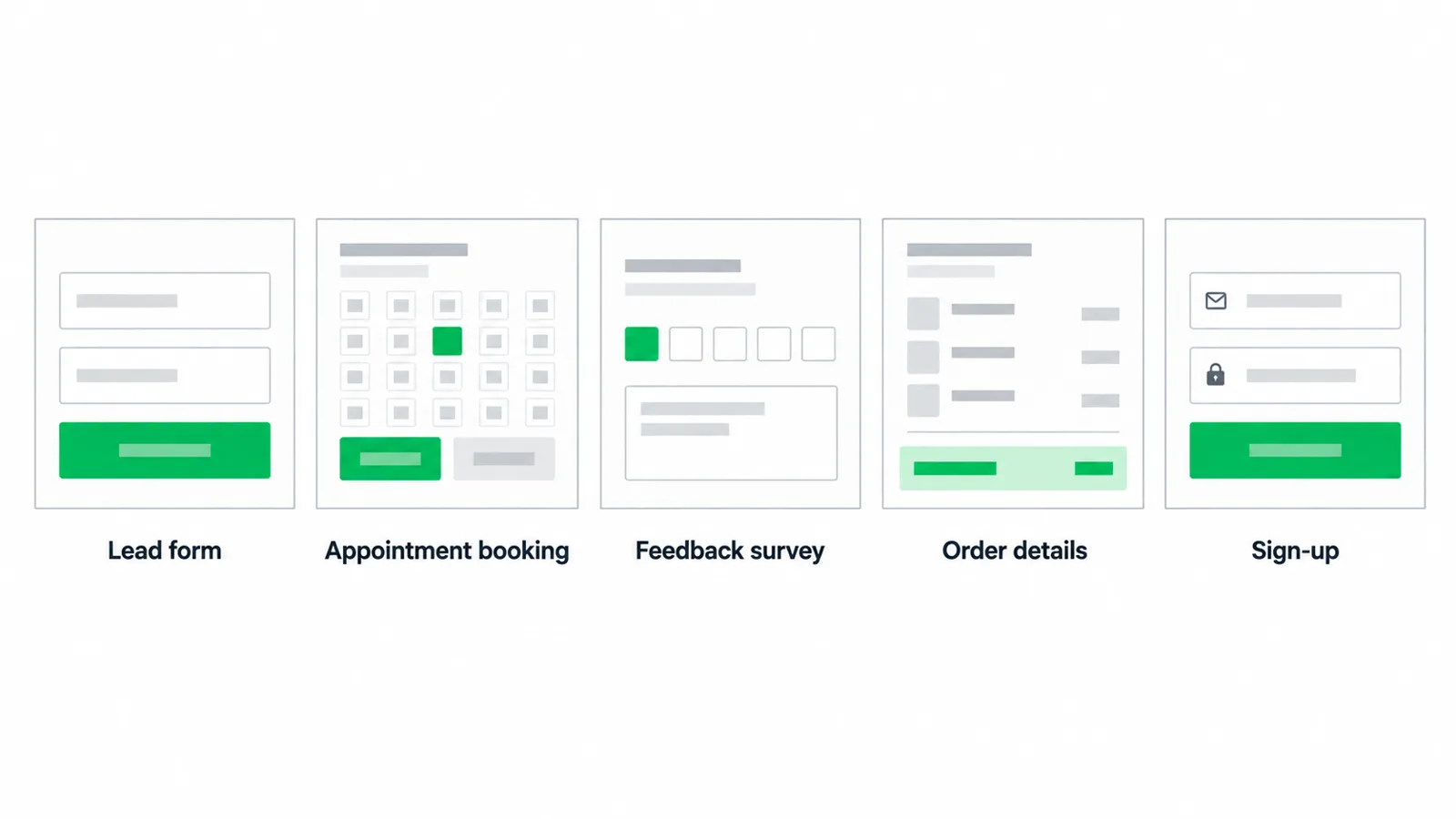
Appointment booking
Mark360.aiBook a visit. The form opens in WhatsApp.
CustomerShares a date, a name, and a phone number.
Lead qualification
Mark360.aiWhat budget and city should I pass on?
LeadAhmedabad, under ₹2 lakh.
Document collection
Mark360.aiUpload the PDF in this chat.
CustomerSent the file.
Feedback
Mark360.aiHow was the visit? Tap a score.
Customer5.
Publish a Flow
01
Sketch the screens
One question per screen is easier to finish than a long form.
02
Add logic
Use If and Switch so a yes and a no do not share the next step.
03
Send it
Attach the Flow to a template button or a bot card.
04
Read the responses
Filter by date and export the submissions instead of scrolling chats.
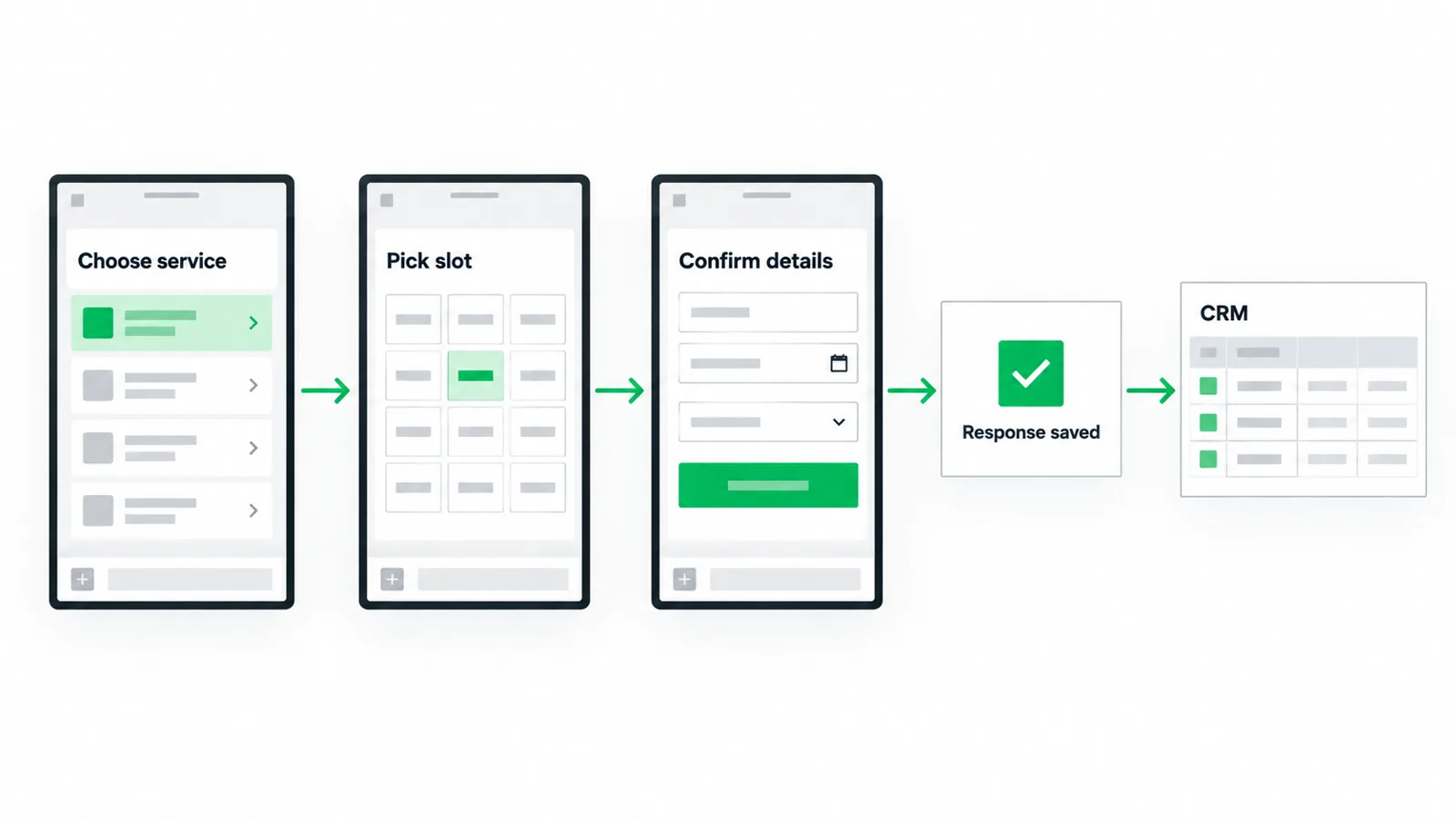
What a Flow is made of
Each Flow is a set of screens. A screen holds inputs: text, email, phone, date, passcode, single or multiple choice, dropdowns, opt-in, and photo or document pickers. If and Switch logic decide which screen comes next.
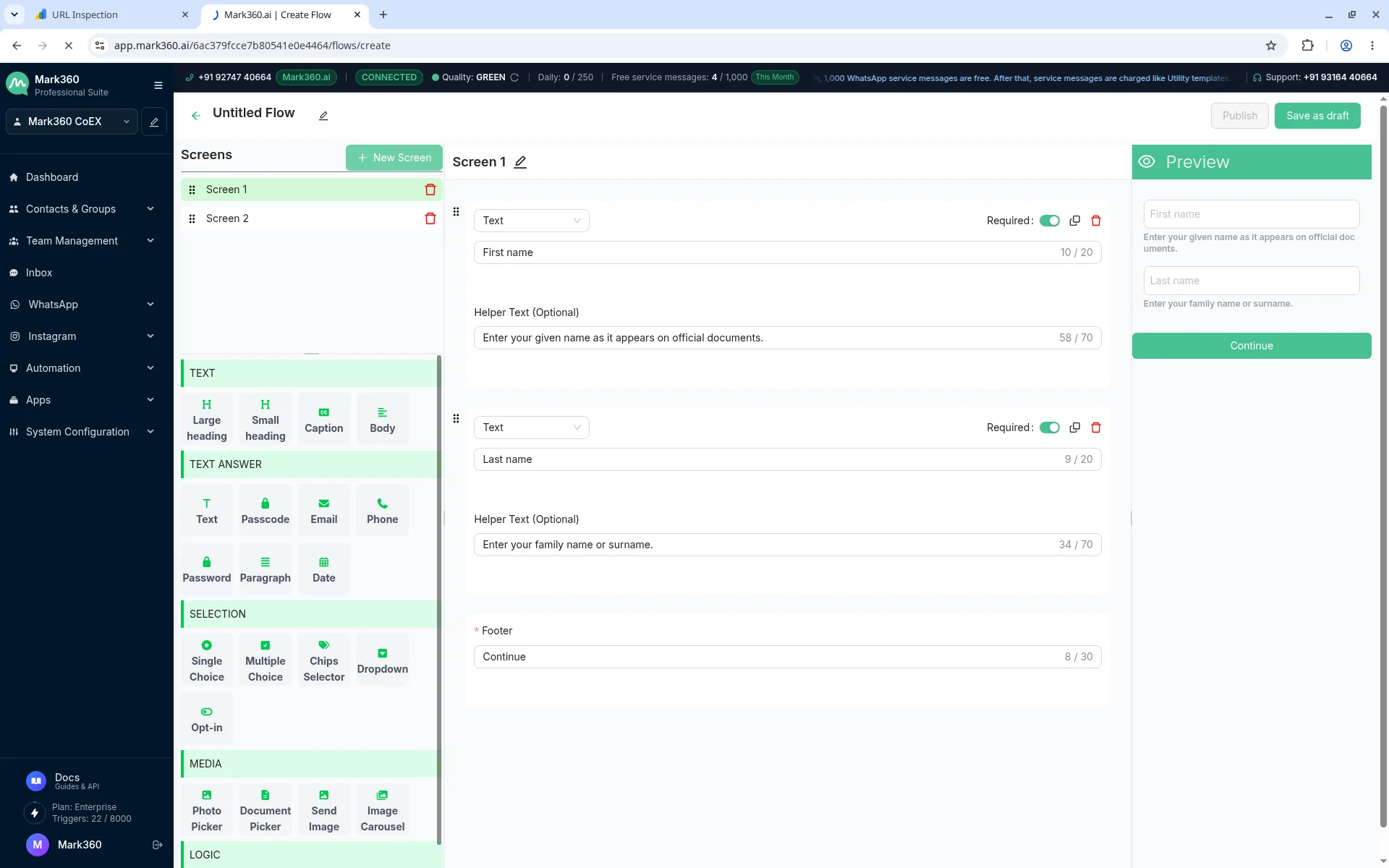
You can launch a Flow from a template button, from a bot, or from an automation. Completed submissions are listed per Flow with a date filter, so the answers are not trapped in a chat thread. The longer guide is on docs.mark360.ai under WhatsApp Form.
No. The form opens inside WhatsApp after they tap the button on your message.
Yes. If and Switch logic choose the next screen from the answer.
Yes. Mark360.ai has a Free plan at $0/month with no credit card required. Paid plans start with Scale at $19/month billed quarterly (list price $35/month). Scale+ is $99/month. WhatsApp messages are billed per message on top of the plan. Annual billing is 10% off.
Start free on Mark360.ai
Connect your WhatsApp number on the free plan and set up the first automation. Move to Scale at $19/month billed quarterly when you need more triggers, seats or campaigns.
Trusted by 100+ businesses. Free plan, no credit card.