

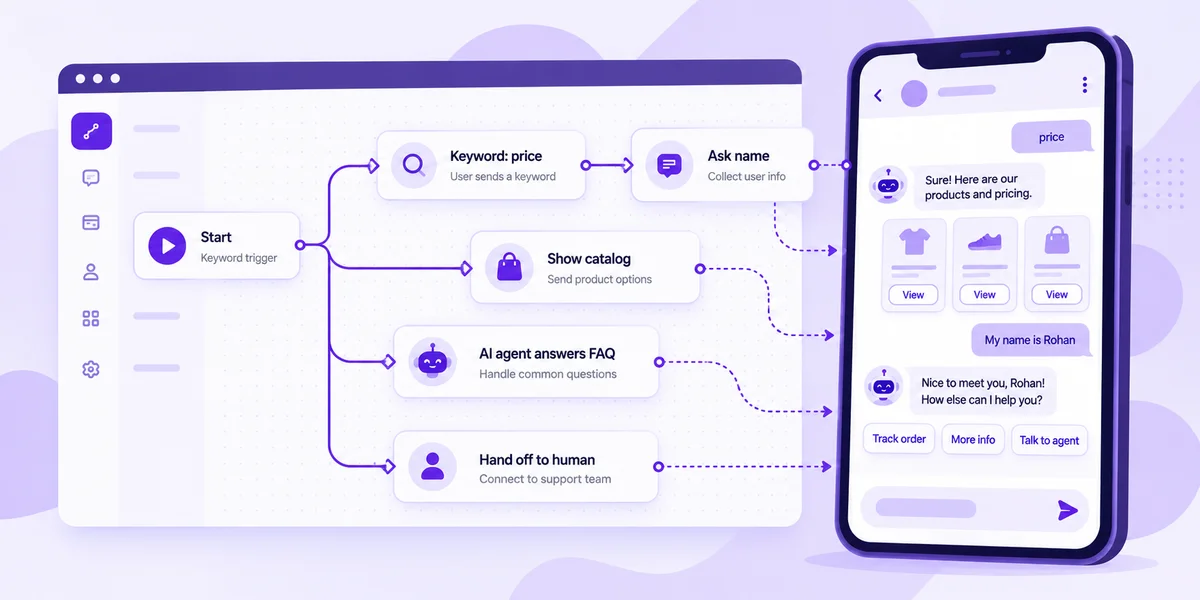
Direct answer: A WhatsApp chatbot is software that replies to customers on the official WhatsApp Business Platform (API) automatically, using button menus and keyword rules, an AI agent trained on your own content, or both. To build one: connect a WhatsApp API number through a Meta Business Partner, pick one goal, design the flow in a no-code builder, add AI and FAQs, test it, then launch and measure. Since 1 October 2026, Meta gives every business number 1,000 free service messages a month; after that, bot replies are charged per delivered message. Your real cost is a platform plan plus those message fees plus a few hours of setup.
Pricing and Meta rules in this guide were checked on the official pages as of October 2026: Meta's WhatsApp Business Platform pricing page (updated 30 September 2026), mark360.ai/pricing and aisensy.com/pricing. Rules and prices change, so confirm before you budget.
What is a WhatsApp chatbot?
A WhatsApp chatbot (or WhatsApp bot) is an automated assistant on your business number. It greets people, shows a menu, answers questions, collects details and hands the chat to a person when needed.
It runs on the WhatsApp Business Platform (the WhatsApp API), not the free WhatsApp Business app, which only offers greeting, away and quick-reply messages. If you're still choosing your setup, read Cloud API vs Business app vs BSP in India.
One rule shapes every bot: free-form replies (Meta calls them service messages) can only be sent inside the 24-hour customer service window, which resets each time the customer messages you. Outside it, you need an approved template.
Types of WhatsApp chatbots: rules-based bot vs AI agent
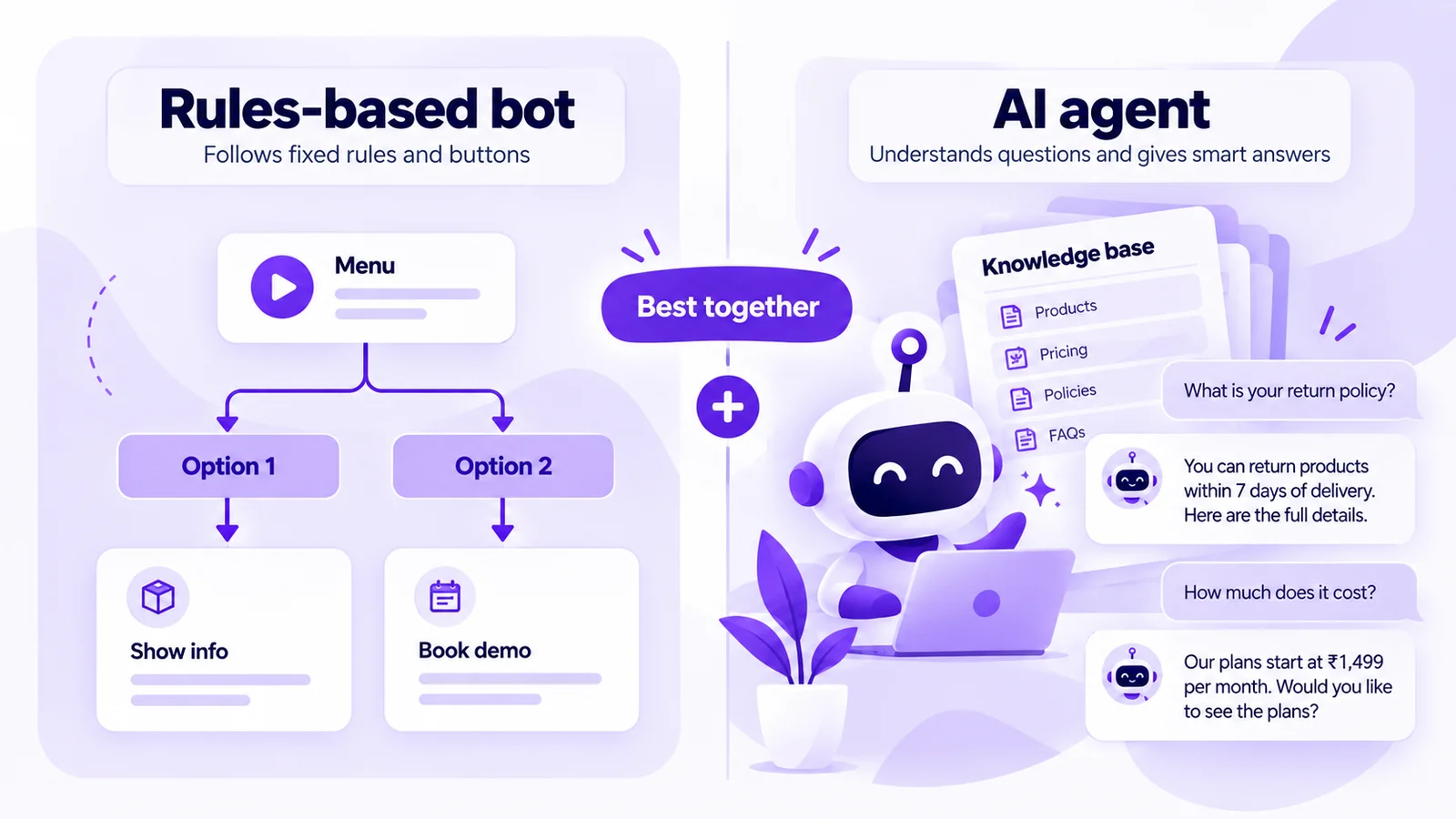
| Rules-based bot | AI agent | |
|---|---|---|
| How it works | Buttons, list menus and keyword triggers follow a flow you draw | Reads the customer's free-text question and answers from a knowledge base you upload |
| Best for | Order status, bookings, lead forms, menus, opt-ins | Product, policy and pricing questions phrased many different ways |
| Setup effort | Low. Predictable, easy to test | Medium. Quality depends on the content you give it |
| Risk | Feels rigid off-script | Needs guardrails and a human hand-off |
Most businesses do best with both: a menu for the top tasks, an AI agent for everything else, and a person for complaints, payments and hot leads. For the deep dive on AI agents, see our WhatsApp AI agent for business guide. If you're weighing Meta's own AI, read Meta Business Agent vs Mark360 AI agents.
How to build a WhatsApp chatbot in 6 steps (no code)
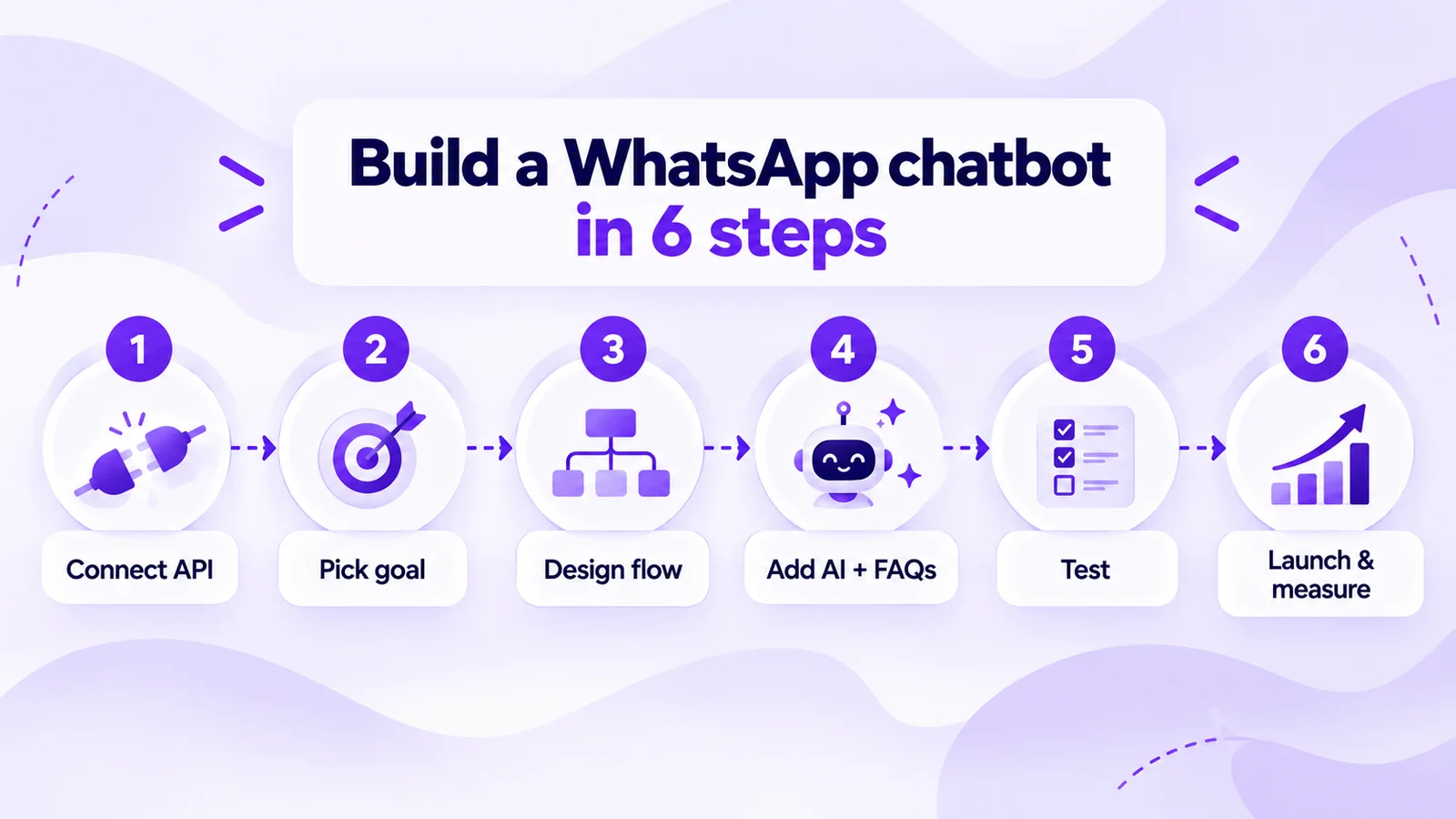
- Connect API. Connect your number to the WhatsApp Business Platform through Meta's official signup inside your provider. You'll need a Meta business portfolio, a number not active on another WhatsApp account, and a payment method, because Meta now charges for service messages beyond the free tier.
- Pick goal. Choose one job for version one: book appointments, qualify leads, track orders or answer FAQs. Pick one metric, such as bookings per week.
- Design flow. Start from a template or a blank bot. Set the trigger (any message, keywords, a new order or another flow), then add buttons and list menus. For structured details, add a WhatsApp Flow: a multi-screen form inside the chat.
- Add AI + FAQs. Upload your price list, policies and FAQs as a knowledge base so an AI agent answers free-text questions from your content. On Mark360, AI agents can answer in English and Hindi. Add a clear “Talk to a person” path that routes to your shared team inbox.
- Test. Use the phone preview, then message the bot from two or three real phones. Try typos, Hinglish and “I want to talk to someone”. Set a timeout message for customers who go quiet.
- Launch & measure. Go live on a wa.me link, QR code, website button and Click-to-WhatsApp ads. Weekly, check completion rate, hand-off rate, unanswered questions and messages per resolved request.
On Mark360, an Official Meta Business Partner, steps 3–5 happen in one builder: pick an AI agent template or blank bot, set triggers, add a Flow and upload your answers. See the WhatsApp chatbot builder.
What does a WhatsApp chatbot cost in 2026?
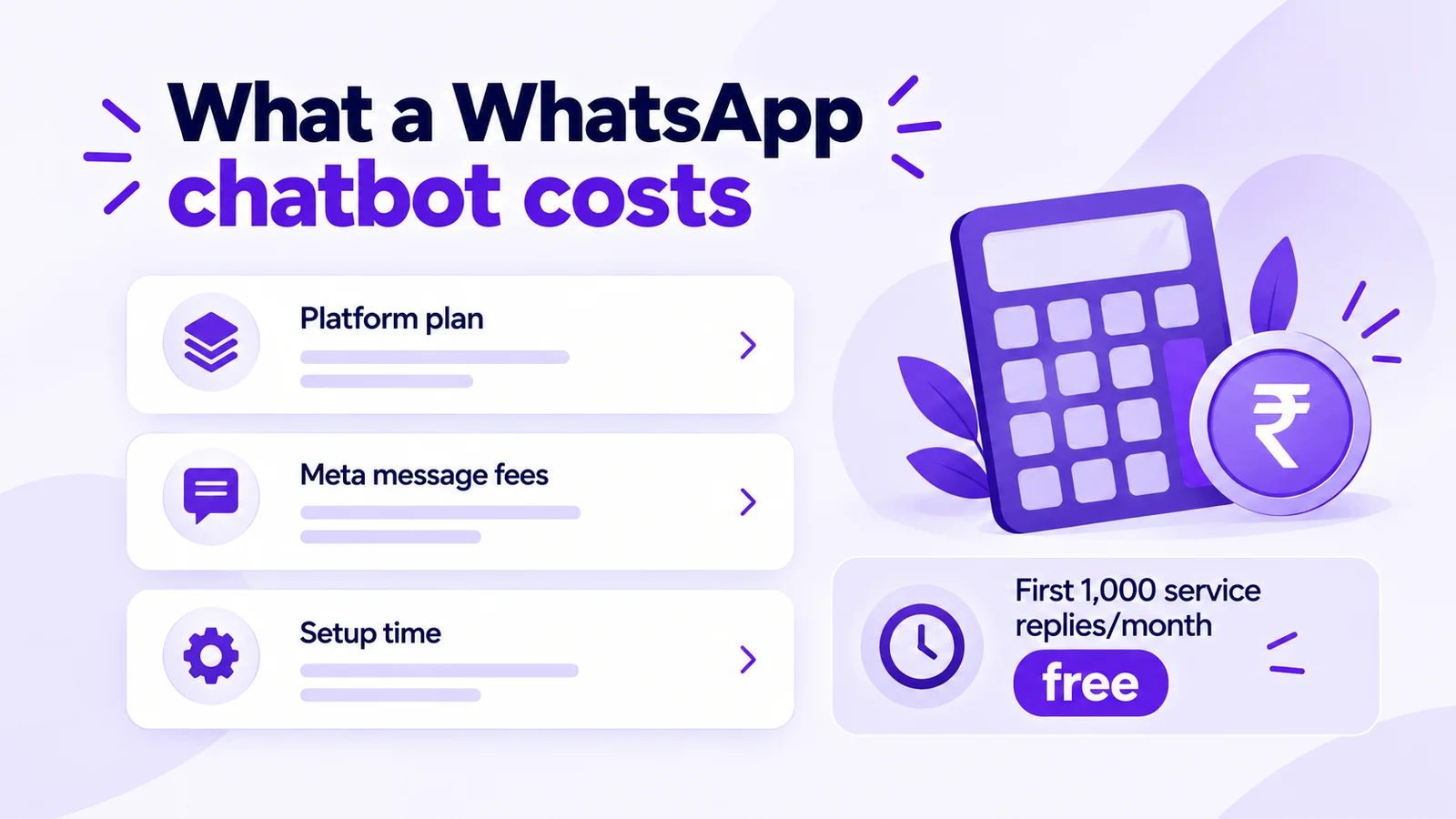
A WhatsApp chatbot has three costs: a platform plan, Meta message fees and setup time.
1. Meta message fees (the October 2026 rules)
- Customer messages to you are free. Meta only charges for messages a business delivers.
- Bot and agent replies are service messages. Since 1 October 2026, each business phone number gets 1,000 free service messages per month. They reset monthly and don't roll over. Meta charges from the 1,001st.
- Utility templates sent inside the 24-hour window are now charged. Think order and booking confirmations.
- Click-to-WhatsApp ad chats can be free. When a customer messages you from a Click-to-WhatsApp ad on the WhatsApp mobile app and you reply in time, a free entry point window opens. Meta says it can stay open for up to 7 days, and messages in it aren't charged (Meta Business Agent messages excepted). See Click-to-WhatsApp ads in India.
- Marketing and authentication templates are charged per delivered message, at the rate for the recipient's country.
2. Platform plan (as of October 2026)
| Cost item | Mark360 | AiSensy (USD pricing page) |
|---|---|---|
| Free plan | $0: Instagram DM and comment automation, 500 triggers, 1 bot | Free Forever plan (paid plan needed to broadcast) |
| Rules-based WhatsApp chatbot | Scale, $19/month billed quarterly: no-code builder, 5 bots, 1,000 triggers, 2 WhatsApp Flows, omnichannel inbox | Basic plan $45/month + Chatbot Flows add-on $80/month |
| AI agent | Scale+, $99/month: AI support agent and knowledge automation | AI Agent Builder add-on $50/month for 1,000 AI messages |
| Annual billing | 10% off | See vendor page |
| India message price | Utility ₹0.138, marketing ₹0.94. Service replies beyond the free 1,000 are billed like utility | Country rate, from prepaid credits |
| Setup fee | None | See vendor page |
Prices are taken from mark360.ai/pricing and aisensy.com/pricing/usd as of October 2026. AiSensy's plans are billed monthly. Prices can vary by country and billing period.
3. Worked example: a clinic chatbot in India
Illustrative arithmetic, not a forecast: 600 patients message a clinic in a month and the bot sends about 4 replies each, so 2,400 service messages. The first 1,000 are free, so 1,400 are charged: 1,400 × ₹0.138 = ₹193.20. Add 600 appointment confirmations sent as utility templates: 600 × ₹0.138 = ₹82.80. That's about ₹276 in message fees for the month, plus your plan and taxes. At 2 replies per chat, only 200 would be charged. Run your own numbers in the WhatsApp pricing calculator, and see how costs differ by industry in service-message costs by industry.
Setup time: a template bot for one goal is typically an afternoon. An AI agent takes longer, mostly writing a clean knowledge base and testing edge cases.
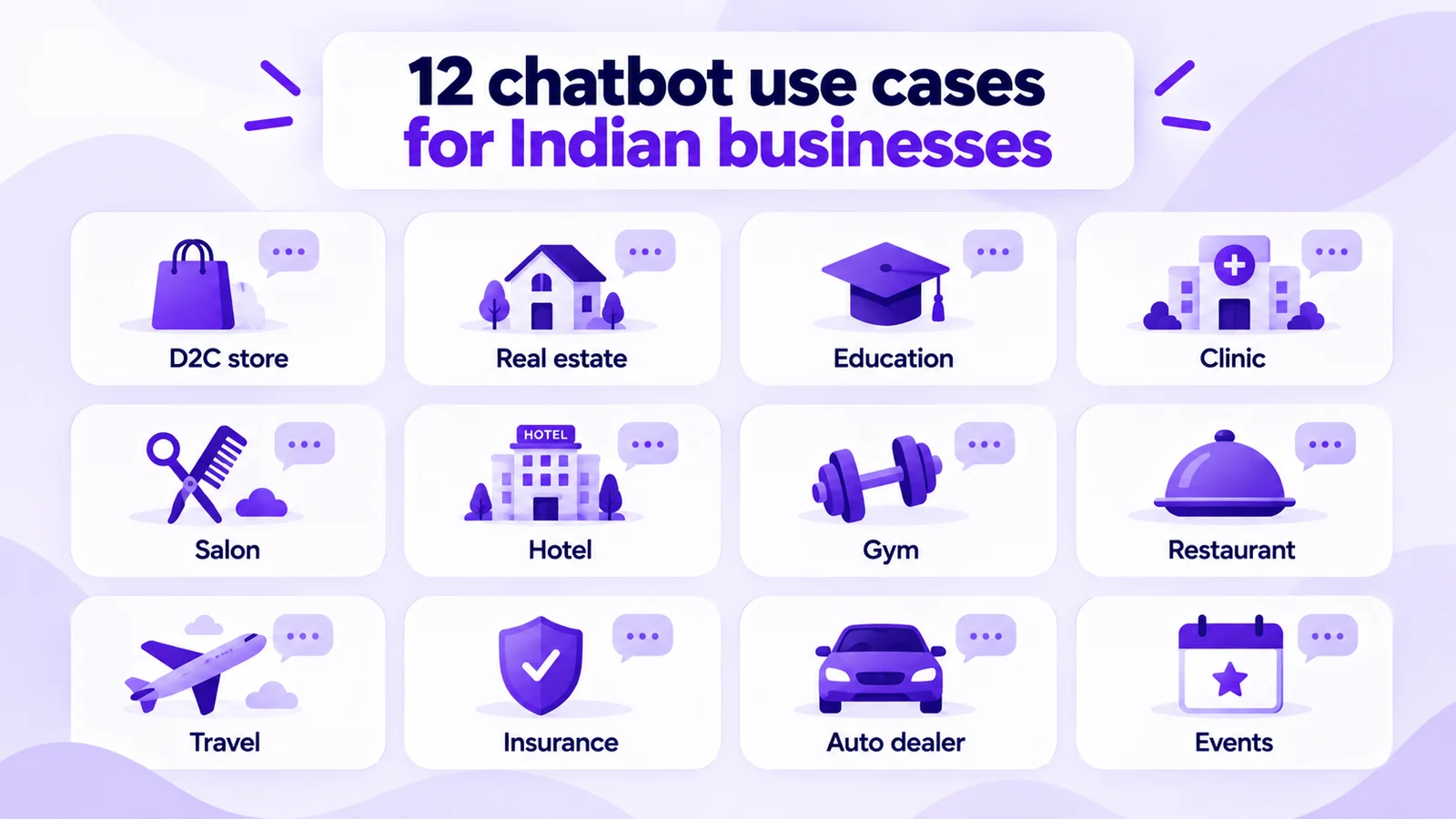
12 WhatsApp chatbot examples for Indian businesses
Use these as starting flows. Each shows the bot's job and when to hand off.
- D2C store: order tracking, COD confirmation on Shopify order events, and refunds handed to an agent. See ecommerce use cases.
- Real estate: qualify by budget, city, BHK and timeline, book a site visit, tag hot leads. See real estate use cases.
- Education and coaching: batch details, demo-class booking via a WhatsApp Flow, fee FAQs. See education use cases.
- Clinic: book or reschedule appointments; route medical questions to staff. See clinic use cases.
- Salon and spa: service menu, stylist and slot booking, rebooking nudge. See salon use cases.
- Hotel: pre-arrival questions, early check-in requests, front desk on hand-off. See hotel chatbots and drips.
- Gym: trial booking, membership plans, class schedules. See gym use cases.
- Restaurant: table bookings, menu, pickup orders, waitlist. See restaurant use cases.
- Travel agency: destination, dates and budget, then packages and an agent. See WhatsApp for travel agents.
- Insurance: renewal reminders, documents via a WhatsApp Flow, claims to a person.
- Auto dealer: test-drive and service booking, model enquiries with a callback.
- Events: registration, ticket confirmation, venue directions, day-of FAQs.
WhatsApp chatbot best practices (and mistakes to avoid)
- Always offer a human. Put “Talk to a person” in every menu.
- Don't split answers. Four bubbles are four service messages; one complete reply is cheaper.
- Use opt-in for templates. Market only to opted-in contacts and honour opt-outs. Read why WhatsApp numbers get banned.
- Speak your customer's language. Test English, Hindi and Hinglish.
- Close the loop. Follow up with a drip: reminders, reviews, cart nudges.
Build your WhatsApp chatbot on Mark360
Mark360 is an Official Meta Business Partner with a no-code chatbot builder, industry AI agent templates, WhatsApp Flows, AI agents with a knowledge base, a shared team inbox, campaigns and broadcasts, drip sequences, Shopify integration and Click-to-WhatsApp ads. There's no setup fee. Trusted by 100+ businesses.
Build your first bot free: start on the Free plan (no credit card) with template flows, then switch on WhatsApp on Scale at $19/month billed quarterly. Start building your WhatsApp chatbot, or see how it fits a small team on Mark360 for small businesses.
Related reading
- WhatsApp AI agent for business: complete guide
- WhatsApp service messages from October 2026: cost by industry
- WhatsApp service message pricing changes explained
- WhatsApp Cloud API vs Business app vs BSP (India 2026)
- Meta Business Agent vs Mark360 AI agents
FAQs
What is a WhatsApp chatbot for business?
It's an automated assistant on the official WhatsApp Business Platform (API). It replies to customers with menus, keyword rules or AI, collects details and hands the chat to a person when needed. The free WhatsApp Business app only has greeting, away and quick-reply messages, not full chatbots.
Is there a free WhatsApp chatbot?
Partly. Meta gives each business number 1,000 free service messages a month (since 1 October 2026), so a low-volume bot pays little in Meta fees, but you still need an API platform. Mark360's Free plan is $0; WhatsApp API bots start on Scale at $19/month billed quarterly (as of October 2026).
How much does a WhatsApp chatbot cost in India?
A platform plan, plus message fees beyond the free 1,000 service messages per number each month, plus setup time. On Mark360 in India, service replies beyond the free tier are billed like utility at ₹0.138, so 1,400 chargeable replies cost ₹193.20 before plan fees and taxes.
Are WhatsApp chatbot replies free inside the 24-hour window?
Not always, since 1 October 2026. Replies inside the window are service messages: the first 1,000 per number each month are free, then Meta charges per message. Utility templates in the window are charged too. Chats from Click-to-WhatsApp ads can be free while the free entry point window is open.
Do I need coding skills to build a WhatsApp bot?
No. No-code builders let you set triggers, menus, WhatsApp Flows and AI agents on a visual canvas.
What is the difference between a WhatsApp chatbot and a WhatsApp AI agent?
A rules-based chatbot follows the buttons and keyword paths you design. An AI agent reads free-text questions and answers from a knowledge base you upload. Most businesses combine them, using menus for common tasks, AI for open questions and a person for sensitive cases.
Can a WhatsApp chatbot book appointments and take payments?
It can book appointments. On Mark360, appointment bots write bookings to the appointment calendar and a reminder drip can follow up. For payments, the bot can share your payment link and hand payment issues to a person.
Will my WhatsApp number get banned for using a chatbot?
Bots that reply to people who message you first are normal use of the official API. Bans and limits usually come from unwanted marketing, so message only opted-in contacts, honour opt-outs and watch your quality rating.