

Direct answer: Interior designers and modular kitchen firms use WhatsApp to qualify enquiries, collect floor plans, book site visits and send quotes from one official WhatsApp Business API number. With WhatsApp for interior designers on Mark360.ai, an AI agent asks BHK, budget, city and possession date, a WhatsApp Form takes the floor plan and photos, and a quotation PDF goes out from the chat. In India, utility messages cost ₹0.138 and marketing ₹0.94.
Key takeaways
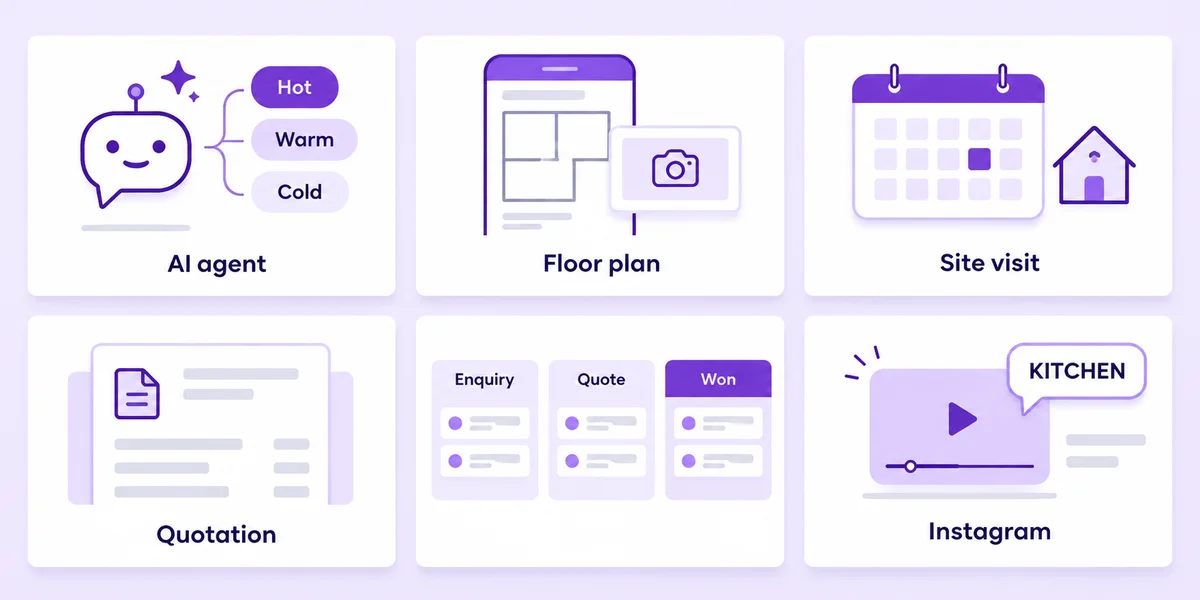
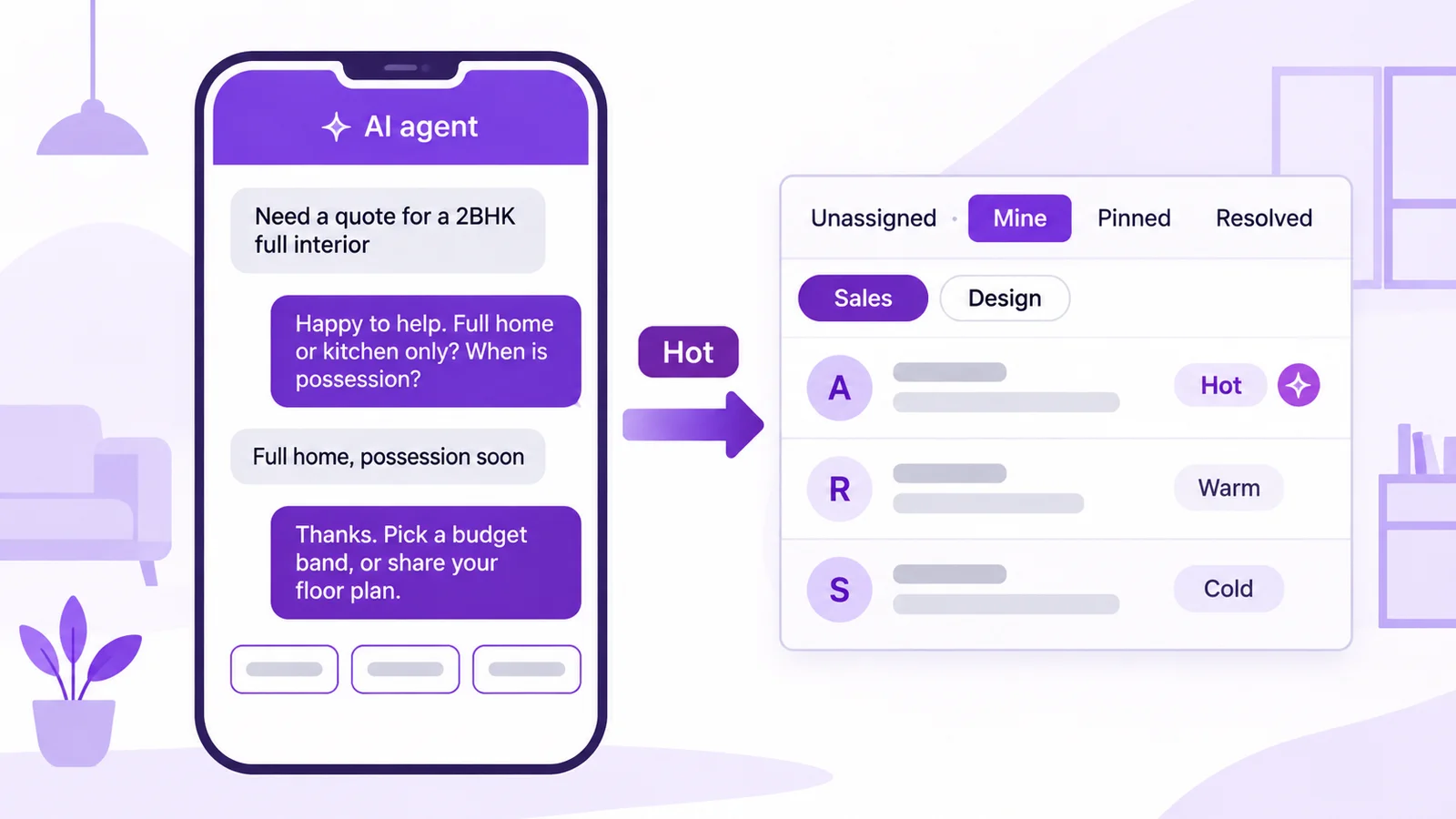
- An AI agent (Lead Qualification template) asks scope, BHK, budget band, city and possession date, tags the lead hot, warm or cold and hands hot leads to a designer in the team inbox.
- A WhatsApp Form collects the floor plan PDF, site photos and a preferred site-visit date before anyone travels to the site.
- Quotations are built from line items (modular kitchen, wardrobes, false ceiling) and sent as a PDF from the chat, then tracked in a leads pipeline from Enquiry to Won.
- Instagram comment-to-DM turns a reel comment like KITCHEN into a guide in the DM and an opted-in WhatsApp lead.
- Nurture drips and broadcasts are marketing templates and go only to people who opted in; follow-to-unlock may unlock content, never prizes or discount codes.
This guide is for interior design studios, turnkey home-interior firms, modular kitchen and wardrobe brands and their franchise showrooms. Many buyers are flat owners awaiting possession, so see also our WhatsApp guide for real estate and the real estate WhatsApp solution. For quotation-led service firms, see WhatsApp for professional services. Every scenario below is an example setup, not a customer story.
Top WhatsApp use cases for interior designers and modular kitchen firms
| Use case | Mark360 feature | Template category | Example trigger |
|---|---|---|---|
| Qualify ad leads before a site visit | AI agent: Lead Qualification | Service (free-form, inside 24h) | Click-to-WhatsApp ad chat |
| Floor plan and site photo upload | WhatsApp Form (document and photo pickers) | Service or utility (template button) | Lead tagged hot or warm |
| Site-visit booking and reminder | AI agent: Appointment Booking + Drip: Appointment Reminder | Utility | Slot booked on the calendar |
| Line-item quote | Quotation PDF from the chat | Service (inside 24h) or utility | Design approved |
| Design booking advance | Razorpay payment link | Service or utility | Quote accepted |
| Track every project stage | Leads pipeline | Not a message | Stage moved by staff |
| Reel comment to lead | Instagram comment-to-DM + lead capture | Instagram DM (not a WhatsApp template) | Comment "KITCHEN" on a reel |
| Nurture leads who haven't booked | Drip: Welcome New Customer | Marketing (opted-in only) | Lead tagged warm, no visit booked |
"Service" means a free-form reply inside the 24-hour window that opens when the customer messages you. Outside it you need a Meta-approved template.
Why WhatsApp for interior designers works
A site visit takes a designer half a day, and many enquiries are early browsers: the flat isn't handed over yet, or they only want a per-square-foot rate.
- Speed decides who gets the visit. In a Harvard Business Review study (2011), companies that tried to contact a lead within an hour were nearly 7 times as likely to qualify it as those that waited longer. An AI agent replies in seconds, at 11 pm too.
- Buyers already send floor plans on WhatsApp. A Form puts the plan, photos and scope into one record instead of a scroll of forwarded images.
- Decisions are slow. Possession dates are months away, so a timed drip keeps a warm lead warm without a designer chasing it by hand.
Below are the setup steps, template text with categories, timings and a cost example.
AI agent lead qualification for interior designers, with hand-off to the team inbox
A WhatsApp AI agent on Mark360.ai answers from the knowledge base you upload, in English and Hindi, and hands off to a person. The Lead Qualification template asks budget, city and timeline, then tags the contact for a person.
Example: a modular kitchen and wardrobe studio in Ahmedabad runs a Click-to-WhatsApp ad built in Meta Ads Manager. The ad chat lands on the studio's number, and the agent asks five questions: scope (full home, kitchen only, wardrobes, one room), BHK, budget band, city and locality, and possession date. It answers finish questions from the brochure and leaves pricing to the designer.
How to set up the qualification agent
- Upload your packages, finishes, warranty terms and process note to the knowledge base.
- Create an agent from the Lead Qualification template and list your five questions in order.
- Add tag rules: hot (possession within 3 months and budget in your range), warm (3–9 months), cold (no possession date or outside your city).
- Set the hand-off: hot leads, anyone who shares a floor plan or asks for a person go to the Sales team in the shared team inbox with round-robin.
- Connect the agent to your ad entry point and a WhatsApp QR code.
Example chat (service replies inside the 24-hour window)
Lead:  Hi, need price for a 2BHK full interior
Agent: Happy to help. Is this full home, kitchen only or
       wardrobes? And when do you get possession?
Lead:  Full home, possession in 2 months, Bopal
Agent: Thanks. Which budget band suits you? [Option A]
       [Option B] [Option C]  You can also share your floor
       plan and our designer will call you today.
The agent doesn't quote a rate before scope is known. In the inbox, staff leave internal notes and @mention the designer. More in our WhatsApp AI agent guide and team inbox guide.
Plan note: the AI support agent is on Scale+ ($99/mo); the no-code chatbot builder starts on the Free plan.
WhatsApp Forms for floor plan upload and site-visit booking
WhatsApp Forms (Flows) are multi-screen forms inside WhatsApp, with text, date, dropdown, choice, opt-in, photo and document pickers and If/Switch logic. Submissions are listed per Form, with export.
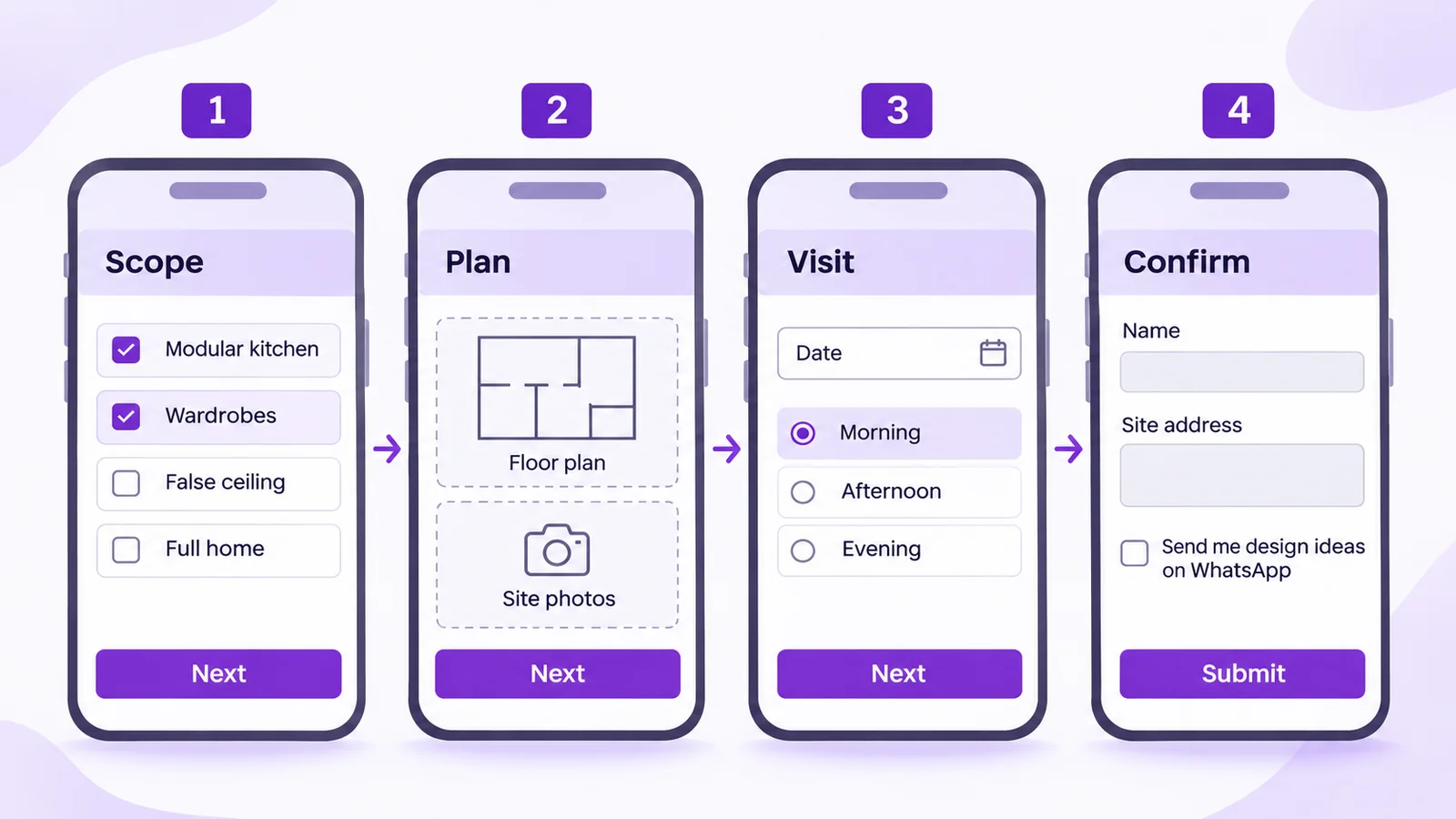
Example: a turnkey interior firm in Pune sends hot and warm leads a "Share your floor plan" button that opens a four-screen Form.
How to build the floor plan Form
- Create a Form with four screens: "Scope", "Plan", "Visit" and "Confirm".
- Add a scope choice (kitchen, wardrobes, false ceiling, full home), a document picker for the floor plan and a photo picker for site photos.
- Add a visit date, a morning/afternoon/evening dropdown, name, site address and an opt-in field ("Send me design ideas and offers on WhatsApp"), unticked by default.
- Use If/Switch logic: "Not handed over yet" skips the visit screen and tags the lead for the possession-date nurture.
- Launch the Form from a template button, the agent or an automation, then publish.
For instant booking, the Appointment Booking AI agent writes the site-visit slot into the appointment calendar, and the Appointment Reminder drip sends the confirmation and a reminder the evening before. The Scale plan includes 2 Forms.
Category: UTILITY   Name: interior_site_visit_reminder
Hi {{1}}, our designer {{2}} will visit {{3}} tomorrow
between {{4}} for measurements. Please keep the keys
and your floor plan handy.
[Button: Confirm]   [Button: Reschedule]
You can also adapt our site visit tomorrow template or the appointment reminder templates.
Quotation PDFs for modular kitchen and interior projects
Mark360.ai has a quotation form (client name, phone and line items) and a visual PDF template designer with fields for your company, the client and the line items. You send it from the chat, next to the floor plan.
Example: after the design meeting, the designer opens the quotation form and adds line items such as modular kitchen (L-shape, base and wall units), wardrobes (2 bedrooms), false ceiling (living room) and installation, then sends it as a PDF in the client's chat.
How to send a quote from the chat
- Design your quotation PDF template once with your company details and terms.
- Open Quotations, create a quote with the client's name and phone, and add the line items.
- Preview the PDF, then send it in the open chat (inside the 24-hour window) or with an approved template.
- When the client accepts, staff send a design booking advance with "Send payment request"; the Razorpay link is tracked as paid, pending or failed.
Category: UTILITY   Name: interior_quote_ready
Hi {{1}}, your quotation {{2}} for {{3}} is ready, as
discussed at the design meeting. It is valid till {{4}}.
[Button: View quote]   [Button: Talk to designer]
It is utility because the client asked for it; a "book this week and save" line would make it marketing.
Leads pipeline for interior design: Enquiry to Won
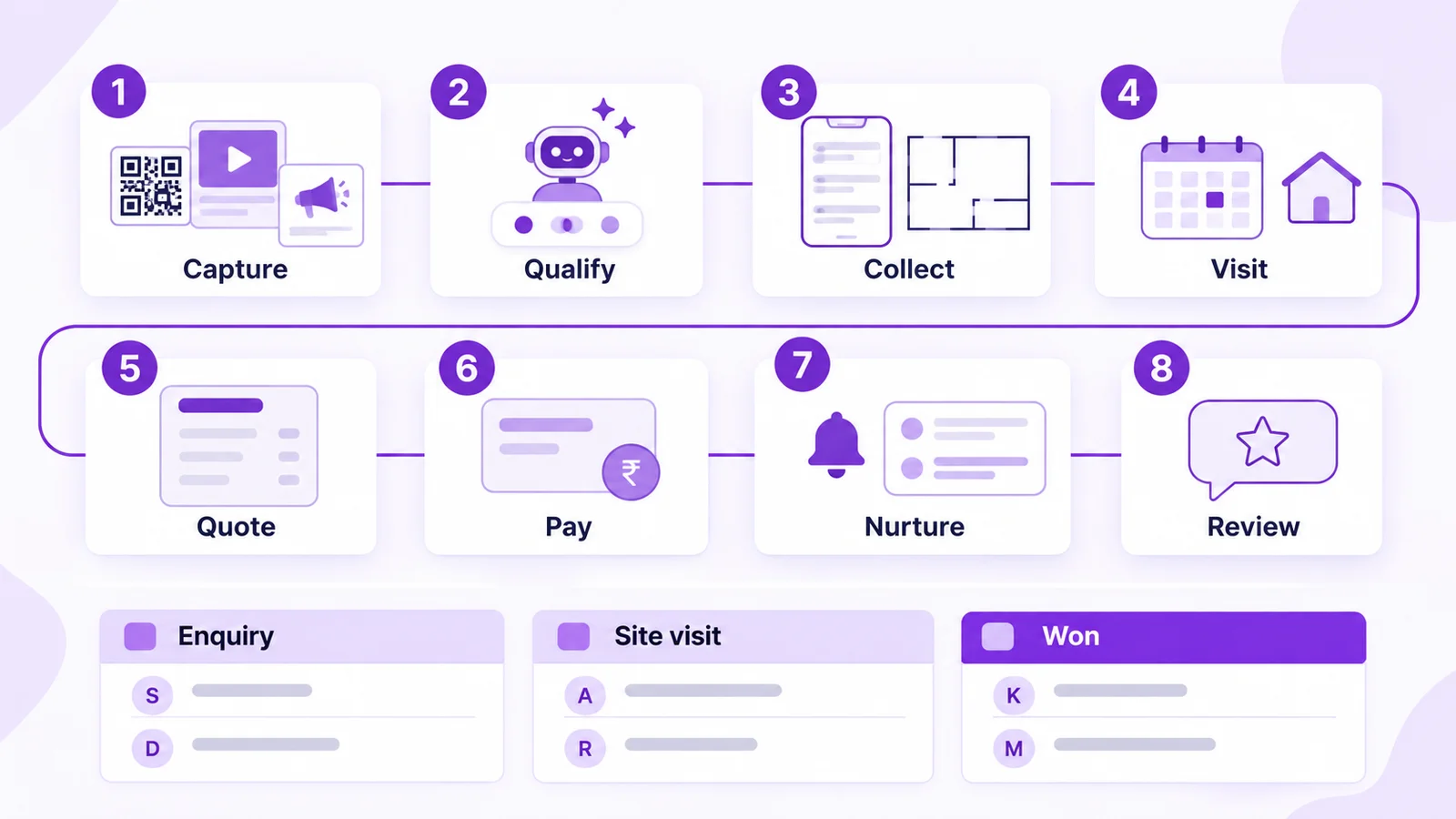
The Leads CRM gives you pipelines with custom stages, a card layout and permissions, and contacts can become leads automatically. Example stages: Enquiry → Site visit → Design → Quote → Won (plus Lost). Staff move cards as the project advances.
Firms that already run Zoho CRM can create WhatsApp leads there with duplicate detection and field mapping, and Google Sheets syncs customer data to contacts.
Instagram comment-to-DM for interior reels
Instagram automation on Mark360.ai triggers on DMs, comments on new posts and story mentions, and Re:Engage covers older posts.
Example: a reel ends with "Comment KITCHEN for our kitchen layout guide". The DM sends the guide PDF, then an opt-in block asks for a WhatsApp number; that saves a contact, adds it to the leads pipeline and starts the WhatsApp nurture (Instagram lead capture).
- Instagram → Automation → new trigger on comments, keyword list "KITCHEN, PRICE, GUIDE".
- Reply blocks: text, file (the guide), a short delay, then the opt-in block for phone number.
- Add the reply to the reel and switch on Re:Engage for older kitchen reels.
Follow-to-unlock: a follow-to-unlock DM may unlock content such as the layout guide. Never put prizes or discount codes behind a follow; Meta's rules don't allow paying people for engagement. It is safer than follower sites, but it is not risk-free. See comment-to-DM to WhatsApp.
Drip sequences for interior leads: actual timing
Drip sequences send approved templates in steps, triggered when a contact is created or updated, with start and stop conditions, sending days, a time window and an enter-once option.
Example: Welcome New Customer preset for warm leads who opted in but haven't booked a visit. Sending days Monday to Saturday, window 11 am–7 pm:
- Day 0 (an hour after the Form): portfolio: three finished kitchens in their BHK size.
- Day 2: process: measurement, design, quote, installation.
- Day 5: booking link for a site visit or showroom visit.
- Stop when: tag "visit booked", stage moves to Site visit, or the contact opts out.
Category: MARKETING   Name: interior_nurture_portfolio
Hi {{1}}, here are 3 {{2}} kitchens we finished recently,
with the layout and finish for each. Want one like this?
[Button: Book a site visit]   [Button: Stop updates]
For leads tagged "Not handed over yet", save the possession date in a custom field. When handover nears, staff add a "possession near" tag, which starts a short sequence: "Your flat is almost ready; shall we measure?". After handover, the Review Collection preset asks for a review.
Opted-in broadcasts for showroom events and festive launches
Broadcasts send an approved template to dynamic groups built from tags and custom fields, now or scheduled, and only to opted-in contacts.
Example: a Diwali showroom open day or a new shutter-finish launch goes to the dynamic group "possession in the next 3 months + opted in". Start from our festival offer templates and read campaigns, segments and drips.
A complete interior design WhatsApp journey (sample automation flow)
- Capture: a Click-to-WhatsApp ad, an Instagram reel comment, a QR code on the showroom counter or the website chat widget.
- Qualify: the AI agent asks scope, BHK, budget, city and possession, and tags hot, warm or cold.
- Collect: the Form takes the floor plan, photos and visit slot.
- Visit: calendar booking and a reminder the evening before.
- Quote: a line-item quotation PDF in the chat.
- Pay: a Razorpay link for the design booking advance.
- Nurture: the Welcome drip for warm leads, the possession-date drip for later ones.
- Review: a review request after handover.
Workflow nodes: entry when the floor plan Form is submitted → condition (possession within 3 months?) → WhatsApp message (visit confirmed) and tag "hot", else tag "nurture" → wait-for-event (quote accepted) → Razorpay payment link → delay (1 day) → WhatsApp message (reminder) if unpaid. Stop: the link is paid, the lead is marked Lost, or the contact opts out.
Set up interior design WhatsApp automation free. Connect your number on Mark360.ai, switch on the Lead Qualification agent and build your floor plan Form. No credit card. Start free at app.mark360.ai
How much does WhatsApp cost for an interior design business?
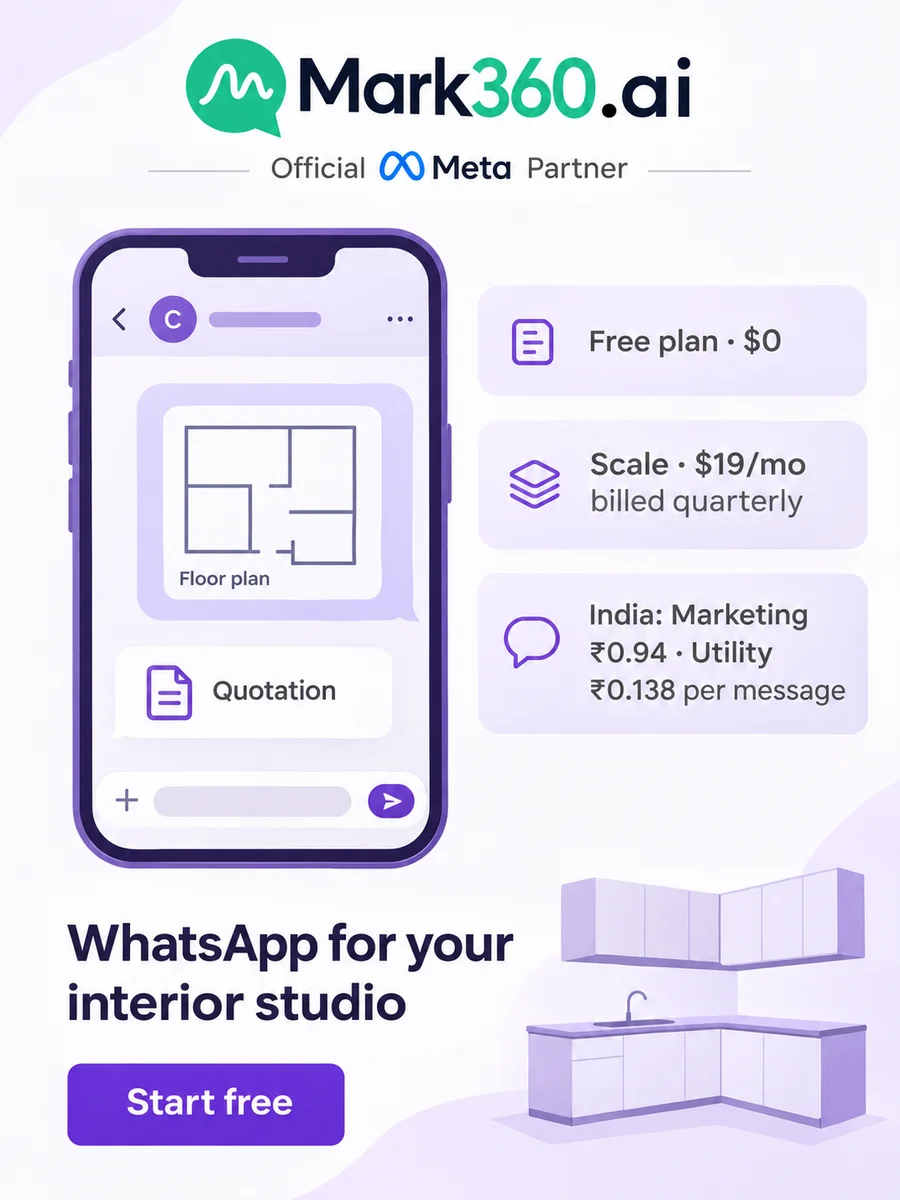
On Mark360.ai in India, a utility message is ₹0.138 and a marketing message ₹0.94. Since 1 October 2026 each number gets 1,000 free service messages a month, which covers most qualification chats. Plans: Free $0, Scale $19/mo billed quarterly, Scale+ $99/mo, Enterprise custom (pricing).
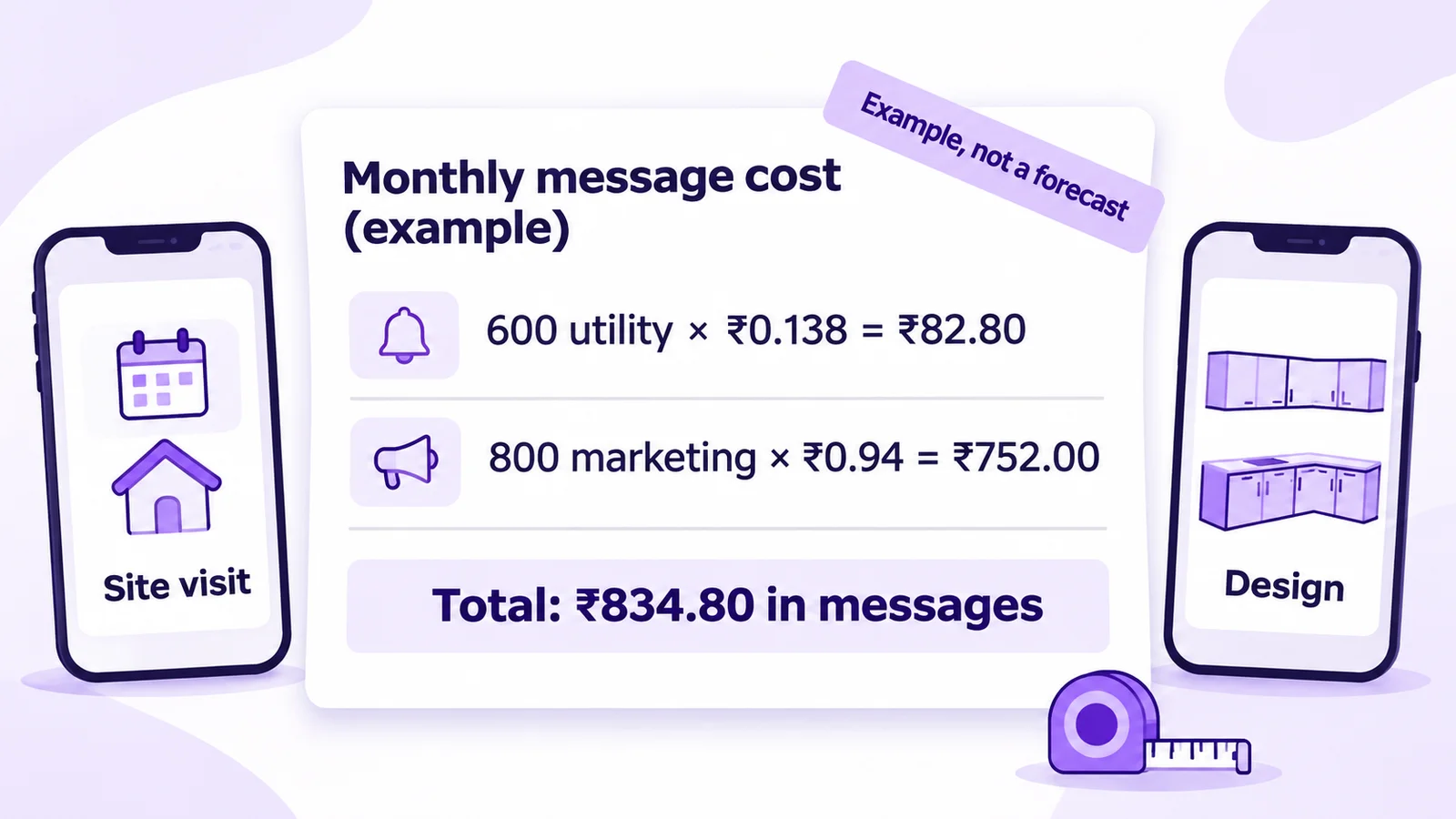
Example arithmetic, not a forecast: 600 utility messages (visit confirmations, reminders and quote alerts) × ₹0.138 = ₹82.80, plus 800 marketing messages (nurture steps and one festive broadcast) × ₹0.94 = ₹752.00, makes ₹834.80 in messages a month, plus your plan. Try the pricing calculator or read WhatsApp API pricing in India.
If a lead comes from a Click-to-WhatsApp ad on the mobile app and you reply within the service window, Meta's pricing rules open a free entry point window of up to 7 days. Check each message's price in Transaction History. See our India CTWA guide.
Compliance checklist for interior design WhatsApp
- Opt-in first: collect it in the Form, the Instagram opt-in block or the widget, as WhatsApp's Business Messaging Policy requires, before any nurture or broadcast.
- Match the category: visit reminders and quote alerts are utility; portfolios and offers are marketing (templates guide).
- Honour opt-outs with a STOP keyword and a "Stop updates" button.
- Let the designer confirm prices in the quote, not the bot.
- Instagram: follow-to-unlock for content only, never prizes or discount codes.
- Protect your quality rating (why numbers get banned).
Summary: WhatsApp for interior designers in one paragraph
A WhatsApp setup for interior designers is one official WhatsApp Business API number that qualifies, books and quotes. Ads and reel comments start the chat, an AI agent asks scope, BHK, budget and possession date and hands hot leads to a designer, a WhatsApp Form collects the floor plan and visit slot, a quotation PDF and a Razorpay advance link close the deal, the leads pipeline tracks each stage, and nurture drips and broadcasts reach only opted-in leads.
Why Mark360.ai for interior design firms
Mark360.ai is an Official Meta Business Partner on the WhatsApp Cloud API, founded in 2024 in Surat. One workspace gives you AI agents, WhatsApp Forms, quotation PDFs, a leads pipeline, drips, Razorpay links and a WhatsApp and Instagram inbox, with no setup fee. Comparing tools? See Mark360 vs Wati or vs AiSensy.
Set up interior design WhatsApp automation free. Connect your number on Mark360.ai, switch on the Lead Qualification agent and build your floor plan Form. No credit card. Start free at app.mark360.ai