


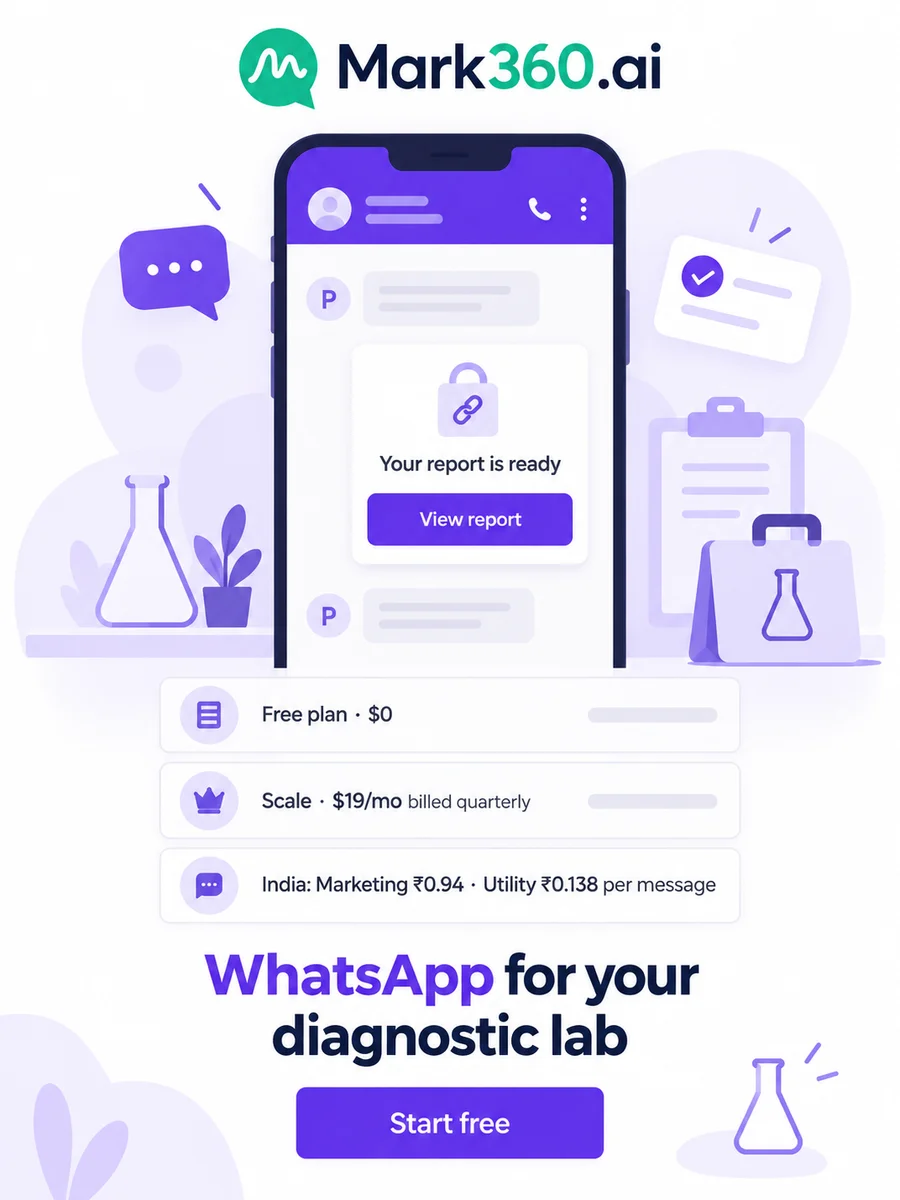
Direct answer: Diagnostic labs use WhatsApp to book home sample collection, tell patients when the phlebotomist is on the way and send a report-ready alert with a secure login link, all from one official WhatsApp Business API number. With WhatsApp for diagnostic labs on Mark360.ai, a WhatsApp Form books the test, slot and address, an AI agent answers fasting, price and turnaround questions 24x7, and a utility template says the report is ready without putting a single value in the chat. Start on the Free plan; in India a utility message costs ₹0.138 and a marketing message ₹0.94 on Mark360.ai.
Key takeaways
- A WhatsApp Form books home sample collection: test or package, address, date, time slot, an optional prescription photo and an opt-in tick box.
- The report-ready message is a utility template with a "View report" login link. Test names, values and ranges never go in the WhatsApp text.
- An AI agent answers fasting rules, package prices and report turnaround from your knowledge base and hands "report not received" complaints to the customer desk.
- Razorpay links collect prepaid bookings, and a workflow confirms the slot only once the link is paid.
- The annual health check invite is a marketing template, sent only to patients who opted in and never alongside a report.
This guide is the lab part of our healthcare series. For the general clinic setup, read our WhatsApp guide for clinics; for many departments on one number, see WhatsApp for hospitals; for recall-led practices, WhatsApp for dental clinics; and for the product overview, WhatsApp for clinics, labs and hospitals. Every scenario below is an example setup, not a customer story.
Top WhatsApp use cases for diagnostic labs
| Use case | Mark360 feature | Template category | Example trigger |
|---|---|---|---|
| Book home sample collection | WhatsApp Form | Service or utility (template button) | "Book a test" keyword, ad or QR code |
| Fasting, price and turnaround FAQs | AI agent + knowledge base | Service (free-form, inside 24h) | Patient messages first |
| Prepaid booking | Razorpay payment link | Service or utility | Form submitted |
| Slot confirmation and prep reminder | Drip: Appointment Reminder | Utility | Collection slot booked |
| Phlebotomist on the way | Workflow on a tag | Utility | Tag "Out for collection" |
| Report ready | API token or inbox send | Utility (secure link only) | Report signed in your lab system |
| "Report not received" complaints | Team inbox | Service | Agent hand-off |
| Annual health check invite | Drip: Customer Re-engagement | Marketing (opted-in only) | About 11 months after the last package (you set it) |
"Service" means a free-form reply inside the 24-hour window that opens when the patient messages you. Outside it you need a Meta-approved template.
Why WhatsApp for diagnostic labs works so well
A lab sends the same three messages all day: "your collection is booked", "our phlebotomist is on the way" and "your report is ready". Each is a utility message about something the patient asked for: the cheapest type and the easiest to automate.
- "Is my report ready?" is the call your front desk takes most. A report-ready alert sent the moment the report is signed answers it before the phone rings.
- Patients ask prep questions at night, like "can I drink water before a fasting test?". An AI agent can answer from the instructions your pathologist wrote.
Many lab software vendors put the PDF report itself in the WhatsApp message. We recommend the opposite: a short alert and a link that needs a login, because a PDF is forwarded with one tap and the preview shows on a locked phone.
WhatsApp Forms for home sample collection booking
WhatsApp Forms (Flows) are multi-screen forms inside WhatsApp, with text, date, dropdown, choice, opt-in, photo and document inputs and If/Switch logic. Submissions are listed per Form with export.
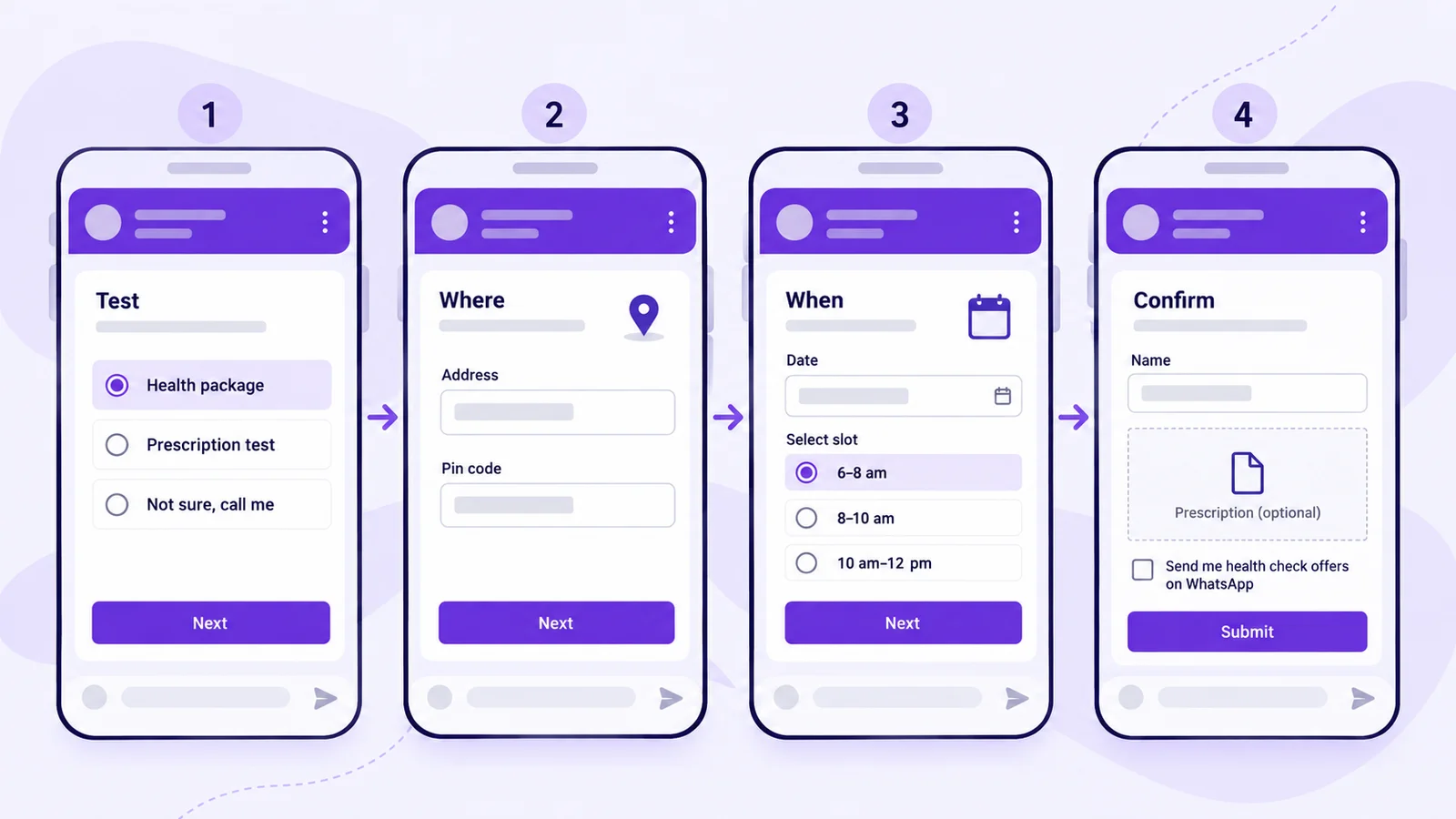
Example: a pathology lab in Jaipur with two collection vans adds a "Book home collection" button to its welcome message. The Form has four screens: Test (a package list or "Not sure, call me"), Where (address, landmark and pin code), When (date and a 6–8 am, 8–10 am or 10 am–12 pm slot) and Confirm (patient name, age, an optional prescription photo and an opt-in tick box).
How to build the home collection Form
- Create a Form with four screens: "Test", "Where", "When" and "Confirm".
- Add a single-choice test field, a text field for the address, a date field and a slot dropdown.
- Add an optional photo or document picker for the prescription and an opt-in field ("Send me health check offers on WhatsApp"), unticked by default.
- Use If/Switch logic: "Not sure, call me" skips the slot screen and creates a call-back request for the customer desk.
- Attach the Form to a template button and the "book" keyword, then publish.
Put the 6–8 am band first for fasting tests. The Scale plan includes 2 Forms. Collect only what the collection team needs and follow local health-data rules (in India, the Digital Personal Data Protection Act, 2023).
AI agent for labs: fasting rules, prices and turnaround
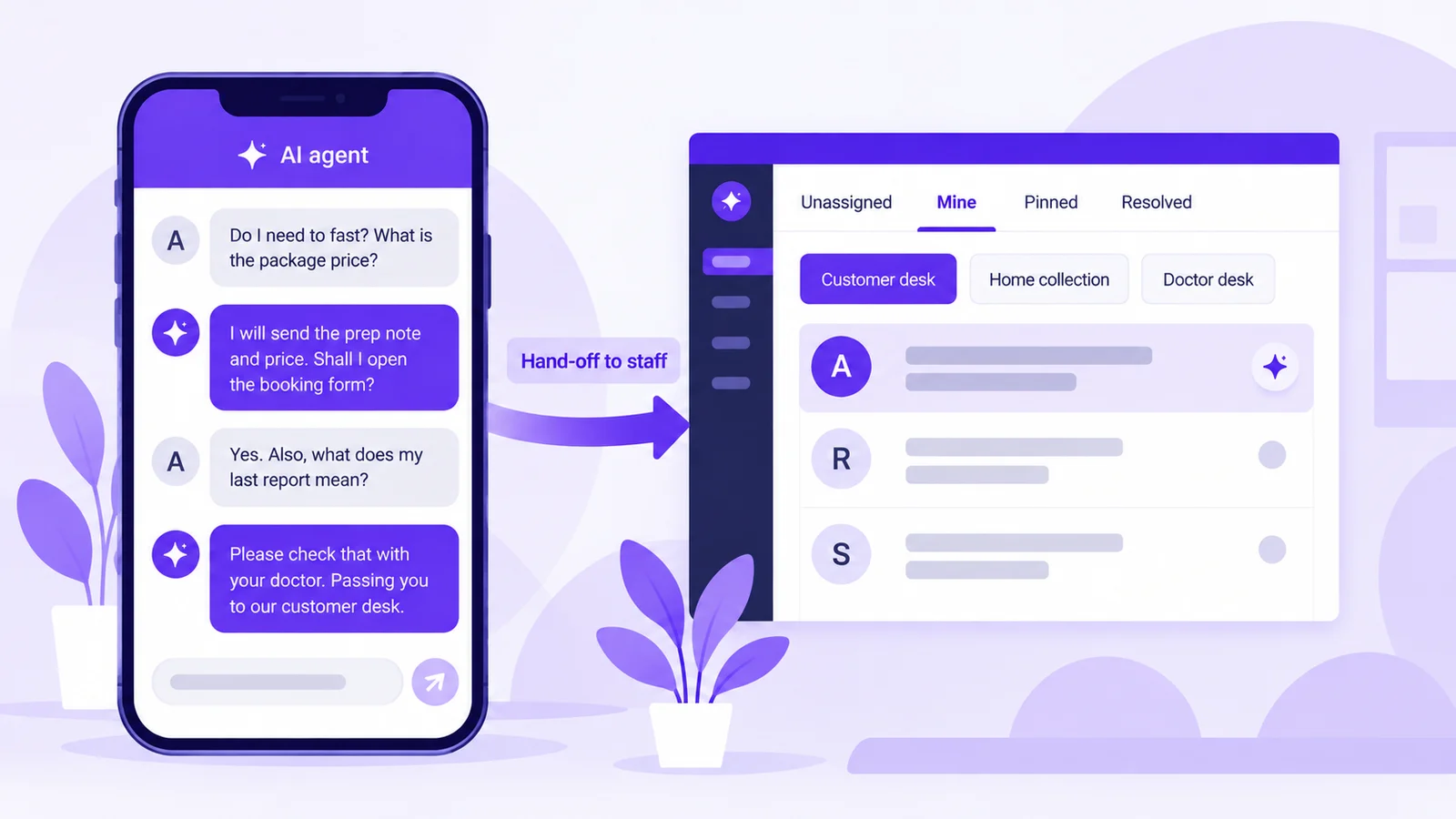
A WhatsApp AI agent on Mark360.ai answers from the knowledge base you upload, in English and Hindi, and hands off to a person in the team inbox. Start from the Health Screening or General Support template and load your test menu, package prices, prep instructions and turnaround times.
- It answers: fasting rules (as your pathologist wrote them), package contents and prices, collection areas, report turnaround and payment options.
- It never answers: what a value means, whether a result is normal, or which test someone "should" take for a symptom. It suggests speaking to their doctor and offers a call-back.
- It hands off to the customer desk: "report not received", wrong name on a report, refunds, a missed collection and anyone who asks for a person.
Example chat (service replies inside the 24-hour window)
Patient: Do I need to fast for the full body package? Price?
Agent:   Yes, {{fasting hours from your knowledge base}} hours, water is
         fine. The package is {{price}} with free home collection
         in your area. Shall I open the booking form?
Patient: Yes. Also my sugar was high last time, is that bad?
Agent:   I can't interpret results, so please check with your
         doctor. I'm passing your question to our customer desk.
More in our WhatsApp AI agent guide.
Plan note: the AI support agent is on Scale+ ($99/mo); the no-code chatbot builder starts on the Free plan.
Razorpay payment links for prepaid home collection
From the inbox, staff click "Send payment request" to share a Razorpay payment link, and the patient pays by UPI, card or net banking on Razorpay's page. Mark360.ai tracks each link as paid, pending or failed.
Example: when the home collection Form is submitted, a workflow sends the package link. Paid bookings get the slot confirmation; unpaid ones get one gentle reminder and then go to the desk for a call.
Category: UTILITY   Name: lab_booking_payment
Hi {{1}}, your home collection on {{2}} ({{3}} slot) is
reserved. Please complete the payment to confirm it.
[Button: Pay now]   [Button: Change slot]
Collection reminders and "phlebotomist on the way" updates
The Appointment Reminder drip preset starts when a collection slot is booked and sends approved utility templates around it, with sending days and a time window you choose.
- Straight away: confirmation with date and slot.
- Evening before, about 8 pm: prep reminder ("fast from 10 pm, water is fine, keep your prescription ready").
- When the phlebotomist leaves: staff tag the contact "Out for collection" and a workflow sends the on-the-way message with the phlebotomist's first name.
- Stop conditions: the tag "cancelled", the tag "rescheduled" (the new slot starts a fresh sequence) or an opt-out.
Category: UTILITY   Name: lab_collection_prep
Hi {{1}}, a reminder of your home sample collection on {{2}}
between {{3}}. Please follow the prep note: {{4}}.
[Button: Confirm]   [Button: Reschedule]

Category: UTILITY   Name: lab_phlebo_on_way
Hi {{1}}, {{2}} from {{3}} is on the way for your sample
collection and should reach you by {{4}}.
[Button: Call the lab]
Keep the prep note generic, never the test name. See the 24-hour reminder template.
Report-ready alerts: a secure link, never the values
The report-ready template should say one thing: the report for a visit is ready, sign in to view it. No test names, values, ranges, "needs attention" lines or diagnosis go in the WhatsApp text, because the preview is visible on a locked phone.
Example: when a report is signed in the lab system, the system calls the Mark360.ai API with a token limited to the send_templates scope, and the patient gets the template below. If your lab software can't call an API, staff send the same template from the inbox after sign-off.
Category: UTILITY   Name: lab_report_ready
Hi {{1}}, the report for visit {{2}} at {{3}} is ready. Sign
in to view it. We do not send results on WhatsApp.
[Button: View report → https://yourlab.example/reports/{{2}}]
How to set up report-ready alerts
- Copy our lab report ready template and submit it as utility; use a visit ID, not a test name, as the variable.
- Point the button at your report portal and require a login (OTP or date of birth) to open it.
- Generate an API token with only
send_templatesand store it on your server, not in a web page. - Trigger the send on sign-off, not when the analyser finishes.
- Add a second utility template, "an updated report for visit {{2}} is available", for corrected reports.
More patterns in our healthcare templates.
Team inbox for labs: the customer desk and doctor desk
The shared team inbox puts WhatsApp and Instagram DMs in one list (Unassigned, Mine, Pinned, Resolved) with team rules, round-robin, internal notes, @mentions, working hours and an away reply. Example: Customer desk for reports and complaints, Home collection for slot changes and Doctor desk for referring doctors, or one team per collection centre for a chain.
Away reply (service, outside lab hours)
We're closed now and open at 6 am. Your booking and report
links still work. For a medical emergency, call {{local number}}.
See how several staff share one WhatsApp number.
Annual health check drip and broadcasts (opted-in only)
The Customer Re-engagement drip preset can invite a patient back for a yearly check, timed from a "last package date" custom field and sent only to contacts in an opted-in dynamic group. Because it promotes a priced package, it is a marketing template.
Category: MARKETING   Name: lab_annual_check
Hi {{1}}, it's almost a year since your health check at {{2}}.
Our {{3}} package with home collection is {{4}} till {{5}}.
[Button: Book now]   [Button: Stop offers]
Set the first step at about 11 months, send it on a different day from any report alert, and stop the drip on a "booked" tag or an opt-out. One-off broadcasts, such as a monsoon fever-panel camp, go to the same opted-in group. Start from our annual checkup package template.
Click-to-WhatsApp ads: a "home sample collection" ad built in Meta Ads Manager can open a chat that greets the patient with the booking Form. See Click-to-WhatsApp ads and our India CTWA guide.
Integrations labs can use on Mark360.ai
API tokens and webhooks connect your lab system (API docs); Google Sheets syncs a patient sheet into contacts for small labs without software; Zoho CRM suits labs that track corporate and doctor leads there.
A complete diagnostic lab WhatsApp journey (sample automation flow)
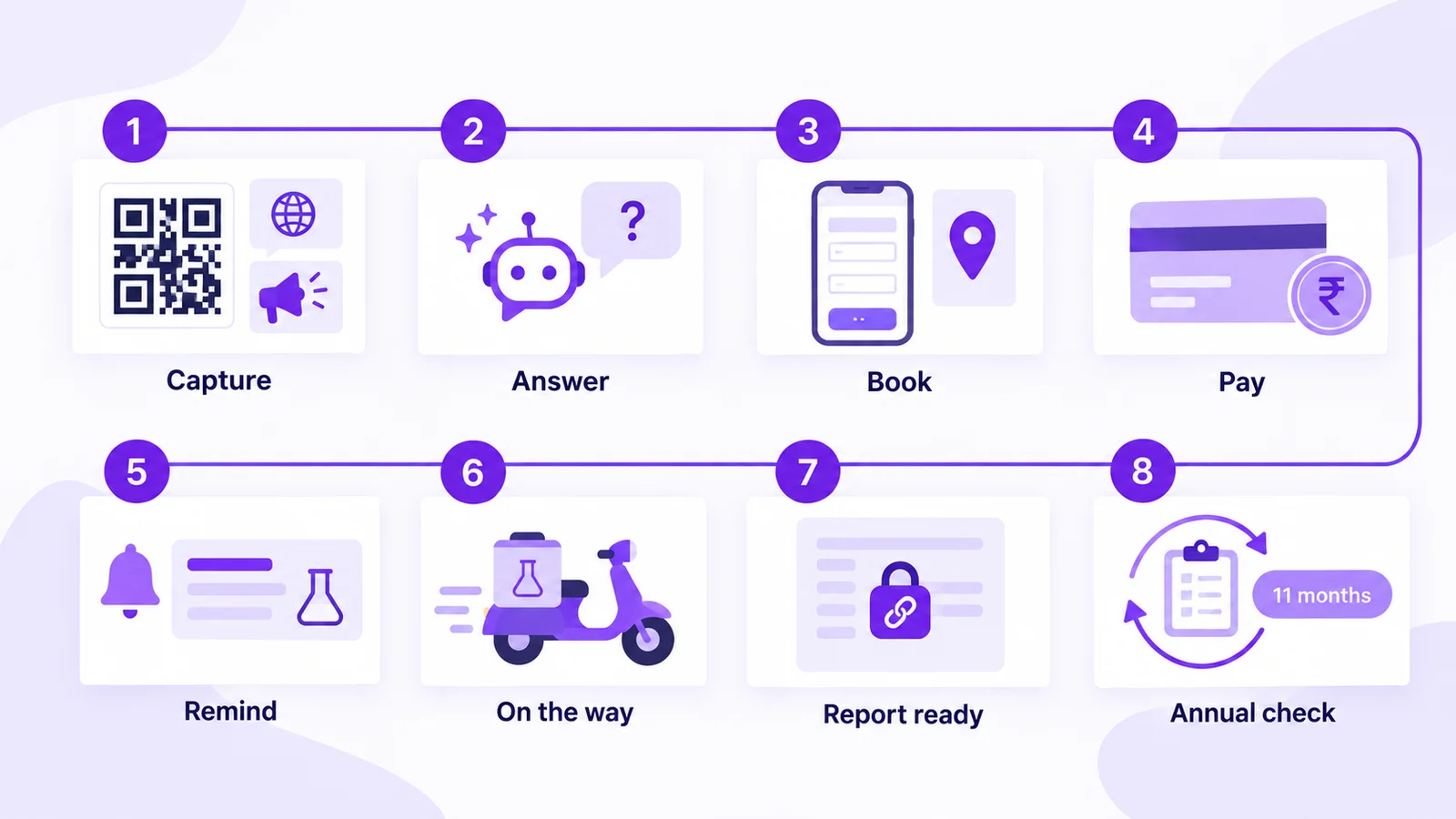
- Capture: a Click-to-WhatsApp ad, a WhatsApp QR code on the collection centre counter or the website chat widget.
- Answer: the AI agent handles fasting, prices and areas.
- Book: the home collection Form captures test, address and slot.
- Pay: a Razorpay link for prepaid packages.
- Remind: confirmation, prep note the evening before and the on-the-way message.
- Report: the report-ready template with a login link.
- Hand off: complaints and refunds go to the customer desk.
- Return: the annual health check drip for opted-in patients.
Workflow nodes: entry when the home collection Form is submitted → Razorpay payment link → wait-for-event (payment) → condition (paid?) → WhatsApp message (slot confirmed), else delay (2 hours) → WhatsApp message (reminder) → tag "Call to confirm". Stop: the link is paid, or the patient opts out.
Set up diagnostic lab WhatsApp automation free. Connect your number on Mark360.ai, build the home collection Form and submit your report-ready template. No credit card. Start free at app.mark360.ai
How much does WhatsApp cost for a diagnostic lab?
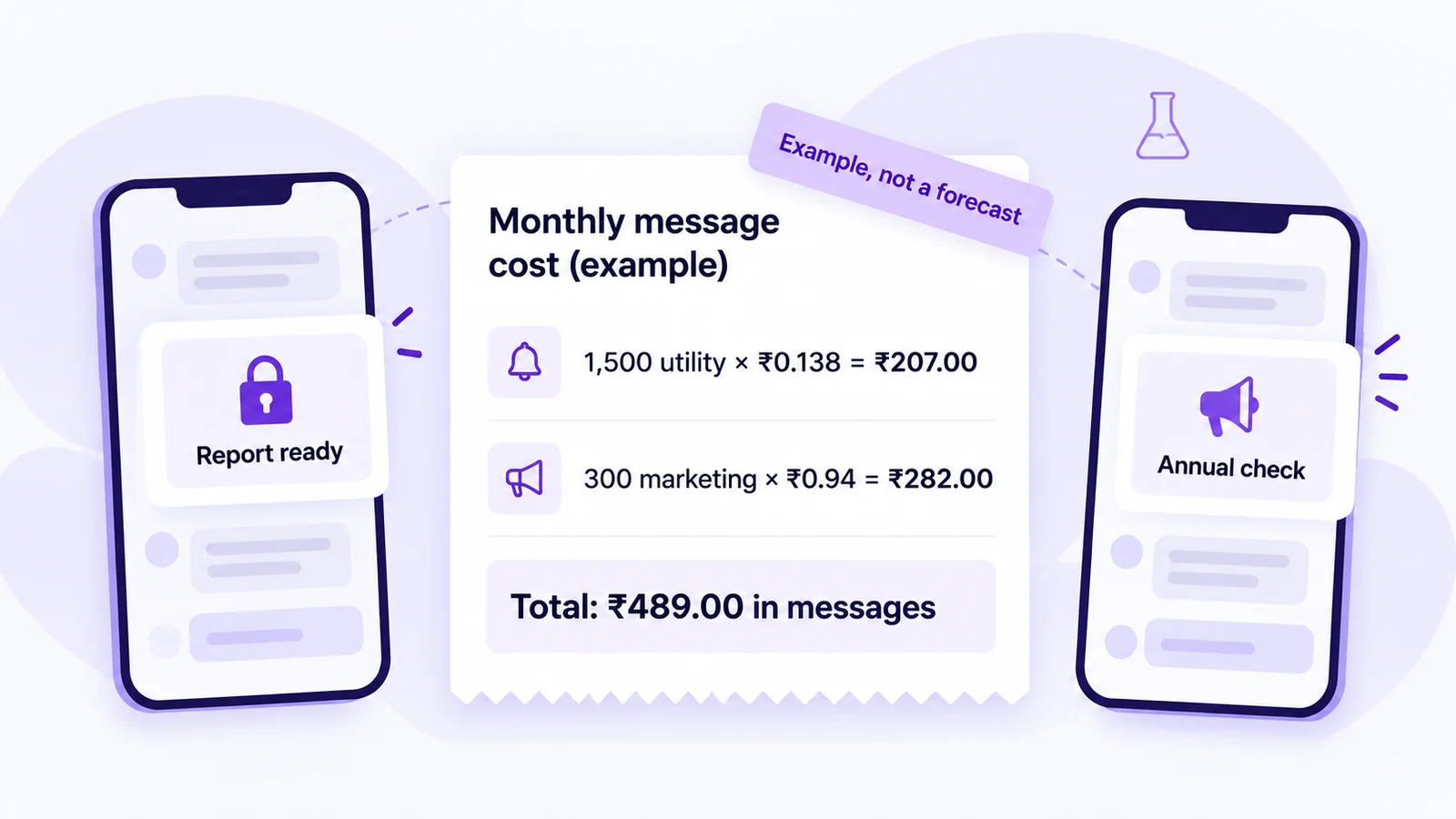
On Mark360.ai in India, a utility message is ₹0.138 and a marketing message ₹0.94. Since 1 October 2026 each number gets 1,000 free service messages a month. Plans: Free $0, Scale $19/mo billed quarterly, Scale+ $99/mo, Enterprise custom (pricing).
Example arithmetic, not a forecast: 1,500 utility messages (booking confirmations, prep reminders, on-the-way updates and report alerts) × ₹0.138 = ₹207.00, plus 300 marketing messages × ₹0.94 = ₹282.00, makes ₹489.00 in messages a month, plus your plan. Try the pricing calculator or read WhatsApp API pricing in India.
If a patient comes from a Click-to-WhatsApp ad on the mobile app and you reply within the service window, Meta's pricing rules open a free entry point window of up to 7 days. Check each message's price in Transaction History.
Compliance checklist for diagnostic lab WhatsApp
- Opt-in first: ask at registration or in the Form opt-in field, as WhatsApp's Business Messaging Policy requires, and ask separately before sending offers.
- Never send results in WhatsApp text: no values, ranges, test names that hint at a condition or PDFs; use a login link.
- Match the category: report alerts are utility; a package with a price is marketing (templates guide).
- Honour opt-outs with a STOP keyword.
- No selling medicines or medical products on WhatsApp; promote tests and services only.
- Protect your quality rating (why numbers get banned). Mark360.ai claims no HIPAA or other certification.
Summary: WhatsApp for diagnostic labs in one paragraph
A diagnostic lab WhatsApp setup is one official WhatsApp Business API number that runs bookings, collection logistics and report alerts. A WhatsApp Form books home sample collection, a Razorpay link takes the prepayment, reminders send the prep note and the phlebotomist's arrival, an AI agent answers fasting and price questions and hands complaints to staff, the report-ready utility template links to a secure login instead of carrying values, and the annual health check invite goes only to opted-in patients.
Why Mark360.ai for diagnostic labs
Mark360.ai is an Official Meta Business Partner on the WhatsApp Cloud API, founded in 2024 in Surat. One workspace gives you WhatsApp Forms, AI agents, drips, Razorpay links, API tokens and a WhatsApp and Instagram inbox, with no setup fee. Comparing tools? See Mark360 vs Wati or vs AiSensy.
Set up diagnostic lab WhatsApp automation free. Connect your number on Mark360.ai, build the home collection Form and submit your report-ready template. No credit card. Start free at app.mark360.ai