


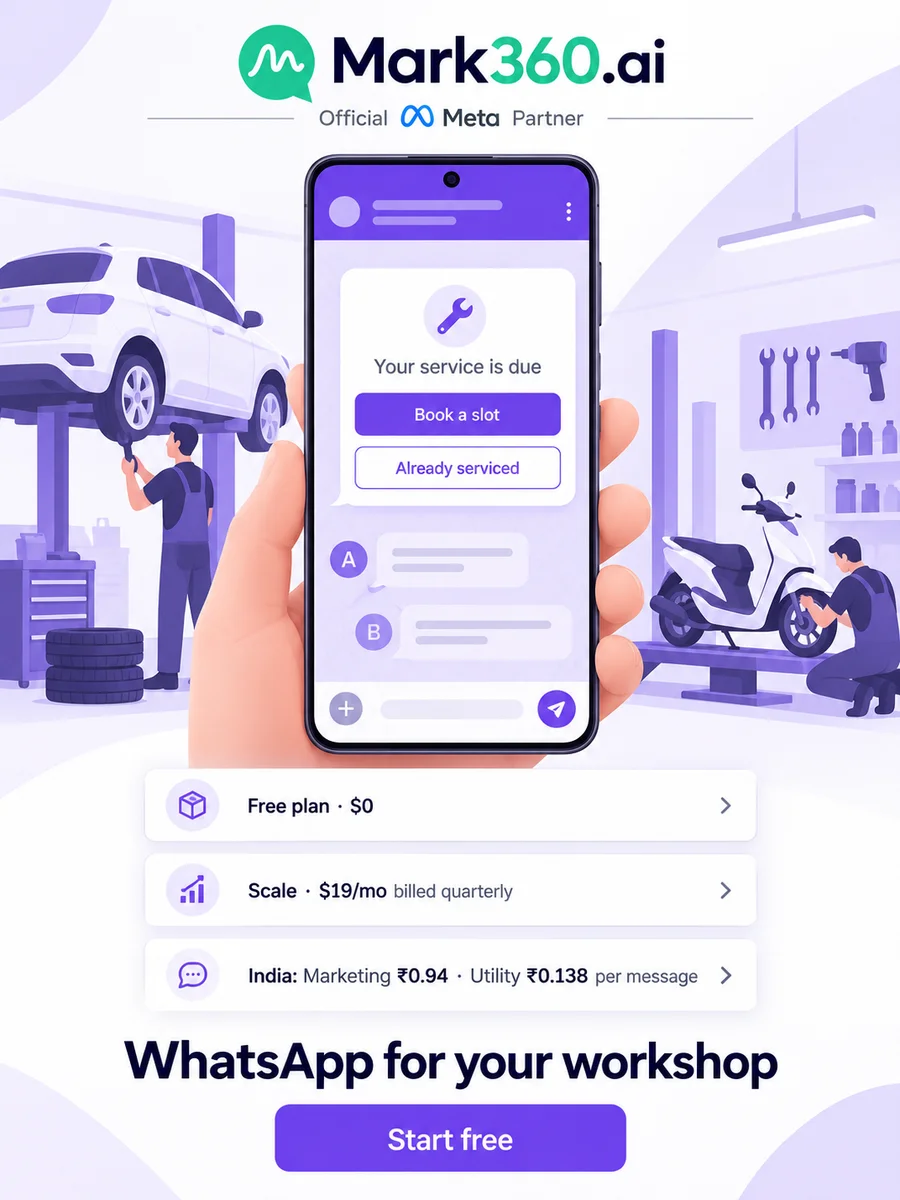
Direct answer: Car service centres, garages and detailing studios use WhatsApp for car service bookings, service-due reminders, job updates and payment links, all on one official WhatsApp Business API number. On Mark360.ai, a WhatsApp Business API platform, an AI agent books the service slot, a drip sends the reminder before the due date, and a Razorpay link goes out with the "your car is ready" message. Start on the Free plan; in India a marketing message costs ₹0.94 and a utility message ₹0.138 on Mark360.ai.
Key takeaways
- The Auto Service Booking AI agent asks for the vehicle, service type and date, and writes the booking to the appointment calendar.
- A service-due drip runs from each car's own next-service date and stops as soon as the customer books.
- A WhatsApp Form with a photo picker collects dent and scratch photos before the bodyshop sends a quotation PDF.
- The "vehicle ready" message carries a Razorpay payment link, and the customer pays by UPI, card or net banking.
- Service, Bodyshop and Billing teams share one number through the team inbox; offers go only to opted-in customers.
This guide is for authorised service centres, multi-brand garages, bodyshops, two-wheeler workshops and car detailing studios. It's the aftersales companion to our WhatsApp for car dealerships guide and the WhatsApp for car dealers and service centres page. Every scenario is an example setup, not a customer story.
Top WhatsApp use cases for car service centres and garages
| Use case | Mark360 feature | Template category | Example trigger |
|---|---|---|---|
| Book a periodic service | AI agent (Auto Service Booking) + appointment calendar | Service (free-form, inside 24h) | Customer types "service" |
| Booking reminder | Drip: Appointment Reminder | Utility | Appointment booked |
| Service due | Custom drip on a next-service-date field | Utility (no offer inside) | 7 days before the due date |
| Dent or scratch estimate | WhatsApp Form with photo picker + quotation PDF | Service | Customer taps "Get an estimate" |
| Job update and pickup | Template from the inbox or a workflow | Utility | Job card closed |
| Collect the bill | Razorpay payment link | Utility | Vehicle ready for pickup |
| Review request | Drip: Review Collection | Utility or marketing (Meta decides) | 2 days after delivery |
| Monsoon or AC check-up offer | Broadcast to a dynamic group | Marketing (opted-in only) | Season or festival |
"Service" means a free-form reply inside the 24-hour window that opens when the customer messages you. Outside that window you need a Meta-approved template, and Meta confirms the category when it reviews the template.
Why WhatsApp works for car service and repair businesses
Aftersales is repeat business, and most of it is messaging: confirming the slot, reminding the owner, sending the estimate, saying the car is ready and collecting the bill.
- Owners forget service dates. A reminder timed from their last visit beats phoning down a list.
- "Is my car ready?" calls take up the service desk. A status message in the same thread answers the question before it's asked.
- Estimates need photos and a yes. Dent photos come in, the quote goes out and the approval stays in writing in one chat.
- Bodyshop and detailing leads come from ads. In a Harvard Business Review study (2011), companies that tried to contact a lead within an hour were nearly 7 times as likely to qualify it.
AI agent for car service booking: book the bay slot on WhatsApp
A WhatsApp AI agent answers from the knowledge base you upload, in English and Hindi, and hands off to a person. Mark360.ai has an Auto Service Booking agent template: it collects the vehicle, the service type and the date, and the booking lands in the appointment calendar (month, week or year view).
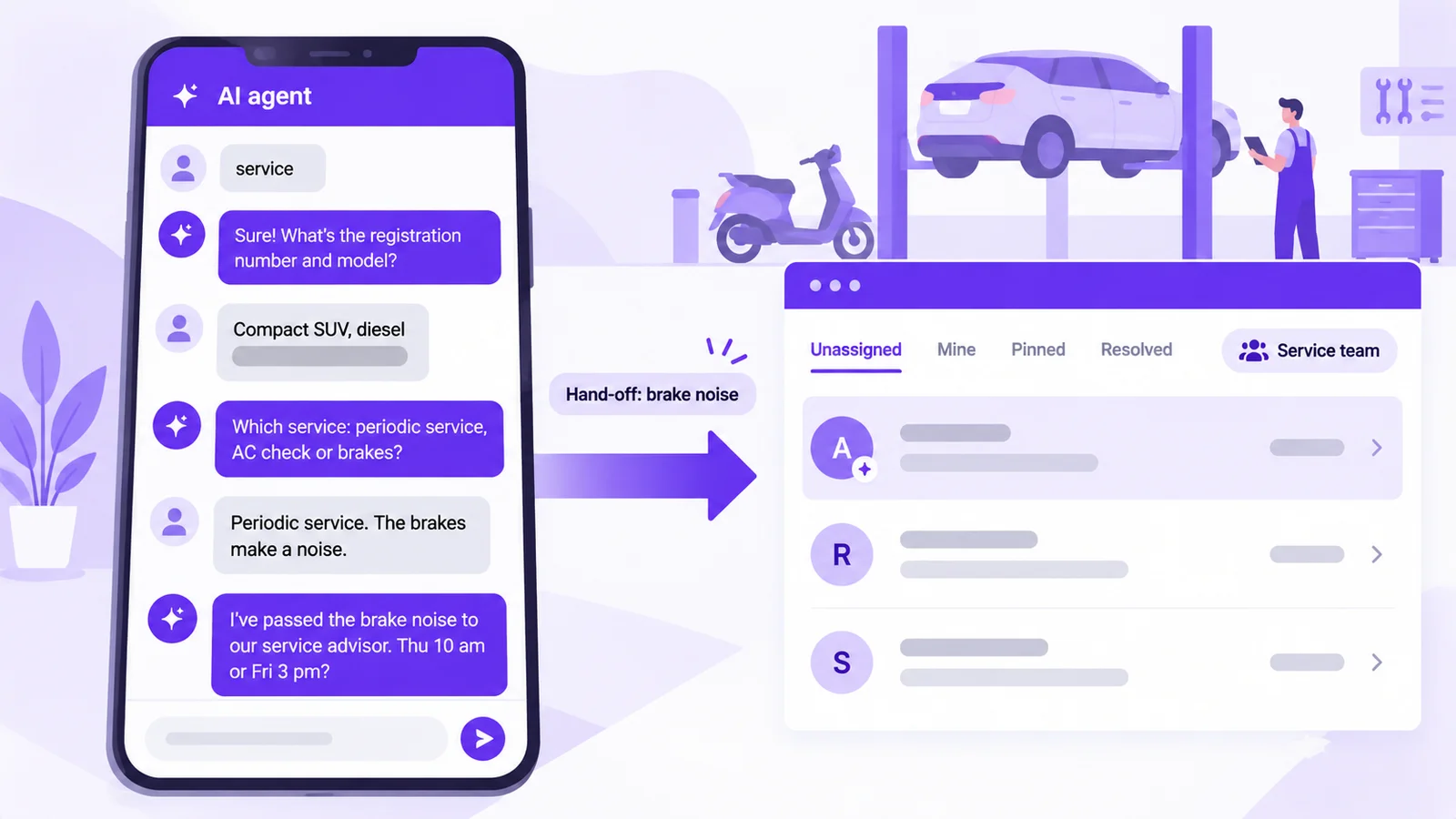
Example: a multi-brand garage in Indore gets a message at 9:15 pm: "service". The agent asks for the registration number, the model, the service type (periodic service, AC check, brakes, wheel alignment) and a preferred day, then offers the open slots. The booking is on the calendar before the workshop opens.
How to set up a service booking agent in Mark360.ai
- Go to AI Agents and pick the Auto Service Booking template.
- In "Agent Role & Instructions", write what it handles and when it hands off: price disputes, warranty claims, complaints, or anyone who asks for a person.
- Upload the knowledge base: service menu, workshop timings, pickup-and-drop rules, documents to bring and the branch address.
- Check replies in the phone preview, then switch it on.
- Add a keyword trigger for "service", "book" and "appointment" so the agent picks up those chats.
Example chat (service reply inside the 24-hour window)
Customer:  service
Agent:     Sure! What's the registration number and model?
Customer:  MP09 XX 1234, compact SUV, diesel
Agent:     Which service do you need: periodic service, AC check,
           brakes or something else?
Customer:  Periodic service. Also the brakes make a noise.
Agent:     Noted. I've passed the brake noise to our service advisor.
           Open slots: Thu 10 am or Fri 3 pm?
Plan note: the AI support agent is on Scale+ ($99/mo); the no-code chatbot builder, which can ask the same questions as fixed steps, starts on the Free plan. More in our WhatsApp AI agent guide.
Service-due reminders on WhatsApp: drip timing that brings cars back
A WhatsApp drip sends approved templates timed from each contact's own event, with start and stop conditions, sending days, a time window and an enter-once option. Two drips cover most workshops.
1. Booking reminder (Appointment Reminder preset, starts when a booking is made): a confirmation straight away, a reminder the evening before at 7 pm, and a morning-of message at 8 am with the branch location. All utility.
2. Service due (a custom sequence on a "next service date" custom field). When the job card is closed, the advisor sets the next service date: 6 months on, or sooner if the owner's usage means the kilometre interval in the manual will come first. Then:
- 7 days before the date, 11 am: "Your service is due" with a "Book a slot" button (utility while there's no offer).
- 1 day before, 6 pm: a short nudge with the same button (utility).
- 7 days after, 11 am: "Still due?" with "Book a slot" and "Already serviced" buttons.
- Stop conditions: the tag "service booked", the tag "already serviced" or an opt-out.
How to switch on service-due reminders
- Create a custom field "next service date" and fill it at every job close, or sync it from your workshop sheet with Google Sheets, which syncs customer data into contacts.
- Go to Drip, create a sequence that triggers on contact create and update, and set the start condition on that field.
- Add one approved template per step and set the delays.
- Set sending days (Monday to Saturday) and a time window, say 9 am to 8 pm.
- Add the stop conditions and turn on "enter once" per due date, then publish.
Category: UTILITY   Name: car_service_due
Hi {{1}}, the next service for your {{2}} ({{3}}) at {{4}}
is due on {{5}}. Tap below to pick a slot.
[Button: Book a slot]   [Button: Already serviced]
Utility or marketing? This reminder is about the customer's own vehicle and has no offer, so submit it as utility. Meta reviews every template's category and can change it; if it's approved as marketing, send it only to opted-in contacts. Add "20% off labour this week" and it's marketing for sure. More wording in our appointment reminder templates.
Detailing studios: use the same pattern for a ceramic-coating maintenance wash or an interior cleaning package, timed from the last visit.
WhatsApp Forms for bodyshops: dent photos before the estimate
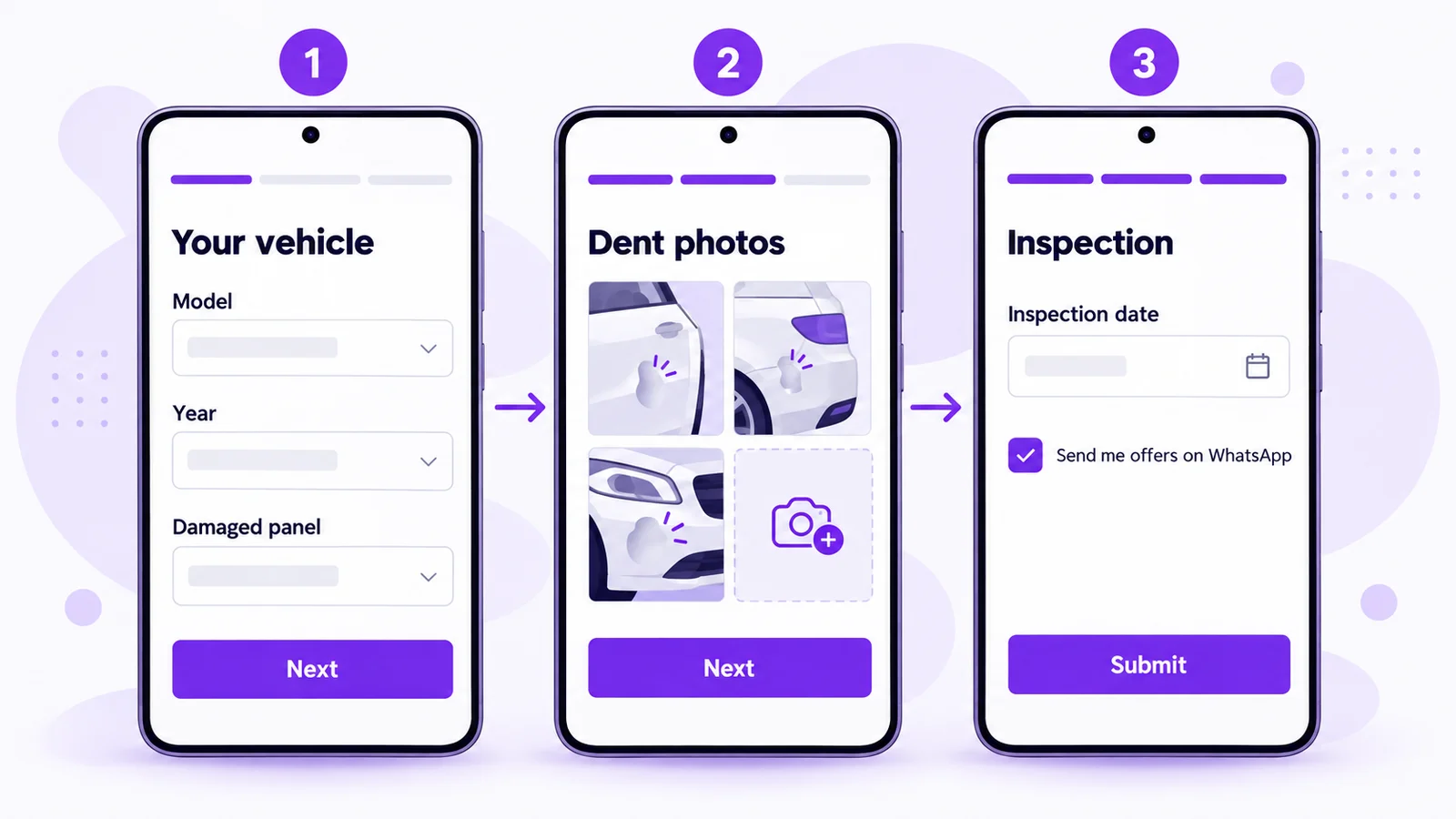
A WhatsApp Form (Flow) is a multi-screen form inside the chat, with text, dropdown, date and choice inputs, an opt-in checkbox, and photo and document pickers. You can launch it from a template button, a bot or an automation, and submissions are listed per Flow with a date filter and export.
Example: a bodyshop's "Get a dent estimate" form asks for the model and year and which panel is damaged (screen 1), takes two or three photos of the dent (screen 2), then asks for an inspection date and offers an optional opt-in for offers (screen 3). The estimator sees the photos before the car arrives.
- Create a Flow in WhatsApp Flows and add the three screens.
- Add the photo picker on screen 2 and an If/Switch rule that asks about insurance only when the customer picks "insurance claim".
- Attach the Flow to a template button ("Get an estimate"), a keyword bot or a Click-to-WhatsApp ad's first reply.
- Check submissions in Flow responses, then send a quotation PDF from the chat: line items for panel repair, paint and labour, with tax and a "Valid Until" date.
Guardrail: say clearly that the photo estimate is provisional until the car is inspected, and never ask for card or bank details in a form. The Scale plan includes 2 Flows.
"Your car is ready": job updates and Razorpay payment links
When the job card is closed, send a utility template that says the car is ready, with the amount due. Then send a Razorpay payment link from the inbox ("Send payment request") or from a workflow node. The customer pays on Razorpay's page by UPI, card or net banking, and Mark360.ai tracks the link as paid, pending or failed. Setup is on the Razorpay integration page.
Example: a two-wheeler workshop closes a job card at 5:30 pm; the owner pays the link on the way, and the cashier sees "paid" before handover.
Category: UTILITY   Name: vehicle_ready_payment
Hi {{1}}, your {{2}} ({{3}}) is ready for pickup at {{4}}.
Amount due: {{5}}. Pay securely here: {{6}}
[Button: Get directions]   [Button: Call the service desk]
It's utility because it's about a job the customer asked for. Keep upsells (an accessories offer, a coating package) out of it. Pending payment links can be followed up with the Payment Reminder preset; see our payment reminder templates.
Team inbox for workshops: Service, Bodyshop and Billing on one number
The shared team inbox puts WhatsApp and Instagram DMs in one place, with Unassigned, Mine, Pinned and Resolved views, round-robin, team rules, internal notes, @mentions, canned replies, working hours, holiday mode and an away reply.
Example: a service centre creates three teams: Service, Bodyshop and Billing, each with its own team rules and round-robin. When a customer writes that the same AC problem is back a week after a service, the advisor adds an internal note and @mentions the workshop manager; the customer doesn't see it. Set working hours and an away reply for evenings.
Running several branches? Make one team per branch. See how several agents share one WhatsApp number.
Click-to-WhatsApp ads for bodyshops and detailing studios
A Click-to-WhatsApp ad opens a chat with your workshop number. Mark360.ai replies with a bot first, round-robin assigns the chat, and can follow up with a template later. The ad itself is built in Meta Ads Manager.
Example: a detailing studio's "Get a coating quote" ad pre-fills "coating quote"; a keyword trigger sends the estimate form.
Tip: when you reply within the service window to someone who came from a Click-to-WhatsApp ad on the mobile app, Meta's pricing rules open a free entry point window of up to 7 days in which Meta doesn't charge for your messages. Check each message's price in Transaction History. More in our Click-to-WhatsApp ads guide.
Review requests and seasonal offers (opted-in only)
Review Collection drip: start it on the tag "delivered". Day 0: a thank-you with the next service date (utility). Day 2, 11 am: "How was your service?" with a review link. Meta may class a review request as marketing, so send it to opted-in customers. If someone replies with a complaint, the chat goes to the Service team instead of a public review.
Broadcasts: a WhatsApp broadcast sends one approved template through a 4-step wizard (template, groups, map fields, send or schedule). Dynamic groups build from tags, status and custom fields, and you see delivery, read and failure rates plus each message's cost.
Example: before the monsoon, a garage sends a monsoon check-up offer (wipers, brakes, tyres, underbody) to the dynamic group "opted in, last service more than 4 months ago".
Category: MARKETING   Name: monsoon_checkup_offer
Hi {{1}}, monsoon is here. Get a free 20-point check-up with any
service at {{2}} till {{3}}.
[Button: Book a slot]   [Button: Stop offers]
It's marketing because it has an offer, so it needs opt-in and an opt-out keyword. See our festival offer templates and the drips vs broadcasts guide.
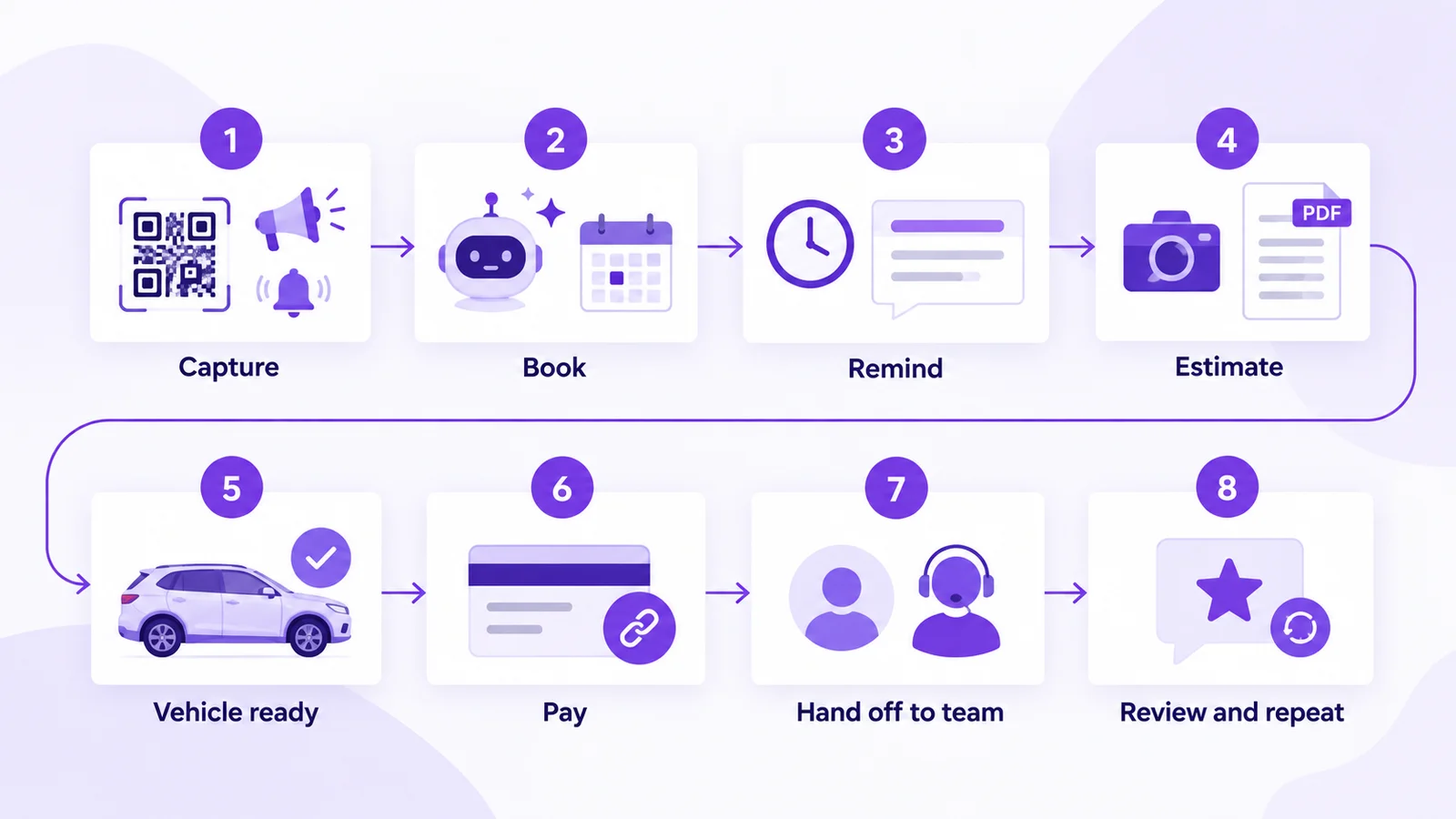
A complete car service centre WhatsApp journey (sample automation flow)
- Capture: the customer scans the reception QR code, taps a Click-to-WhatsApp ad or the website widget, or replies to a service-due reminder.
- Book: the Auto Service Booking agent asks registration number, service type and preferred date, and writes the slot to the calendar.
- Remind: the Appointment Reminder drip confirms the booking and reminds the customer the evening before.
- Inspect and estimate: for extra work, the advisor sends a quotation PDF in the same thread and waits for a reply before starting.
- Update: the advisor sends the "vehicle ready" utility template when the job card is closed.
- Pay: a Razorpay payment link goes out in the same thread; Mark360.ai tracks it as paid, pending or failed.
- Hand off: complaints, repeat issues and warranty questions go to the right team in the shared inbox.
- Review and repeat: the Review Collection drip asks for a review 2 days after delivery, and the next-service date restarts the cycle.
Workflow nodes: entry when a contact joins the group "job closed" → WhatsApp message (vehicle ready) → Razorpay payment link → wait-for-event (payment) → condition (paid?) → delay → WhatsApp message (thank-you). Stop: paid, or the contact opts out. Customers can also start a chat from a WhatsApp QR code at reception or the website chat widget.
Set up WhatsApp for your service centre free. Connect your number on Mark360.ai, switch on the Appointment Reminder preset and send your first approved template. No credit card. Start free at app.mark360.ai
How much does WhatsApp cost for a car service centre?
On Mark360.ai in India, a marketing message is ₹0.94 and a utility message ₹0.138. Since 1 October 2026 each number gets 1,000 free service messages a month, so most replies to customers who message you first cost nothing. Plans: Free $0, Scale $19/mo billed quarterly, Scale+ $99/mo, Enterprise custom (pricing).
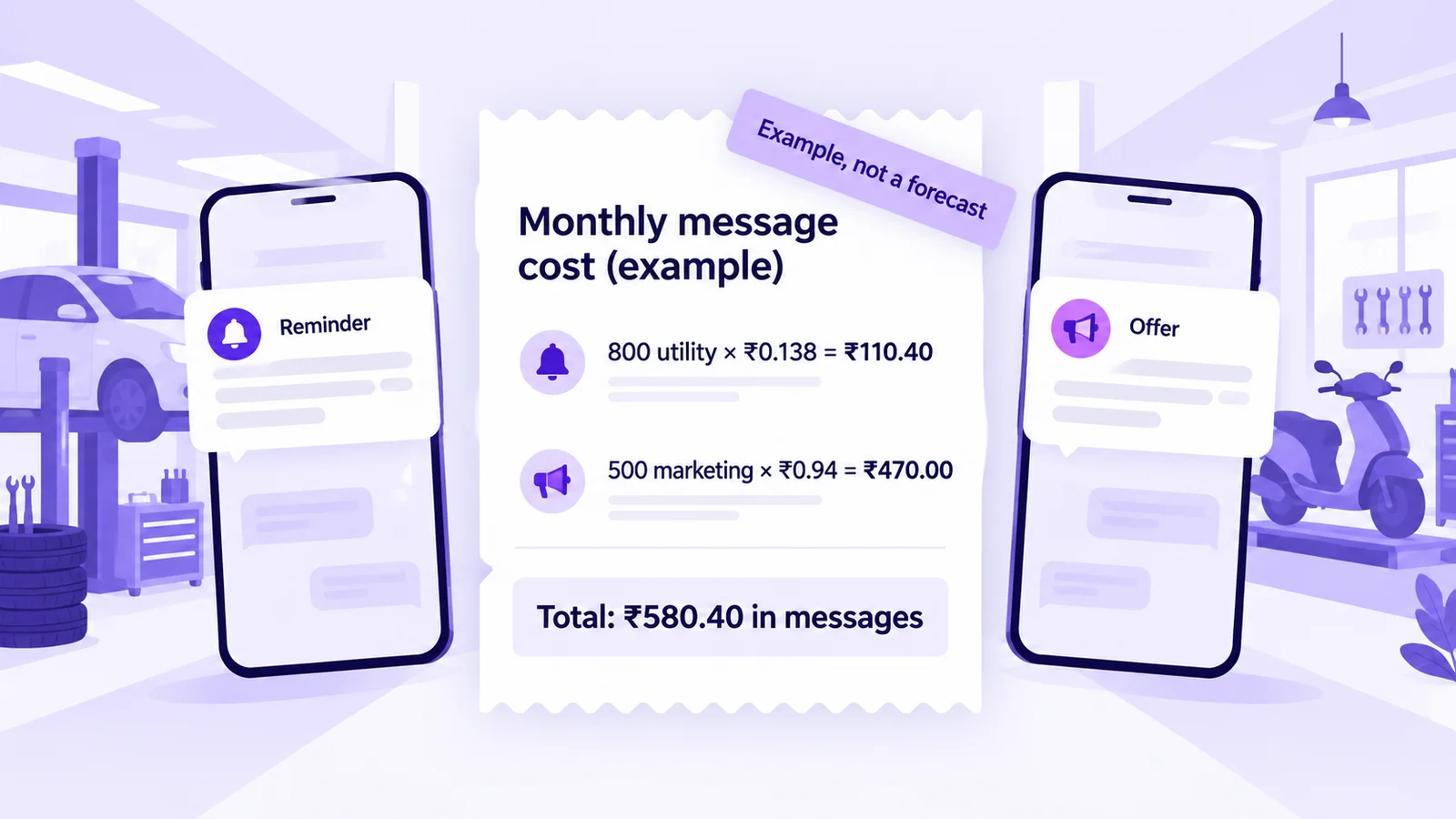
Example arithmetic, not a forecast: 800 utility messages (service-due reminders, booking reminders and "car ready" updates) × ₹0.138 = ₹110.40, plus 500 marketing messages × ₹0.94 = ₹470.00, makes ₹580.40 in messages a month, plus your plan. Compare that with the value of one periodic service that would otherwise have gone to another garage. Try the pricing calculator or read WhatsApp API pricing in India.
Compliance checklist for workshop WhatsApp
- Opt-in first: collect it at reception (QR code), on the job card, in a Flow opt-in field or in the chat, as WhatsApp's Business Messaging Policy requires.
- Match the category: a service reminder with a discount is marketing (templates guide).
- Honour opt-outs with a STOP keyword; it removes the contact from future campaigns.
- No debt collection: payment links are for completed jobs; don't chase overdue loans or EMIs on WhatsApp.
- Protect your quality rating; see why numbers get banned.
Why Mark360.ai for car service centres and garages
Mark360.ai is an Official Meta Business Partner on the WhatsApp Cloud API, founded in 2024 in Surat and trusted by 100+ businesses. One workspace gives you the Auto Service Booking AI agent, an appointment calendar, service-due drips, WhatsApp Forms with photo upload, quotation PDFs, Razorpay payment links, and a WhatsApp and Instagram shared inbox with teams, with no setup fee and a Free plan. Comparing tools? See Mark360 vs Wati or vs AiSensy.
Set up WhatsApp for your service centre free. Connect your number on Mark360.ai, switch on the Appointment Reminder preset and send your first approved template. No credit card. Start free at app.mark360.ai