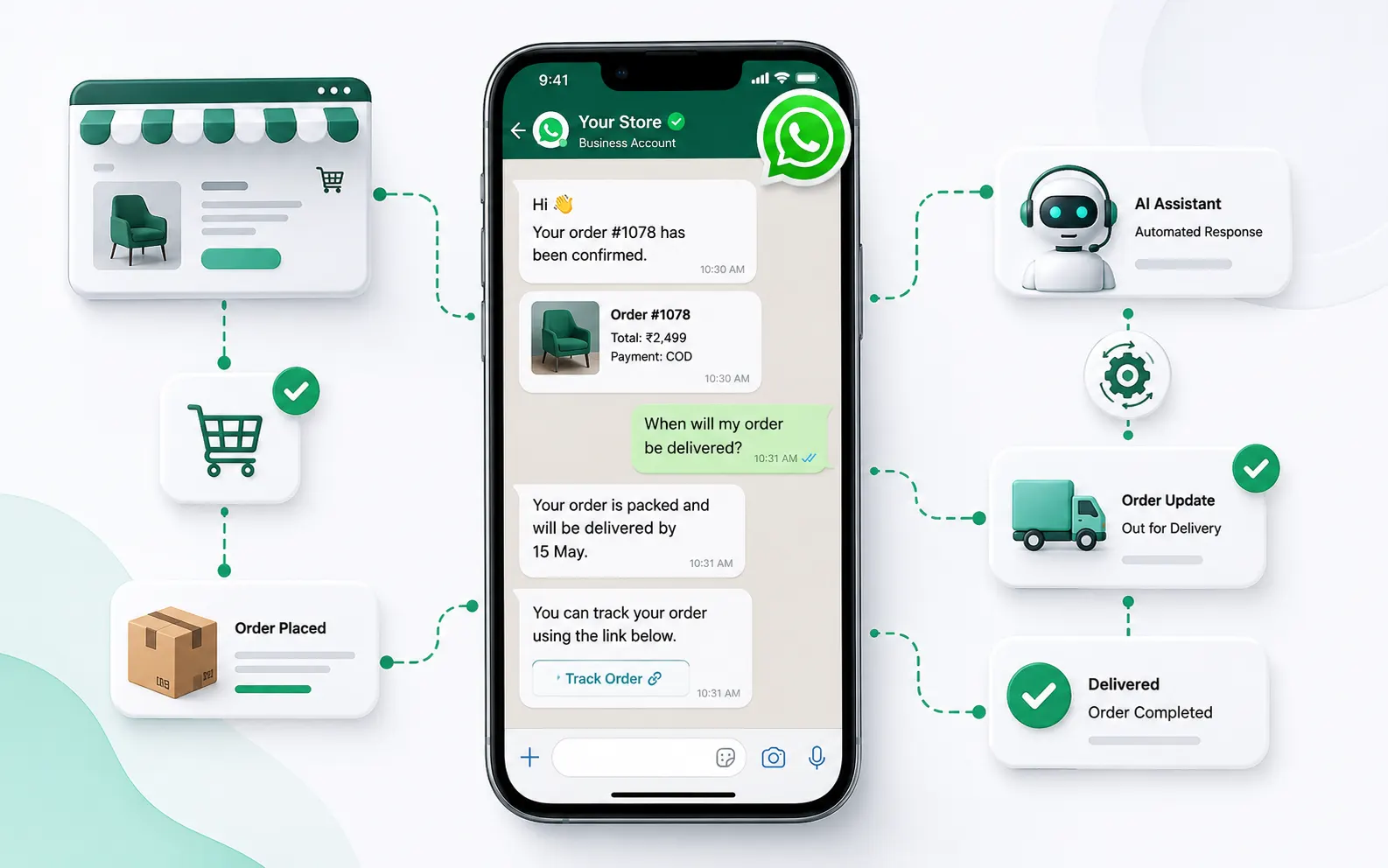
Instagram DM automation works best when it solves a conversation-management problem, not when it simply sends more messages. For ecommerce, DTC and service brands, the practical goal is to turn high-intent Instagram interactions into useful conversations, then move the right customers toward product discovery, support, qualification or purchase without losing the human touch.
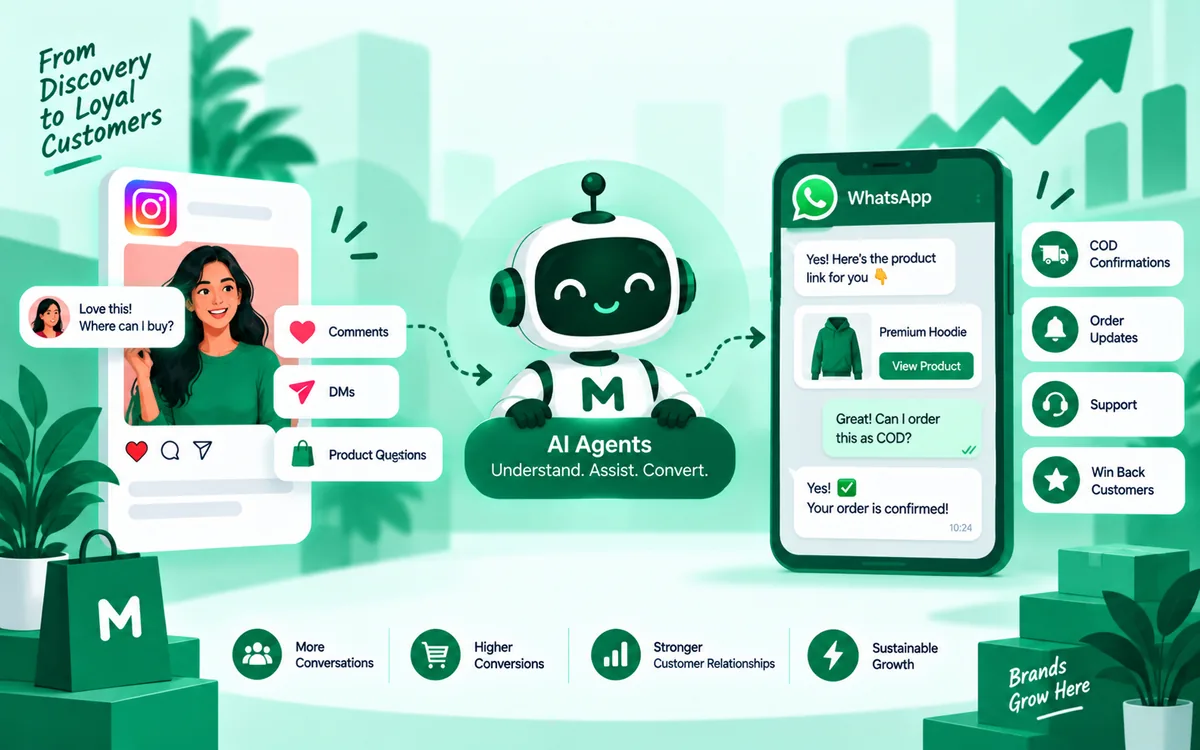
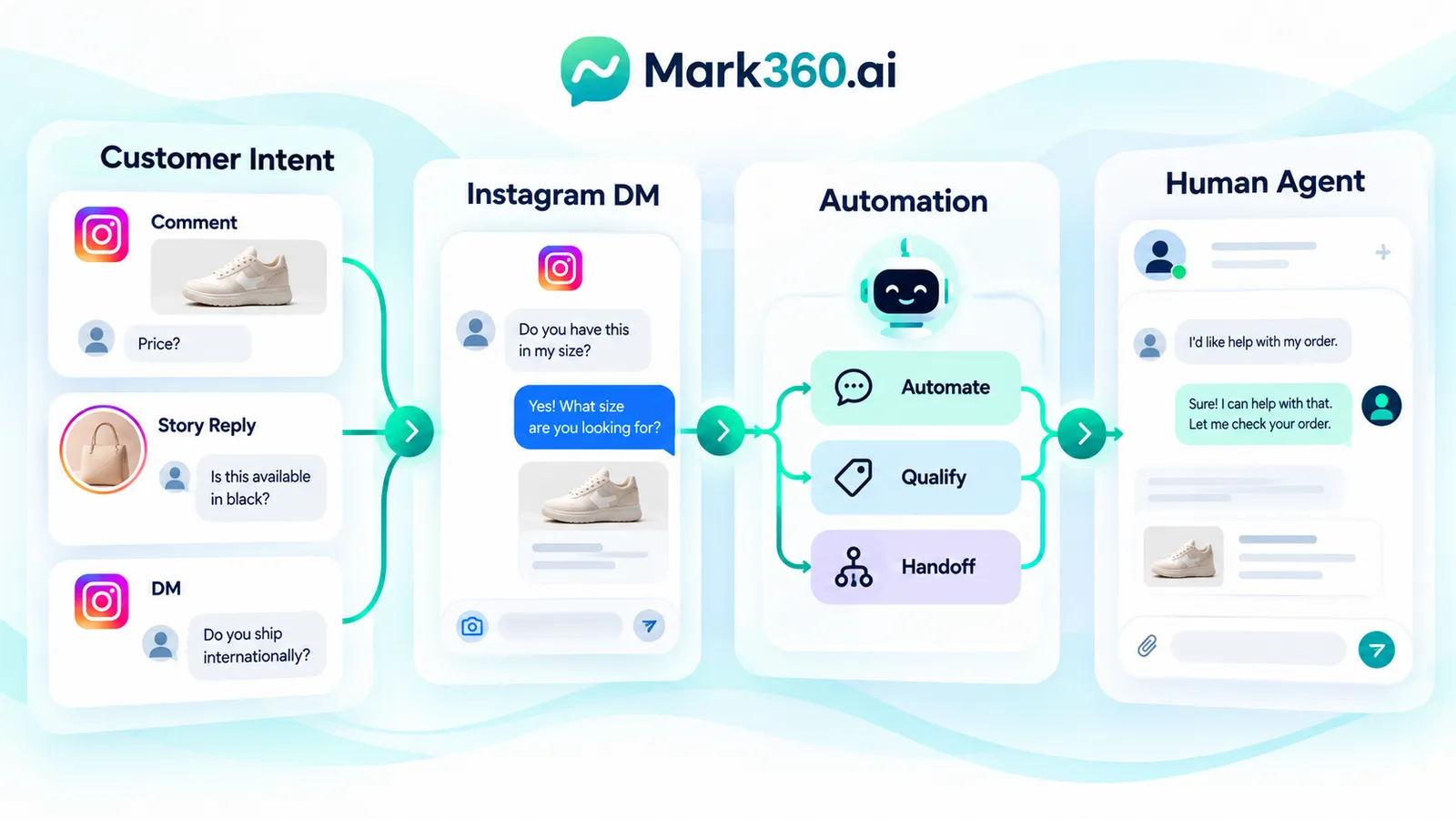
A mature setup can combine Instagram automation with WhatsApp conversations in a shared team workflow. Instagram can capture intent through comments, story replies and direct messages; automation can answer predictable questions and collect context; human agents can take over when a customer needs judgement; and WhatsApp can become the operational channel for customers who choose to continue there. The underlying integrations should use Meta-supported messaging capabilities rather than scraping, browser automation or unsolicited auto-DMs.
This guide explains the operating model, compares Meta Business Suite, ManyChat-style automation and an official Instagram Messaging API plus WhatsApp Cloud API architecture, and gives a practical framework for deciding how much automation your team actually needs.
What Is Instagram DM Automation?
Instagram DM automation is the use of supported Instagram messaging capabilities and automation software to respond to defined customer interactions, qualify conversations, deliver requested information and route conversations to people.
Typical triggers include a customer sending a direct message, replying to a story, interacting with a supported comment-to-private-reply flow, or selecting an available conversation prompt. An automation can then identify intent, ask a short question, provide a product or service answer, or route the conversation to a team member.
The important distinction is between customer-initiated or supported interaction-based messaging and unsolicited outreach. Automation should not be treated as permission to scrape followers or automatically message every new follower.
Why Instagram DMs Become an Operations Problem
Instagram can generate conversations from several surfaces at once: posts, reels, stories, profile visits, ads and existing customer relationships. The operational problem appears when the volume becomes larger than one person can reliably handle.
The common failure pattern
A customer asks for price in a comment. Another asks about delivery in a story reply. A third sends a DM about sizing. Someone else wants a service quotation. If each interaction is handled manually, response quality can depend on who is online and what they remember.
Automation creates a repeatable first layer. The goal is not to eliminate agents; it is to reserve agent time for conversations where human judgement creates value.
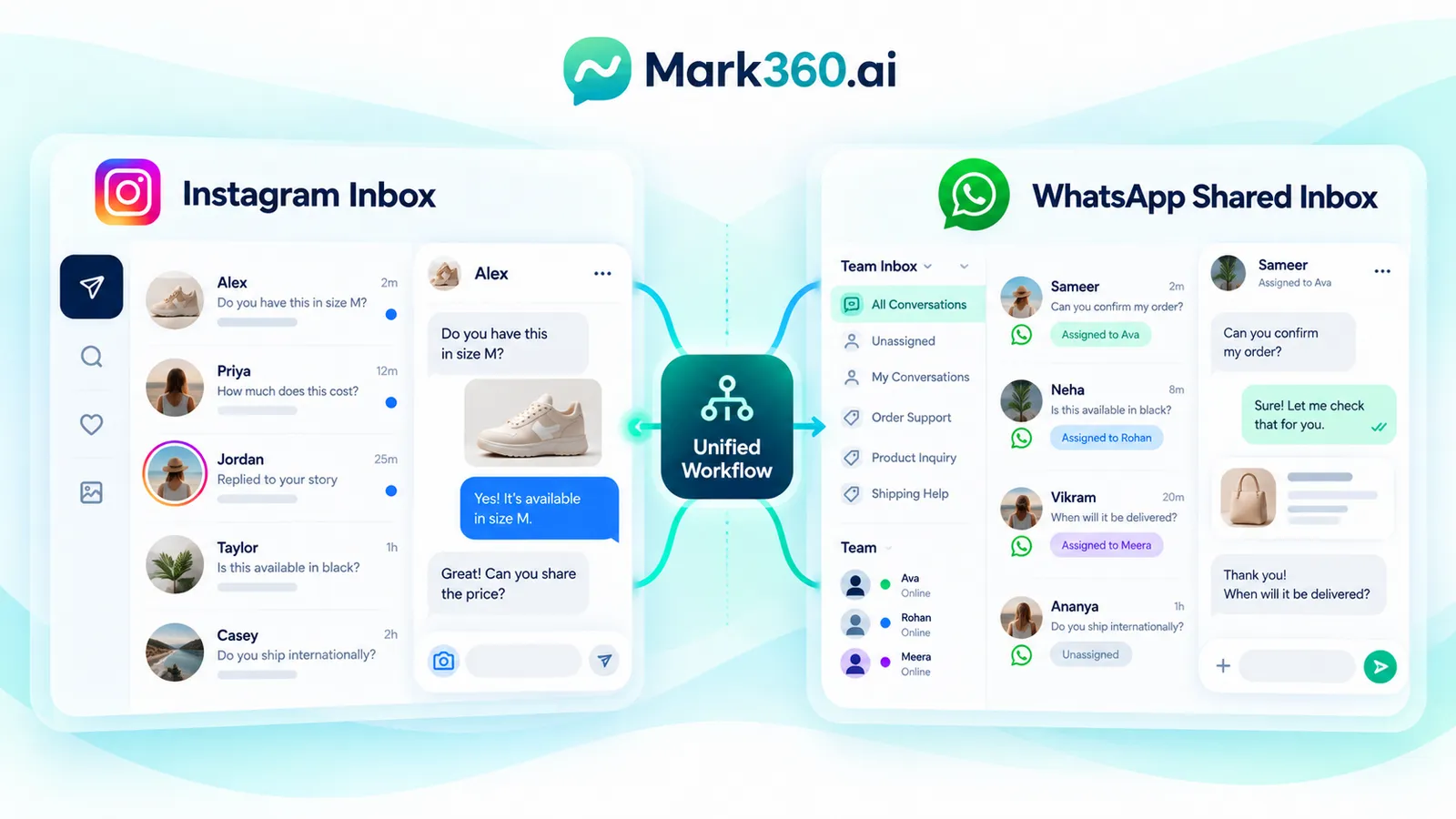
Instagram Inbox vs WhatsApp Shared Inbox
An Instagram inbox is useful for conversations originating on Instagram, but many businesses also operate WhatsApp as a sales and support channel. Running the two separately can create fragmented customer context.
A WhatsApp shared inbox brings WhatsApp conversations into a team workflow where multiple agents can work from the same business account, subject to the capabilities of the chosen platform and WhatsApp's messaging policies.
The strategic question is therefore not simply, “How do we automate Instagram?” It is, “How do we manage customer conversations from discovery through resolution across the channels our customers actually use?”
Meta Business Suite, ManyChat-Style Tools and API Architecture
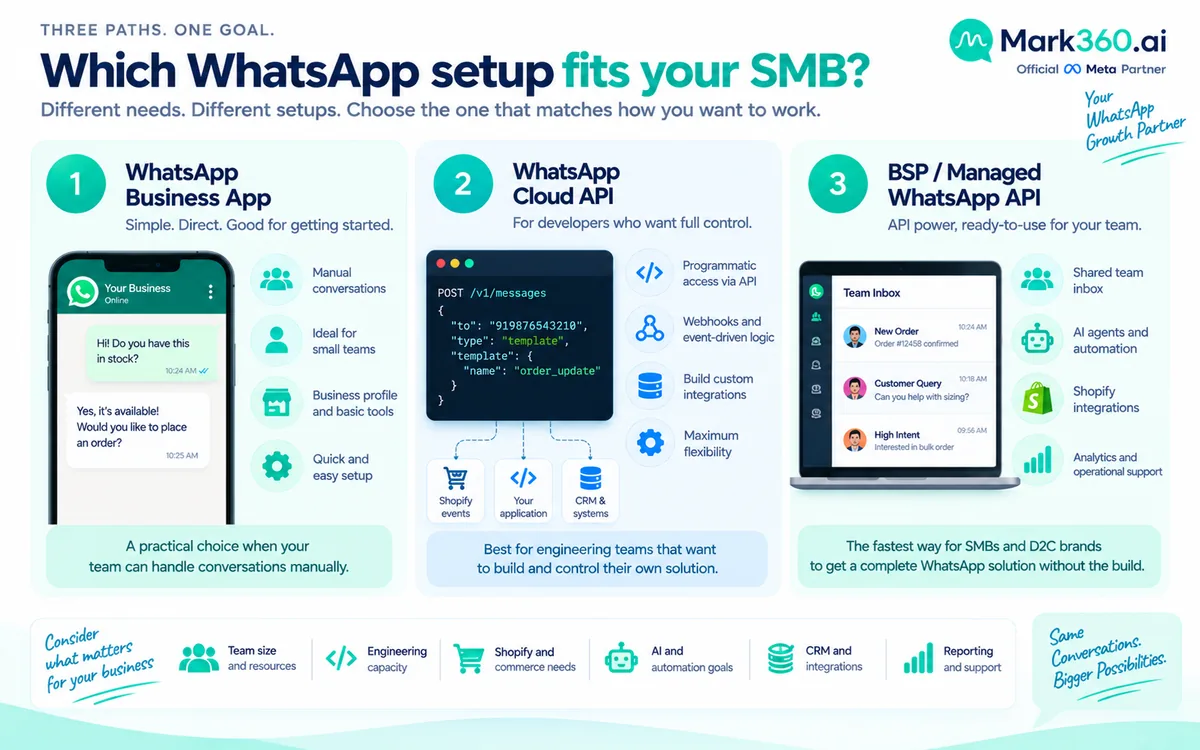
There are three broad approaches. They are not necessarily mutually exclusive, and the appropriate choice depends on conversation volume, automation depth, team workflow and technical requirements.
| Approach | Best suited to | Automation depth | Team workflow | Technical control |
|---|---|---|---|---|
| Meta Business Suite | Small teams and native Meta operations | Basic to moderate | Native Meta workflow | Lower |
| ManyChat-style automation | Marketing-led conversational campaigns | Moderate to advanced | Automation-focused | Moderate |
| Official Instagram Messaging API + WhatsApp Cloud API | Brands needing integrated systems and custom workflows | Advanced | Can be integrated into a broader shared inbox | High |
Meta Business Suite can be a sensible starting point when a team primarily needs native message and comment management. A specialized automation platform can make campaign-style flows easier to configure. API-based architecture becomes more attractive when Instagram and WhatsApp need to connect with CRM, ecommerce, catalog, order or agent workflows.
These are capability distinctions rather than a ranking. A business should choose according to its operating requirements rather than assuming that the most technically sophisticated option is automatically the right one.
How Comment-to-DM Automation Works
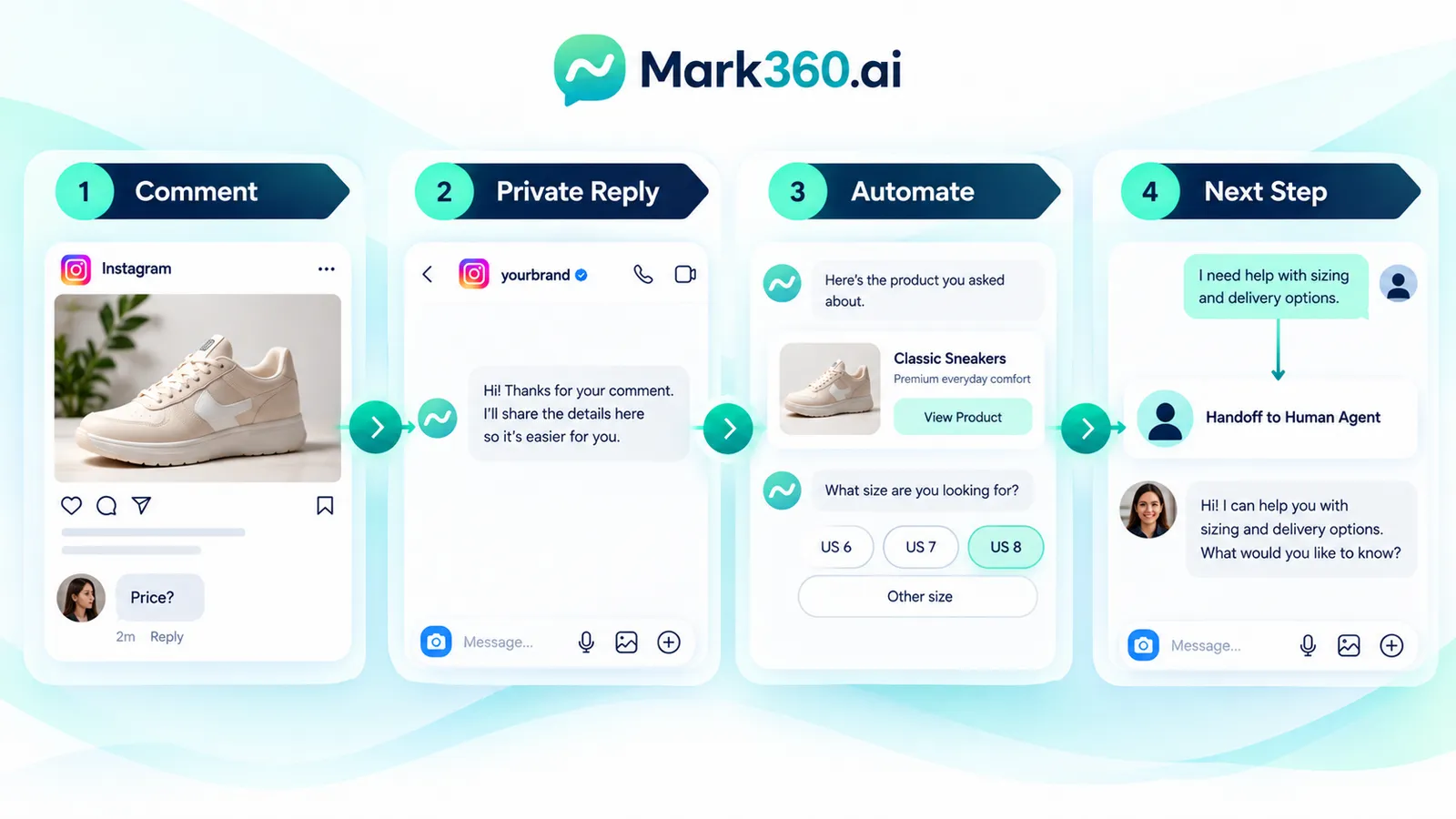
Comment-to-DM is useful when public engagement signals a customer request that is better handled privately. For example, a customer may comment “price” or “catalog” beneath a product post.
A practical flow
- Publish a post with a clear conversational call to action.
- Customer comments using the intended phrase or interaction.
- The supported Meta messaging flow sends an appropriate private response where the applicable capability and policy allow it.
- The conversation asks one useful next question instead of presenting a long sales pitch.
- Product information, a catalog route or a human handoff is provided based on the customer's response.
The best flow is usually short. The customer already demonstrated intent; the automation should reduce friction rather than create a questionnaire.
How Story Replies and Instagram Icebreakers Fit
Stories are particularly useful for conversational marketing because the customer is responding to content they have just seen. A brand can use story interactions to answer product questions, explain an offer, qualify a service enquiry or direct a customer to an appropriate next step.
Icebreakers can also reduce the blank-page problem in an Instagram conversation by giving people clear options such as “View products”, “Check delivery”, “Talk to an expert” or “Get a quote”, where the supported messaging experience provides those options.
Keep the first interaction simple
Do not turn an icebreaker into a menu containing every possible business process. Start with the highest-value intents. If a customer selects a product-related option, the next message can collect the product category, location, size or other information genuinely needed for the next step.
What an Instagram Chatbot Should Actually Do
An instagram chatbot should handle predictable work and know when it has reached the edge of its knowledge.
Good automation candidates
- Frequently asked product or service questions.
- Store hours, service areas and basic availability information.
- Product category discovery.
- Lead qualification using a small number of useful questions.
- Delivery or support routing where the underlying information is available.
- Collecting information before a human agent joins.
Poor automation candidates
- Complex complaints requiring judgement.
- Disputes involving refunds or exceptions.
- Medical, legal or financial advice unless the workflow is specifically designed and governed for the relevant requirements.
- Repeatedly sending messages after the customer stops engaging.
- Any workflow based on scraping Instagram users or messaging people without a supported trigger and appropriate permission.
Designing Human Handoff Without Breaking the Conversation
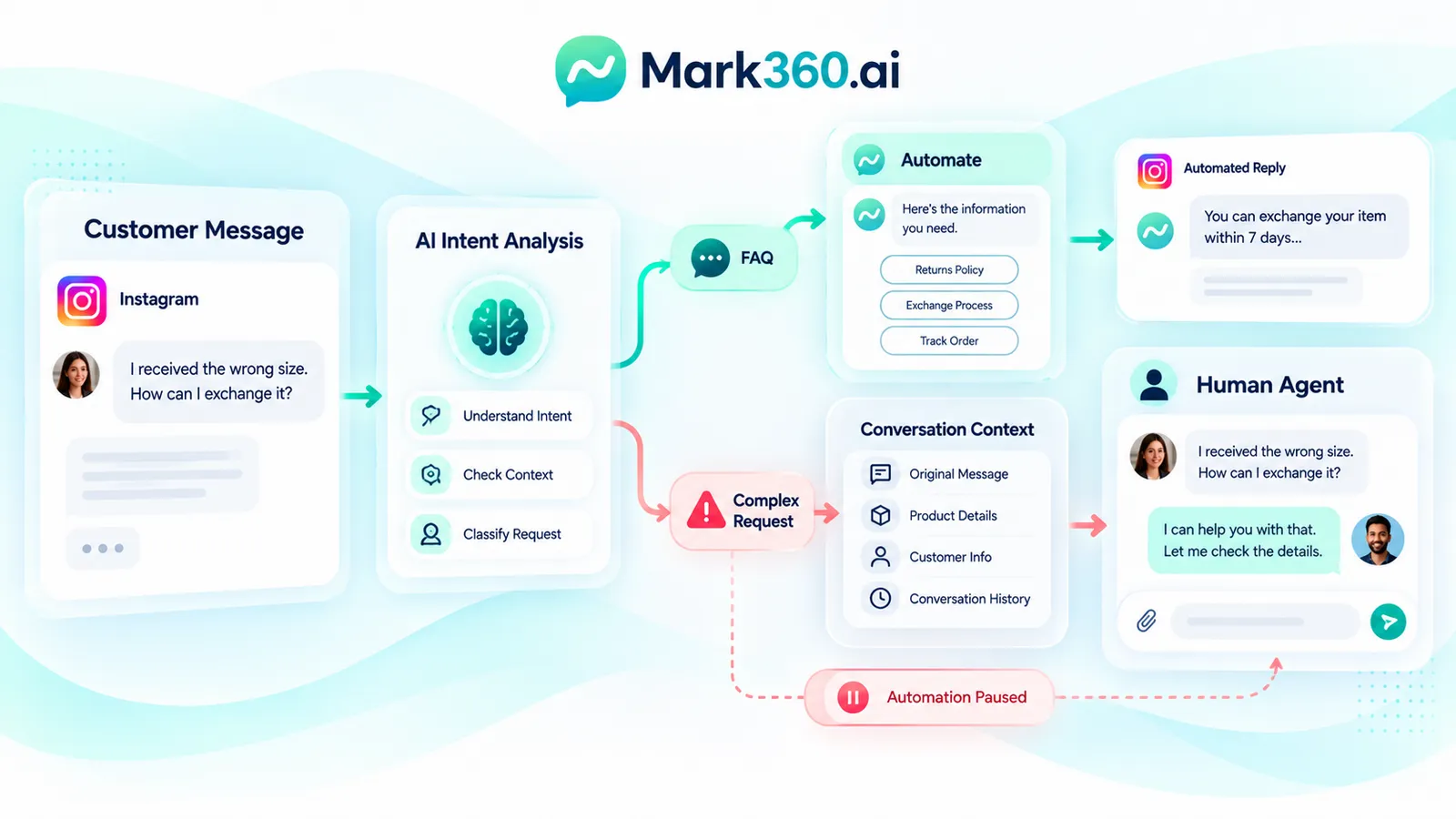
Automation becomes frustrating when customers cannot reach a person. A handoff should therefore be a designed state, not an emergency workaround.
A useful handoff pattern
- Recognise the escalation intent.
- Tell the customer that a team member will take over.
- Pass the collected context to the agent.
- Assign the conversation to an appropriate queue or person.
- Prevent competing automations from continuing to answer the same thread.
For example, if a customer says, “I received the wrong size,” the system should stop promotional automation and route the case to support. The agent should see the original message and relevant conversation context instead of asking the customer to repeat everything.
Instagram Messaging API and WhatsApp Cloud API
For businesses building a deeper conversation platform, the official API route can connect supported Instagram messaging capabilities and WhatsApp Cloud API to application logic, customer data and agent tooling.
The architectural advantage is control over the workflow. A business can decide how conversations are stored, how agents are assigned, how customer context is retrieved and how ecommerce or CRM events affect the next action.
WhatsApp has its own messaging rules and business-initiated messaging requirements. Businesses should design around the current official documentation rather than assuming that an Instagram automation rule automatically applies to WhatsApp.
Understanding the 24-Hour Messaging Window
The 24-hour concept is important in conversational messaging, but it should not be reduced to a generic rule saying that every message can always be sent for 24 hours. Messaging permissions depend on the channel, trigger, conversation state, message type and current Meta policies.
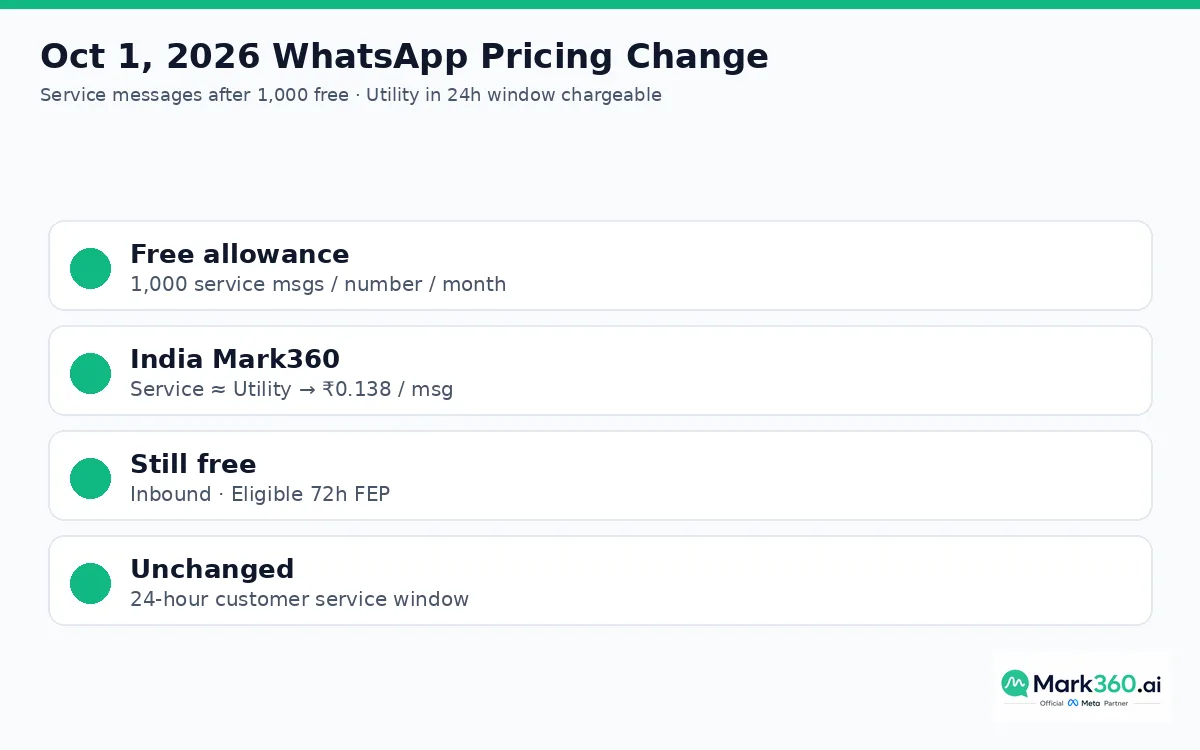
For WhatsApp, businesses should distinguish customer-service conversations from business-initiated template messaging. When the applicable customer-service window is open, businesses have capabilities for responding to the customer conversation; outside applicable windows, approved message templates and other policy requirements can become relevant. Meta's documentation should be checked for the current rules before implementing production logic.
For Instagram, the applicable messaging capabilities and interaction windows should likewise be verified against current Meta documentation. Do not copy a WhatsApp timing rule into Instagram automation simply because both products belong to Meta.
Consent, Privacy and Responsible Automation
Consent should be treated as part of the conversation design, not as a checkbox added after launch.
Practical consent principles
- Make it clear what the customer is asking for.
- Do not disguise promotional messaging as support.
- Use only supported Meta interaction mechanisms.
- Give customers a clear path to stop or avoid unwanted promotional communication where applicable.
- Collect only the information needed for the stated purpose.
- Protect customer data in the systems connected to the messaging workflow.
- Document which automated flows are informational, transactional, support-oriented or promotional.
Local privacy and marketing laws can impose additional requirements. Global brands should review applicable rules in the countries where they operate rather than assuming that Meta's platform policy is the complete legal framework.
What Not to Automate: Scraping and New-Follower Auto-DMs
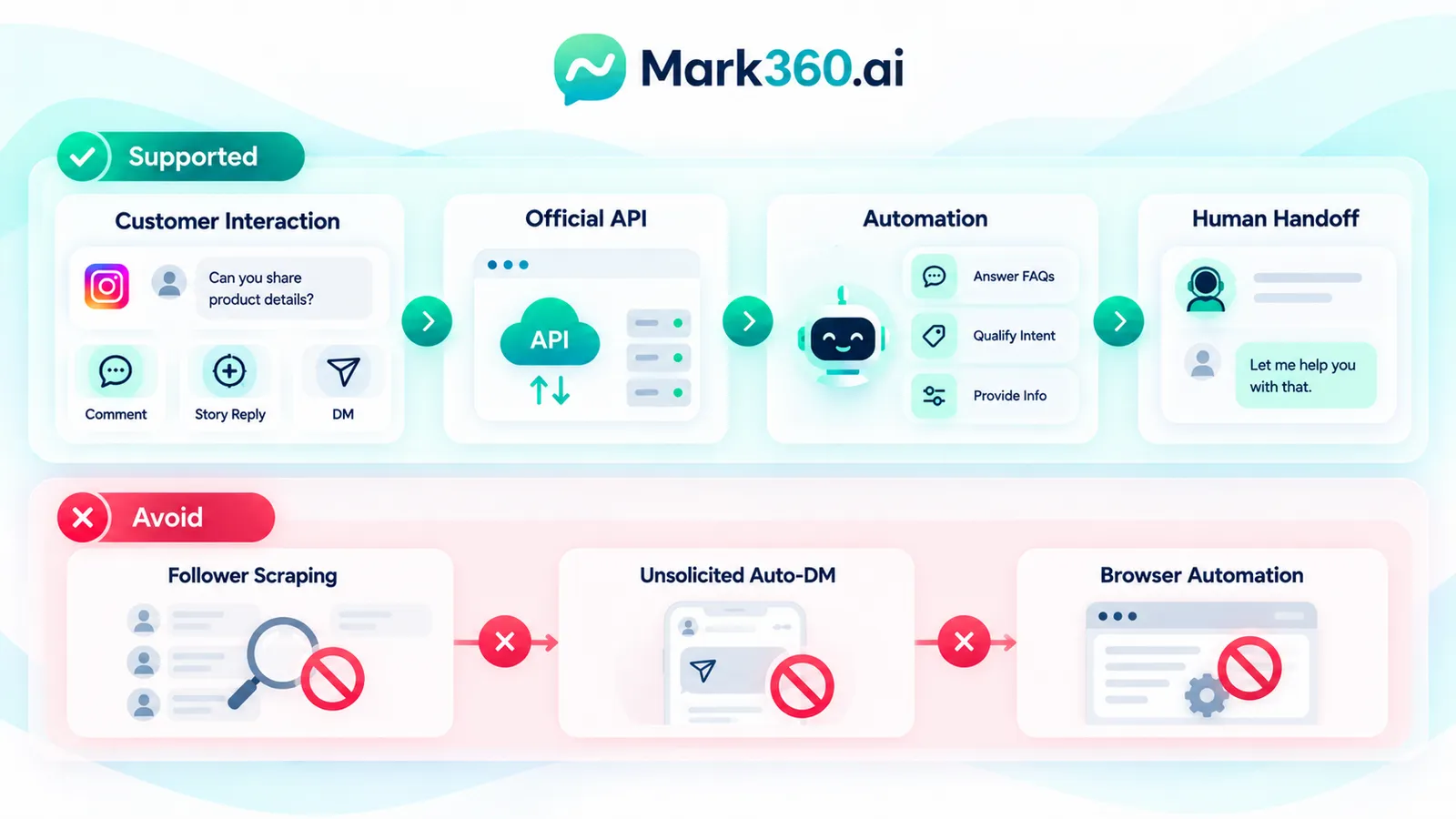
A common misconception is that Instagram DM automation means automatically messaging every person who follows a brand. That is not the operating model this guide recommends.
Do not build workflows around scraping follower lists, harvesting user data, browser automation that imitates human activity, or unsolicited auto-DMs to new followers. Apart from creating customer-experience problems, such approaches can conflict with platform rules and create avoidable account risk.
Instead, design automation around supported interactions: a customer message, an eligible comment interaction, a story response or another officially supported entry point. The customer should have a meaningful reason to enter the conversation.
Building One Team Workflow Across Instagram and WhatsApp
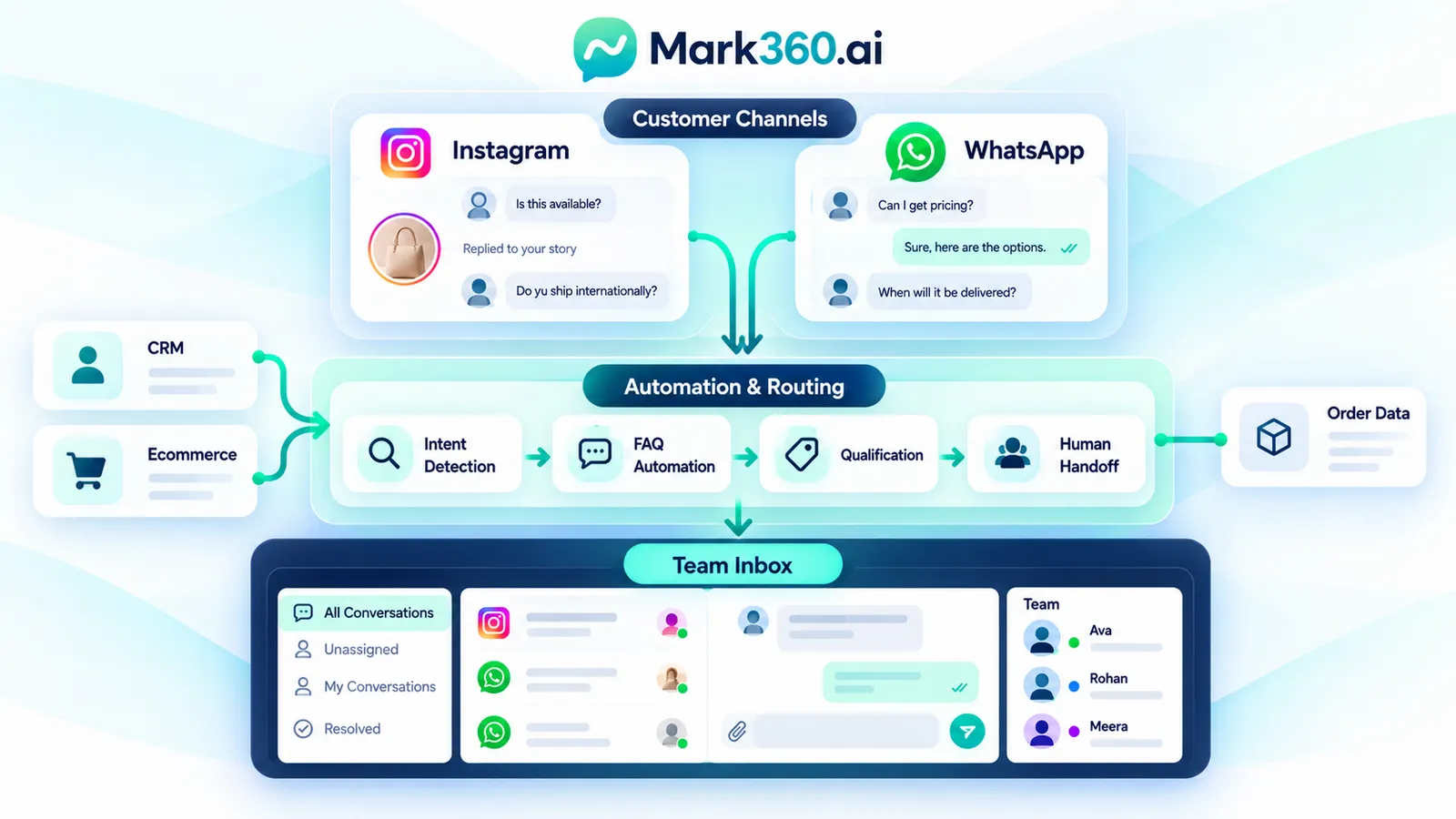
A shared operating model should make the channel less important to the agent than the customer intent.
Recommended conversation architecture
- Capture: Receive supported Instagram or WhatsApp conversations.
- Identify: Determine whether the customer wants product information, support, qualification or another service.
- Automate: Answer predictable questions and collect minimal context.
- Route: Assign complex or high-value conversations to the appropriate human team.
- Continue: If the customer chooses WhatsApp as the next channel, continue there using the applicable WhatsApp workflow and policies.
- Record: Keep useful conversation context available to the team and connected business systems.
This model prevents a common failure: building separate automation islands where the Instagram team knows one part of the conversation and the WhatsApp team knows another.
How to Choose the Right Architecture
Use the following decision framework rather than selecting a platform based only on the number of automation features.
Choose a native Meta workflow when
- Your team is small.
- Most conversations are handled manually.
- You need basic inbox management more than complex orchestration.
- You want to minimise technical integration work.
Choose a ManyChat-style automation layer when
- Marketing owns the conversation strategy.
- You need visual campaign flows.
- Comment, story and conversational lead-generation journeys are central to your operation.
- You want non-developers to manage a substantial part of the automation.
Choose API-led infrastructure when
- Instagram and WhatsApp need to connect with CRM or ecommerce data.
- You need custom routing, agent assignment or business logic.
- You operate multiple brands, regions or teams.
- You want one conversation layer across channels.
- Your engineering team needs control over data and workflow behaviour.
For many growing businesses, the practical destination is a hybrid: native Meta capabilities underneath, a purpose-built automation layer in the middle, and a shared agent workspace on top.
Step-by-Step Implementation Plan
Start with a narrow production workflow rather than attempting to automate every customer interaction on day one.
- Map conversation sources. List Instagram comments, DMs, story replies, WhatsApp enquiries and other entry points.
- Classify intent. Create five to ten high-frequency categories such as price, product discovery, delivery, support and human assistance.
- Write short answers. Keep the first automated response focused on one task.
- Add structured choices. Use supported buttons, prompts or conversation options where available.
- Build escalation rules. Define the phrases, intents and situations that require a person.
- Connect the team inbox. Make ownership visible so two agents do not answer the same conversation.
- Connect business context. Where appropriate, expose product, order or CRM information to the workflow.
- Test policy boundaries. Test timing, message types, consent and edge cases before launch.
- Launch one use case. Start with a measurable customer problem such as product questions from Instagram.
- Review transcripts. Improve the automation based on real failure points rather than adding complexity for its own sake.
Troubleshooting Instagram DM Automation
Automation is not triggering
Check whether the Instagram account type, connection, permission, trigger and selected message event are supported. Verify the exact interaction rather than assuming that every comment or story event behaves identically.
The bot replies but agents cannot see the context
Review how conversation identifiers and customer metadata are mapped into the shared inbox. The automation and agent workspace should use a consistent conversation record.
Messages stop after a period of time
Check channel-specific messaging rules and timing windows. Do not simply increase retry counts. A stopped message may indicate a policy boundary rather than a technical failure.
Customers receive repetitive messages
Add state management. A conversation should know whether the customer has already received an answer, requested a human or completed a step.
Agents and automation answer simultaneously
Implement an explicit human-handoff state that pauses or changes automation once an agent takes ownership.

Measuring Conversation Quality Without Fake Benchmarks
There is no universal conversion rate or response-rate benchmark that should be treated as a guaranteed outcome for Instagram DM automation. Performance varies by product, audience, creative, offer, geography, traffic source, customer intent and sales process.
Instead, establish your own baseline and compare changes after each workflow improvement.
- Eligible conversations initiated.
- Automation completion rate.
- Human handoff rate.
- Time to first human response.
- Resolution rate.
- Qualified leads created.
- Product or service enquiries progressed.
- Opt-outs or negative feedback.
- Revenue attributed using a clearly defined attribution method.
The purpose of these measures is diagnostic. A high handoff rate may mean automation is poorly designed, or it may mean the brand is attracting complex, high-value conversations. Metrics need business context.
Where Mark360.ai Can Fit
For a business already using WhatsApp as a sales, support or marketing channel, Mark360.ai can be evaluated as a conversational layer for connecting supported messaging workflows, automation and team operations.
Mark360.ai's positioning around WhatsApp marketing and automation, WhatsApp Cloud API workflows and shared conversational operations makes it relevant when a brand wants to go beyond an isolated Instagram inbox and build a broader customer-conversation system. The appropriate implementation depends on the business's Meta account configuration, required Instagram capabilities, WhatsApp setup, use cases and current platform policies.
Mark360.ai should therefore be considered as a potential fit for brands seeking an integrated operational model rather than as a claim that every Instagram automation capability is universally available through one product. Current Meta requirements and supported API capabilities should be verified during implementation.
Global Compliance Checklist
Before launching an Instagram and WhatsApp automation program, review this checklist:
- Use official Meta-supported integrations.
- Do not scrape Instagram profiles, followers or messages.
- Do not create unsolicited auto-DM campaigns to new followers.
- Document the trigger for each automated conversation.
- Separate service conversations from promotional journeys.
- Respect applicable messaging windows and template requirements.
- Provide appropriate human escalation.
- Review privacy, consent and data-retention requirements for each operating market.
- Restrict access to customer data by role.
- Keep automation copy accurate and easy to understand.
- Monitor policy changes because Meta messaging requirements can evolve.
Related reading: Instagram and WhatsApp shared inbox with AI agents, Instagram DM automation vs WhatsApp Business API, Instagram auto reply and Story reply automation, and ManyChat alternatives for comment-to-DM.
Key Takeaways
- Instagram DM automation should reduce repetitive work while preserving human judgement.
- Comment-to-DM and story-based conversations are useful when the customer has demonstrated an interaction that supports the messaging flow.
- An Instagram chatbot should handle predictable questions and escalate exceptions.
- Instagram and WhatsApp can be treated as parts of one customer-conversation operation, but each channel retains its own capabilities and policies.
- Meta Business Suite, ManyChat-style tools and API-led architectures solve different operational problems.
- Official APIs are preferable to scraping, browser automation and unsolicited follower messaging.
- Consent, message timing and human handoff should be designed before campaigns are launched.
- Measure your own baseline instead of relying on generic conversion promises.