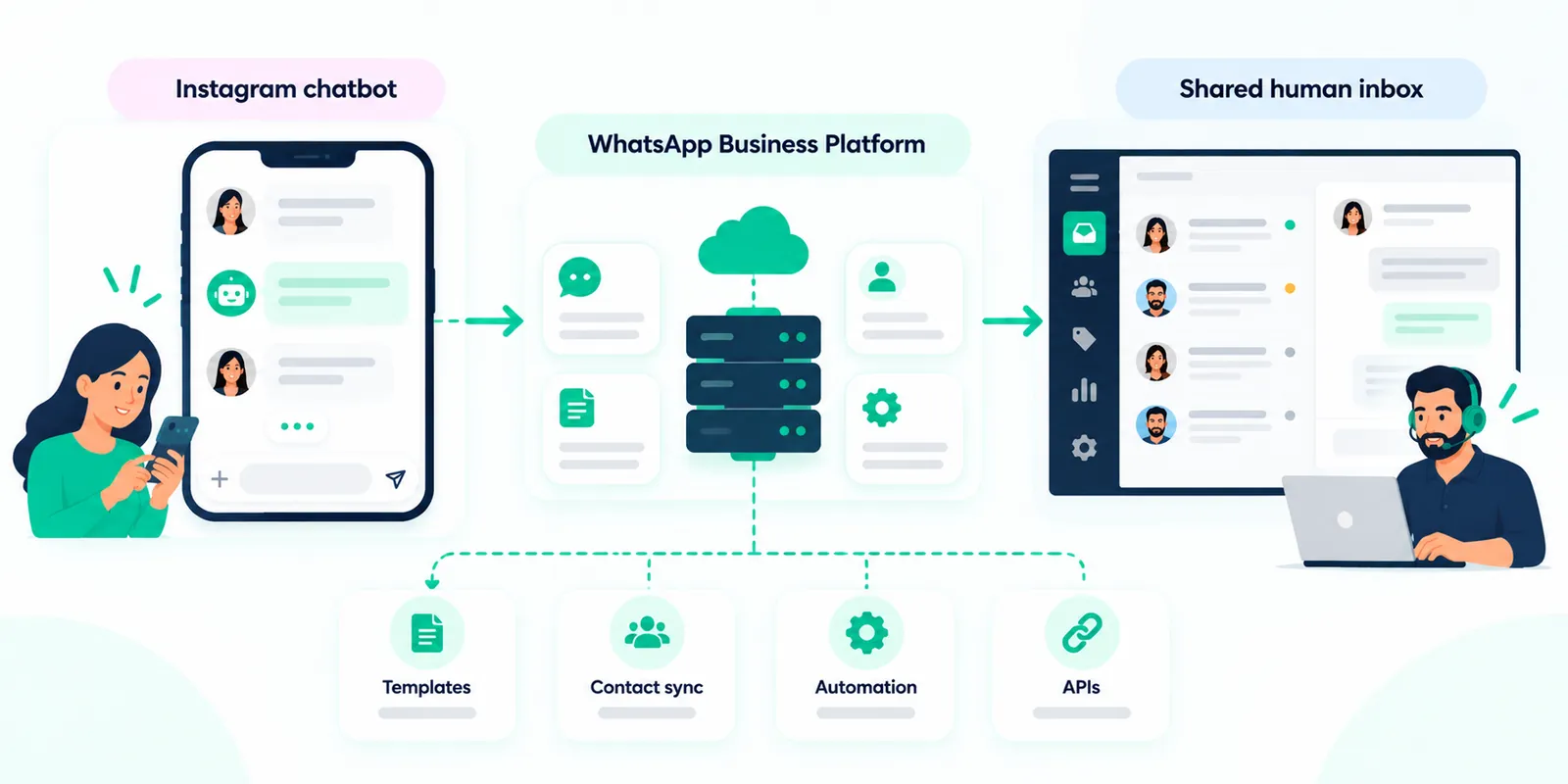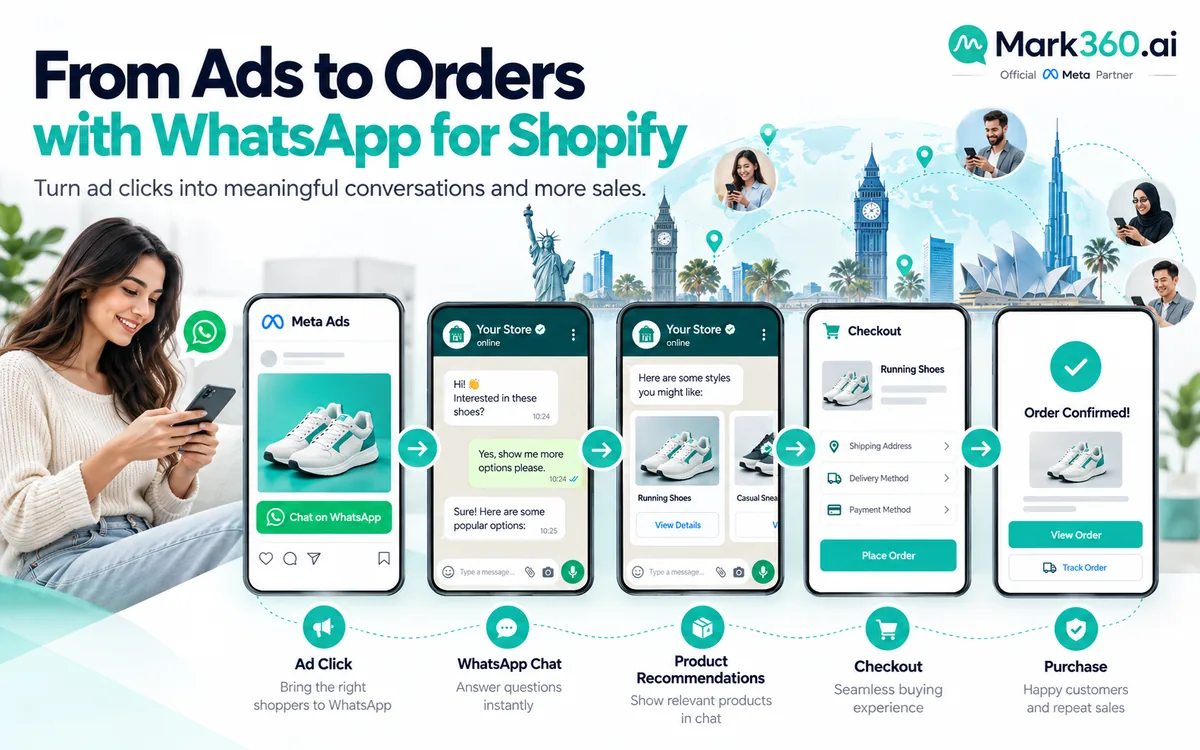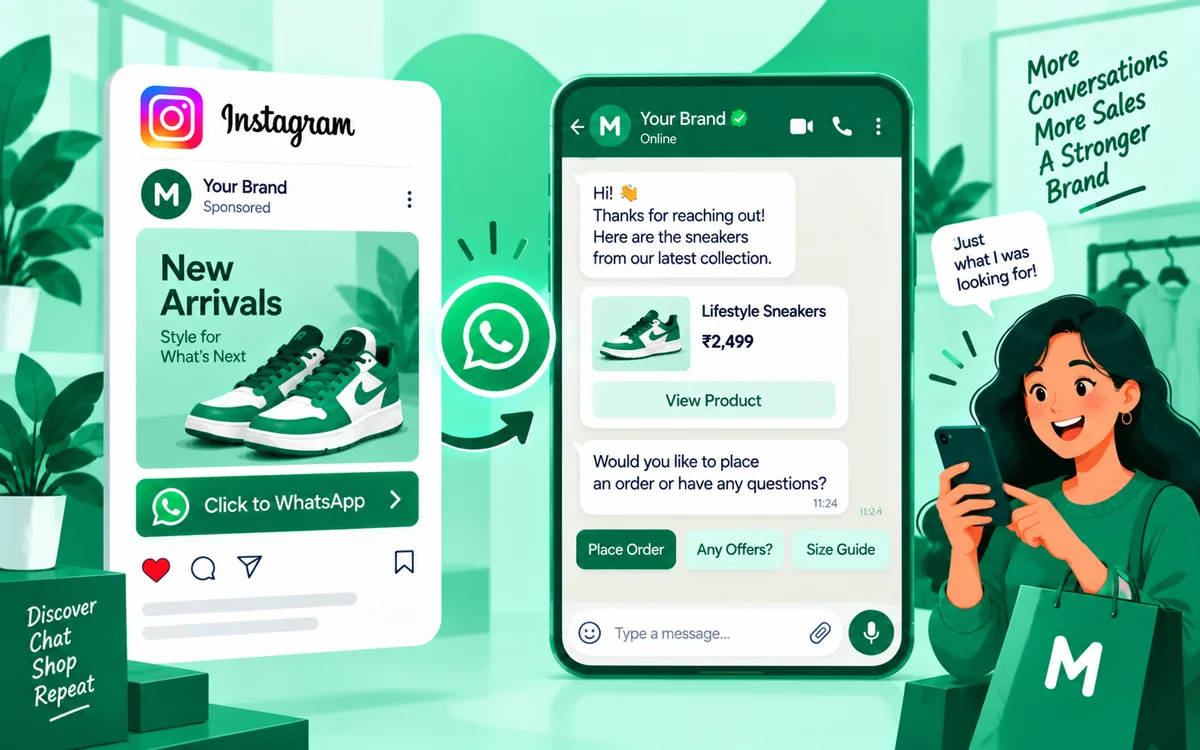
An Instagram chatbot is software that automatically responds to customer messages on Instagram, follows conversation flows, answers common questions and can hand a conversation to a human when automation is no longer appropriate. For businesses managing conversations across Instagram and WhatsApp, the bigger opportunity is not simply automating Instagram DMs. It is keeping the same customer journey connected: an Instagram conversation can be qualified, handed to WhatsApp when appropriate, and continued by a support or sales team from a shared inbox.
This matters because customers rarely think in terms of messaging channels. They may discover a business on Instagram, ask a question in DMs, request a product link, move to WhatsApp for a longer conversation and eventually need a human agent. A useful Instagram chatbot should support that journey rather than create another isolated inbox.
This guide explains what an Instagram chatbot is, what an Instagram DM chatbot can and cannot do within Meta's messaging environment, how human handoff works, and how Instagram plus WhatsApp can be managed through one team workflow.
Important: Meta's APIs, eligibility requirements and messaging policies can change. Always verify the current requirements in the official Meta documentation before implementing a production workflow.
What Is an Instagram Chatbot?
An Instagram chatbot is an automated conversational system connected to an eligible Instagram professional presence through Meta's messaging infrastructure. Instead of requiring an employee to answer every repetitive DM manually, the chatbot can handle defined conversation steps automatically.
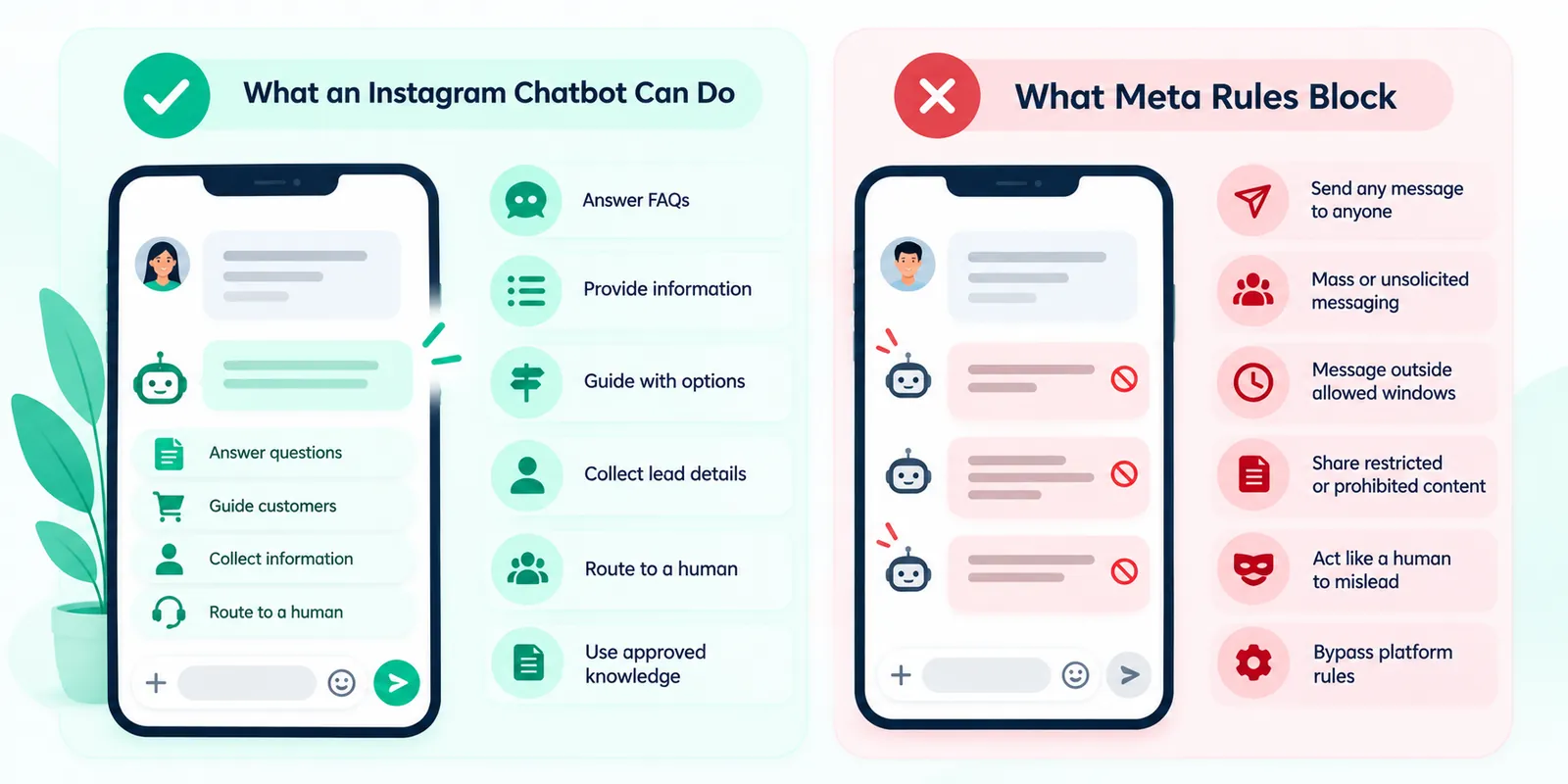
Typical tasks include answering frequently asked questions, collecting basic information, identifying the reason for a conversation, presenting available choices, sharing approved information and deciding when a person should take over.
The important distinction is between a chatbot and a simple auto-reply. An auto-reply usually sends a predetermined message. A chatbot can maintain a conversation through multiple steps and use the customer's responses to determine what happens next.
For example, a customer might ask whether a product is available. The chatbot can ask which product they mean, provide relevant information, ask whether they want assistance, and then route the conversation to a sales agent if the customer has a buying question.
What Can an Instagram Chatbot Do?
The practical capabilities depend on the Meta API access, account configuration and application implementation, but a well-designed Instagram chatbot can support several useful jobs.
- Answer common questions: Business hours, service information, product details, delivery questions and other approved knowledge can be automated.
- Guide customers: Buttons, quick replies or conversational choices can help users reach the correct information without typing everything from scratch.
- Collect lead information: A chatbot can ask qualifying questions and capture information that a team needs for follow-up.
- Route conversations: Conversations can be assigned to a human team when the request requires judgement, account-specific help or sales intervention.
- Start a channel transition: When a customer wants to continue on WhatsApp, the workflow can provide an appropriate WhatsApp path rather than forcing the customer to repeat the entire context manually.
- Record conversation context: A connected system can associate conversation information with customer records, depending on the implementation and available permissions.
The goal is not to automate every conversation. The goal is to automate predictable work while making human intervention easier when it matters.
What an Instagram Chatbot Cannot Do
An Instagram chatbot is not an unrestricted Instagram account controlled by a robot. Meta's messaging platform has technical and policy boundaries, and businesses need to design around them.
A chatbot cannot simply send any message to anyone whenever the business wants. Messaging availability depends on Meta's platform capabilities, permissions, user interactions and applicable policies. Businesses also need to respect the distinction between permitted messaging experiences and unsupported or prohibited automation.
A chatbot should not pretend to be a human when that would mislead the customer, invent information that is not present in its approved knowledge, or continue an automated flow when the customer clearly needs human assistance.
It also should not be treated as a mechanism for bypassing Meta's rules. A third-party chatbot platform does not remove the underlying platform requirements. The Instagram account, application and messaging workflow still operate within Meta's technical and policy framework.
For current platform requirements, consult Meta's Instagram Platform documentation and Meta's Community Standards.
How Instagram Messaging Rules Shape Automation
The most important implementation principle is to treat Meta's messaging capabilities as product constraints, not as obstacles to work around. Instagram automation should be built around the conversations that Meta permits and the experience customers expect.
Before building an Instagram messenger bot, confirm the account type, supported API access, permissions, webhook requirements and current messaging capabilities in Meta's official developer documentation. Requirements can differ depending on the integration path and Meta can update its APIs over time.
Businesses should also avoid assuming that an Instagram DM automatically gives them unlimited permission to message the person indefinitely. Conversation windows, user interaction requirements and other platform rules affect what can be sent and when.
The safest architecture is therefore event-driven: a customer sends a message or takes an eligible action, the system receives the event, the chatbot responds according to the permitted interaction, and the workflow either continues or routes the conversation to a person.
For the current technical reference, use Meta's Instagram API documentation and its current messaging and webhook documentation.
Instagram DM Chatbot vs. Simple Auto-Reply
These terms are often used interchangeably, but they describe different levels of automation.
A simple auto-reply might say, “Thanks for your message. Our team will get back to you.” That can be useful for acknowledging a customer, but it does not actually solve the customer's problem.
An Instagram DM chatbot can take the next step. It can identify the user's intent, ask a follow-up question, retrieve approved information, present relevant options and decide whether the conversation should move to a human.
Consider a hotel receiving the message “Do you have rooms next weekend?” An auto-reply acknowledges the message. A chatbot can ask which dates and room type the customer wants, collect the required information and then hand the conversation to a reservations agent.
The difference is conversational logic. A chatbot is useful when the business can define repeatable decision paths and safe escalation points.
Common Instagram Chatbot Use Cases
Instagram chat automation works particularly well when customers repeatedly ask questions with predictable answers.
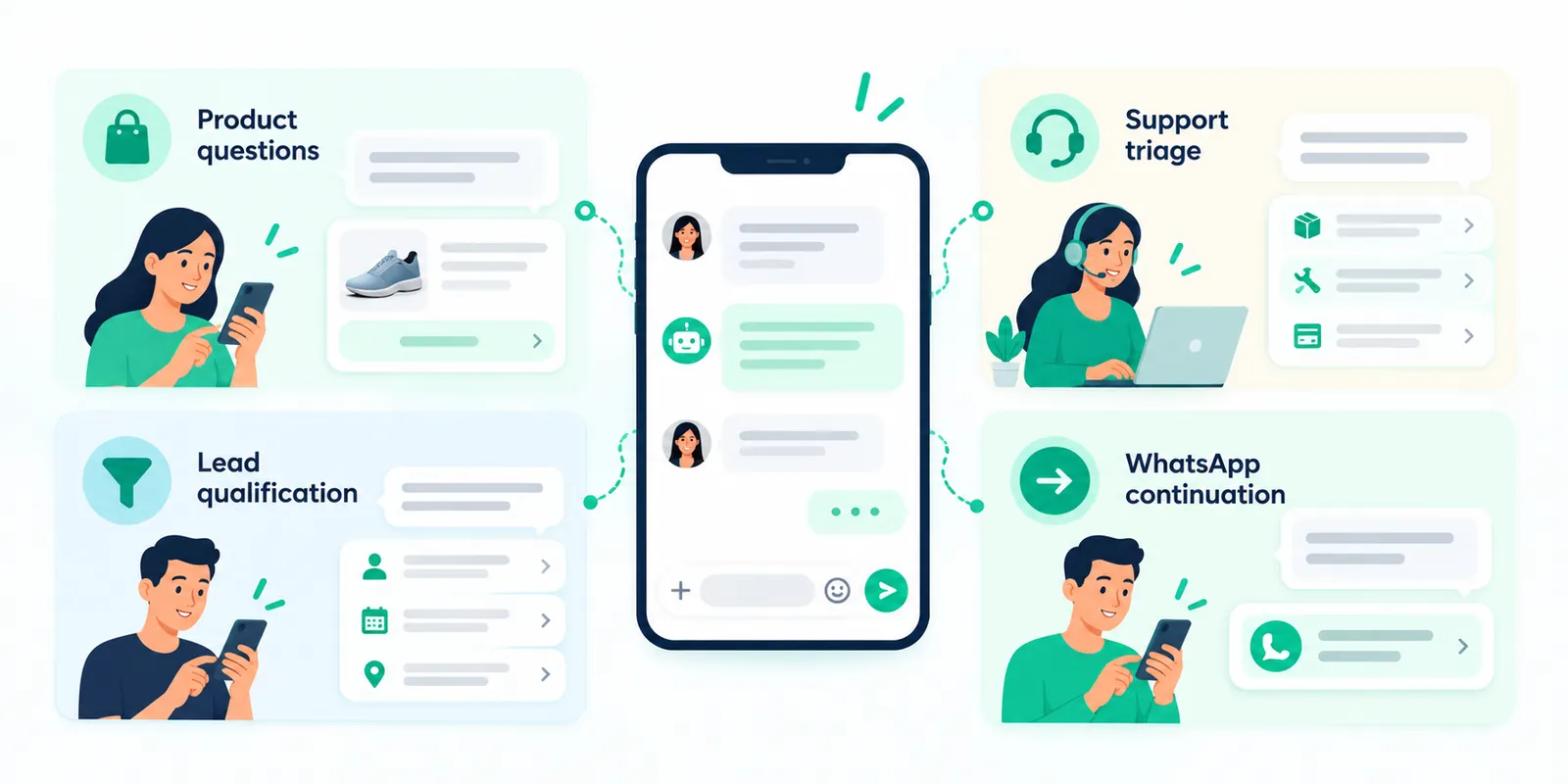
Product discovery
A retail business can help customers find a product category, answer basic product questions and direct them toward the next step.
Lead qualification
A service company can ask what the customer needs, when they need it and whether they want a consultation before assigning the conversation to sales.
Customer support triage
A chatbot can identify whether a customer needs order information, technical help, billing assistance or a human representative.
Appointment enquiries
A business can collect the information required before a team member confirms availability or completes the booking process.
WhatsApp continuation
If the customer prefers WhatsApp, the Instagram journey can provide an appropriate transition path so the customer can continue the conversation on a channel better suited to ongoing support.
Why Connect Instagram to WhatsApp?
Instagram and WhatsApp often play different roles in the same customer journey. Instagram can be where a customer discovers a business, responds to content or starts a casual product conversation. WhatsApp can become the preferred environment for a deeper support, sales or transactional conversation.
The useful pattern is not to force every customer onto WhatsApp. It is to give customers a relevant choice when moving channels makes sense.
For example, an Instagram chatbot can answer an initial product question. If the customer wants personalised assistance, the chatbot can offer a WhatsApp handoff. Once the customer moves to WhatsApp, the business can continue the conversation using its WhatsApp Business Platform setup and team workflow.
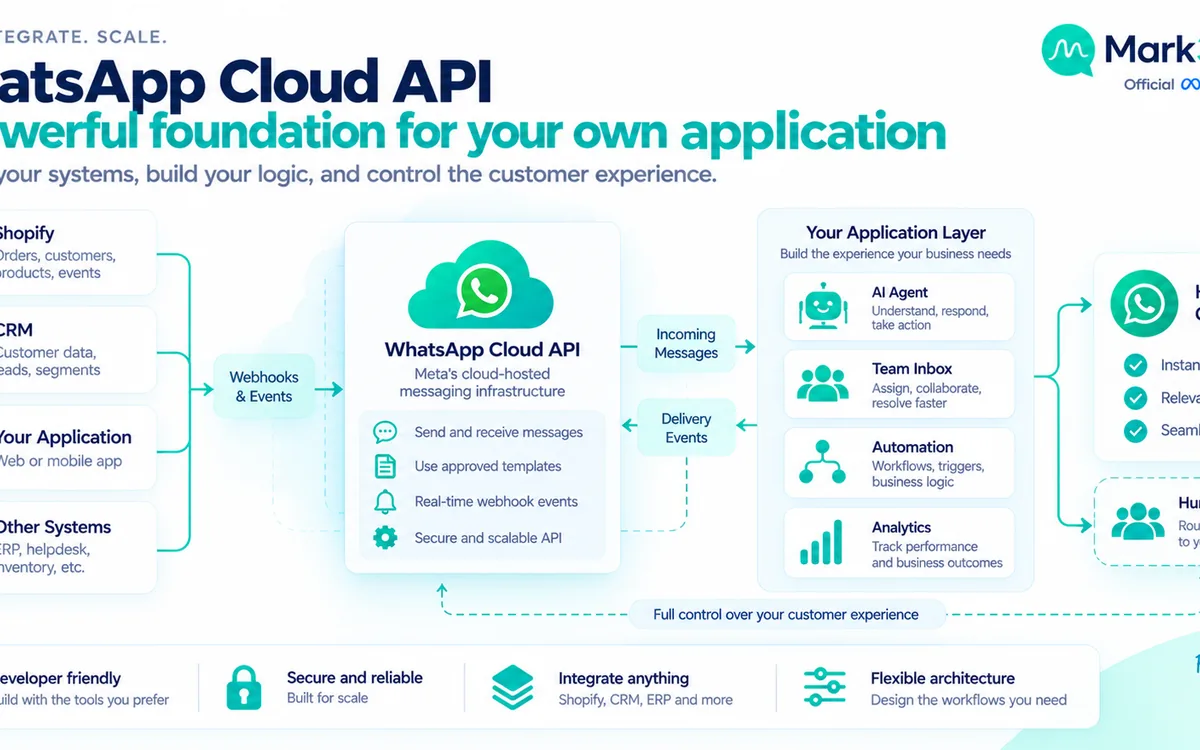
WhatsApp has its own business messaging rules. On the WhatsApp Business Platform, businesses must follow the applicable messaging policies, including requirements around approved message templates for business-initiated conversations and the customer-service messaging window. See the official WhatsApp Business Messaging Policy for current requirements.
What Is a Shared Team Inbox?
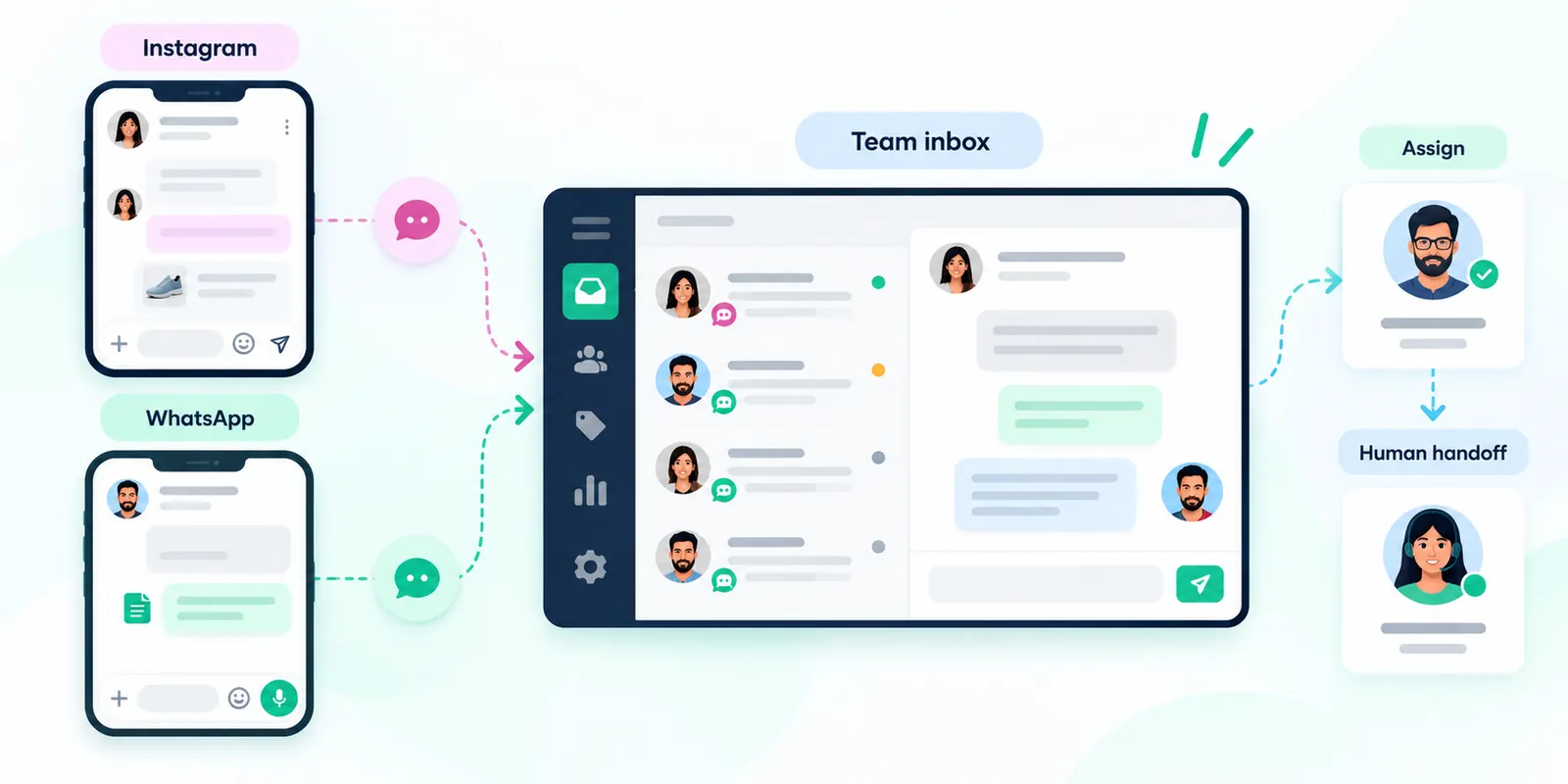
A shared team inbox gives multiple authorised agents one workspace for customer conversations instead of requiring the business to manage each channel separately.
For an Instagram and WhatsApp workflow, the inbox can bring conversations into a common operational view while retaining the source channel and conversation context. An agent can see whether the customer arrived through Instagram or WhatsApp and use the appropriate channel for the next response.
This is different from simply forwarding messages to several employees. A proper team inbox should support assignment, internal ownership, conversation status, notes or context, and human takeover from automation.
For a growing support or sales team, the operational advantage is consistency. The customer does not need to know which employee owns which platform, and managers do not have to maintain disconnected workflows for every channel.
How Human Handoff Should Work
Human handoff is one of the most important parts of a serious chatbot implementation. The chatbot should know when to stop.
A useful handoff can happen when the customer explicitly asks for an agent, the conversation reaches a defined escalation point, the chatbot lacks reliable information, the request requires account-specific judgement, or the customer expresses frustration that automation cannot resolve.
The handoff should preserve useful context. Instead of asking the customer to start again with “How can I help you?”, the agent should ideally receive the conversation history and the information already collected by the chatbot.
For example, if the chatbot has already learned that a customer is asking about a particular product and wants delivery information, the agent should not need to ask those same questions again.
Human handoff also needs ownership rules. Once a human takes over, the automation should not continue sending unrelated automated replies into the same conversation.
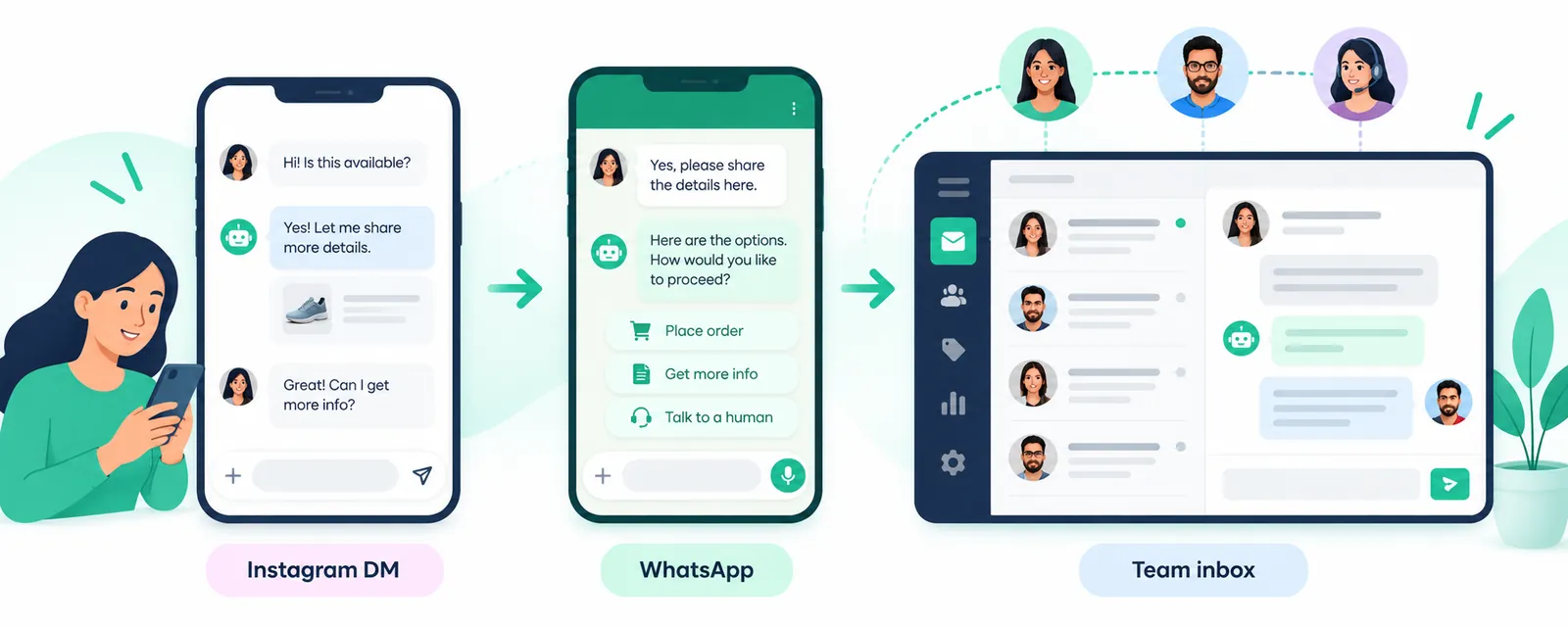
A Practical Instagram-to-WhatsApp Customer Journey
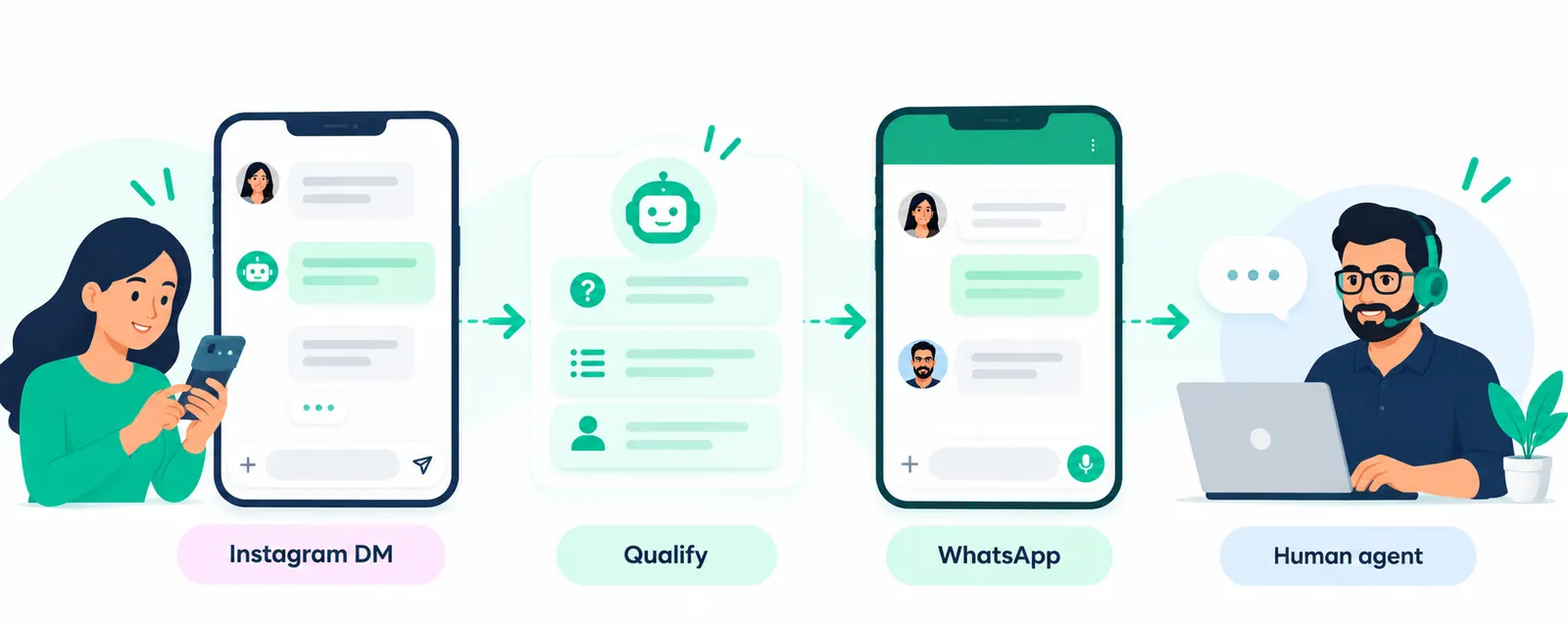
A simple architecture can look like this:
- Instagram discovery: The customer finds the business on Instagram.
- DM initiation: The customer sends a message or enters an eligible messaging interaction.
- Chatbot response: The Instagram chatbot answers the initial question or asks a useful qualification question.
- Intent identification: The workflow determines whether the customer needs information, sales help, support or another defined path.
- WhatsApp option: When appropriate, the customer receives a clear path to continue on WhatsApp.
- WhatsApp conversation: The customer continues through the business's WhatsApp Business Platform workflow.
- Team assignment: A shared inbox assigns the conversation to the appropriate person or team.
- Human resolution: The agent takes over with the context collected earlier.
This architecture separates automation from human judgement. The chatbot handles predictable steps; the team handles conversations where context, empathy or decision-making matters.
How to Design the Bot Conversation
Start with customer intents rather than a giant list of scripted replies. Ask: what are the recurring questions customers send through Instagram, and which of those can be answered reliably?
Then define the minimum information required for each intent. A product enquiry may require a product name. A service enquiry may require a location and service type. A support issue may require an order or account reference.
Keep the first interaction short. A customer who has just sent a DM should not have to complete a long form before receiving useful information.
Use explicit escalation points. If the chatbot cannot answer confidently, it should say so and offer human assistance rather than improvising.
Finally, test the conversation from the customer's perspective. Look for loops, unnecessary questions, unclear choices and situations where the customer cannot reach a human.
Instagram Chatbot Knowledge and AI
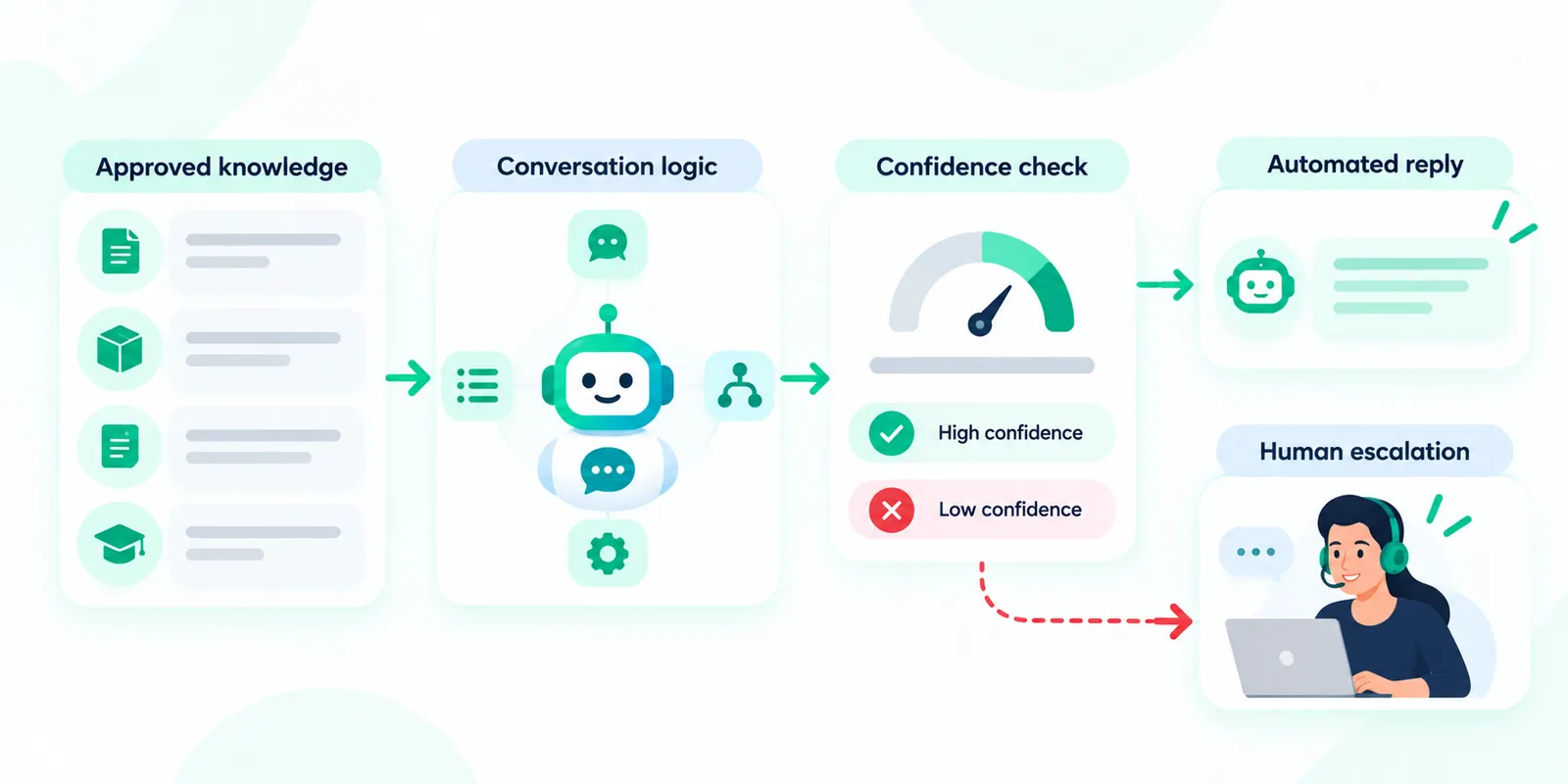
AI can make an Instagram chatbot more flexible, but it should not remove governance. A business should define what information the assistant is allowed to use and what it should do when information is unavailable.
A useful approach is to separate knowledge from action. Product information, service policies and approved FAQs form the knowledge layer. Sending a message, transferring a conversation, creating a lead or initiating a WhatsApp workflow are actions that should follow explicit rules.
This distinction becomes especially important when AI is used for customer-facing conversations. A fluent answer is not necessarily a correct answer. The chatbot should be able to recognise low-confidence situations and escalate them.
For regulated, sensitive or high-impact enquiries, businesses should apply additional review and controls rather than relying on an unrestricted generative response.
Instagram Chatbot and Team Operations
Automation changes the team's job. It should not simply create another stream of messages that employees have to monitor.
Define who owns new Instagram conversations, who handles WhatsApp escalations, which team receives sales-qualified conversations and what happens when an agent is unavailable.
Useful inbox states can include new, assigned, waiting for customer, waiting for internal action and resolved. The exact workflow depends on the organisation, but the principle is consistent: automation should make ownership visible.
Internal notes can also help agents understand why a customer was handed over. A note such as “Customer asked about enterprise pricing and requested a human” is more useful than a generic “bot handoff” label.
Teams should also review conversations periodically. The best chatbot improvements usually come from identifying questions that customers repeatedly ask, moments where users abandon a flow and cases where agents repeatedly correct automated answers.
What to Measure
Do not judge an Instagram chatbot only by how many messages it sends. Measure whether it helps customers and teams complete useful outcomes.
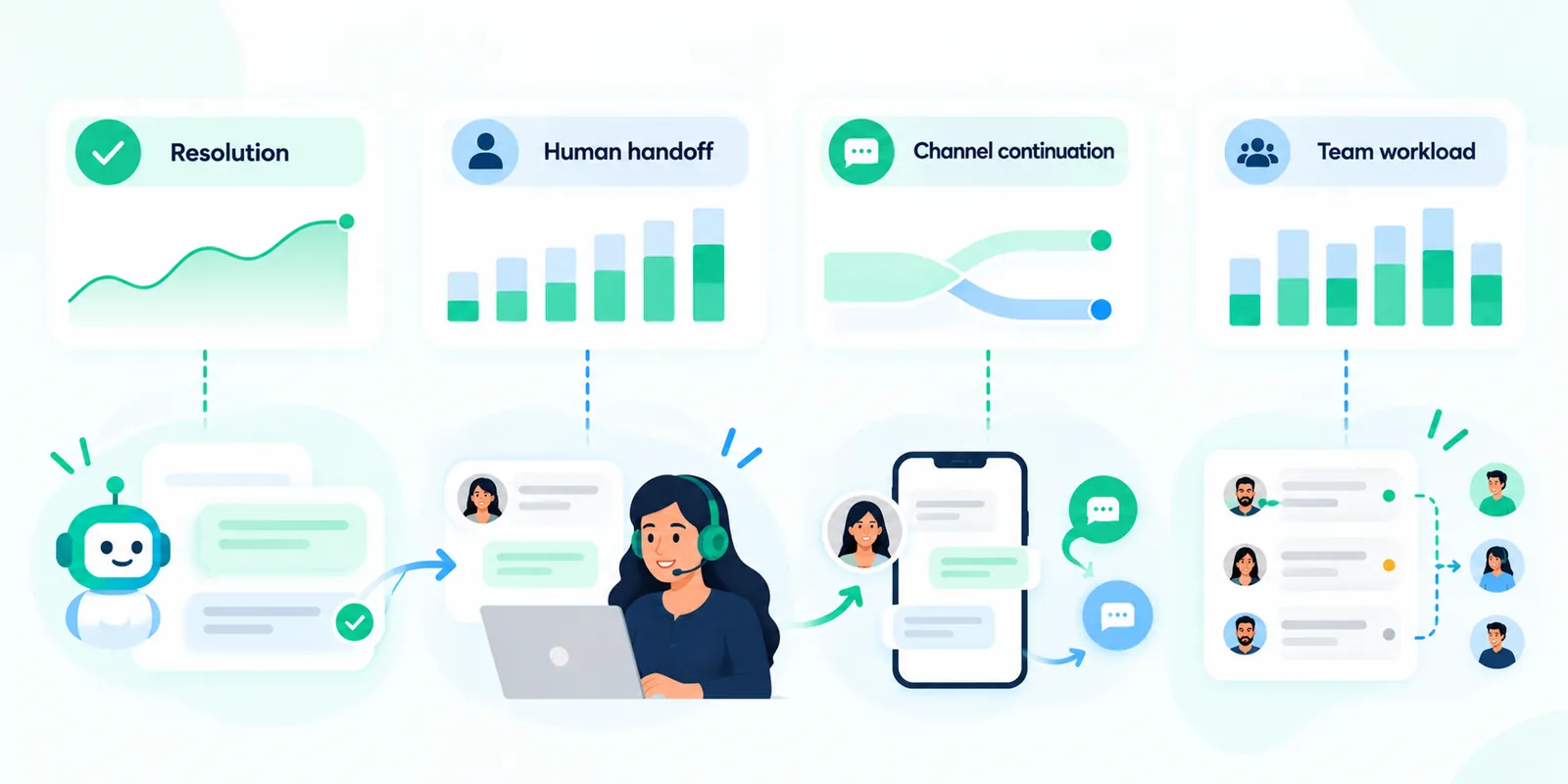
- Automation coverage: Which common intents are resolved without an agent?
- Human handoff rate: Which conversations still require people?
- Handoff quality: Does the agent receive enough context to continue naturally?
- Resolution quality: Are customers getting useful answers rather than simply receiving automated messages?
- Channel continuation: When customers move from Instagram to WhatsApp, does the transition make sense?
- Team workload: Does automation reduce repetitive work without creating additional cleanup?
These measures are more useful than chasing an arbitrary automation percentage. Some conversations should always involve a human.
Where Mark360 Fits
Mark360.ai can fit into this architecture as a conversational engagement layer connecting Instagram chatbot automation, WhatsApp Business API workflows and a shared team inbox.
The practical model is straightforward: use Instagram automation for eligible DM conversations and repeatable questions, provide a relevant path to WhatsApp when a customer wants to continue there, and give the team a shared workspace for conversations that require human attention.
The value is less about replacing people and more about giving people the right conversations. A chatbot can handle predictable questions while agents focus on customers who need product advice, support, negotiation or judgement.
Businesses evaluating a platform should still verify the exact Meta capabilities, account requirements and supported workflows for their use case before implementation.
Implementation Checklist
Before launching an Instagram chatbot connected to WhatsApp and a team inbox, review the following:
- Confirm that the Instagram account and intended integration meet Meta's current requirements.
- Document the customer intents the chatbot will handle.
- Create approved answers and define the source of truth for business information.
- Define situations that must go directly to a human.
- Design the WhatsApp handoff as an optional, useful continuation rather than a forced channel switch.
- Confirm WhatsApp Business Platform messaging and template requirements.
- Configure agent assignment and conversation ownership.
- Ensure automation stops or changes behaviour after human takeover.
- Test edge cases, unsupported requests and low-confidence questions.
- Review real conversations after launch and continuously improve the flows.
For implementation details, use the official Meta Instagram Platform documentation and the official WhatsApp Cloud API documentation as the technical source of truth.
Related Mark360 Guides
If you want to explore adjacent workflows, see Instagram, WhatsApp and shared-inbox AI agents, the broader Instagram DM automation guide, the Instagram comment-to-DM-to-WhatsApp funnel guide, and the Instagram DM automation vs WhatsApp Business API comparison.
Key Takeaway
An Instagram chatbot is most useful when it is treated as part of a customer conversation system rather than a standalone auto-reply tool. It can answer eligible Instagram DMs, guide customers through repeatable questions, qualify intent and hand conversations to a human. When the customer prefers WhatsApp, a carefully designed handoff can continue the journey through the WhatsApp Business Platform. A shared team inbox then gives agents one operational place to manage conversations and take over when automation reaches its limits.