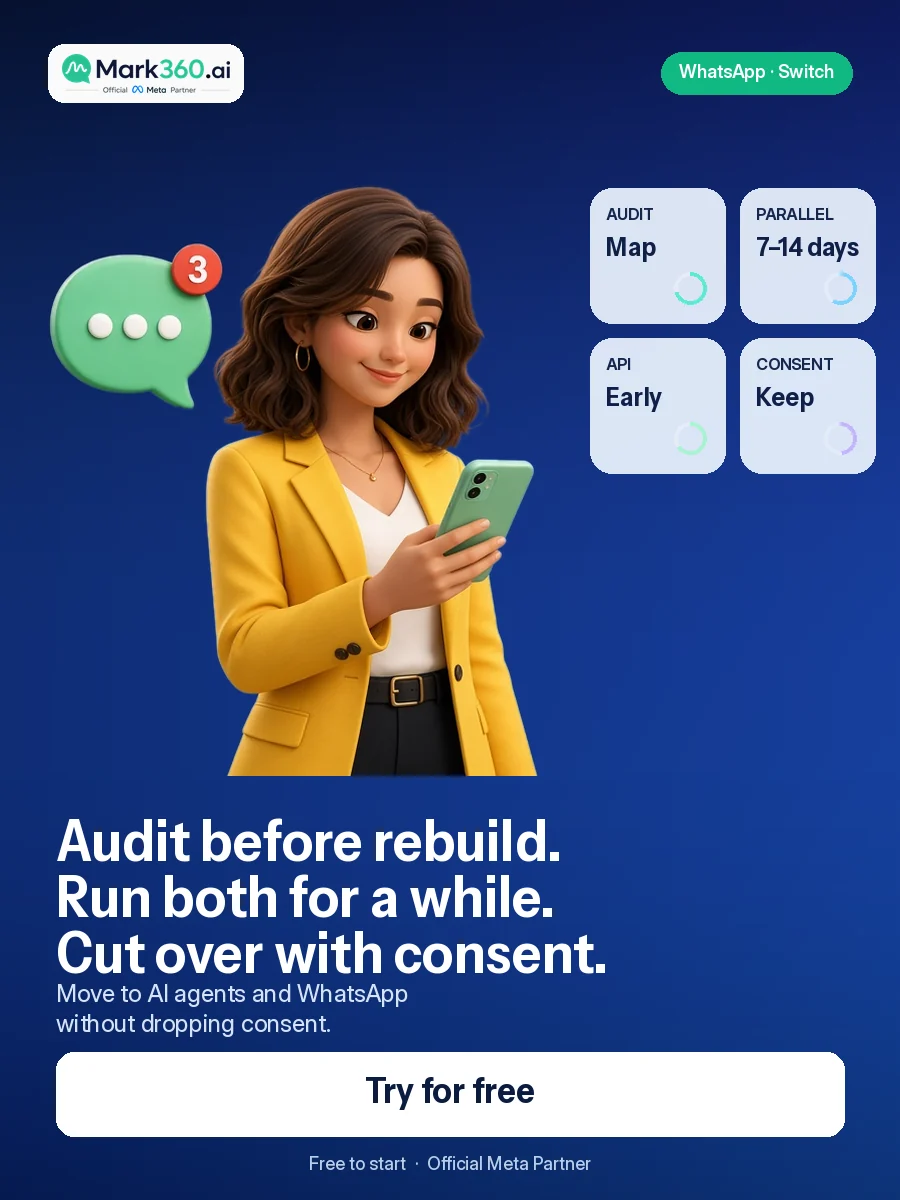
Direct answer: To migrate from Manychat to an AI agent + WhatsApp stack, audit flows and consent, map keywords to agent intents, connect WhatsApp Business API early, rebuild top revenue paths first, run a 7–14 day parallel pilot, then cut over ads and bio links. Do not big-bang the cutover — migrations fail from rushed switchovers, not from tools.
Migrate without burning lists or momentum
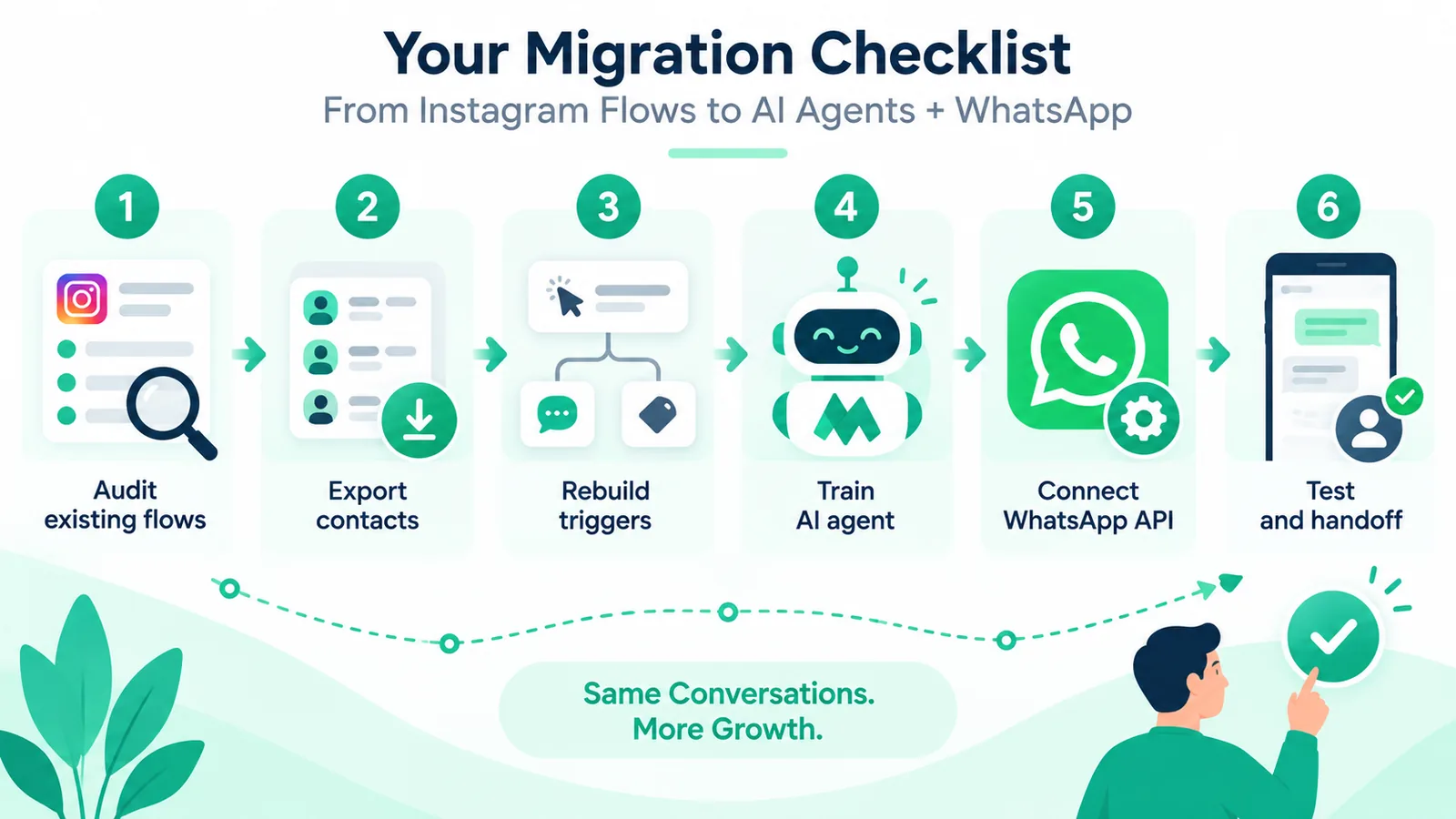
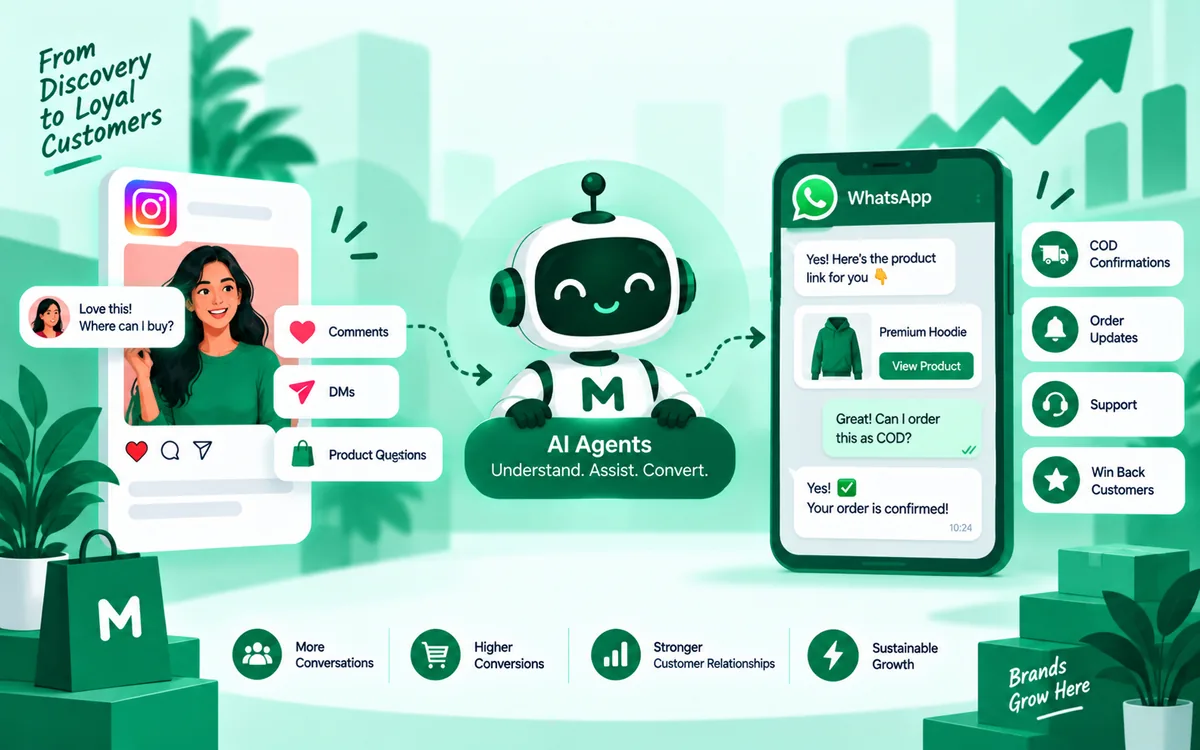
Teams leave Manychat when Instagram capture still works but conversations and WhatsApp ops do not. The goal is not to delete every flow on Friday night. The goal is to keep winning keywords, upgrade the messy middle with AI agents, and make WhatsApp Business API the close channel — while preserving consent and CRM tags.
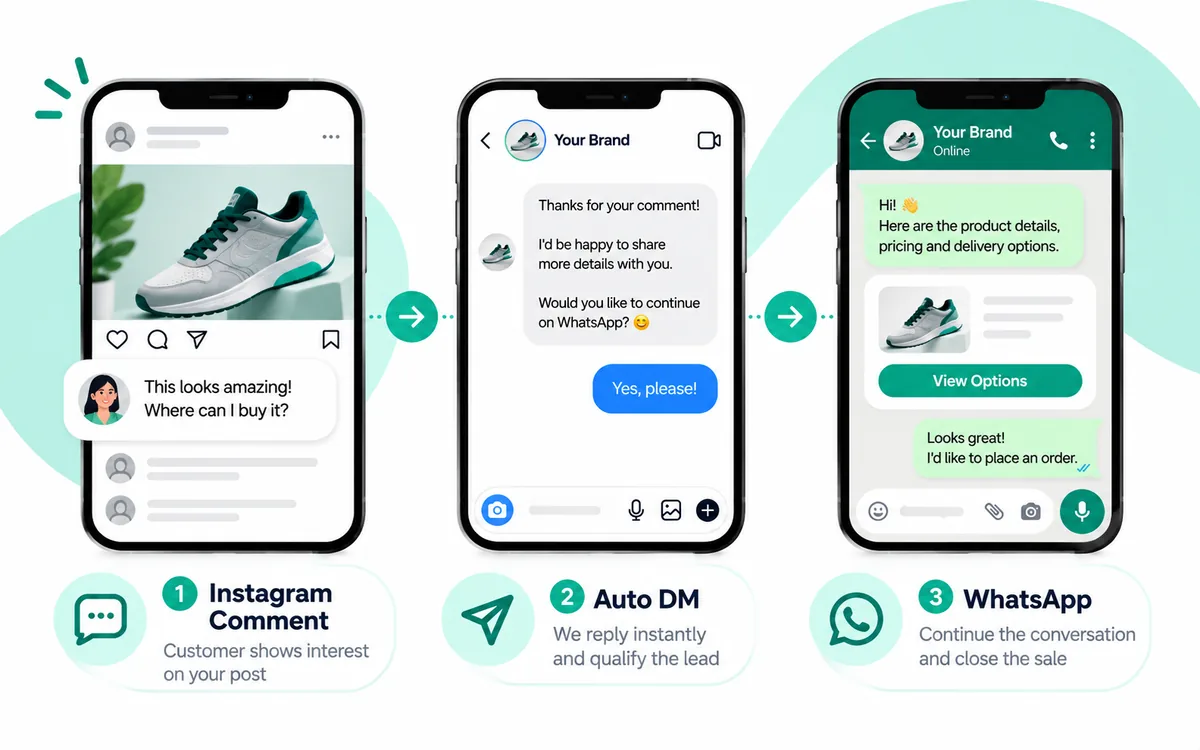
Context guides: Manychat alternatives, AI agent vs flows, comment-to-DM WhatsApp funnel.
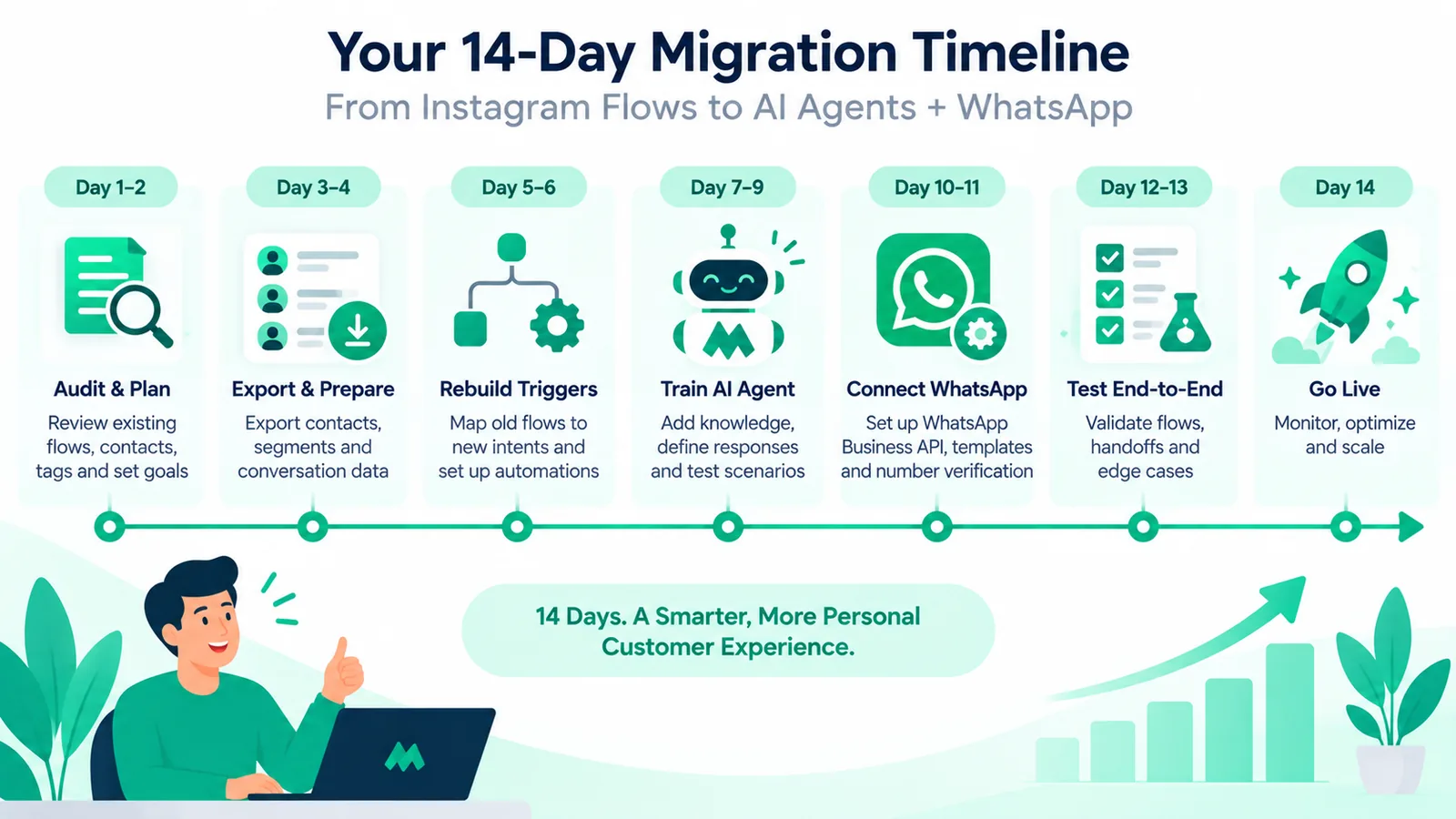
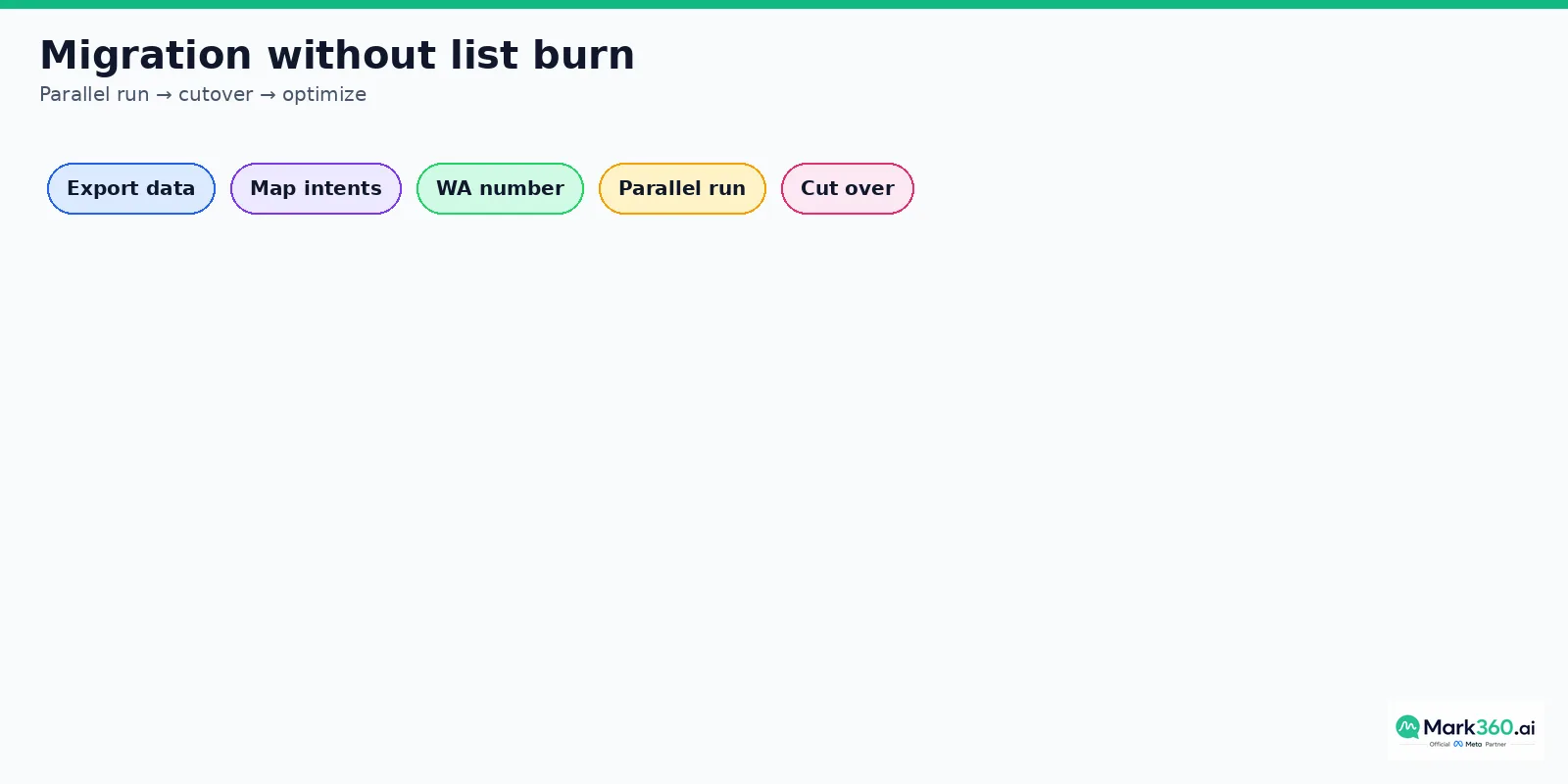
Five-phase migration plan (2–4 weeks)
- Week 0–1 Audit: inventory flows, tags, opt-ins, top keywords.
- Week 1 Rebuild: agent intents + WhatsApp templates.
- Week 2 Parallel: split traffic; compare qualified leads.
- Week 3 Cutover: point keywords and ads to the new stack.
- Week 4 Optimize: retire dead flows; expand WhatsApp plays.
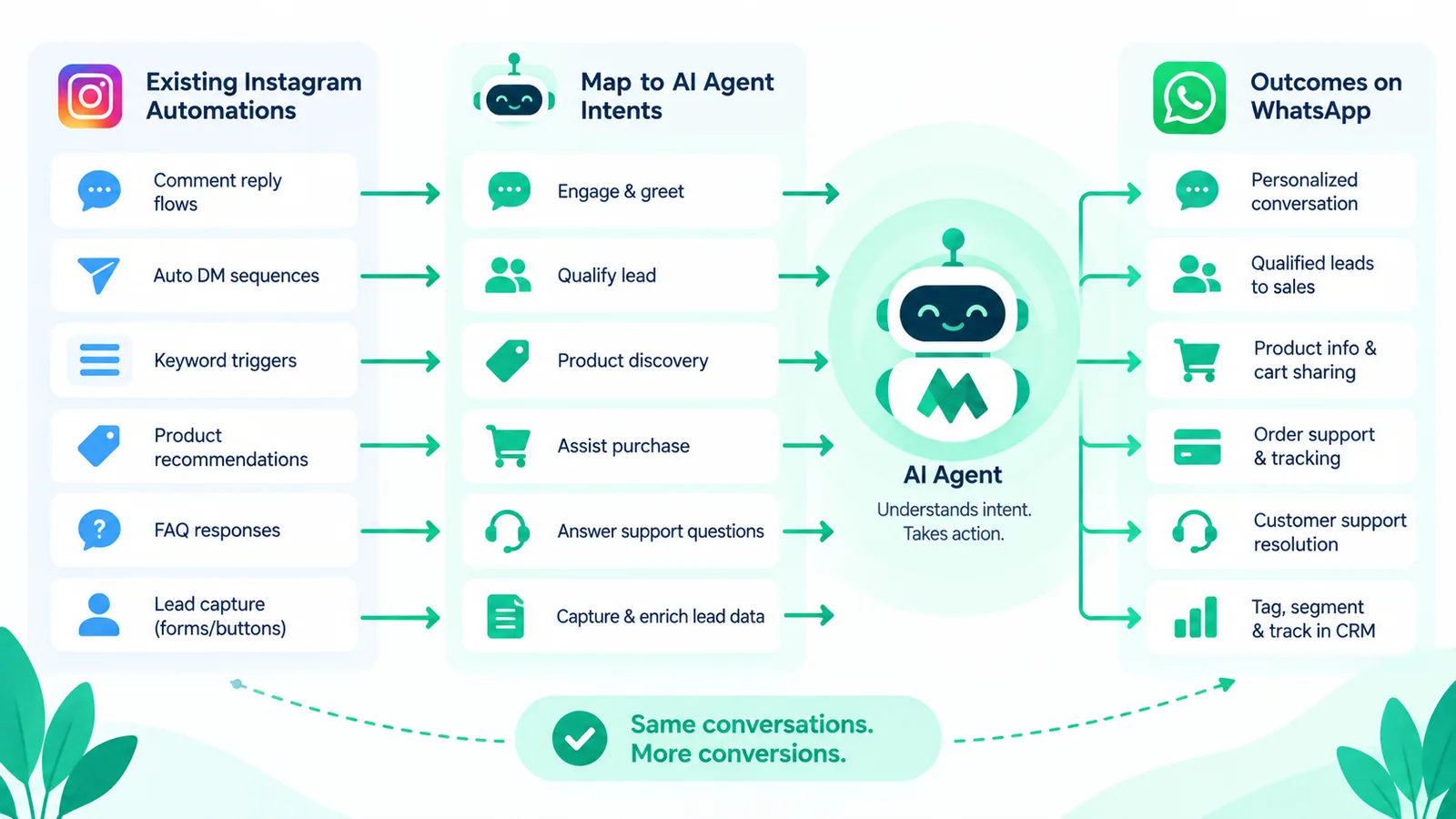
Concept mapping: Manychat → AI + WhatsApp

| Manychat concept | AI + WhatsApp equivalent | Notes |
|---|---|---|
| Keyword flow | Trigger → agent intent | Keep best keywords |
| User fields / tags | CRM attributes | Preserve consent |
| Smart delay | Agent follow-up policy | Respect quiet hours |
| Facebook/IG channel | IG Messaging + WA API | Dual-channel |
| Live chat takeover | Shared inbox assign | SLA + VIP |
| Sequences | WA templates + agent | Category compliance |
Complete migration checklist
- Export contacts, tags, custom fields, opt-in source.
- Screenshot / export top 10 performing flows.
- List comment keywords and Story reply triggers.
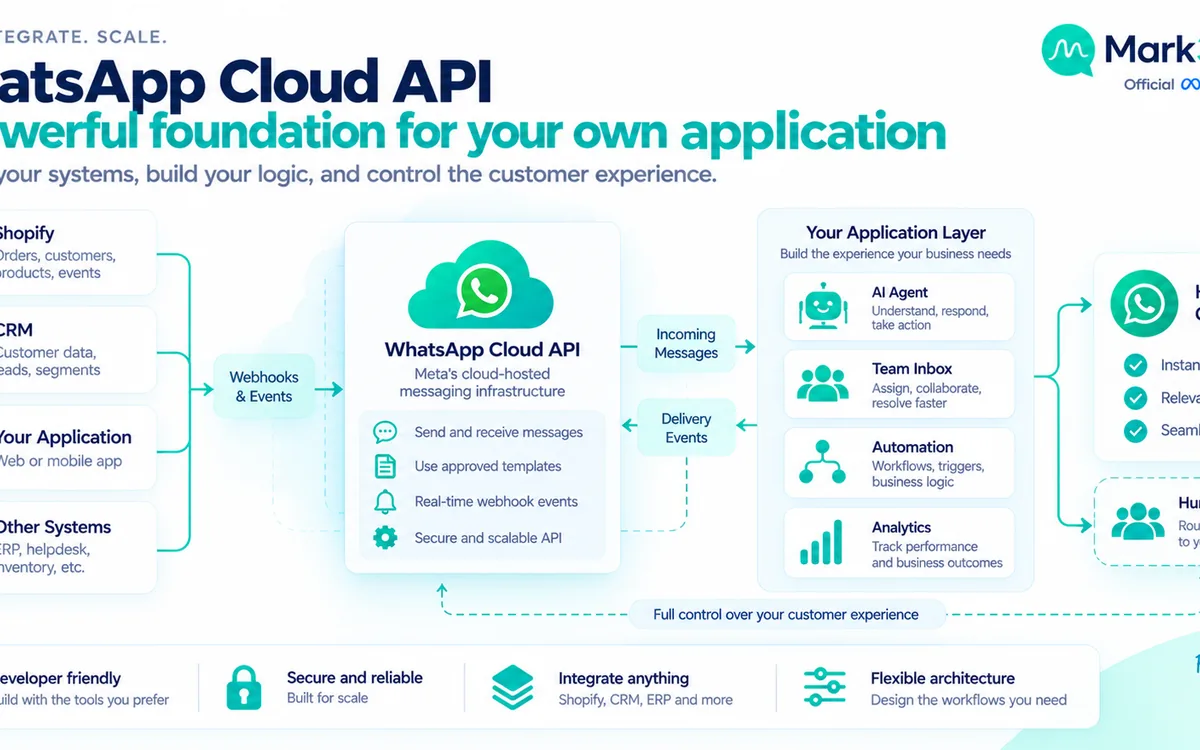
- Provision WhatsApp Business API (Meta Partner).
- Create and submit priority message templates.
- Build agent intents for top 20 DM topics.
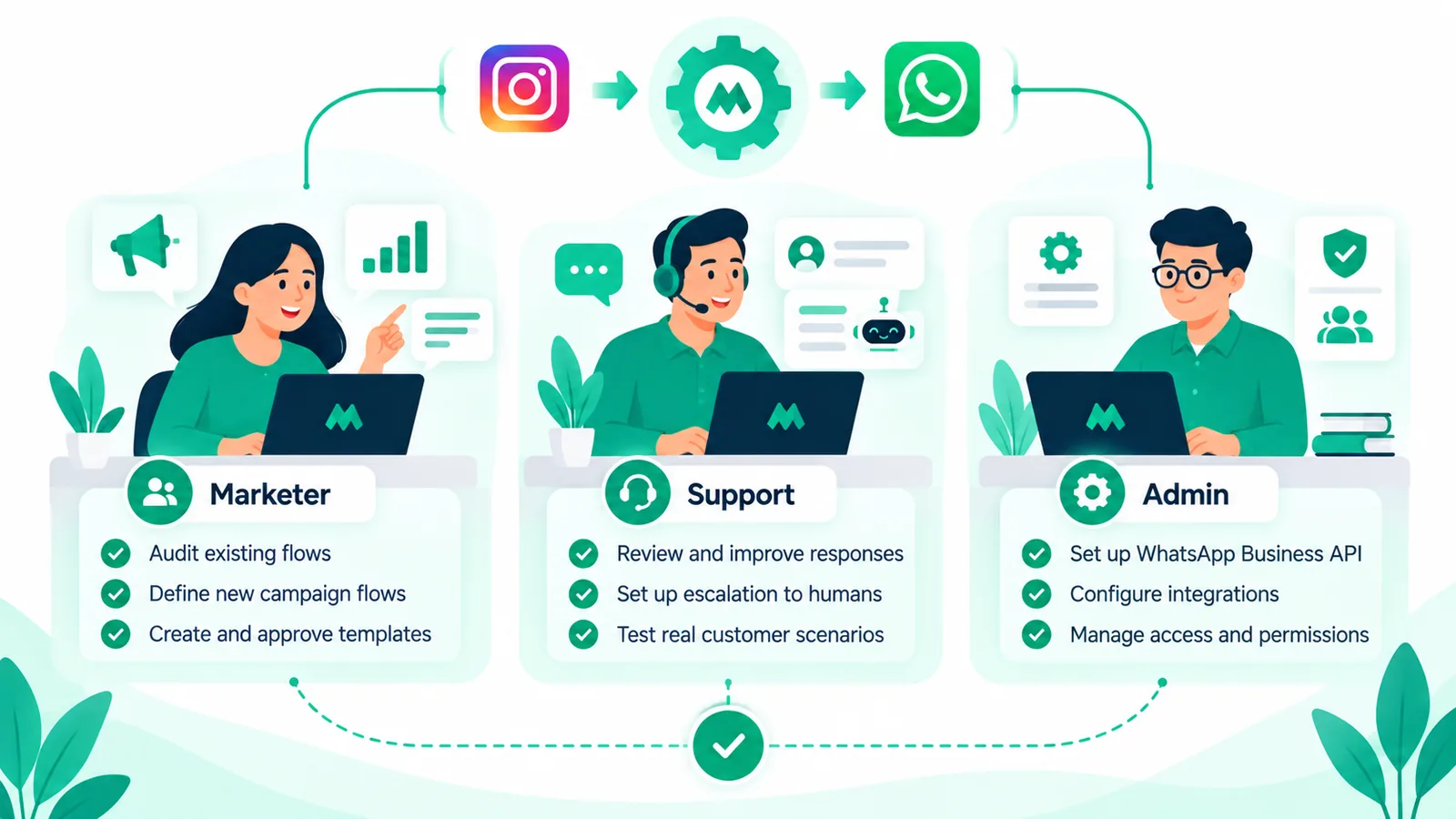
- Configure human handoff and business hours.
- QA on a staging Instagram account with real scripts.
- Run 7–14 day parallel; compare qualified-lead rate.
- Cut over ads, bio link, and comment automation.
- Archive obsolete Manychat flows; keep read-only backup.
Before vs after
Before (flow-heavy): strong Instagram capture, brittle FAQ trees, limited WhatsApp depth, campaign spikes with weak ops.
After (AI + WA): same Instagram capture hooks, agent handles messy questions, WhatsApp API close, shared inbox and analytics.
Risks and mitigations

- Consent loss: export opt-in proof; do not remessage cold contacts; re-consent on WhatsApp when needed.
- Keyword gaps: mirror top keywords; add fallback agent; monitor unmatched comments.
- Template delays: submit early; use in-window service messages; keep backup copy.
- Team confusion: one inbox, clear playbooks, war-room week during cutover.
Pricing and ops during migration
Expect temporary dual tooling cost during parallel run — that is intentional insurance. WhatsApp message costs remain governed by Meta categories; see official pricing docs. India Mark360 examples if needed: Marketing ₹0.94, Utility ₹0.138. Read service message pricing before forecasting support volume on WhatsApp.
Also review Instagram rules in Meta's Instagram messaging docs so cutover automations stay compliant.
Related reading: ManyChat alternatives for comment-to-DM and WhatsApp AI agent complete guide.
Key takeaways
- Audit and map before you rebuild
- Keep winning keywords; upgrade the messy middle with AI agents
- Connect WhatsApp Business API early for template lead time
- Parallel run 7–14 days; cut over only when QL rate holds
- Migrations fail from rushed cutovers — not from platforms
- Mark360 supports AI agents + WhatsApp as a Meta Partner destination stack
Governance, consent, and brand safety
Every Instagram and WhatsApp automation inherits your brand reputation. Before scaling comment keywords or AI agents, decide how you store opt-in evidence, how you honor opt-outs, and which topics the bot must never answer. Keep a short brand safety sheet next to your prompt library.
Consent is not a checkbox buried in a flow. Say why you are moving someone to WhatsApp, what they will receive, and how to stop. On WhatsApp Business API, template categories and the customer care window define what you can send and when. Read Meta documentation. When India Mark360 examples help finance teams, use Marketing ₹0.94 and Utility ₹0.138 as Mark360 totals only.
Analytics that executives actually trust
Vanity metrics create false confidence. Build a single funnel board with stage conversion and revenue. Sample transcripts weekly. When a stage collapses, fix that stage. Pass campaign identifiers through WhatsApp deep links into CRM. Distinguish organic comment capture from Click-to-WhatsApp ads.
Compare cohorts by creative, keyword, and agent version. The goal is learning velocity, not a dashboard museum. Report qualified conversations and attributed revenue to leadership every week.
Team operating model
Assign a messaging owner for growth, a messaging owner for support, and a shared escalation path for VIP and PR-risk conversations. Publish business hours and response SLAs. Train humans on how to take over from an AI agent without making the customer repeat themselves.
Prompt and flow changes should follow propose, review, ship, measure. Treat production messaging like production software. Rollbacks should be minutes, not meetings. During launches, staff a war room for the first seventy-two hours.
Common failure patterns and fixes
Too many qualifying questions? Ask two or three, then hand off. WhatsApp handoff with no context? Pass tags and summary into CRM. Templates rejected late? Submit early. AI invents prices? Use tool-constrained catalog lookups. No human path? Add speak-to-human intents and VIP routing.
Most AI postmortems are process failures. Fix the process, then tune the model. Document keyword lists, agent intents, WhatsApp templates, escalation phrases, quiet hours, and CRM field maps in one living runbook reviewed every two weeks.
Playbook note 4: Governance, consent, and brand safety
Every Instagram and WhatsApp automation inherits your brand reputation. Before scaling comment keywords or AI agents, decide how you store opt-in evidence, how you honor opt-outs, and which topics the bot must never answer. Keep a short brand safety sheet next to your prompt library.
Consent is not a checkbox buried in a flow. Say why you are moving someone to WhatsApp, what they will receive, and how to stop. On WhatsApp Business API, template categories and the customer care window define what you can send and when. Read Meta documentation. When India Mark360 examples help finance teams, use Marketing ₹0.94 and Utility ₹0.138 as Mark360 totals only.
Playbook note 5: Analytics that executives actually trust
Vanity metrics create false confidence. Build a single funnel board with stage conversion and revenue. Sample transcripts weekly. When a stage collapses, fix that stage. Pass campaign identifiers through WhatsApp deep links into CRM. Distinguish organic comment capture from Click-to-WhatsApp ads.
Compare cohorts by creative, keyword, and agent version. The goal is learning velocity, not a dashboard museum. Report qualified conversations and attributed revenue to leadership every week.
Playbook note 6: Team operating model
Assign a messaging owner for growth, a messaging owner for support, and a shared escalation path for VIP and PR-risk conversations. Publish business hours and response SLAs. Train humans on how to take over from an AI agent without making the customer repeat themselves.
Prompt and flow changes should follow propose, review, ship, measure. Treat production messaging like production software. Rollbacks should be minutes, not meetings. During launches, staff a war room for the first seventy-two hours.
Playbook note 7: Common failure patterns and fixes
Too many qualifying questions? Ask two or three, then hand off. WhatsApp handoff with no context? Pass tags and summary into CRM. Templates rejected late? Submit early. AI invents prices? Use tool-constrained catalog lookups. No human path? Add speak-to-human intents and VIP routing.
Most AI postmortems are process failures. Fix the process, then tune the model. Document keyword lists, agent intents, WhatsApp templates, escalation phrases, quiet hours, and CRM field maps in one living runbook reviewed every two weeks.
Playbook note 8: Governance, consent, and brand safety
Every Instagram and WhatsApp automation inherits your brand reputation. Before scaling comment keywords or AI agents, decide how you store opt-in evidence, how you honor opt-outs, and which topics the bot must never answer. Keep a short brand safety sheet next to your prompt library.
Consent is not a checkbox buried in a flow. Say why you are moving someone to WhatsApp, what they will receive, and how to stop. On WhatsApp Business API, template categories and the customer care window define what you can send and when. Read Meta documentation. When India Mark360 examples help finance teams, use Marketing ₹0.94 and Utility ₹0.138 as Mark360 totals only.
Playbook note 9: Analytics that executives actually trust
Vanity metrics create false confidence. Build a single funnel board with stage conversion and revenue. Sample transcripts weekly. When a stage collapses, fix that stage. Pass campaign identifiers through WhatsApp deep links into CRM. Distinguish organic comment capture from Click-to-WhatsApp ads.
Compare cohorts by creative, keyword, and agent version. The goal is learning velocity, not a dashboard museum. Report qualified conversations and attributed revenue to leadership every week.
Playbook note 10: Team operating model
Assign a messaging owner for growth, a messaging owner for support, and a shared escalation path for VIP and PR-risk conversations. Publish business hours and response SLAs. Train humans on how to take over from an AI agent without making the customer repeat themselves.
Prompt and flow changes should follow propose, review, ship, measure. Treat production messaging like production software. Rollbacks should be minutes, not meetings. During launches, staff a war room for the first seventy-two hours.
Playbook note 11: Common failure patterns and fixes
Too many qualifying questions? Ask two or three, then hand off. WhatsApp handoff with no context? Pass tags and summary into CRM. Templates rejected late? Submit early. AI invents prices? Use tool-constrained catalog lookups. No human path? Add speak-to-human intents and VIP routing.
Most AI postmortems are process failures. Fix the process, then tune the model. Document keyword lists, agent intents, WhatsApp templates, escalation phrases, quiet hours, and CRM field maps in one living runbook reviewed every two weeks.
Playbook note 12: Governance, consent, and brand safety
Every Instagram and WhatsApp automation inherits your brand reputation. Before scaling comment keywords or AI agents, decide how you store opt-in evidence, how you honor opt-outs, and which topics the bot must never answer. Keep a short brand safety sheet next to your prompt library.
Consent is not a checkbox buried in a flow. Say why you are moving someone to WhatsApp, what they will receive, and how to stop. On WhatsApp Business API, template categories and the customer care window define what you can send and when. Read Meta documentation. When India Mark360 examples help finance teams, use Marketing ₹0.94 and Utility ₹0.138 as Mark360 totals only.
Playbook note 13: Analytics that executives actually trust
Vanity metrics create false confidence. Build a single funnel board with stage conversion and revenue. Sample transcripts weekly. When a stage collapses, fix that stage. Pass campaign identifiers through WhatsApp deep links into CRM. Distinguish organic comment capture from Click-to-WhatsApp ads.
Compare cohorts by creative, keyword, and agent version. The goal is learning velocity, not a dashboard museum. Report qualified conversations and attributed revenue to leadership every week.
Playbook note 14: Team operating model
Assign a messaging owner for growth, a messaging owner for support, and a shared escalation path for VIP and PR-risk conversations. Publish business hours and response SLAs. Train humans on how to take over from an AI agent without making the customer repeat themselves.
Prompt and flow changes should follow propose, review, ship, measure. Treat production messaging like production software. Rollbacks should be minutes, not meetings. During launches, staff a war room for the first seventy-two hours.
Playbook note 15: Common failure patterns and fixes
Too many qualifying questions? Ask two or three, then hand off. WhatsApp handoff with no context? Pass tags and summary into CRM. Templates rejected late? Submit early. AI invents prices? Use tool-constrained catalog lookups. No human path? Add speak-to-human intents and VIP routing.
Most AI postmortems are process failures. Fix the process, then tune the model. Document keyword lists, agent intents, WhatsApp templates, escalation phrases, quiet hours, and CRM field maps in one living runbook reviewed every two weeks.
Soft next step with Mark360
Mark360 helps teams migrate from flow-heavy Instagram setups to AI agents plus WhatsApp Business API without losing capture momentum — with Meta Business Partner support.
Explore WhatsApp automation · Pricing · See Manychat alternatives · Compare WhatsApp BSP options.