How to Increase Shopify Sales with WhatsApp Automation: Workflows, KPIs & Honest Benchmarks (2026)
Shopify stores don't usually lose sales because the checkout doesn't work. They lose them between intent and purchase: a shopper leaves a product page, abandons checkout, forgets an offer, needs an answer, or buys once and never hears from the brand again. WhatsApp can close some of those gaps, but only if you treat it as a measurable sales channel rather than another broadcast list.
This guide focuses on the revenue mechanics: which WhatsApp workflows to run, which KPIs to measure, how to calculate recovered revenue and cost per recovered order, and how to interpret benchmark ranges without turning vendor case studies into promises.
Quick answer: How does WhatsApp automation increase Shopify sales?
WhatsApp marketing automation increases Shopify sales by recovering abandoned checkouts, nudging opted-in shoppers with timely product and offer messages, confirming high-risk orders where relevant, and driving post-purchase upsells and winbacks—while measuring recovered revenue, conversion rate, and cost per conversation. Results depend on consent, template category, timing, offer, audience quality, and creative. Public “recover X%” claims should be treated as illustrative, not guarantees.
Five key takeaways
- Measure revenue, not message volume. A large send with weak incremental purchases is not a successful sales workflow.
- Start with intent-rich events. Abandoned checkout and high-intent product interest generally give you stronger measurement than broad promotional broadcasts.
- Keep consent and message category in the workflow design. Marketing, utility, and service use cases have different operational and cost implications.
- Use formulas before benchmarks. Recovered GMV, incremental conversion, cost per recovered order, and contribution margin give you a store-specific baseline.
- Add AI when the customer needs judgment. Fixed flows are useful for deterministic steps; an AI agent becomes useful when shoppers ask product, order, policy, or recommendation questions that don't fit one path.
| Workflow | Primary KPI | Why it moves revenue |
|---|---|---|
| Abandoned checkout recovery | Recovered orders / recovered GMV | Brings high-intent shoppers back before purchase intent decays. |
| Browse or interest follow-up | Click-to-checkout and assisted conversion | Reconnects opted-in shoppers who showed product interest. |
| High-risk order confirmation | Confirmed-order rate | Reduces avoidable fulfillment failures where confirmation is operationally relevant. |
| Post-purchase upsell | Attach rate / incremental AOV | Creates another purchase opportunity after trust has been established. |
| Winback | Reactivation revenue | Brings eligible previous customers back with a relevant reason to return. |
What WhatsApp marketing automation means for Shopify
WhatsApp marketing automation is the use of event-driven or scheduled WhatsApp messages to move an opted-in shopper through a defined commercial or service journey. For Shopify merchants, the trigger can come from checkout activity, customer status, purchase history, product interest, campaign interaction, or another event connected to the commerce stack.
That distinction matters because not every WhatsApp message is a marketing message. A service interaction can answer a customer question or provide support within the applicable customer-care window. Utility messages can support specific transactional or account-related purposes where the relevant WhatsApp rules allow them. Marketing messages are promotional and subject to consent, template, quality, and category requirements.
Don't design your automation around the assumption that one message type can do everything. Define the customer event first, determine the permitted messaging use case, then choose the workflow and KPI.
For the underlying Shopify and WhatsApp connection, use the existing Shopify WhatsApp integration guide rather than rebuilding the technical setup here.
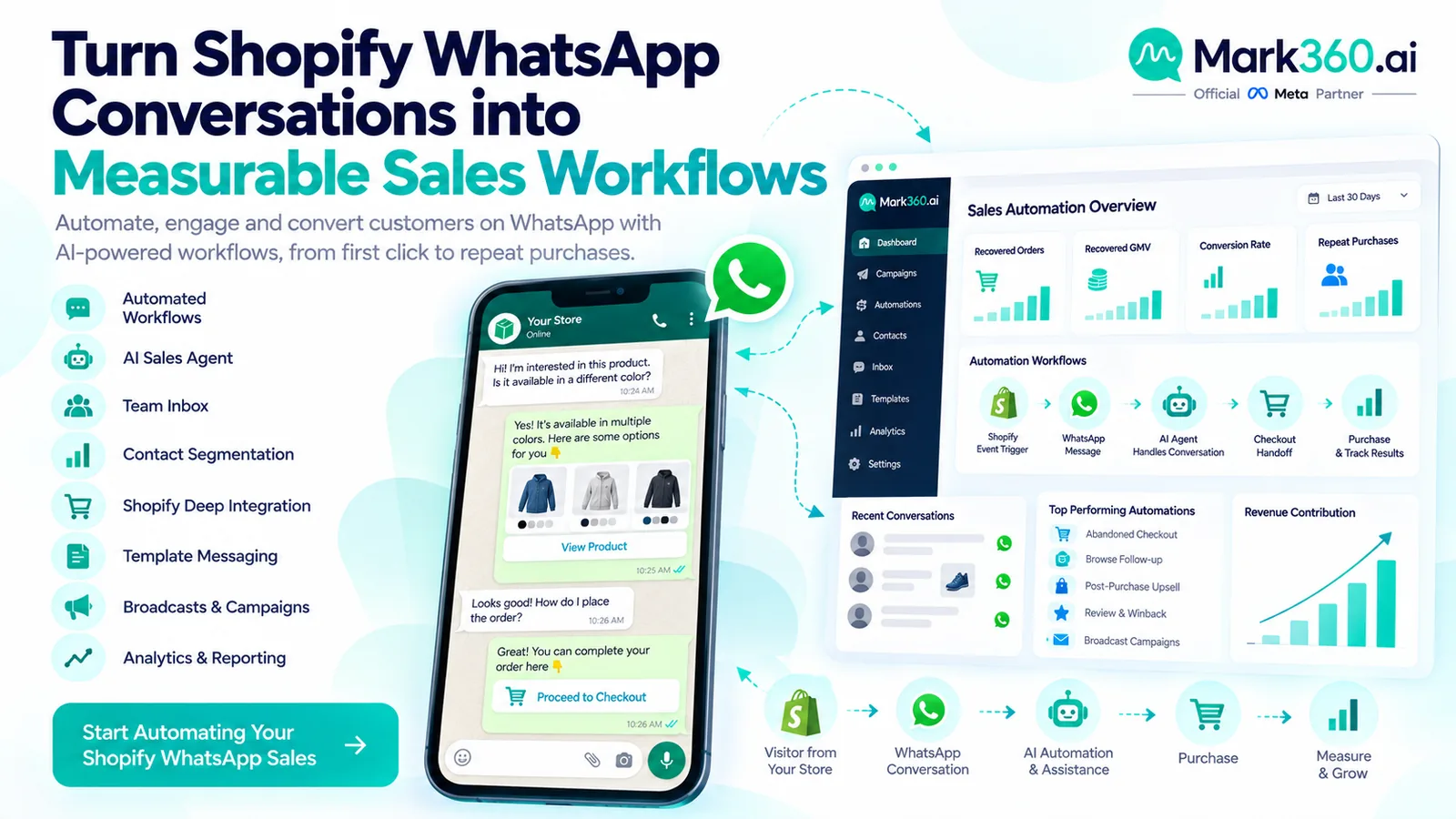
Shopify × WhatsApp sales funnel map
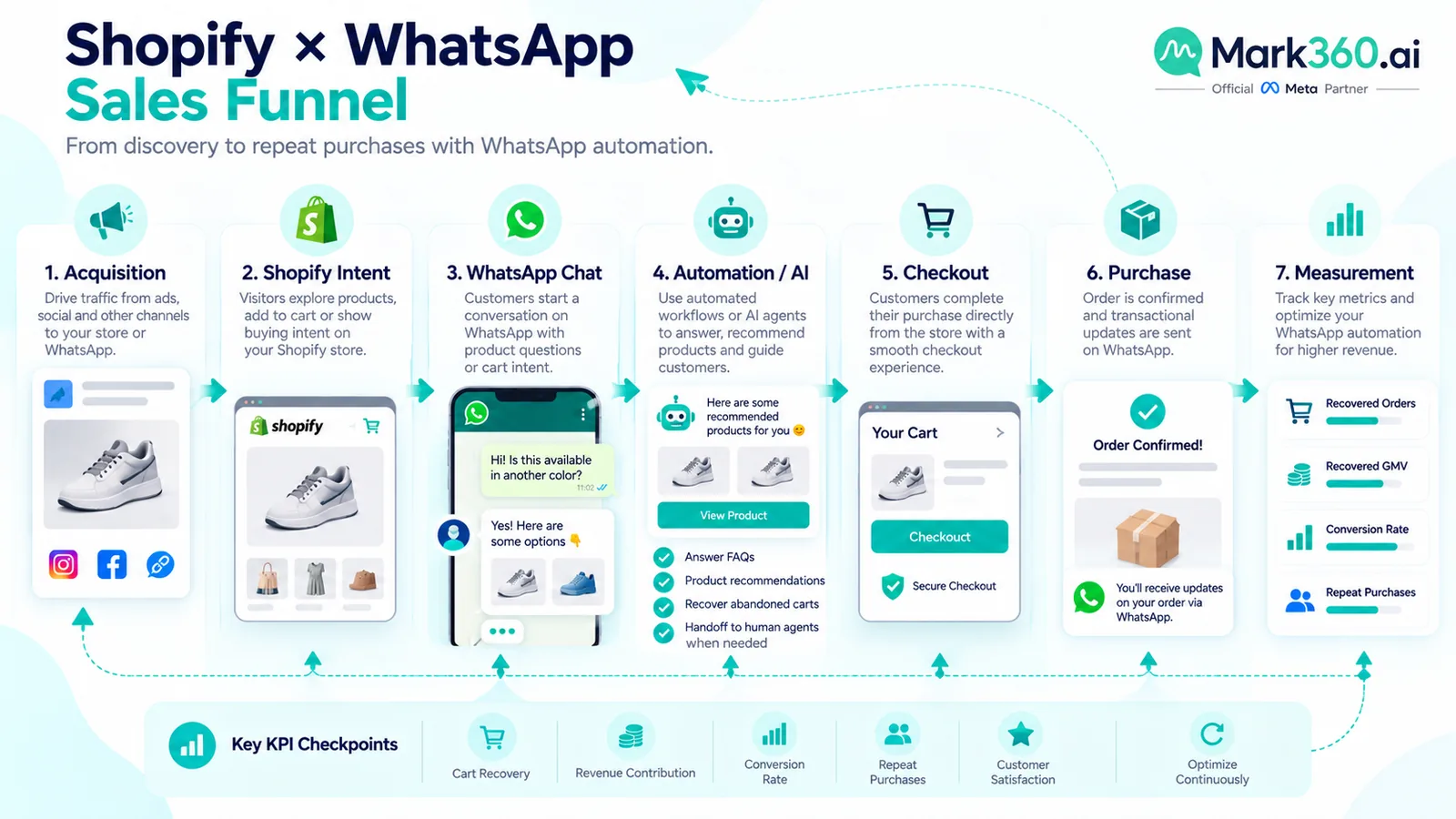
A useful sales funnel starts with a Shopify or acquisition event and ends with a measurable commercial outcome. The WhatsApp layer sits between intent and action: it can remind, answer, qualify, recommend, recover, or re-engage.
- Acquire: Shopper arrives from organic search, paid social, email, an ad that opens WhatsApp, or another channel.
- Identify intent: Product view, cart activity, checkout initiation, purchase, support request, or customer lifecycle stage becomes the trigger.
- Engage: Send an eligible WhatsApp message with a clear next action.
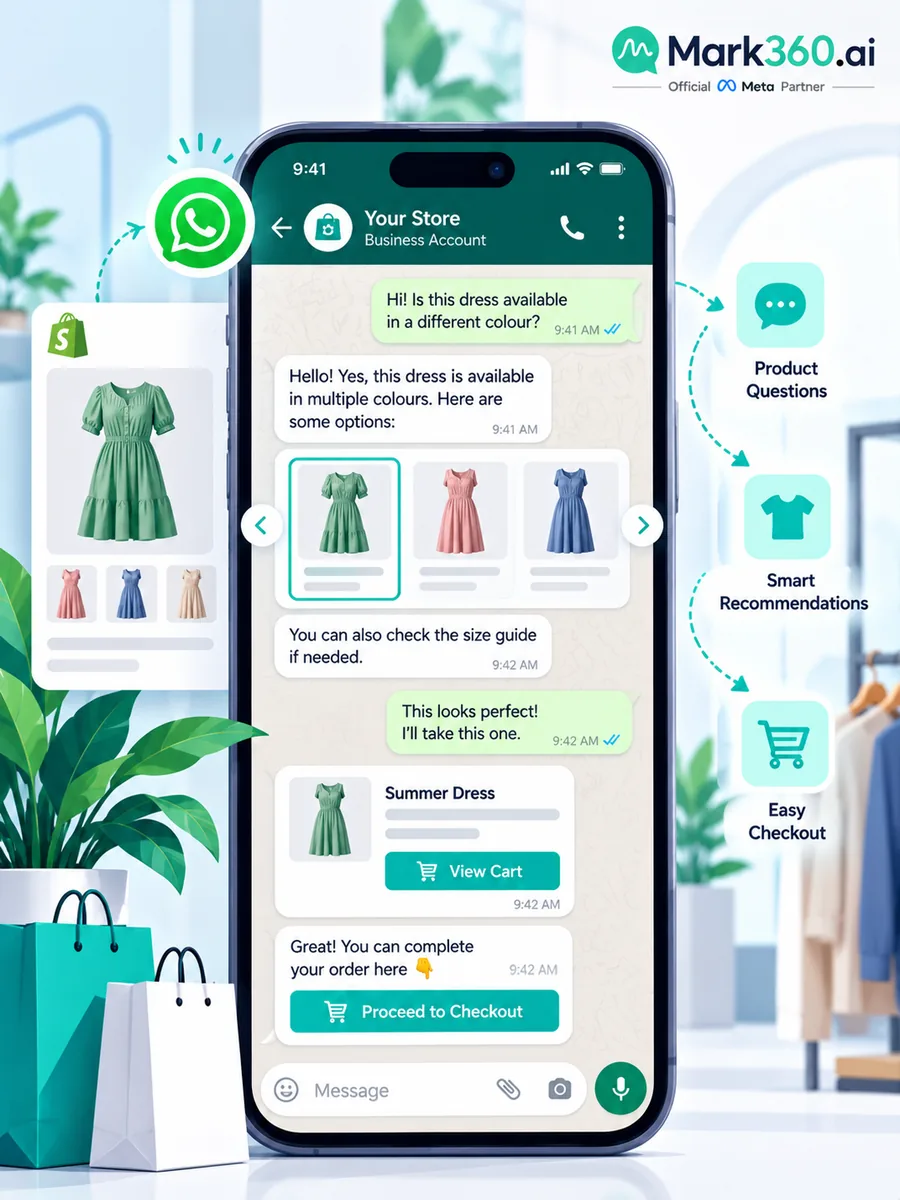
- Assist: A fixed flow or AI agent answers questions and removes friction.
- Convert: The shopper returns to Shopify and completes checkout or starts another purchase.
- Attribute: Record the workflow, audience, message, click, order, revenue, and relevant cost so you can evaluate incremental performance.
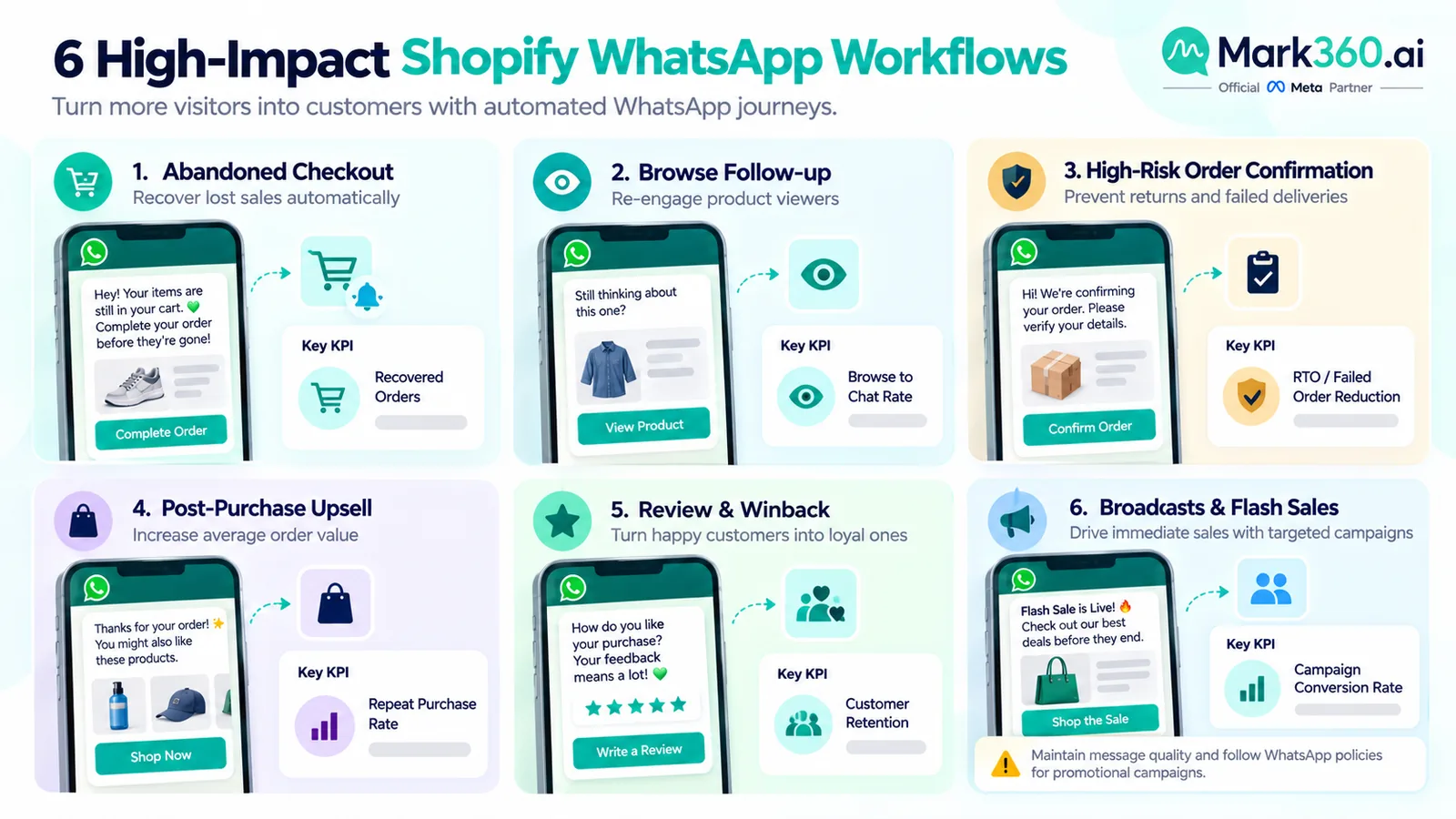
High-ROI workflows that move revenue
Abandoned checkout and cart recovery
Abandoned checkout recovery is usually the cleanest place to test WhatsApp because the customer has already demonstrated commercial intent. The goal isn't to send the maximum number of reminders. It's to recover eligible shoppers with useful timing and minimal friction.
Use the existing WhatsApp abandoned-cart recovery guide for setup details. For this sales playbook, focus on measurement: eligible opted-in abandoners, messages delivered, clicks, recovered orders, recovered GMV, discounts used, message cost, labor cost, and contribution margin.
An illustrative range sometimes cited in industry reports and vendor case studies is roughly 5–15% of eligible opted-in abandoners converting after reminder(s). Treat that only as an illustrative range. Results depend heavily on abandonment definition, timing, incentive, AOV, consent quality, product category, traffic source, and the number of reminders. Validate it against your own Shopify baseline rather than presenting it as a Mark360 or Meta guarantee.
Browse and interest follow-ups
Browse follow-ups can work when you have a legitimate consent basis and a useful reason to contact the shopper. A product recommendation, restock message, price-sensitive reminder, or answer to an earlier question can be more relevant than a generic promotional blast.
Measure click-to-checkout rate and assisted conversion rate, not just link clicks. If a shopper receives a message, clicks, returns to Shopify, and purchases later, your attribution window should be defined before you start reporting results.
High-risk order confirmation
Order confirmation through WhatsApp can be useful for markets or products where a confirmed customer action materially affects fulfillment. This is an optional operational workflow, not the center of a global Shopify sales strategy.
For example, a merchant might use a permitted transactional interaction to clarify an order detail or provide a customer with an action required to complete fulfillment. The KPI is usually confirmed-order rate, followed by fulfillment success or avoidable cancellation rate. Don't assume every market, order type, or message qualifies for the same WhatsApp category; verify the current rules.
Post-purchase upsell, review and winback
The first purchase creates a new opportunity: sell a complementary product, request a review when appropriate, replenish a consumable, or bring a lapsed customer back. The timing should follow the product's natural usage cycle rather than an arbitrary daily schedule.
Track attach rate, incremental AOV, repeat purchase rate, time to second order, and reactivation revenue. A post-purchase campaign can look excellent on click-through rate while adding little incremental profit if customers would have purchased anyway.
Illustrative attach-rate ranges are highly category-dependent; low-single-digit to mid-teens percentages may appear in industry and vendor examples for particular post-purchase offers, but this is not a universal benchmark. Use your own holdout or pre-period baseline where possible.
Broadcasts and flash sales
Broadcasts are useful for launches, promotions, back-in-stock announcements, and time-sensitive offers when the audience has consented and the content is genuinely relevant. They're also where poor segmentation can turn a revenue tactic into a quality problem.
Watch revenue per delivered message, click-to-checkout rate, purchase conversion, unsubscribe or opt-out signals, and WhatsApp quality indicators. Don't optimize solely for the number of recipients or clicks. Sending more messages to a weak audience can hurt long-term channel performance.
KPI dictionary: what to measure and how to calculate it
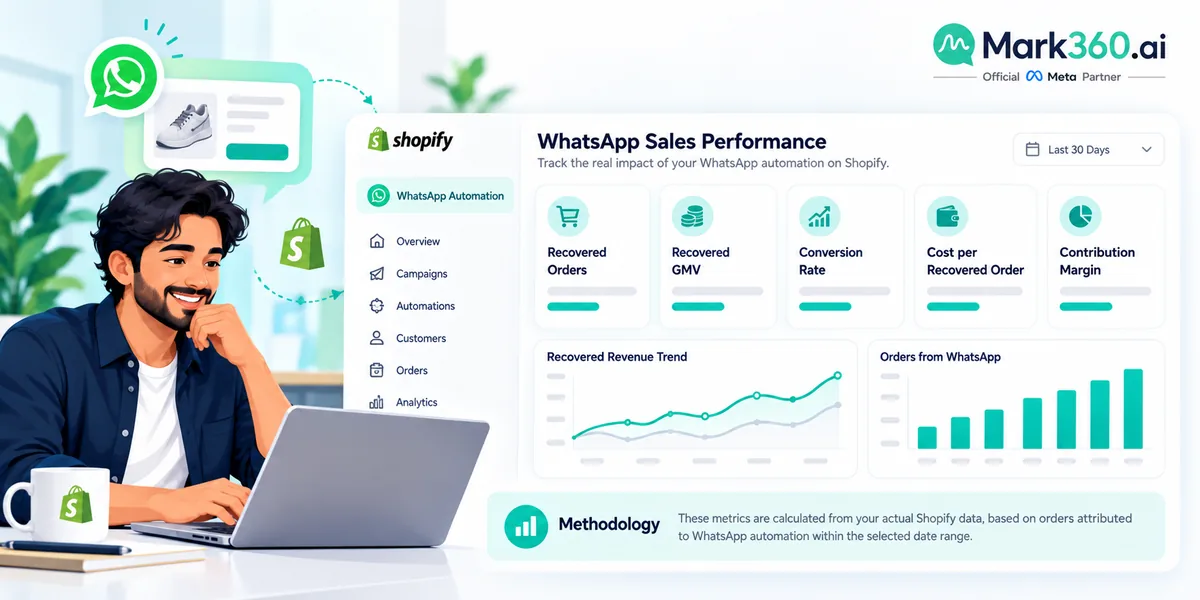
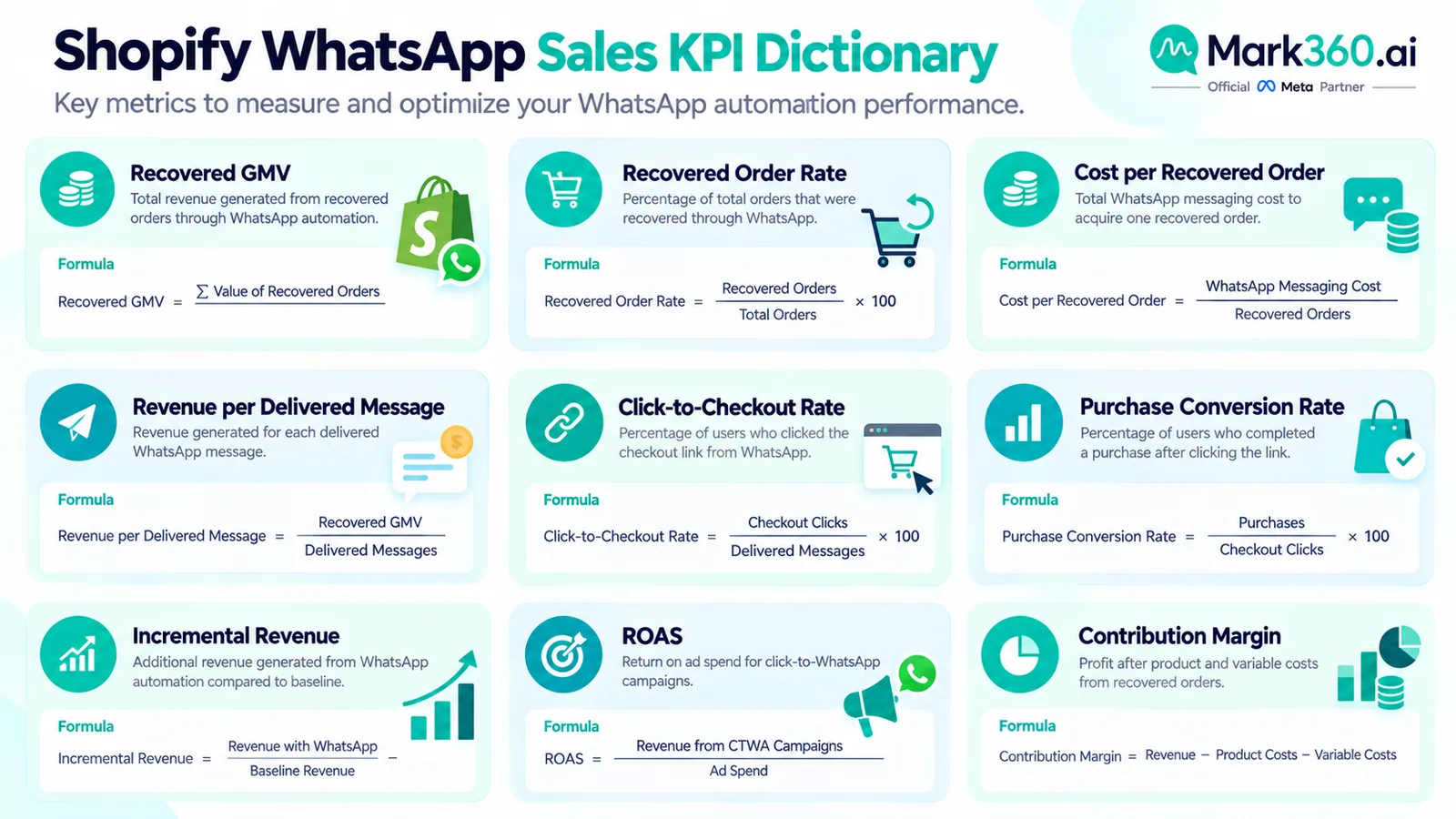
The most useful WhatsApp sales dashboard connects messaging events to Shopify commercial outcomes. Message delivery is an operational metric. Revenue, incremental orders, contribution margin, and customer value are business metrics.
| KPI | Definition | Formula |
|---|---|---|
| Recovered GMV | Gross merchandise value from orders attributed to a recovery workflow. | Recovered orders × AOV |
| Recovered order rate | Share of eligible abandoners who purchase after the workflow. | Recovered orders ÷ eligible abandoners × 100 |
| Cost per recovered order | Messaging and relevant labor cost required to recover one order. | (WhatsApp message cost + labor cost) ÷ recovered orders |
| Revenue per delivered message | Attributed revenue generated for each delivered message. | Attributed revenue ÷ delivered messages |
| Click-to-checkout rate | Share of message recipients who click and reach the defined checkout event. | Checkout sessions from message clicks ÷ tracked message clicks × 100 |
| Purchase conversion | Share of the defined audience producing a purchase within the attribution window. | Attributed purchases ÷ eligible audience × 100 |
| Incremental revenue | Revenue attributable to the workflow above an appropriate baseline or control. | Treatment revenue − expected baseline revenue |
| ROAS | Revenue attributed to advertising divided by ad spend. | Attributed revenue ÷ ad spend |
| Contribution margin after messaging | Commercial contribution after variable costs associated with the workflow. | Incremental gross profit − messaging − discount − variable campaign costs |
A practical rule: if you can't explain the denominator, don't publish the percentage. “40% conversion” means very little until you know whether the denominator is delivered messages, clicks, opted-in recipients, or eligible abandoners.
Honest benchmark ranges: illustrative, not promises
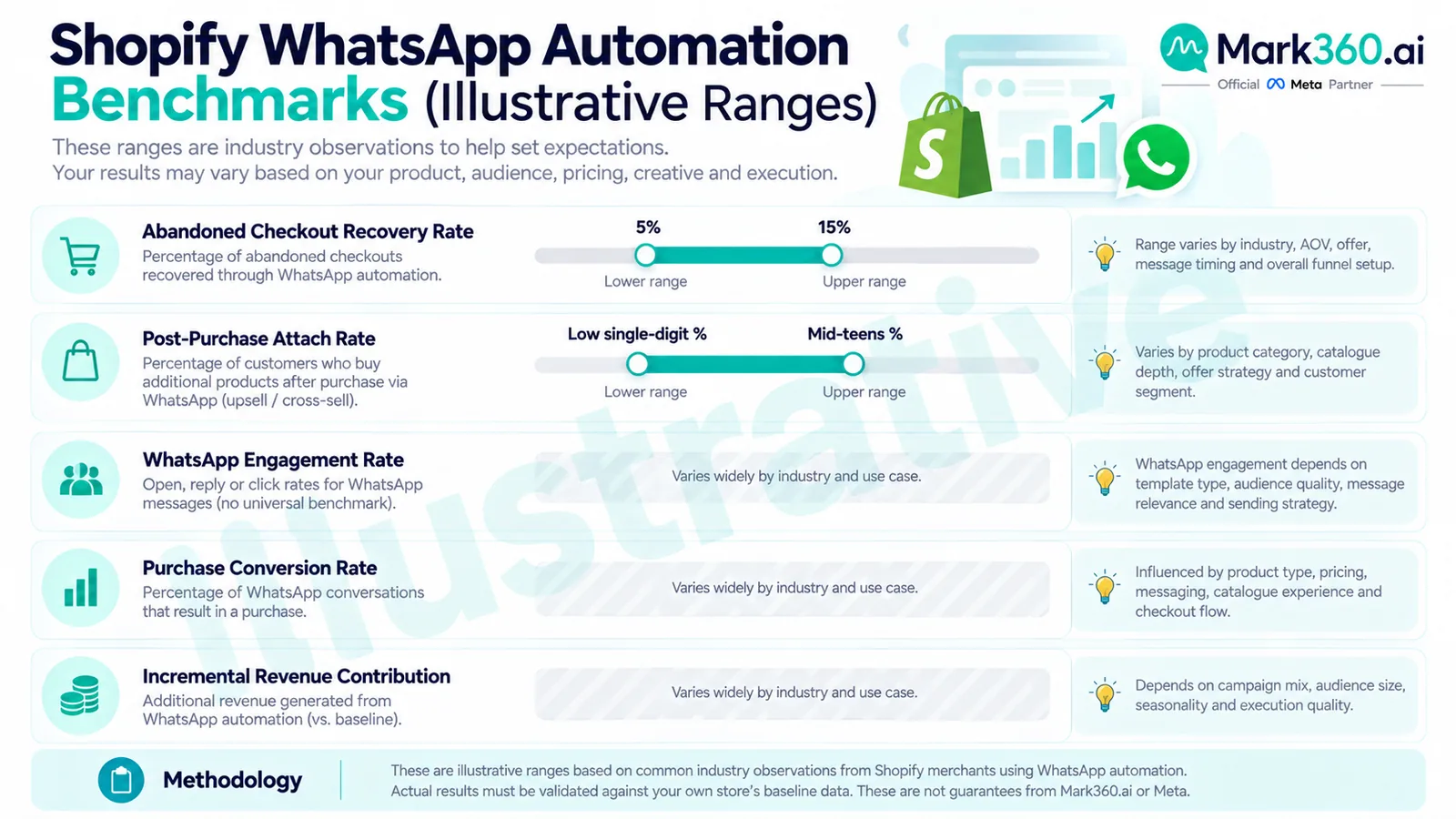
Benchmarks can help you decide what to test, but they shouldn't replace a baseline. Public WhatsApp marketing results often come from vendor case studies, selected campaigns, particular verticals, or audiences with unusually high intent. Those numbers are useful as directional evidence, not as a guaranteed performance curve.
| Metric or outcome | Illustrative range / guidance | Methodology note |
|---|---|---|
| Abandoned checkout recovery | ~5–15% of eligible opted-in abandoners | Illustrative range cited in industry/vendor material; depends on timing, incentive, AOV, consent quality and audience intent. |
| WhatsApp marketing engagement | No single reliable magic percentage | Measure reply rate, click-to-checkout and purchase conversion by segment instead of copying a headline open or engagement rate. |
| Post-purchase attach rate | Illustratively low-single-digit to mid-teens in some offers | Highly dependent on product fit, timing, AOV, customer lifecycle and offer design. |
| Broadcast contribution | Segment-dependent | Evaluate incremental revenue and contribution margin while monitoring opt-outs and channel quality. |
Methodology note: These are illustrative ranges, not Mark360 case-study claims, Meta guarantees, or universal industry benchmarks. They should be validated against your own Shopify baseline using a defined audience, attribution window, comparable period, and preferably a holdout or control group.
For example, if 10,000 eligible shoppers abandon checkout and 700 eventually purchase after an eligible WhatsApp workflow, your observed recovery rate is 7%. That number is useful because you know the denominator. You can then compare the result with a control group or historical baseline rather than declaring that WhatsApp “recovers 7%” for every store.
Cost and category awareness
WhatsApp sales automation has more than one cost layer. You may have WhatsApp platform messaging charges, provider or software costs, and optional operational costs such as support labor, discounts, creative production, or AI usage. Keep those layers separate in your model.
Do not use an invented Meta rate card in a Shopify business case. Meta's WhatsApp Business Platform pricing can change by market, category, and policy. Check the current WhatsApp Business Platform pricing documentation and verify current category rates before launching or forecasting.
For provider pricing, use the provider's current pricing page rather than assuming a fixed subscription or message cost. Mark360 pricing should be checked on the Mark360 pricing page or discussed with sales. This article deliberately does not invent subscription prices or describe any provider charge as a Meta rate.
The business calculation should look like this: Cost per recovered order = (WhatsApp message cost + relevant labor + variable workflow cost) ÷ recovered orders. Then compare that result with contribution profit per order, not revenue alone.
AI agent layer: when fixed flows need judgment
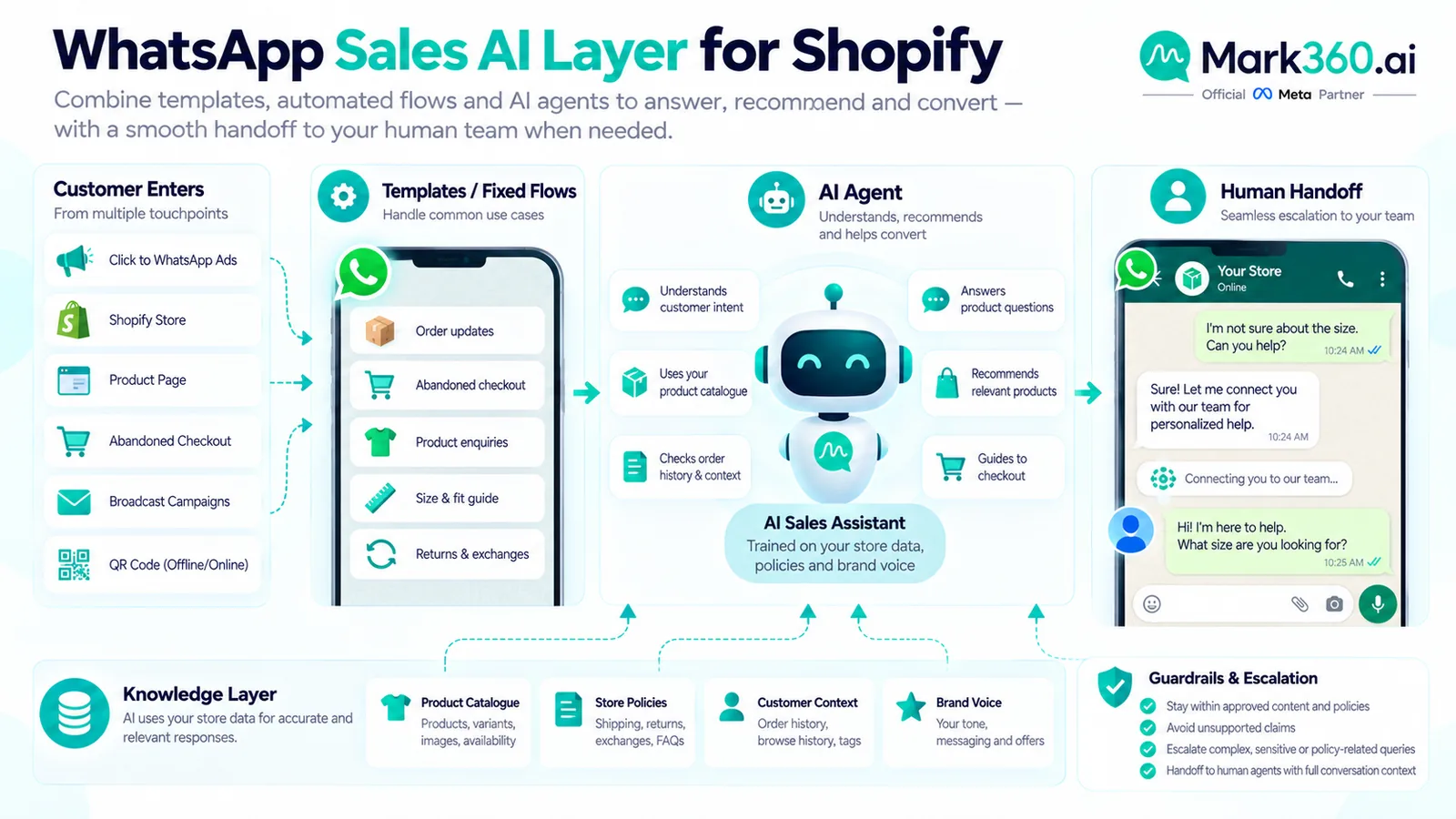
Fixed flows are excellent when the path is predictable: “Track my order,” “Show me shipping status,” “Send me the product link,” or “Confirm my appointment.” They become brittle when customers ask questions that require context, product knowledge, policy interpretation, or recommendation.
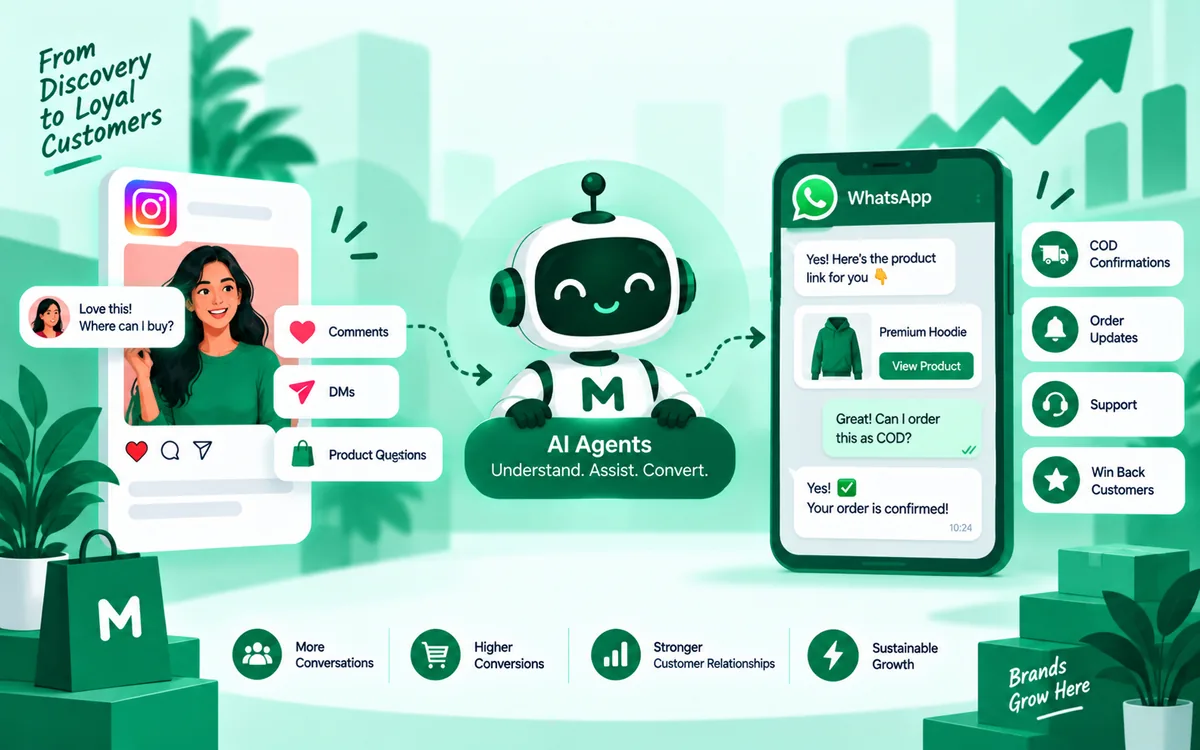
An AI agent can sit between the inbound customer message and the human team. It can interpret the question, retrieve approved information, ask a qualifying question, recommend an appropriate next step, and hand off when the conversation crosses a defined boundary.
That doesn't mean every Shopify merchant needs an AI agent on day one. Start with deterministic workflows, measure where customers leave the path, then add AI where judgment is the bottleneck.
For a deeper treatment of this layer, see the WhatsApp AI agent guide.
Measurement stack: Shopify + ads/CTWA + WhatsApp events
Your measurement stack should answer one question: did this WhatsApp interaction create incremental commercial value? Shopify provides the order and customer record. Your messaging platform provides delivery, click, reply, and workflow events. Advertising platforms provide acquisition and campaign data where applicable.
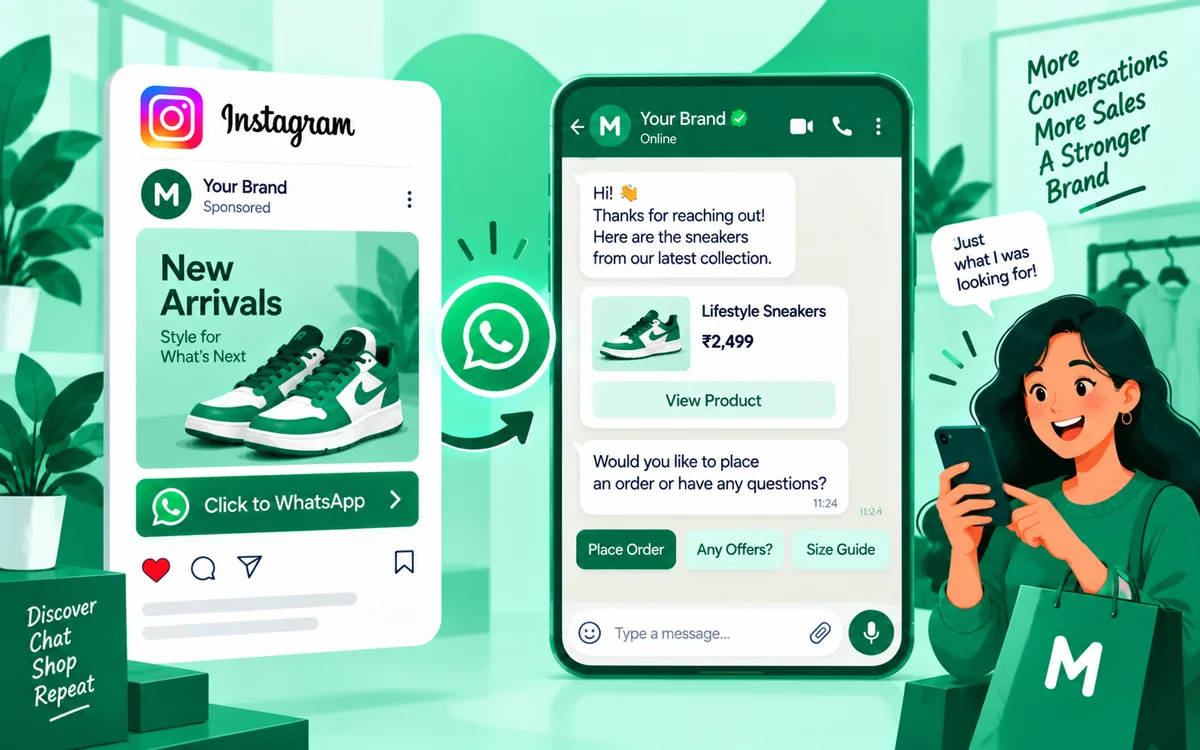
For Click-to-WhatsApp acquisition, connect the ad and conversation source to the eventual sales outcome. Existing Mark360 resources on Click to WhatsApp and the Instagram-to-WhatsApp ads funnel cover the acquisition side. This article focuses on what happens after the shopper enters the conversation.
At minimum, preserve a consistent identifier for the workflow or campaign, timestamp the relevant event, associate the customer with the Shopify order when permitted, and define the attribution window before reporting results. If you cannot connect a message to a commercial outcome, label the metric as assisted or directional rather than claiming direct revenue attribution.
Choosing a platform: a fair checklist
Platform selection should follow your operating model, not a leaderboard. SleekFlow, Ominiflow, Retentionly, AiSensy, Mark360, and other platforms can differ in their API architecture, inbox experience, automation depth, AI capabilities, Shopify integrations, reporting, pricing, support model, and implementation approach. Compare the actual workflow you need rather than copying a feature checklist.
| Selection criterion | Questions to ask |
|---|---|
| WhatsApp infrastructure | Which WhatsApp Business Platform setup does the provider support, and who controls the business assets? |
| Shopify integration | Can it trigger from Shopify events and associate messaging activity with customer and order records? |
| Automation | Can you build event-driven workflows without creating an unmaintainable flow tree? |
| AI | Can the AI agent use approved business context, follow guardrails and hand off to a human? |
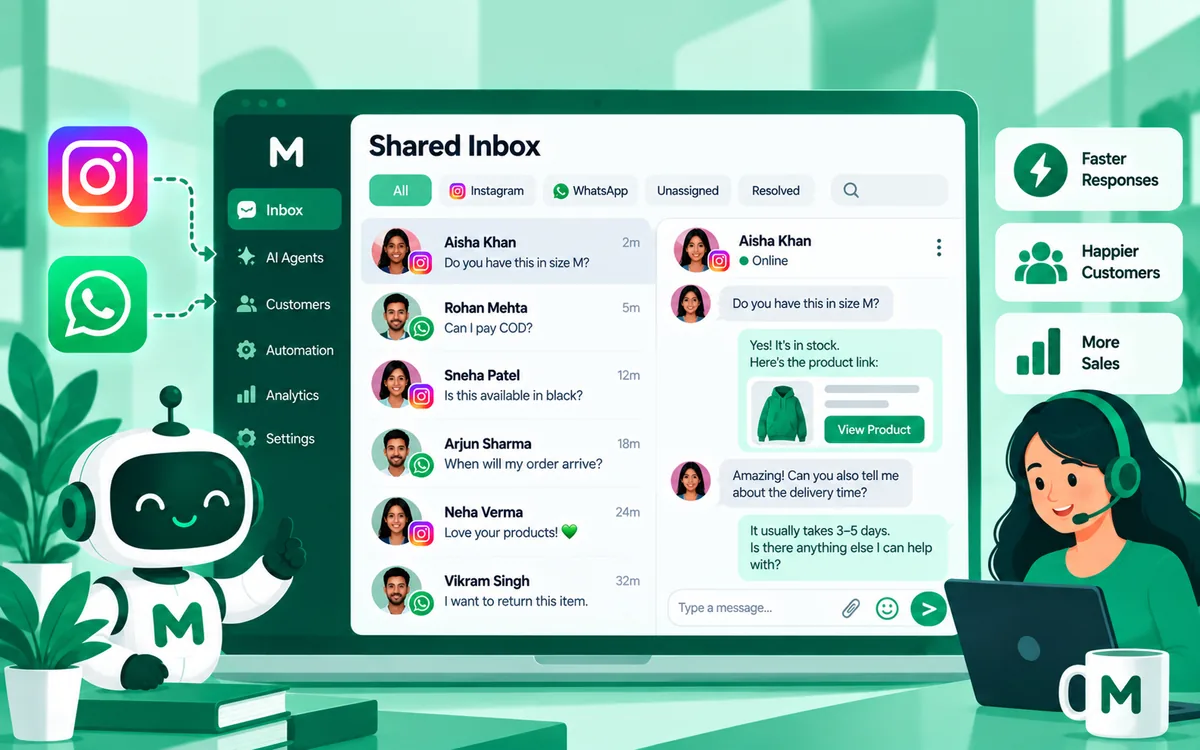
| Inbox | Can sales and support teams share ownership and preserve conversation context? |
| Measurement | Can you export or connect delivery, click, reply, workflow and revenue events? |
| Compliance | How are opt-in, templates, category rules, quality signals and suppression handled? |
| Total cost | Can you model platform, messaging, AI, labor and operational costs separately? |
| Support and implementation | Who helps when a production workflow, webhook or WhatsApp configuration fails? |
Mark360 is positioned around WhatsApp Business API access, automation, AI agents and commerce workflows. If Shopify sales automation is the requirement, evaluate Mark360 against the same checklist you use for every provider. The useful question isn't “which platform has the most features?” It's “which platform lets our team measure and improve the workflows that actually affect revenue?”
30-day rollout checklist
Days 1–7: establish the baseline
- Define the commercial goal: recovered orders, repeat purchases, AOV, or another measurable outcome.
- Document current Shopify conversion, AOV, abandonment and repeat-purchase baselines.
- Audit WhatsApp consent and identify eligible audiences.
- Choose one high-intent workflow to test first.
- Define attribution windows and revenue formulas before launch.
Days 8–14: build the first workflow
- Connect the required Shopify and WhatsApp events.
- Write concise, useful message copy.
- Confirm the applicable WhatsApp category and current platform rules.
- Add suppression logic so customers don't receive irrelevant or duplicate messages.
- Test tracking from message event through Shopify order.
Days 15–21: launch and diagnose
- Monitor delivery, replies, clicks, checkout sessions and purchases.
- Review failed or incomplete customer journeys.
- Compare results with the predefined baseline or control.
- Check message quality and opt-out signals.
- Do not change five variables at once.
Days 22–30: optimize and expand
- Improve timing and segmentation based on observed behavior.
- Test a second workflow only after the first has reliable measurement.
- Calculate cost per recovered order and contribution margin.
- Identify questions that fixed flows cannot answer efficiently.
- Add an AI agent or human handoff where judgment is the bottleneck.
FAQ
How does WhatsApp automation increase Shopify sales?
It can recover eligible abandoned checkouts, follow up with opted-in shoppers, support relevant product decisions, drive post-purchase purchases and reactivate lapsed customers. The commercial impact should be measured through recovered orders, incremental revenue and contribution margin rather than message volume alone.
What KPIs should Shopify stores track for WhatsApp marketing automation?
Track recovered orders, recovered GMV, conversion rate, click-to-checkout rate, revenue per delivered message, cost per recovered order, repeat purchase rate, AOV and incremental contribution margin. Define each denominator and attribution window before comparing campaigns.
What is a realistic abandoned-cart recovery rate on WhatsApp?
There is no universal rate. An illustrative range sometimes cited is about 5–15% of eligible opted-in abandoners converting after reminder(s), but results vary with timing, incentive, AOV, consent and audience intent. Treat that range as directional and validate it against your Shopify baseline.
Do I need the WhatsApp Business API for Shopify sales automation?
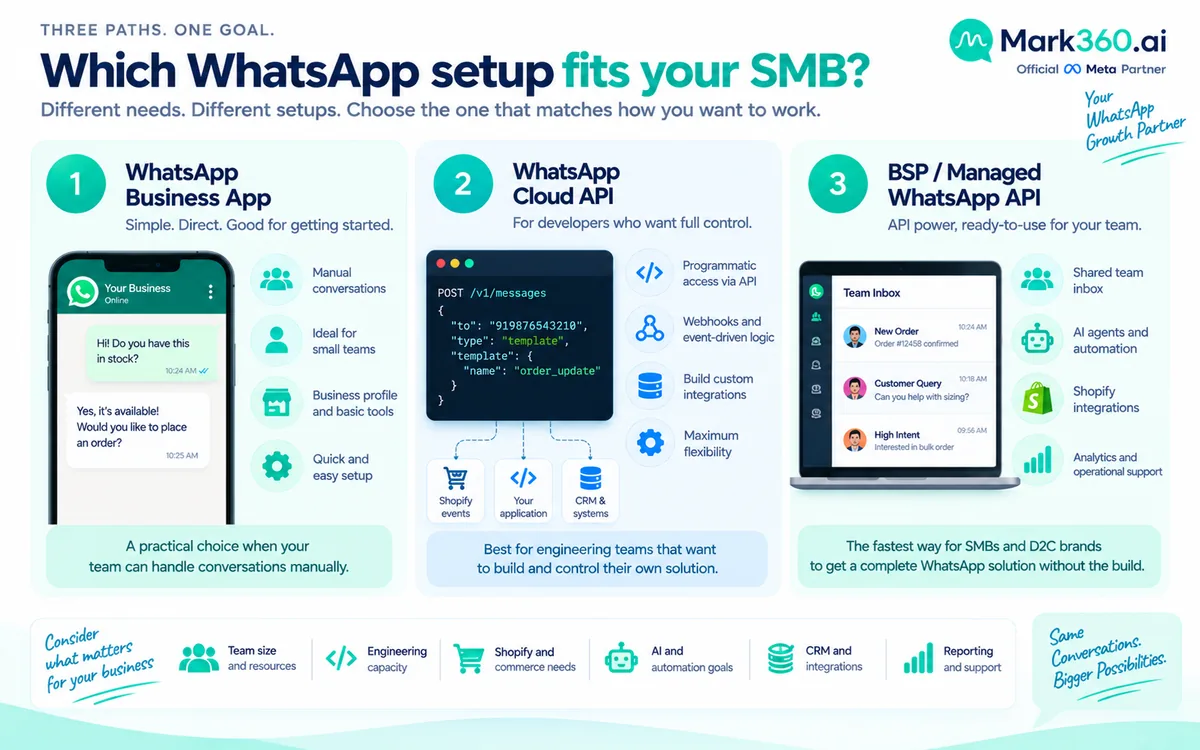
For serious automation, team workflows, integrations and AI agents, a WhatsApp Business Platform/API setup is generally the relevant architecture. The exact implementation depends on your volume, technical resources and provider model.
WhatsApp vs email vs SMS for Shopify sales—when should I use which?
Use the channel based on customer preference, consent, urgency, geography, message type and economics. WhatsApp is useful when a conversational response or rich interaction adds value; email remains strong for longer-form lifecycle communication, while SMS can be useful for concise time-sensitive notifications where permitted.
Can Shopify Messaging send abandoned-cart WhatsApp messages natively?
Don't assume that Shopify's native messaging capabilities cover every WhatsApp automation scenario. Check the current Shopify and WhatsApp capabilities for your store and market, and use an appropriate WhatsApp Business Platform integration when you need event-driven automation.
How do utility vs marketing categories affect automation cost?
They can affect eligibility, template requirements and applicable WhatsApp platform charges. Category rules and pricing can change, so verify the current Meta documentation before forecasting costs.
Is WhatsApp sales automation compliant for US/EU shoppers?
Compliance depends on consent, applicable privacy and marketing laws, WhatsApp policies, message category and your data practices. Build explicit consent and suppression processes, document the lawful basis where required, and verify current rules for each market.
When should I add a WhatsApp AI agent instead of fixed flows?
Add an AI agent when customers repeatedly ask questions that require context, recommendation or judgment and fixed flows create too many branches. Keep deterministic tasks in flows and use human escalation for sensitive, high-value or ambiguous conversations.
How is Mark360 different from SleekFlow, Ominiflow, or Retentionly for Shopify sales?
Compare providers on the workflow requirements that matter to your store: WhatsApp infrastructure, Shopify integration, automation, AI agents, shared inbox, measurement, compliance controls, implementation support and total cost. Mark360 focuses on WhatsApp Business API, automation and AI-agent workflows, but the right choice should be based on your documented requirements rather than a generic ranking.
Next steps: build the revenue workflow before adding more messages
If you're evaluating WhatsApp marketing automation for Shopify, start with one measurable commercial problem. Abandoned checkout recovery is a natural first test because intent is already visible. Once measurement works, expand into browse follow-ups, post-purchase journeys, winbacks or acquisition-to-WhatsApp flows.
Use the Shopify WhatsApp integration guide for the connection layer, the abandoned-cart guide for recovery implementation, and the Mark360 WhatsApp API page if you're assessing an API and automation platform.
For current provider pricing, see Mark360 pricing and verify current WhatsApp category rules in Meta's official pricing documentation. Don't build the business case around a headline benchmark. Build it around your own denominator, baseline, incremental revenue and contribution margin.