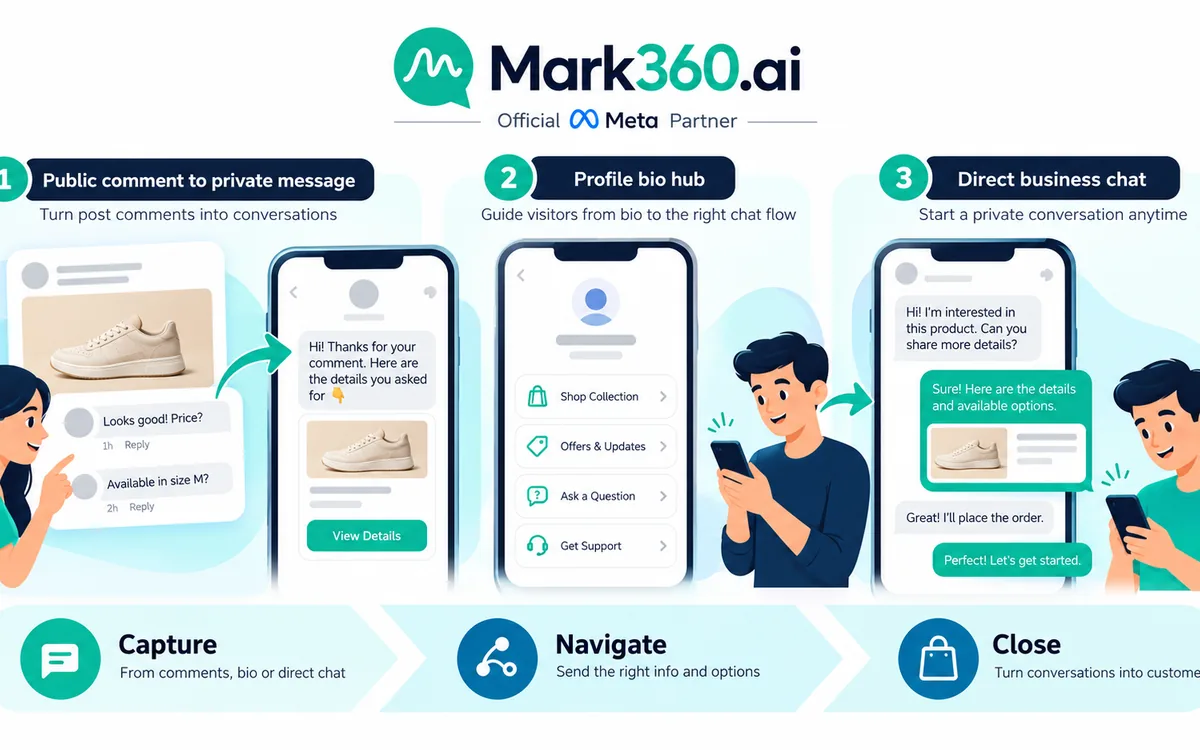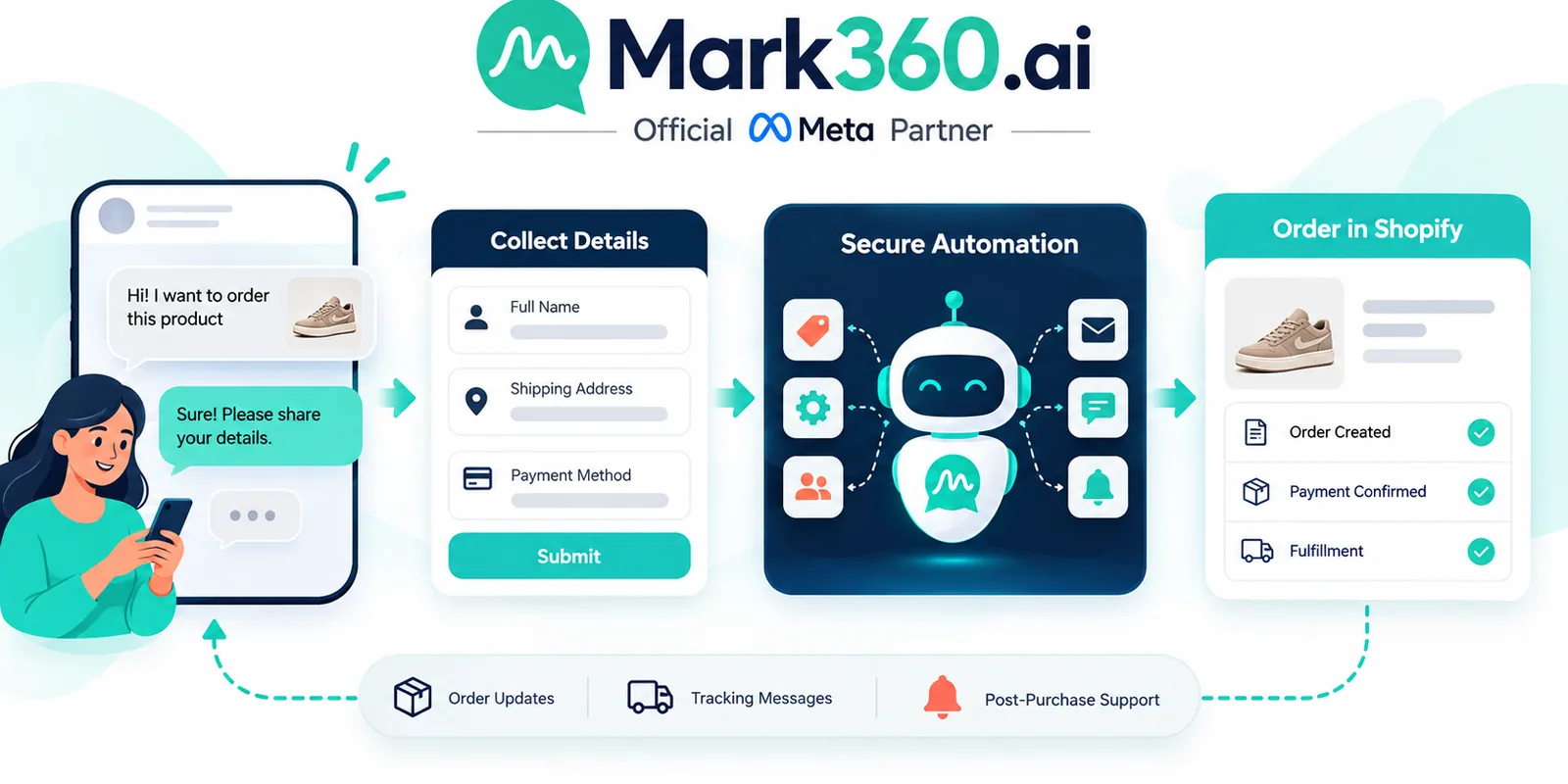
For Shopify merchants, whatsapp flows can turn a simple customer conversation into a structured ecommerce action. Instead of asking customers to type an address, explain a return request, or reply with a vague “YES” to confirm a COD order, a WhatsApp Flow can present an interactive form or guided journey inside the conversation. The collected response can then move through your webhook or middleware layer and trigger the appropriate Shopify action.
This creates a useful bridge between conversational commerce and operational workflows. WhatsApp handles the customer-facing interaction, while Shopify remains the operational source of truth for orders, products, customers, fulfillment, and returns-related processes. For stores using WhatsApp Business API, the objective is not simply to add a chatbot. It is to connect a whatsapp chatbot flow to real business actions.
In this guide, we will look at practical Shopify use cases including address changes, returns and RMA requests, COD confirmation and cancellation, lead capture, and the mapping of Flow responses into Shopify actions such as tags, order notes, order updates, and fulfillment holds.
Why WhatsApp Flows Matter for Shopify Stores
Traditional WhatsApp automation often relies on buttons, quick replies, keywords, and free-form text. These are useful, but ecommerce operations frequently require structured information. A support team may need an order number, reason for return, replacement preference, updated address, preferred callback time, or confirmation of a cash-on-delivery purchase.
Asking customers to provide all of that information manually creates unnecessary friction. It also creates inconsistent data. One customer may write “change delivery address,” another may send a long paragraph, and another may provide only part of the required information.
WhatsApp Flows provide a more controlled interaction. A merchant can present fields, selections, confirmations, and other structured inputs. The backend can validate the response and decide what should happen next.
The architecture is straightforward:
- The customer starts a WhatsApp conversation or reaches an automated trigger.
- The WhatsApp automation presents a relevant Flow.
- The customer completes the requested fields.
- The Flow response is received by the merchant's backend, webhook, or middleware.
- The backend validates permissions, order state, customer identity, and business rules.
- The backend performs an appropriate Shopify action or routes the case to an agent.
- The customer receives confirmation or an escalation message in WhatsApp.
For implementation details and current API capabilities, merchants and developers should refer to the official WhatsApp developer documentation at developers.facebook.com and the official WhatsApp Business platform information at business.whatsapp.com.
WhatsApp Flows for Shopify Address Changes
Address changes are one of the clearest examples of where whatsapp flows can replace a messy support conversation with a structured ecommerce workflow. Customers frequently notice an incorrect apartment number, pin code, street name, phone number, or delivery address after placing an order.
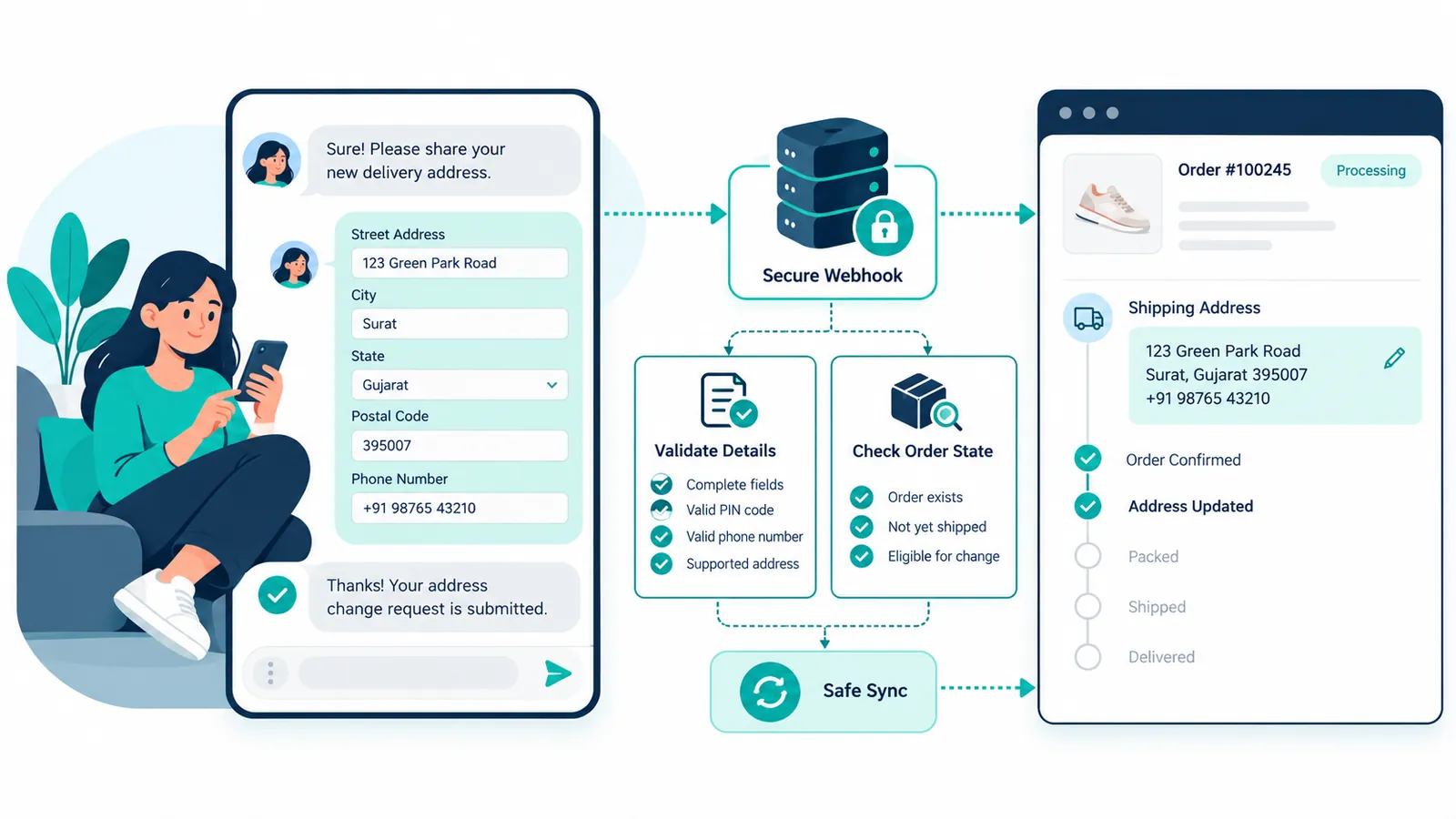
A Flow can collect the updated information in a controlled format and send it to a webhook or middleware service. That service can then verify whether the order is eligible for modification before attempting to update Shopify.
How the Address Change Flow Works
- Identify the order. Ask the customer to select or enter the relevant order identifier. Depending on your architecture, the customer may already be authenticated or associated with an order through the WhatsApp conversation.
- Show the current address. Where appropriate, display a masked or summarized version of the existing shipping address so the customer understands which order is being changed.
- Collect the new address. Use structured fields for name, address line, locality, city, state or province, postal code, country, and phone number as appropriate for the merchant's shipping requirements.
- Validate the input. Check required fields, postal-code format, country and region compatibility, phone format, and any merchant-specific delivery restrictions.
- Confirm before submission. Present the customer with a final summary and ask them to confirm that the information is correct.
- Send the Flow response to your backend. The WhatsApp response should be passed through your webhook or middleware layer rather than allowing the client-side conversation to directly modify Shopify.
- Verify order state. The backend should check the latest Shopify order information before applying the update.
- Update Shopify when permitted. If the order is still editable according to the merchant's fulfillment process and API capabilities, the middleware can sync the new shipping address into the Shopify order.
- Record the change. Add an order note, tag, or internal event where useful so support and operations teams can see that the shipping details were changed through WhatsApp.
- Confirm or escalate. Send the customer a confirmation when the change succeeds. If the order cannot be changed, route the request to a support agent or provide the appropriate next step.
Validation and Edge Cases
Do not treat every address-change request as automatically safe to apply. The middleware should evaluate the order state and operational context.
- Already fulfilled: If the order has already been fulfilled or handed to a carrier, the system may need to reject the automated change and create a support task instead.
- Partially fulfilled: A partial fulfillment may require more careful handling because some line items may already be in transit while others remain open.
- Order cancelled: Do not update shipping information on an order that is already cancelled.
- Payment status: A merchant may apply different rules depending on whether the order is prepaid, pending, or COD.
- Invalid postal code: Reject or flag the address if the postal code does not match the selected region according to the merchant's validation rules.
- Restricted delivery area: If the new address is outside the merchant's serviceable area, route the customer to support instead of silently changing the order.
- Fraud or account mismatch: Require additional verification if the request appears to come from an unrelated customer or unusual conversation.
- Carrier handoff: Once a shipment is handed to a carrier, changing Shopify data does not necessarily change the carrier's delivery instructions. The operational workflow must account for this distinction.
Shopify developers should consult the current Shopify developer documentation at shopify.dev and merchant-facing guidance at help.shopify.com when designing order and fulfillment integrations.
WhatsApp Flows for Shopify Returns and RMA
A second high-value use case is shopify whatsapp returns. Instead of sending customers to a separate form immediately, a store can start the return journey inside WhatsApp and collect the information required to create an RMA or support case.
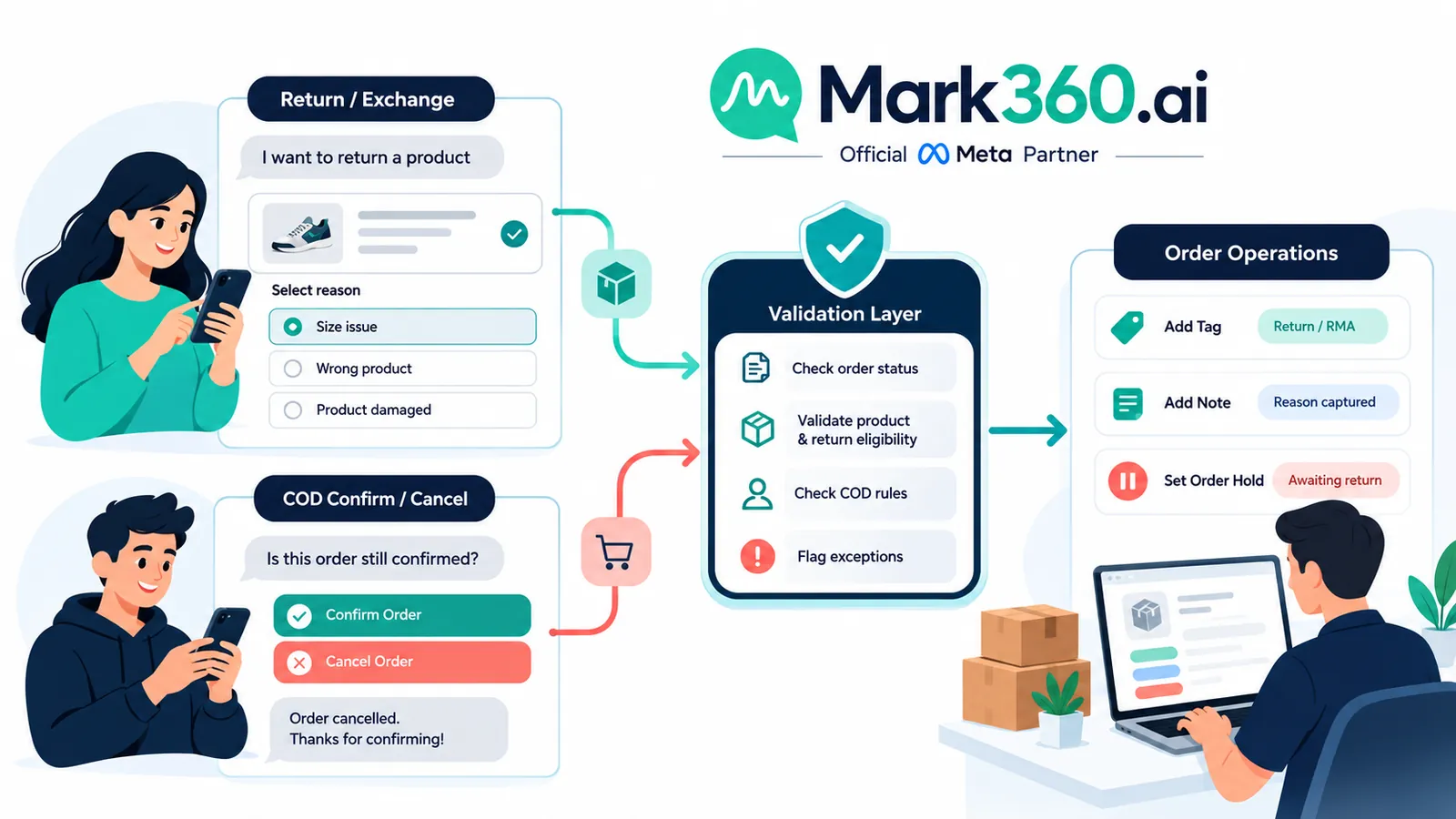
The Flow can ask for the order, product, return reason, preferred resolution, quantity, and any additional information required by the merchant's return policy. The goal is not necessarily to approve every return automatically. The goal is to capture consistent information and make the next operational step predictable.
Recommended Returns Flow
- Ask the customer to identify the order.
- Show eligible products or ask which item they want to return.
- Collect the return reason using predefined options.
- Ask whether the customer wants a refund, exchange, replacement, or another supported resolution.
- Collect additional information required by the store's policy.
- Display the submitted request for confirmation.
- Send the Flow response to the webhook or middleware layer.
- Validate the order, item eligibility, purchase date, fulfillment status, and existing return history.
- Create or update the merchant's return workflow.
- Add an appropriate Shopify order tag or note when useful.
- Route exceptions to a human agent.
- Send the customer the next step, such as return instructions, a support response, or an acknowledgement that the request is being reviewed.
The important design principle is to separate customer intake from business approval. A WhatsApp Flow can collect the request, but your backend should decide whether the order qualifies under the merchant's return policy.
RMA Data Worth Capturing
- Order identifier
- Customer identity or verified contact reference
- Product or line item
- Quantity
- Return reason
- Resolution preference
- Optional description or supporting information
- Preferred pickup or return method where applicable
- Customer confirmation
This structured approach is particularly useful for stores with multiple support agents because every request arrives in a consistent format rather than as an unstructured WhatsApp message.
WhatsApp Flows for COD Confirmation and Cancellation
Cash-on-delivery orders create a different operational challenge. A merchant may want to confirm whether the customer still wants the order before fulfillment or shipment. A simple WhatsApp interaction can ask the customer to confirm, cancel, or request an agent.
A COD Flow can present a concise order summary and offer clear actions. For example, the customer could choose to confirm the order, cancel it, or request assistance with the delivery information.
COD Confirmation Flow
- Identify the order and verify the customer context.
- Display the relevant order summary without exposing unnecessary sensitive information.
- Ask the customer to confirm the order.
- If confirmed, send the response to the backend.
- Validate that the order is still active and has not already been cancelled or fulfilled.
- Apply the merchant's selected Shopify action, such as adding a confirmation tag or order note.
- Release or continue the fulfillment workflow if the store's operational rules permit it.
- Send a confirmation message back to the customer.
COD Cancellation Flow
- Present the order and ask whether the customer wants to cancel.
- Optionally collect a cancellation reason.
- Send the response to the backend.
- Re-check the current order status.
- Cancel the order only when the merchant's rules and current Shopify capabilities permit it.
- Record the cancellation reason through a tag, order note, or internal system.
- Notify the customer of the outcome.
For India-focused stores, COD automation often needs additional operational controls because delivery confirmation, address accuracy, carrier processes, and customer availability can materially affect fulfillment. Merchants should also define what happens when a customer confirms through WhatsApp but the order has already entered a fulfillment process.
For global stores, COD requirements vary significantly by market, carrier, payment method, and local operational practices. The Flow should therefore be configurable rather than assuming one universal COD process.
WhatsApp Flows for Ecommerce Lead Capture
Not every WhatsApp conversation starts with an order. Many Shopify visitors need help choosing a product, asking about availability, requesting a quote, joining a waitlist, or speaking to a sales representative.
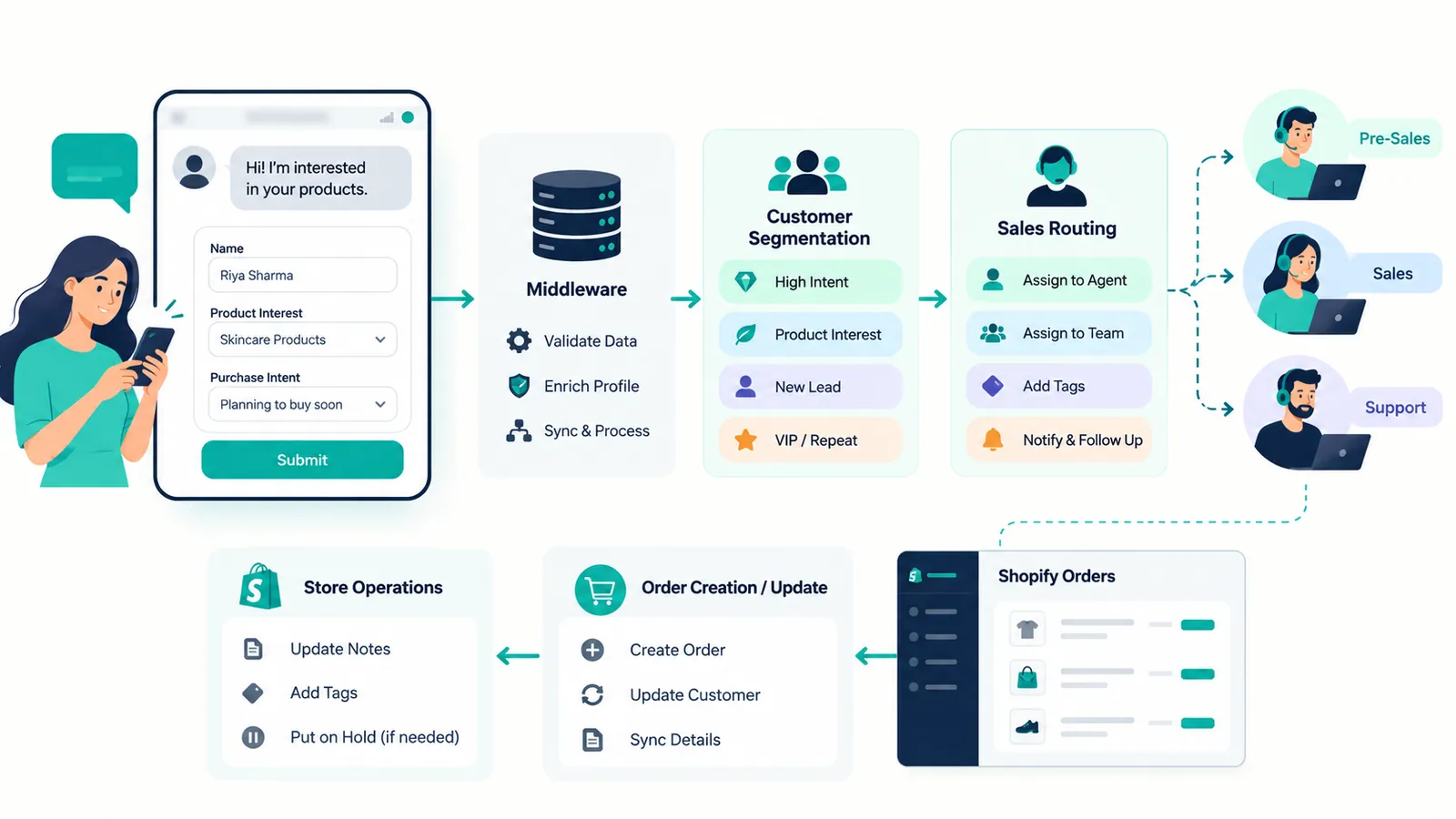
This is where whatsapp forms ecommerce can help. Instead of collecting lead information through an external landing page, a merchant can use a WhatsApp Flow to capture structured information inside the conversation.
Lead Capture Flow Example
- Ask for the customer's name.
- Capture the phone number or use the WhatsApp identity available to the business where appropriate.
- Ask what the customer is interested in.
- Collect product category or product preference.
- Ask a qualifying question such as budget range, purchase timeline, quantity, or location when relevant.
- Offer a preferred contact option or callback window if required.
- Submit the response to the backend or CRM integration.
- Apply a customer tag or segment according to the captured information.
- Route high-intent leads to a sales agent or automated follow-up.
A lead capture Flow can also connect naturally with Shopify browsing and product conversations. For example, a customer asking about a product can be invited to complete a short Flow when they want personalized recommendations or assistance from a sales representative.
Mapping WhatsApp Flow Responses to Shopify Actions
The value of a Flow increases when the collected response has a defined operational destination. Before building a Flow, decide what each response should do in Shopify or your connected systems.
Tags
Tags can help operations teams identify orders or customers that require attention. A successful COD confirmation might result in a confirmation tag. A return request could receive a return-request tag. An address-change request could receive an address-updated or address-review tag depending on the workflow.
Order Notes
Order notes can provide operational context. For example, a merchant may record that the customer requested an address correction through WhatsApp, along with a timestamp or internal reference. Avoid placing unnecessary sensitive information into notes.
Order Updates
Some Flow responses may justify updating supported order information. Address changes are the obvious example, but the backend should always validate the order state first and use the current Shopify API model appropriate to the merchant's store.
Fulfillment Hold
When a customer requests an address change, return review, or other action that requires manual verification, the integration may place the operational workflow on hold when the merchant's Shopify setup supports that process. This prevents an order from progressing while a support or operations team reviews the request.
Agent Escalation
Not every response should trigger an automatic Shopify mutation. If an order is already fulfilled, a customer requests an exception, or the information fails validation, the safer action may be to create an internal task and route the conversation to a human agent.
A useful mapping model is simple: Flow response → validation → business rule → Shopify action or human escalation → customer confirmation. This keeps automation predictable and prevents the WhatsApp layer from making unsupported assumptions about order state.
Designing a Reliable WhatsApp Chatbot Flow
A strong whatsapp chatbot flow should be designed around the customer's intent rather than around the capabilities of the automation platform. Start with the business outcome and work backward.
- Define the customer intent.
- Identify the minimum information required.
- Decide which fields should be structured.
- Define validation rules.
- Define eligible Shopify order states.
- Define the Shopify action or escalation path.
- Define the success response.
- Define failure and exception responses.
- Log the important operational event.
- Test the Flow with realistic edge cases before production deployment.
Keep forms short. A customer who wants to change an address should not have to complete ten unnecessary screens. A customer confirming a COD order should not be forced through a long support questionnaire.
Use conditional logic where appropriate. For example, if the customer selects “exchange” in a return Flow, the next screen can collect the desired replacement option. If the customer selects “refund,” the Flow can collect the information required for that path instead.
Global and India COD Considerations
COD automation should be adapted to the merchant's geography and fulfillment model. There is no single global COD workflow that fits every Shopify store.
For India, merchants commonly need to account for delivery-area coverage, pin-code validation, carrier constraints, customer confirmation, address accuracy, and operational review before dispatch. A Flow can collect and structure these inputs, but the backend should remain responsible for validating the latest order and fulfillment state.
For international merchants, COD may depend on specific countries, carriers, currencies, taxes, payment collection procedures, and local delivery practices. The Flow should therefore be localized and the business rules should be maintained in the backend rather than hard-coded into the customer-facing conversation.
In both cases, avoid treating a WhatsApp response as permanent authorization to modify an order. Validate the latest Shopify state immediately before taking an action.
Compliance, Opt-In, and Responsible WhatsApp Automation
WhatsApp automation should be designed around permission, relevance, transparency, and the applicable WhatsApp Business Platform policies. A merchant should have an appropriate basis for contacting customers and should respect opt-out requests and applicable messaging requirements.
Transactional and customer-service conversations should remain aligned with their actual purpose. Marketing messages require the appropriate consent and template treatment under the applicable platform rules. Merchants should also avoid collecting unnecessary personal information through a Flow.
For technical and policy requirements, review the current official documentation at developers.facebook.com and business.whatsapp.com before launching or changing a production workflow.
Data minimization is especially important for ecommerce forms. Only collect the fields needed to complete the requested action. Protect webhook endpoints, authenticate backend requests appropriately, validate customer and order context, and maintain clear access controls for customer information.
How Mark360.ai Can Fit Into a Shopify WhatsApp Flow Strategy
The most effective WhatsApp automation is not simply a chatbot answering questions. It is a connected workflow in which customer intent can become a structured action while Shopify remains connected to the operational process.
Mark360.ai helps businesses build WhatsApp automation around customer conversations, team inbox workflows, templates, campaigns, AI-assisted support, and Shopify-connected use cases. As an official Meta Business Partner for WhatsApp Business API, Mark360.ai can help merchants approach WhatsApp automation as an operational channel rather than an isolated messaging tool.
If your Shopify store needs flows for address corrections, returns, COD confirmation, lead capture, or other customer-service journeys, the starting point is to map each customer intent to the data you need, the validation rules you require, and the Shopify action that should happen afterward.
The result is a cleaner architecture: WhatsApp provides the conversational interface, the Flow collects structured information, your webhook or middleware validates the request, Shopify remains the commerce system, and your support team handles the cases that genuinely need human judgment.
Final Takeaway: Build WhatsApp Flows Around Actions
The strongest whatsapp flows for Shopify are not designed as generic chatbot menus. They are designed around specific ecommerce actions.
An address-change Flow can collect validated shipping information and send it through middleware before updating an eligible Shopify order. A returns Flow can standardize RMA intake and route exceptions to support. A COD Flow can capture confirmation or cancellation decisions before fulfillment. A lead capture Flow can turn WhatsApp conversations into structured sales opportunities.
The key is the connection between conversation and commerce. Every Flow should have a defined input, validation layer, business rule, Shopify action or escalation path, and customer-facing confirmation.
For Shopify merchants building a broader WhatsApp commerce strategy, the official Shopify documentation at shopify.dev and help.shopify.com should be used alongside the current WhatsApp developer documentation at developers.facebook.com. If you want to turn these workflows into a practical WhatsApp automation system for your Shopify store, Mark360.ai can help you design the customer journey and connect it with your operational workflow.