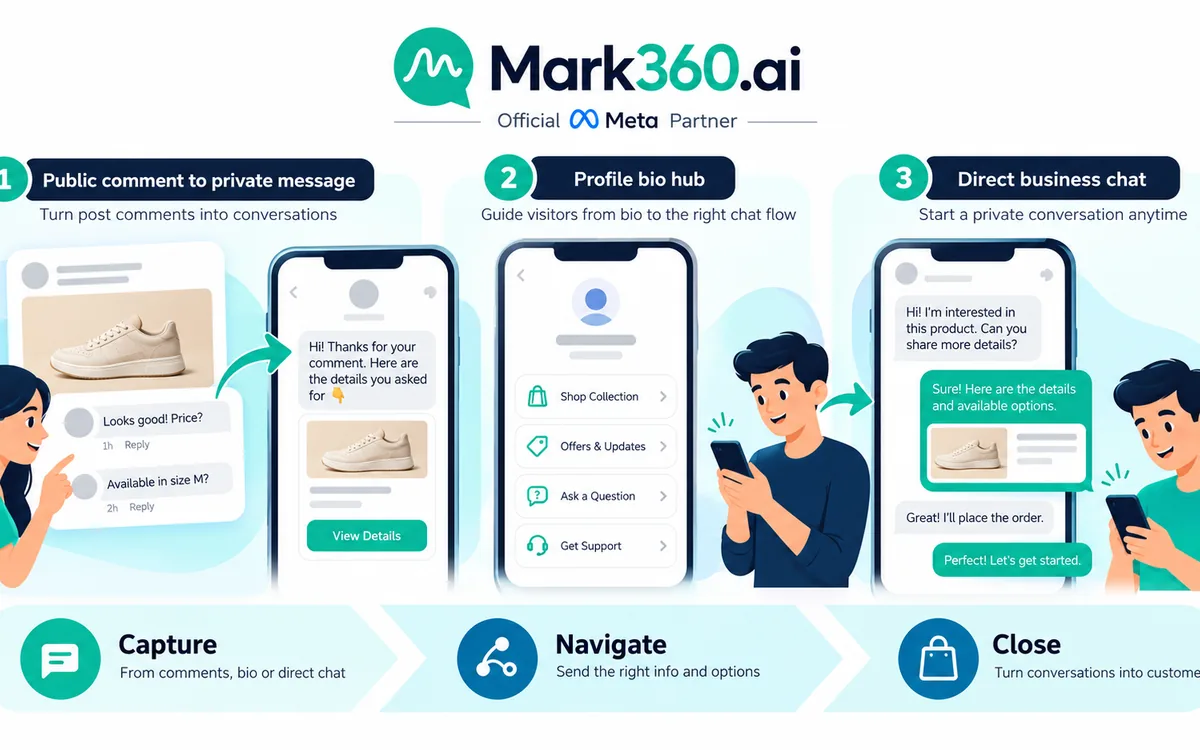
Answer first: The cleanest way to connect Shopify commerce with WhatsApp is to treat Shopify as the source of truth for products, prices, inventory, variants, and order data; use Meta Commerce Manager and the WhatsApp Business Platform to make that product information available in WhatsApp; then use product messages, multi-product selections, cart interactions, and a human or AI handoff to move the customer from discovery to purchase. Mark360.ai can sit above this flow as the automation and shared-inbox layer, helping teams manage WhatsApp conversations, AI agents, campaigns, and Shopify-driven customer journeys.
A WhatsApp catalog is the product catalog that customers can browse or receive through WhatsApp. For a Shopify merchant, the goal is not to maintain a second, manually edited store. Instead, Shopify should remain the operational source of truth while the relevant Meta catalog and WhatsApp commerce layer expose products where customers are already having conversations.
This architecture is especially useful for brands that sell through conversation. A shopper can see a product in a WhatsApp message, open the product details, select products or variants, add items to a cart where supported, ask a question, and then continue toward checkout or an order workflow. A sales or support agent can take over when the conversation needs judgment, payment assistance, address clarification, product recommendations, or exception handling.
Shopify's Facebook and Instagram by Meta sales channel can sync Shopify products to a Meta catalog, while Shopify also provides a native WhatsApp marketing connection for eligible stores. Shopify documents that the Facebook and Instagram by Meta sales channel uses a shared product catalog across its supported Meta commerce and marketing features. Shopify's official Meta sales-channel documentation provides the current setup details.
What is a WhatsApp catalog?
A WhatsApp Business catalog is a structured collection of products that can be presented to customers through WhatsApp. Each catalog item can contain product information such as a title, image, description, price, and other commerce attributes. For a Shopify business, the important distinction is between the source catalog and the conversation layer.
- Shopify: product, variant, inventory, price, fulfillment, and order source of truth.
- Meta Commerce Manager: catalog infrastructure used to make product data available across Meta commerce and advertising surfaces.
- WhatsApp: conversational shopping surface where customers can discover products, ask questions, and interact with commerce messages.
- Mark360.ai: automation, AI-agent, campaign, and shared-team-inbox layer for managing customer conversations around the catalog and orders.
This distinction matters because catalog synchronization and conversational automation solve different problems. Synchronization keeps product information aligned. Automation determines what happens when a customer views, asks about, selects, abandons, or wants help with a product.
Shopify should be your source of truth
For most Shopify merchants, the safest architecture is Shopify → Meta catalog → WhatsApp commerce experience → customer conversation → Shopify checkout/order. Avoid treating WhatsApp as a separate product database that sales staff must manually keep synchronized.

When a product changes in Shopify, the change should flow through the connected commerce infrastructure wherever the integration supports it. Shopify notes that product information can sync to its Meta catalog, and that product details can update after changes are saved. Shopify also documents requirements around product availability, titles, descriptions, images, categories, returns, and Meta commerce eligibility.
Why a single source of truth matters
- Prices stay consistent: customers should not receive an old WhatsApp price after the Shopify product has changed.
- Inventory is easier to manage: Shopify remains the system your operations team already uses for inventory and fulfillment.
- Variants are clearer: size, color, pack size, and other options should map cleanly to the underlying Shopify product.
- Order operations remain centralized: the team can continue using Shopify for order processing, fulfillment, refunds, and customer records.
- Automation becomes safer: AI agents can use product and order context rather than relying on manually typed product information.
The practical rule is simple: do not make your WhatsApp catalog a second Shopify store. Make it the conversational presentation layer for the commerce data your business already maintains.
How Shopify connects to Meta Commerce Manager
For Shopify merchants using Meta's commerce ecosystem, the Facebook and Instagram by Meta sales channel provides a path for syncing products into a Meta catalog. Shopify describes this as a shared catalog used by supported Facebook, Instagram, and marketing features.

- Prepare your Shopify products. Make sure titles, descriptions, images, prices, variants, availability, shipping requirements, and product categories are accurate.
- Install or configure the Facebook and Instagram by Meta sales channel. Shopify provides the setup from the Sales channels area.
- Connect the relevant Meta business assets. This may include your Meta business account and associated commerce assets.
- Publish eligible products. Shopify lets merchants control which products are available to the Meta sales channel.
- Review catalog diagnostics. Resolve rejected or incomplete product data before relying on the catalog for customer-facing commerce.
- Connect the catalog to the appropriate WhatsApp business infrastructure. The exact Meta interface can change, so use the current Meta Business and WhatsApp documentation for the account-specific connection flow.
Shopify currently documents that products made available to Facebook and Instagram by Meta can be available to the features configured in that sales channel, rather than being independently assigned to only one feature.
WhatsApp product catalogue: what customers can actually do
A WhatsApp product catalogue becomes more useful when it is treated as part of a conversation rather than a static storefront. Instead of simply saying “Visit our website,” a business can put a relevant product directly into the chat and give the customer a shorter route to a decision.

Single-product messages
A single-product message is useful when the conversation has already identified a specific item. For example, a customer might ask, “Do you have the black version?” The automation can respond with the relevant product rather than sending a generic catalog link.
Good use cases include product recommendations, customer-service answers, influencer or ad follow-ups, abandoned-cart reminders, replenishment journeys, and sales-agent conversations.
Multi-product messages
Multi-product experiences are useful when a customer needs to compare or select from a small set of related products. A fashion retailer might show three sizes or styles. A beauty brand might show a cleanser, serum, and moisturizer. A home-decor brand might show complementary products.
The key is relevance. Do not send an entire catalog when the customer's intent is narrow. A smaller product set can make the conversation easier to understand and can give the customer a clear next action.
Cart-oriented conversations
Cart interactions turn catalog discovery into a more structured buying journey. The customer can select products, review the items, and then continue toward the merchant's checkout or order process, depending on the integration and commerce setup available to the business.
The cart is not the end of the automation. It is a signal of purchase intent. Once a customer has selected products, Mark360 can be used to route the conversation into the appropriate next step: checkout assistance, customer support, payment guidance, order confirmation, or human handoff.
WhatsApp catalog vs Shopify catalog vs website store
| Layer | Primary purpose | Best role | Typical owner |
|---|---|---|---|
| Shopify catalog | Commerce source of truth | Products, variants, inventory, pricing, orders | E-commerce / operations team |
| Meta Commerce Manager catalog | Meta commerce product data | Product availability across supported Meta surfaces | Marketing / commerce team |
| WhatsApp catalog | Conversational product discovery | Product messages, shopping conversations, customer intent | Sales / support / automation team |
| Shopify storefront | Full web shopping experience | Detailed product discovery and checkout | E-commerce team |
| Mark360 shared inbox | Conversation operations | AI automation, team handoff, customer support, follow-up | Sales / support / growth team |
The important point is that these layers are complementary. A Shopify store does not become less important because WhatsApp becomes a sales channel. WhatsApp simply gives customers another route into the same commerce operation.
From WhatsApp catalog to Shopify order: the ideal handoff
The best WhatsApp commerce journey does not force an agent to manually recreate a customer's order from a chat transcript. Instead, the conversation should move from intent → product → selection → cart → checkout/order → fulfillment, with Shopify remaining the operational system for the resulting order.

- Customer discovers a product. The customer comes from a WhatsApp campaign, click-to-WhatsApp ad, website, QR code, social conversation, or existing support chat.
- AI or automation identifies intent. The customer asks about price, size, color, availability, use case, delivery, or another product attribute.
- Relevant catalog item is shown. Instead of a generic link, the customer receives the specific product or a small group of relevant products.
- Customer selects products. The interaction can progress through product selection and cart-oriented actions where supported.
- Checkout is completed through the configured commerce path. Depending on the merchant's setup and region, the customer may continue to Shopify checkout or another supported checkout experience.
- Shopify becomes the order record. The resulting order can then enter the normal fulfillment, shipping, payment, and support workflow.
- Mark360 handles the conversation layer. The shared inbox and AI agent can continue supporting the customer with order questions, delivery questions, product assistance, and escalation to a human agent.
Shopify's current Meta documentation also describes newer Meta selling experiences in which eligible customers can complete purchases on Meta surfaces, while orders remain visible in Shopify and the merchant continues to manage fulfillment, returns, and customer service. Availability and eligibility vary by market and setup, so merchants should verify the current options for their store.
Where Mark360.ai fits into the Shopify WhatsApp stack
Mark360.ai is most useful when a catalog connection is only the beginning of the customer journey. A catalog can show the product, but businesses still need to answer questions, recover carts, route conversations, manage agents, send follow-ups, and connect customer intent with the right operational action.

With Mark360, a typical flow can look like this:
- Traffic: click-to-WhatsApp ads, website buttons, QR codes, campaigns, Instagram conversations, or existing customer chats.
- AI qualification: identify what the customer wants and whether the customer is ready to buy.
- Catalog response: show a relevant Shopify-connected product or product group.
- Conversation automation: answer common questions about products, shipping, policies, or availability.
- Cart recovery: follow up when a customer shows purchase intent but does not complete the journey, subject to WhatsApp messaging rules and consent requirements.
- Team handoff: route higher-value, complex, or exception cases to a human agent in a shared inbox.
- Order support: continue the conversation after purchase for status, delivery, returns, and support.
This is where the Shopify WhatsApp catalog becomes more than a catalog. It becomes a product-aware conversation layer connected to the business's broader customer lifecycle.
Designing a product-aware AI agent
An AI agent should not simply respond with generic sales language. For commerce, the agent needs clear rules for what it can answer, what it can recommend, when it should show a product, and when it should transfer the conversation.
Give the agent product context
The agent should understand product names, descriptions, variants, availability where the integration exposes it, pricing, shipping rules, returns, and other approved business information. If the customer asks something outside that knowledge, the agent should say so or escalate rather than invent an answer.
Use intent-based routing
- Product discovery: show relevant products.
- Product comparison: present a small set of alternatives.
- Purchase intent: move toward cart or checkout.
- Order support: use order context where available.
- Complaint or exception: route to a human agent.
- High-value lead: notify or assign a sales representative.
Keep the handoff explicit
A strong AI-to-human handoff should preserve the conversation context. The agent receiving the chat should not need to ask the customer to repeat the product, variant, issue, or previous answers. This is one of the main benefits of a shared team inbox.
Optional address-update workflow before shipping
If a customer needs to correct a shipping address before an order ships, a structured WhatsApp Flow can be useful instead of asking the customer to type a long address into chat.

The flow can present a form for the required address fields, validate the information you choose to collect, and then pass the submitted data into the appropriate Shopify order workflow through your integration. The important control is that the address should be updated only after the business verifies the order and that the new information is valid for fulfillment.
- Customer asks to change the shipping address.
- Mark360 identifies the order and confirms that an address change is still permitted.
- A WhatsApp Flow form collects the required address fields.
- The submitted information is validated.
- The integration updates the appropriate Shopify order data or triggers the merchant's approved order-update process.
- The customer receives confirmation or is transferred to a human agent if the order cannot be changed automatically.
This is a good example of why WhatsApp automation should not be limited to sending messages. Structured conversational workflows can collect the information needed to complete an operational task while keeping the customer inside the conversation.
Catalog quality checklist before going live
Before launching a Shopify-to-WhatsApp commerce journey, audit the catalog itself. A broken catalog creates broken automation.
- Product titles are clear and customer-friendly.
- Product descriptions accurately explain the product.
- Primary product images are high quality and represent the actual product.
- Prices match the intended selling price.
- Variants are correctly configured.
- Products intended for Meta are actually available to the relevant sales channel.
- Product categories are accurate where required or recommended.
- Shipping and return information is current.
- Disallowed or restricted products are not being published where they are not eligible.
- Rejected products in Commerce Manager are reviewed before campaigns depend on them.
- Test product messages are checked on real devices.
- Checkout links and order handoff paths are tested end to end.
Shopify documents specific product requirements for Meta publishing, including availability, shipping eligibility, product title and description requirements, image requirements, return-policy considerations, commerce-policy eligibility, and product categorization.
Common Shopify WhatsApp catalog mistakes
1. Treating WhatsApp as a separate inventory system
Manual duplication creates a maintenance problem. Keep Shopify as the primary commerce system and use synchronization wherever supported.
2. Sending the entire catalog for every question
Customers usually want help with a specific intent. If someone asks for running shoes under a particular budget, show relevant options rather than the full catalog.
3. Automating without a human escape hatch
AI is excellent for repetitive questions, product discovery, qualification, and routing. It should not trap customers when an exception requires human judgment.
4. Ignoring consent and WhatsApp policy requirements
WhatsApp marketing is not equivalent to sending unrestricted promotional messages. Shopify's current WhatsApp marketing documentation states that marketing campaigns require customer opt-in and that templates are submitted to Meta for approval.
5. Confusing Meta pricing with platform or partner pricing
Do not publish an unofficial “WhatsApp catalog cost” as though it were a Meta fee. Messaging and commerce costs depend on the relevant Meta products, conversation/message rules, account setup, region, and provider. If a Mark360 commercial rate is mentioned, label it clearly as a Mark360 rate, not a Meta official price.
India note: Mark360 customer-facing rates referenced for this article are ₹0.94 per Marketing message and ₹0.138 per Utility message. These are Mark360 rates and are not Meta official pricing.
Regional considerations: India, Brazil, and Indonesia
WhatsApp commerce is global, but messaging availability, business verification, checkout options, consent requirements, and commercial workflows can vary by country.
India
For Indian Shopify and D2C brands, WhatsApp can be particularly useful for conversational product discovery, COD-related customer communication, abandoned-cart journeys, support, and order updates. Keep the commerce catalog synchronized with Shopify and make the next action obvious: view product, choose option, continue to checkout, or talk to an agent.
Brazil
Brazil is a major WhatsApp market, so localization should go beyond translation. Use Brazilian Portuguese product names, shipping language, support hours, currency presentation, and consent-aware messaging. Shopify's current documentation also notes specific requirements affecting WhatsApp marketing for businesses in Brazil and Indonesia when sending marketing messages internationally.
Indonesia
For Indonesian brands, local-language support and conversational customer service can be important parts of the WhatsApp journey. As with Brazil, merchants should verify current Meta and Shopify eligibility and account-scaling requirements before launching international marketing campaigns.
SEO, GEO, and AEO opportunities around a WhatsApp catalog
A well-structured commerce integration can also improve the way your brand explains its product journey to search engines and AI systems. The content should answer direct questions before expanding into implementation detail.
For SEO, target phrases such as whatsapp catalog, whatsapp business catalog, shopify whatsapp catalog, and whatsapp product catalogue naturally in headings, definitions, and explanatory paragraphs.
For GEO, make the answer useful across markets while adding short regional notes where rules or availability can differ. Avoid claiming that one checkout or messaging workflow works identically in every country.
For AEO, use direct definitions and concise answer sentences. For example: “A WhatsApp catalog is a structured collection of products that a business can present to customers through WhatsApp.” Then explain how the catalog connects to Shopify and Meta Commerce Manager.
A practical implementation architecture
The following architecture is a useful starting point for Shopify merchants building a WhatsApp commerce operation:

- Shopify: maintain products, variants, prices, inventory, customers, and orders.
- Meta Commerce Manager: maintain the relevant Meta product catalog connection and resolve catalog diagnostics.
- WhatsApp Business Platform: deliver approved customer conversations and commerce interactions.
- Mark360.ai: manage automation, AI agents, shared team inbox, campaigns, segmentation, and handoffs.
- Shopify order workflow: complete checkout and manage fulfillment, returns, and operational support.
The architecture can be summarized as:
Shopify product data → Meta catalog → WhatsApp product experience → customer intent → cart/checkout → Shopify order → Mark360 support and lifecycle automation.
How to test the complete journey
- Create or select a test Shopify product with a clear title, image, price, and variant.
- Confirm the product is eligible and synchronized to the relevant Meta catalog.
- Verify that the product can be surfaced through your intended WhatsApp experience.
- Send a single-product message to a test customer.
- Test a multi-product interaction if your implementation supports it.
- Test cart behavior and verify the intended checkout destination.
- Complete a test order and confirm the order appears in Shopify correctly.
- Test an order-support conversation in the Mark360 shared inbox.
- Trigger an AI-to-human handoff and verify that the human agent receives sufficient context.
- Test the address-update Flow only with a controlled test order if you implement that workflow.
- Test opt-out, escalation, error, and unavailable-product scenarios.
Final takeaway
The strongest Shopify WhatsApp catalog strategy is not about copying your online store into a chat app. It is about connecting three experiences: Shopify as the commerce source of truth, Meta and WhatsApp as the conversational product surface, and an automation layer such as Mark360.ai that turns customer conversations into useful actions.
Start with clean Shopify product data. Sync the products to the appropriate Meta catalog. Make relevant products available in WhatsApp conversations. Use single-product and multi-product experiences when they match customer intent. Let cart and checkout interactions move the buyer toward a Shopify order or another supported checkout path. Then use Mark360's AI agents and shared inbox to handle the questions and operational conversations that happen before and after purchase.
The result is a commerce journey that feels conversational to the customer while remaining structured for the merchant: discover → discuss → select → buy → support.
For businesses already using WhatsApp for sales or support, this approach creates a natural bridge between product data and customer conversations without forcing the team to manage an entirely separate commerce system.