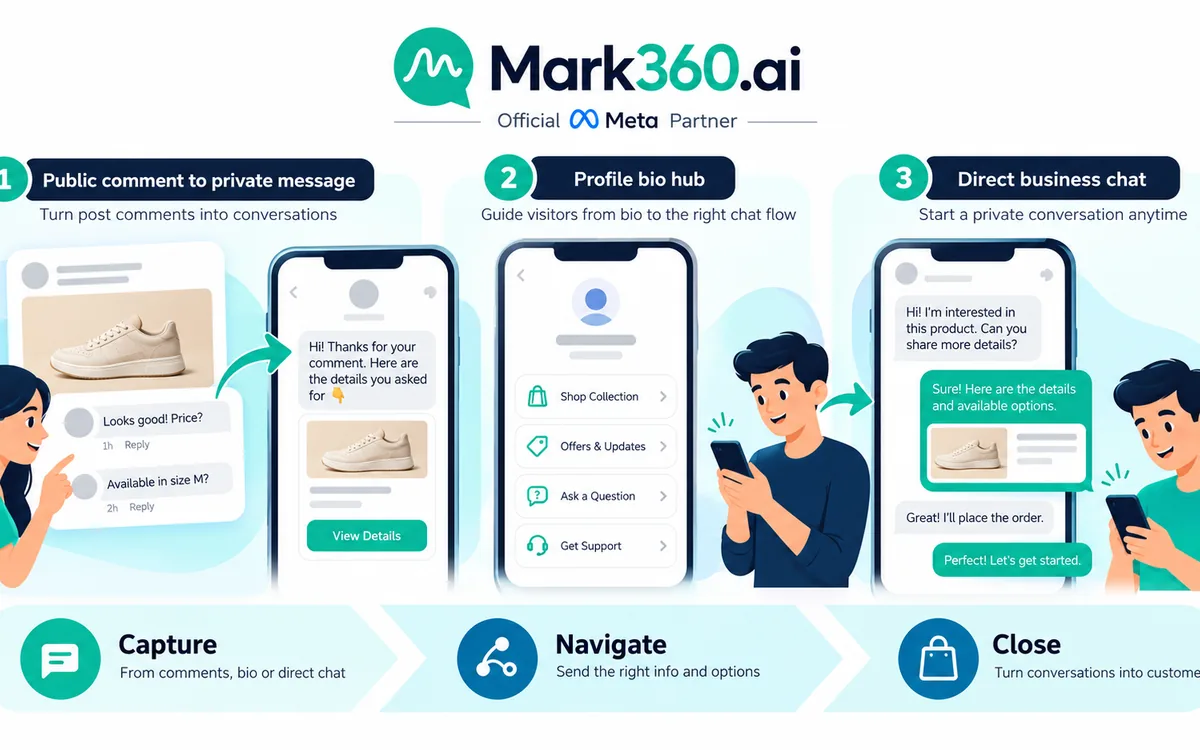
A strong Shopify post-purchase WhatsApp strategy starts after the order is delivered, but it should not treat every customer interaction as a marketing opportunity. A safer approach is to begin with service hygiene, confirm that the order journey is complete, and then use consented marketing for a whatsapp review request, relevant upsell, or eventual winback. The goal is to create useful conversations without overwhelming customers, triggering spam complaints, or sending promotional messages to customers whose experience still needs attention.
For Shopify brands, the most important distinction is between transactional or service communication and marketing communication. A delivery confirmation, shipment update, or order-status message serves the customer's existing transaction. A product recommendation, promotional review campaign, discount, or winback message can have a different purpose and should be handled with the appropriate consent, template category, timing, segmentation, and suppression logic.
This playbook explains how to build that journey around four principles: complete the service experience first, ask for feedback at the right moment, personalize commercial messages using customer context, and suppress customers who should not receive promotional communication. Because WhatsApp Business Platform policies and product behavior can evolve, brands should also review the current WhatsApp Business Messaging Policy when designing or updating production workflows.
The Post-Purchase WhatsApp Journey Starts With Service, Not Sales
After a Shopify order is placed, customers naturally expect updates about fulfillment and delivery. WhatsApp can be useful for these moments when the customer has the appropriate messaging relationship and the business follows applicable WhatsApp requirements.

The first objective is not to sell another product. It is to make the original purchase feel complete.
- Order confirmation and relevant order information.
- Shipping or fulfillment updates.
- Delivery confirmation when the order is marked delivered.
- Support access if the customer reports a problem.
- Clear routing for refunds, returns, replacements, or other service issues.
Shopify brands should build automation around reliable commerce events rather than assumptions. Shopify's order fulfillment documentation is useful when mapping fulfillment states to customer communication, while developers building deeper integrations can use Shopify webhooks to react to supported store events.
The delivered event is particularly important because it can become the decision point for the next stage of the journey. Once the integration indicates that an order has been delivered, the automation should evaluate customer and order conditions before sending anything promotional.
For example, a customer whose order is delivered successfully and has no open support issue may qualify for a review request. A customer with an open return should not be pushed into an upsell campaign. A customer waiting for a replacement should not receive a winback discount. The automation should understand the state of the customer before deciding what happens next.
Use the Delivered Event as a Quality Gate
Think of the Shopify delivered event as a gate, not as permission to send unlimited messages.
A useful post-purchase workflow can evaluate several conditions:
- Was the order actually delivered? Do not use an estimated delivery date as a substitute for a confirmed delivery state when your workflow depends on the completed experience.
- Is the order still eligible for support action? Check for active delivery problems, replacement requests, refunds, returns, disputes, or other service cases.
- Is there an open support conversation? If a customer is already waiting for an agent, pause promotional automation.
- Does the customer have the appropriate marketing consent? Do not assume that purchasing automatically means the customer wants promotional WhatsApp messages.
- Has the customer recently received another marketing message? Apply a frequency cap across campaigns, not just inside one workflow.
- Has the customer opted out? Maintain a suppression state that prevents future marketing sends until the customer appropriately opts back in where applicable.
This approach makes automation more customer-aware. Instead of asking, “What can we send after delivery?” the workflow asks, “What is the most appropriate next communication for this customer right now?” That change in logic is fundamental to building a sustainable post-purchase program.
WhatsApp Review Request: Ask After the Customer Has Had Time to Experience the Product
A whatsapp review request should be treated as a customer-experience interaction rather than a generic blast. The best timing depends on the product. A customer may need only a short period to evaluate a simple accessory, while skincare, apparel, furniture, electronics, supplements, home products, or other categories may require more time before meaningful feedback is possible.
A useful workflow can therefore separate the delivery event from the actual review request.
- Delivery: confirm that the order was delivered and provide support access where appropriate.
- Post-delivery wait: allow the customer enough time to receive, inspect, or use the product.
- Eligibility recheck: verify that no return, refund, complaint, or support case appeared during the waiting period.
- Review request: invite the customer to share an honest experience.
- Negative-feedback route: if the customer indicates a problem, offer a support path rather than continuing promotional automation.
- Positive-feedback route: provide the relevant review destination or feedback action without manipulating the customer's opinion.
The wording should avoid implying that only positive reviews are wanted. A healthier message asks for an honest experience and gives the customer an easy way to respond.
Example: Simple Review Request
Hi {{first_name}}, your {{product_name}} was delivered recently. We’d love to hear how your experience has been. Could you share an honest review?
{{review_link}}
If something wasn’t right, reply here and our team can help.
This structure references the actual purchase, provides a clear action, and keeps support available. It also avoids promising an incentive in exchange for a particular rating.
Example: Feedback-First Review Journey
A brand can also ask for lightweight feedback before presenting the next action:
Hi {{first_name}}, how are you finding your {{product_name}}?
Choose an option:
- Great so far
- It’s okay
- I need help
If the customer selects “I need help,” the workflow can route the conversation to support and activate a marketing suppression flag until the issue is resolved. If the customer indicates that everything is going well, the journey can continue to an appropriate feedback or review destination without implying that criticism is unwelcome.
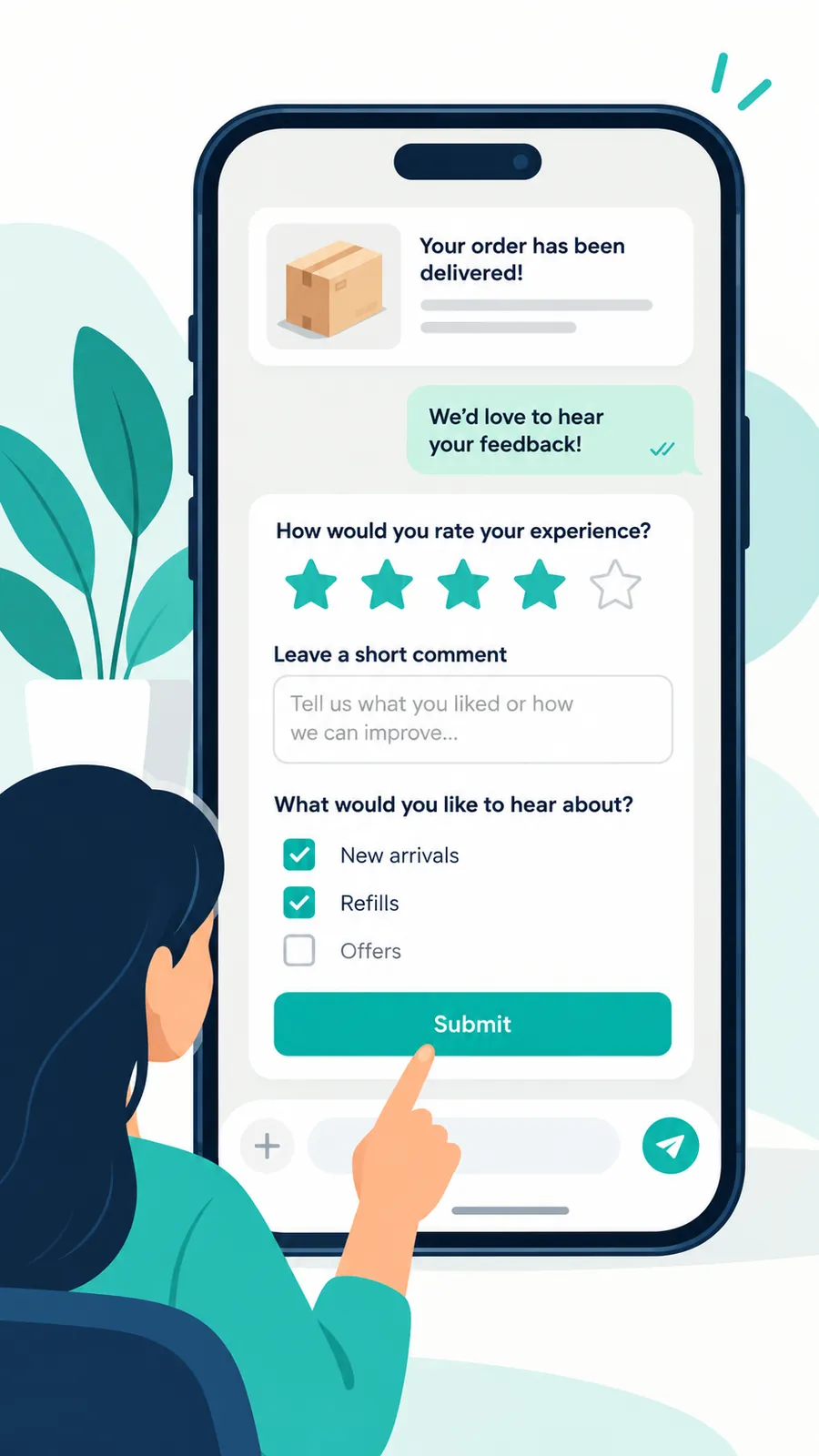
Using a WhatsApp Flow for Feedback and Preferences
For brands that need more structured input, a WhatsApp Flow can provide an in-conversation experience for collecting feedback or communication preferences. Meta provides dedicated WhatsApp Flows documentation for businesses and developers implementing these experiences.
A post-purchase Flow could ask a customer to choose the purchased product, select a general experience option, identify whether help is required, or update categories of communication they are interested in receiving. A preference-center Flow can also make it easier for customers to communicate what types of future engagement are relevant to them.
Keep the Flow narrow and transparent. Do not disguise a promotional funnel as a service form. If a customer reports a problem, route the interaction toward support. If the Flow collects preferences for future marketing, ensure those preferences are recorded in the customer profile and respected by downstream campaigns.
Template Categories: Utility vs Marketing, Quality Rating and Messaging Limits
Post-purchase automation should account for the purpose of each message rather than assuming that every message sent after an order is transactional. WhatsApp message templates can be categorized according to their content and purpose. Businesses should review Meta's current message template guidelines when designing templates because classification and requirements can change over time.

In practical terms, a message directly related to an existing transaction or requested service may fit a utility-oriented use case when it meets the applicable requirements. Examples can include relevant order, fulfillment, or account information. A message whose purpose is promotional, such as recommending another product, advertising an offer, or attempting to re-engage an inactive customer, should be treated as marketing rather than being disguised as an order update.
Review requests deserve careful consideration because wording and context matter. Do not assume that adding an order number or product name automatically makes a message utility. Build templates according to their real purpose and follow the current classification and approval requirements.
Message quality is equally important. Customer reactions to business messaging can affect the health of a WhatsApp messaging program. Relevance, appropriate expectations, consent, reasonable frequency, and fast opt-out handling should therefore be operational controls, not afterthoughts.
Businesses should also understand the current rules around messaging capacity and account behavior. Meta maintains documentation covering WhatsApp messaging limits. Instead of designing automation to maximize sends, design it to send the smallest number of useful messages needed to accomplish the customer journey.
Commercial teams should also avoid hard-coding assumptions about WhatsApp charges into lifecycle logic. Pricing models can change, differ by message or market context, and evolve with the platform. Consult Meta's current WhatsApp pricing documentation when estimating messaging costs.
Separate Reviews, Upsells, and Winbacks Into Different Journeys
One of the most common post-purchase mistakes is creating one long automation that sends a review request, product recommendation, coupon, and winback message regardless of customer behavior.
Instead, create separate journeys with different goals.
- Review journey: collect genuine product or service feedback.
- Upsell journey: recommend a relevant next product based on the completed purchase.
- Cross-sell journey: introduce complementary products where there is a logical connection.
- Winback journey: re-engage customers after an appropriate period of inactivity.
- Support recovery journey: resolve dissatisfaction before promotional communication resumes.
Separating these journeys makes suppression rules easier to manage and reporting more meaningful. A customer can complete the review journey without automatically entering an upsell journey, and an upsell can be skipped if the customer has recently purchased again.
Each journey should have explicit entry conditions, exit conditions, suppression rules, and re-entry rules. That prevents a customer from being trapped in a sequence designed around an outdated state.
Shopify WhatsApp Upsell: Recommend the Next Useful Product
A shopify whatsapp upsell should feel like a continuation of the customer's purchase, not an unrelated advertisement.
The best recommendations usually come from a clear product relationship:
- A replacement or refill for a consumable product.
- An accessory designed to work with the purchased product.
- A complementary item from the same collection.
- A higher-value product that logically follows the customer's previous purchase.
- A product that matches a known preference or customer segment.
For example, a customer who purchased a camera accessory could receive a recommendation for another compatible accessory. A skincare customer could receive a complementary product only when the recommendation makes sense for the product already purchased. A fashion customer could receive a recommendation from a relevant category, style, or collection rather than a random catalog item.
The recommendation engine should also consider what happened after the original purchase. If the customer already purchased the recommended product, remove them from the campaign. If the customer returned the original product, pause the recommendation. If the customer is discussing a problem with support, customer service should take priority.
Example: Complementary Product Message
Hi {{first_name}}, hope you’re enjoying your {{purchased_product}}. If you’re looking to complete the setup, {{recommended_product}} could be a useful addition.
See it here: {{product_link}}
Reply STOP if you no longer want promotional WhatsApp messages.
The exact opt-out wording and implementation should match the brand's messaging setup and applicable requirements. The important operational principle is that an opt-out should update a durable suppression state rather than simply ending one campaign.
Post Purchase WhatsApp Timing Table
Timing should be based on the product, customer experience, consent, and current support status. The following framework is a starting point rather than a universal schedule.
| Stage | Typical Trigger | Purpose | Key Suppression Check |
|---|---|---|---|
| Order service | Relevant order or fulfillment event | Provide requested transaction information | Verify accurate order state and avoid unrelated promotion |
| Delivery | Confirmed delivery state | Complete the service journey | Delivery issue, refund, return, support case |
| Review request | After a suitable product-experience period | Collect honest feedback | Open support case, refund, return, recent review request |
| Upsell | After successful product adoption | Recommend a relevant complementary product | Recent marketing message, support issue, opt-out, recent purchase |
| Cross-sell | Product relationship or customer segment | Introduce related products | Frequency cap, recent purchase, campaign suppression |
| Winback | Meaningful customer inactivity | Re-engage an eligible customer | Recent order, support issue, opt-out, active campaign |
The exact delay should be determined by customer behavior and product lifecycle. A frequently replenished product may have a different journey from furniture or durable electronics. The automation should use actual Shopify events and customer attributes rather than applying the same schedule to every store and product.
Suppress Refunds, Returns, and Open Support Tickets
Suppression is one of the most important parts of a post-purchase WhatsApp system.
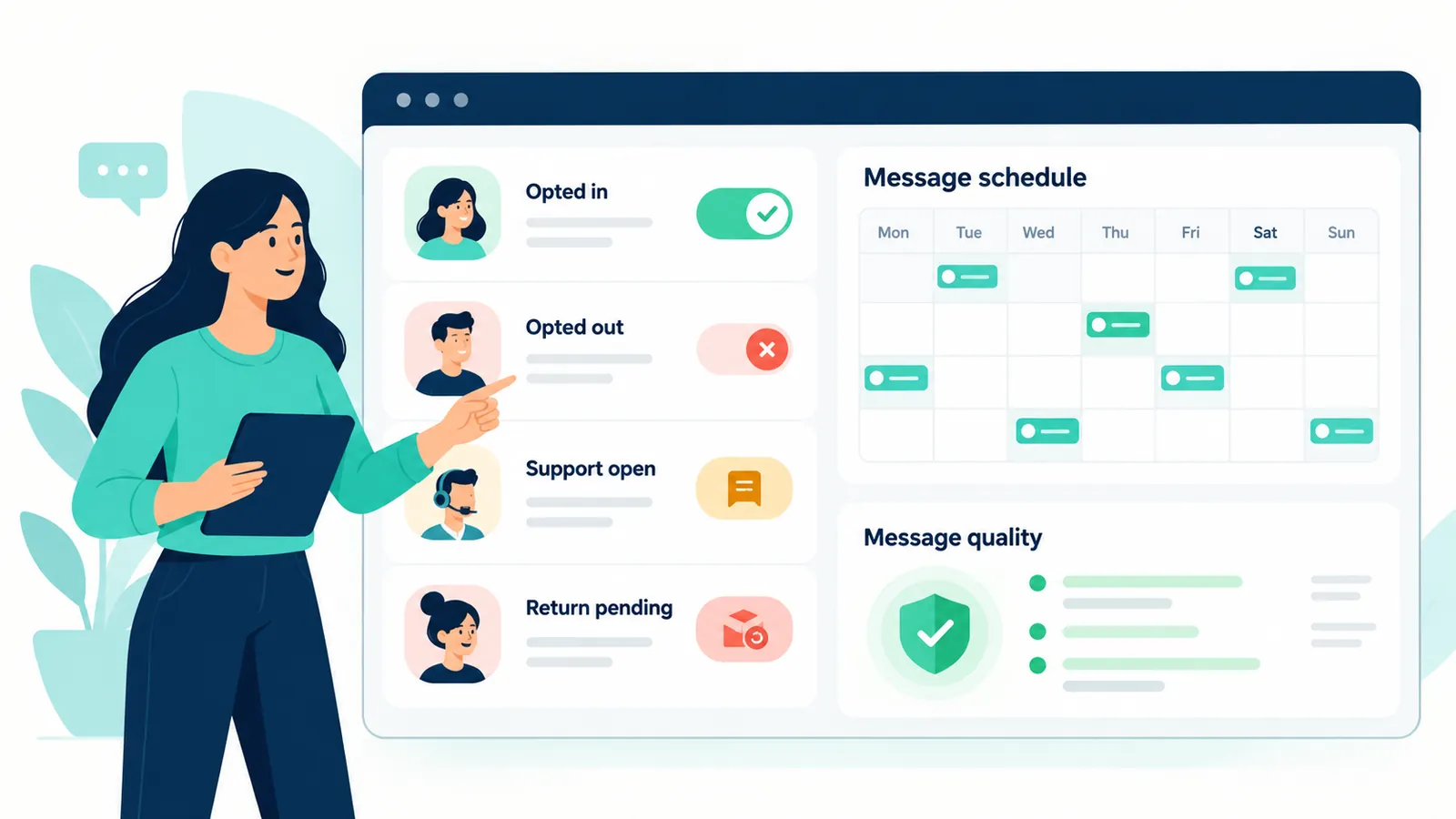
Imagine a customer has just opened a complaint because an order arrived damaged. If the marketing automation sends an upsell message shortly afterward, the brand has created an avoidable negative experience. The same problem occurs when a customer waiting for a refund receives a message celebrating their purchase or asking them to buy again.
Build a suppression layer that can pause promotional journeys when any of these conditions are true:
- Refund requested or refund in progress.
- Return initiated or return pending.
- Replacement or exchange in progress.
- Delivery exception or failed delivery.
- Open customer support ticket.
- Negative service escalation.
- Payment or order dispute.
- Recent complaint or unresolved conversation.
- Customer has opted out of marketing.
- Customer has exceeded the brand's internal marketing frequency cap.
The suppression check should happen immediately before a send, not only when the customer first enters the workflow. Customer state can change during a waiting period. Someone who was eligible when the automation started may open a return two days later.
When a suppression condition clears, the customer does not necessarily need to re-enter every campaign. Use a controlled re-entry rule. For example, a customer whose replacement was successfully delivered might later become eligible for feedback, but the system should not immediately fire every skipped promotion.
Frequency Caps Protect the Customer Experience
Frequency caps should operate across the entire WhatsApp marketing program, not independently inside every automation.
Without a global cap, a customer might qualify for a review campaign, a product recommendation, a seasonal campaign, a winback sequence, and an abandoned-cart reminder at roughly the same time. Each individual workflow may look reasonable while the combined experience feels excessive.
A central messaging policy can maintain fields such as:
- Last marketing message timestamp.
- Marketing messages received during the current control period.
- Last campaign or journey name.
- Marketing opt-in status.
- Opt-out status.
- Support suppression status.
- Current lifecycle segment.
- Last purchase date.
- Current order, return, or replacement status.
- Most recent customer reply.
Before every promotional send, evaluate the customer against that policy. If the customer is outside the brand's allowed communication frequency, skip the message rather than automatically queueing every missed campaign for later.
Frequency should also respond to behavior. A customer who recently initiated a conversation with the brand may need a different journey from someone who has ignored several campaigns. The objective is not to discover the maximum number of messages the platform permits. It is to maintain useful communication that customers continue to welcome.
Build a Durable Opt-Out System
Opt-out handling should be treated as customer state, not as a keyword hack.
If a customer communicates that they do not want promotional WhatsApp messages, the system should record the preference and suppress future marketing campaigns. That preference should be available to every automation that might contact the customer.
Useful states can include:
- Marketing opted in
- Marketing opted out
- Service messaging eligibility
- Support suppression active
- Re-engagement eligible
- Preference update pending
This distinction matters because promotional preferences and legitimate service interactions about an existing transaction are not necessarily the same thing. Keep service communication and marketing eligibility as separate concepts while respecting the requirements that apply to each.
Also make opt-out processing fast. Do not require a customer to repeat an unsubscribe request across multiple campaigns. A central customer profile should make the new preference visible throughout the automation system.
WhatsApp Winback: Re-Engage Based on Inactivity, Not a Fixed Blast List
A whatsapp winback journey should begin with a meaningful definition of inactivity. The right period depends on how often customers normally purchase the product.
A consumable product may have a relatively short natural repurchase cycle. Furniture, premium electronics, or occasional fashion purchases may have a much longer one. Sending a generic “we miss you” campaign simply because a customer has not purchased recently can be irrelevant if the expected buying cycle is naturally long.
A stronger winback segment can consider:
- Last purchase date.
- Product category purchased.
- Typical replenishment or repurchase window.
- Number of previous purchases.
- Recent website or campaign engagement where appropriately available.
- Recent customer support activity.
- Marketing eligibility and opt-out state.
- Recent WhatsApp marketing frequency.
Example: Simple Winback Message
Hi {{first_name}}, it’s been a while since your last order with us. If you’re looking for something new, you can explore our latest {{category_name}} collection here:
{{collection_link}}
A promotion can be added when it fits the campaign strategy, but a discount should not become the default solution to every inactive customer. Relevance can be more important than urgency.
Reduce Spam Risk by Designing for Relevance
Restrictions and poor messaging quality are often symptoms of an experience problem. If customers repeatedly receive irrelevant messages, excessive campaigns, or poorly timed promotions, negative feedback becomes more likely.
Design the workflow around relevance:
- Send only to customers who are eligible for the specific journey.
- Use accurate customer and order data.
- Keep the message aligned with its actual purpose.
- Avoid repetitive promotional language.
- Give customers a clear path to stop promotional communication.
- Respect suppression states promptly.
- Pause marketing when customer service requires attention.
- Review message quality and customer responses regularly.
- Remove customers from journeys when their lifecycle state changes.
- Avoid treating technical sending capacity as a campaign target.
Do not attempt to bypass WhatsApp enforcement by rotating templates, disguising promotional content as service communication, changing wording solely to evade classification, or repeatedly contacting customers who have shown that they do not want messages. A sustainable strategy improves relevance, consent, frequency, and customer experience.
Template Design: Keep Service and Marketing Intent Clear
Template design should reflect the purpose of the communication. A delivery update should not be stuffed with unrelated promotional content. A promotional product recommendation should not be presented as if it were merely an order-status notification.
Delivery Confirmation Example
Hi {{first_name}}, your order {{order_number}} has been marked as delivered. If you need help with your order, reply here and our team can assist.
Review Request Example
Hi {{first_name}}, we hope you’ve had a chance to try your {{product_name}}. Would you share an honest review?
{{review_link}}
Upsell Example
Enjoying your {{product_name}}? You may also like {{recommended_product}}, selected because it complements your recent purchase.
{{product_link}}
Winback Example
Hi {{first_name}}, it’s been a while since your last order with us. If you’re looking for something new, take a look at our latest {{category_name}} collection.
{{collection_link}}
These are examples of message structure, not guarantees that a particular template, wording, or category will receive approval. Template classification and eligibility should follow the current WhatsApp Business requirements for the message being sent.
Use Segmentation Instead of One-Size-Fits-All Campaigns
Post-purchase automation becomes more useful when customer segments determine which branch runs next.
Useful Shopify segments can include:
- First-time customers.
- Repeat customers.
- Customers with frequent purchases.
- Customers who bought from a specific product category.
- Customers who purchased a replenishable product.
- Customers with complementary-product opportunities.
- Customers who have recently submitted feedback.
- Customers who have not purchased again after a relevant lifecycle period.
- Customers who have interacted with support.
- Customers currently excluded from marketing because of an active service issue.
For example, a first-time customer might receive a simple review request after an appropriate post-delivery period. A repeat customer may qualify for a complementary-product recommendation. A customer who has purchased multiple times but has become inactive may eventually enter a winback journey. Each branch can have its own suppression logic.
Segmentation should remain dynamic. A customer who places a second order should immediately leave an obsolete first-purchase winback sequence. A customer who opens a return should move into the relevant suppression state. A customer who opts out should be excluded from promotional segments without waiting for a nightly batch process where possible.
Measure Customer Experience, Not Just Message Volume
Sending more WhatsApp messages is not the objective. The objective is to create useful customer interactions while protecting the brand's messaging quality and long-term customer relationship.
Track operational and commercial signals such as:
- Message delivery behavior.
- Customer replies.
- Review-request responses.
- Review completion.
- Upsell clicks and resulting purchases.
- Winback purchases.
- Opt-out activity.
- Support escalations generated after campaigns.
- Suppression volume and suppression reasons.
- Revenue associated with eligible journeys.
- Customers who purchase again before an automated message is sent.
Also inspect why customers were suppressed. A high number of suppressed messages is not automatically a failure. It may indicate that the automation is successfully preventing inappropriate communication.
For example, if a seasonal promotion would have reached hundreds of customers who currently have open support cases, suppressing those sends protects the customer experience. The avoided message is part of the automation's value even though it does not generate a click.
India and Global Review-Request Considerations
For brands operating in India, WhatsApp is often integrated closely with ecommerce service and marketing workflows, but convenience should not replace consent and relevance. Review requests should seek genuine feedback and should not pressure customers toward a particular rating. If an incentive is offered for feedback, brands should consider the rules of the review platform, applicable consumer requirements, and how the incentive is presented.
Global brands should avoid assuming that one consent implementation works identically in every region. Privacy, direct-marketing, electronic-communications, and consumer-protection requirements vary. The Shopify customer record can be part of the eligibility model, but regional requirements should be reviewed before launching automated campaigns.
A useful architecture separates global workflow logic from regional eligibility rules. The journey may still be “delivered → experience period → review → relevant recommendation → winback,” while consent checks, retention rules, disclosures, or other controls differ according to market.
How Mark360.ai Can Fit Into the Workflow
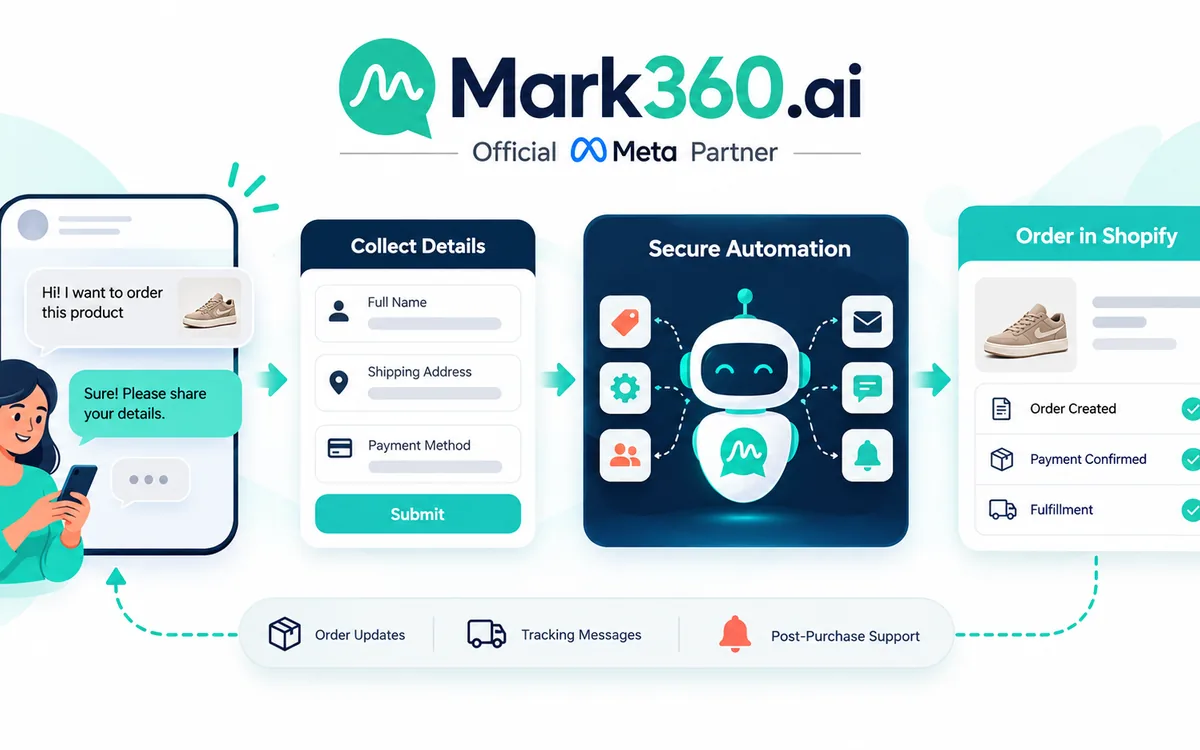
Mark360.ai can be used as an automation layer for brands that want to connect Shopify lifecycle events with WhatsApp Business API workflows. As a Meta Business Partner, Mark360.ai can help businesses structure automation around segmentation, shared team inbox workflows, AI-assisted support, campaigns, and customer journeys.
A practical architecture can look like this:
- Shopify: provides order, fulfillment, customer, product, and lifecycle information.
- Event layer: identifies meaningful changes such as fulfillment or purchase activity.
- Segmentation: determines customer eligibility and lifecycle state.
- Suppression layer: checks refunds, returns, support tickets, recent communication, and opt-outs.
- WhatsApp automation: sends the appropriate approved message or starts the appropriate workflow.
- Shared inbox: gives agents visibility when customers reply or need help.
- AI agent: can assist with common support interactions while routing complex cases to human agents.
- Analytics: measures customer responses, campaign outcomes, and suppression behavior.
The important point is that automation should not replace customer judgment. It should enforce rules that protect the customer experience while allowing the team to focus on conversations requiring human attention.
A shared inbox becomes especially useful when review campaigns generate support replies. Instead of leaving those responses inside an isolated campaign workflow, the system can expose them to the customer-service team. An AI agent may help classify routine questions or collect context, while escalation rules ensure that complex complaints can reach a person.
A Practical Shopify Post-Purchase WhatsApp Playbook
For most Shopify brands, a clean implementation can follow this sequence:
- Order delivered: receive the appropriate Shopify fulfillment or delivery signal.
- Service check: confirm there is no unresolved fulfillment or support problem.
- Eligibility check: confirm the customer can receive the intended type of WhatsApp communication.
- Experience window: wait an appropriate amount of time for the product category.
- Eligibility recheck: check again for returns, refunds, support cases, new orders, and opt-outs.
- Review branch: request honest feedback and provide support routing for customers who need assistance.
- Product branch: recommend a relevant complementary product only when appropriate.
- Global frequency check: prevent overlapping marketing journeys.
- Opt-out check: exclude customers who have opted out of promotional communication.
- Lifecycle update: record the customer's new engagement state.
- Winback branch: re-engage only after meaningful inactivity and only if the customer remains eligible.
- Measurement: evaluate outcomes alongside opt-outs, suppression, support activity, and customer replies.
This model is intentionally conservative. It prioritizes the completed customer experience before commercial follow-up. That makes the workflow easier to reason about, easier to audit, and less likely to create awkward interactions.
Operational Rules Worth Encoding Before Launch
Before turning on automation, write the communication rules in plain language. If a marketing team cannot describe the rule clearly, it will be difficult to encode reliably.
Examples include:
- Do not send promotional messages while an open return exists.
- Do not send a review request while an unresolved support ticket exists.
- Do not recommend a product the customer has already purchased recently.
- Do not send a winback message after the customer has placed a new order.
- Do not allow separate campaigns to ignore the global frequency policy.
- Do not send marketing after an opt-out unless the customer appropriately changes that preference.
- Recheck eligibility immediately before each scheduled send.
- Route service-oriented replies away from marketing automation and toward the appropriate support process.
These rules also make testing easier. Teams can create test customer profiles representing different states: delivered successfully, refund pending, return active, support ticket open, opted out, recently marketed, repeat purchaser, and inactive customer. The workflow should behave correctly for every state before it is enabled for the full audience.
Final Checklist Before Launching a Post-Purchase WhatsApp Workflow
- Is the delivered or fulfillment signal coming from a reliable Shopify state?
- Are service messages clearly separated from promotional campaigns?
- Is marketing eligibility based on the appropriate consent and customer state?
- Are refunds, returns, replacements, disputes, and open support tickets suppressed?
- Does every delayed automation recheck eligibility immediately before sending?
- Is there a global marketing frequency policy across campaigns?
- Does an opt-out create a durable suppression state?
- Are review requests asking for honest feedback rather than encouraging only a particular rating?
- Are upsells relevant to the purchased product or customer segment?
- Does the winback campaign exclude recent purchasers and customers with unresolved issues?
- Can customer replies reach a shared inbox or support workflow?
- Are message templates aligned with their actual communication purpose?
- Are utility and marketing use cases separated instead of disguising promotions as transactional communication?
- Has the team reviewed current WhatsApp template, messaging, and policy requirements?
- Are campaign results reviewed alongside opt-outs, suppression reasons, quality signals, and support escalations?
The safest post-purchase WhatsApp strategy is not the one that sends the most messages. It is the one that knows when not to send.
For Shopify brands, the delivered event can be the beginning of a thoughtful lifecycle journey: complete the service experience, give the customer time to experience the product, request genuine feedback, recommend something relevant when appropriate, and eventually win back eligible customers who have become inactive. With strong suppression rules, frequency controls, opt-outs, segmentation, appropriate template usage, and a shared support workflow, WhatsApp can become a useful post-purchase channel rather than another source of message fatigue.
That is the foundation of a scalable post purchase whatsapp strategy: customer state first, commercial automation second.