Why COD Confirmation Should Be More Than a Yes-or-No Message
For many Indian Shopify stores, COD is not simply a payment method. It is a decision point between an order being created and an order being ready to ship. A customer can place a COD order quickly, change their mind later, enter an incomplete address, miss delivery attempts, or remain uncertain about the purchase. That makes the period between checkout and fulfillment especially important.
A basic COD confirmation message asks the customer to reply with something such as YES or NO. That is useful, but it leaves value on the table. A better WhatsApp journey treats confirmation as the beginning of a payment and fulfillment workflow.
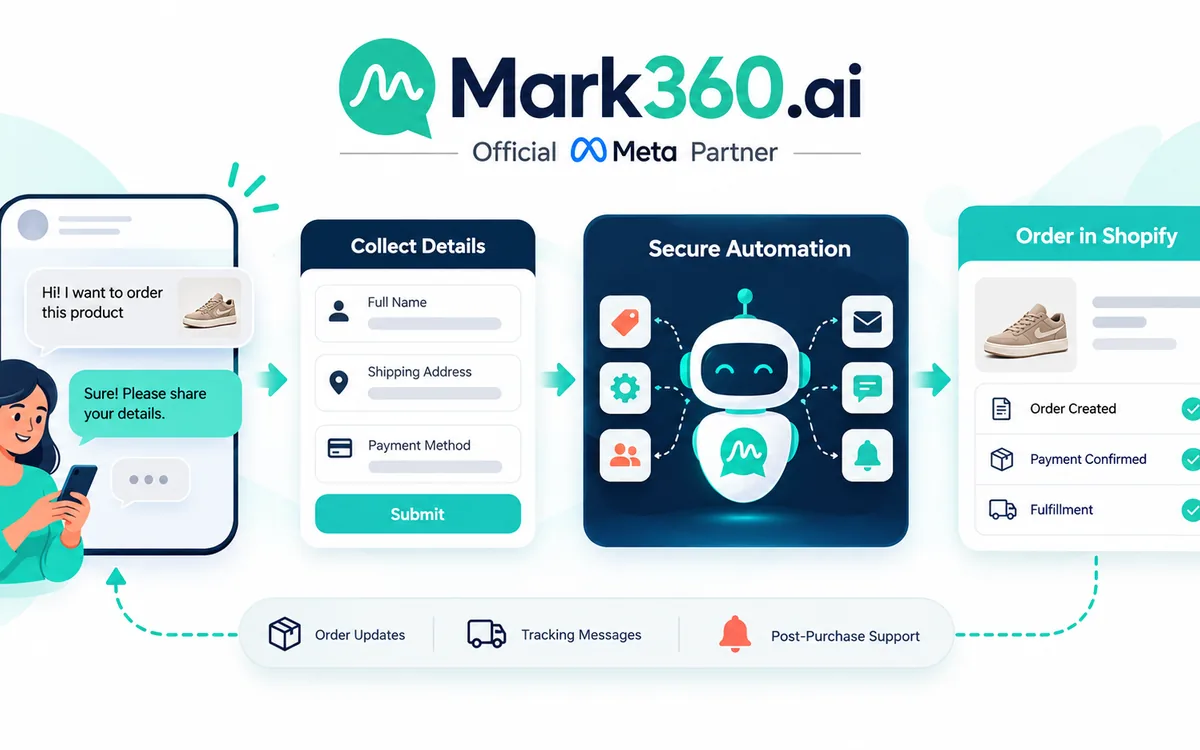
The sequence can be simple: confirm the COD order on WhatsApp, provide a convenient optional path to pay by UPI or prepaid, collect an explicit decision, synchronize the result with Shopify, and only release the order for shipping when it meets the store's confirmation rules.
This approach does not require forcing every COD customer to prepay. The goal is to create a clear choice. Customers who are comfortable with COD can confirm COD. Customers who prefer prepaid can be given a payment path. Customers who spot an address problem can correct it before dispatch. Customers who want to cancel can do so before fulfillment resources are committed.
For Shopify merchants in India, WhatsApp is particularly useful because the conversation can sit directly alongside the order workflow. With the right automation, a WhatsApp response can become an operational signal rather than just another chat message.
Mark360.ai helps Shopify businesses build these WhatsApp-first workflows as a Meta Business Partner, including automation, shared team inboxes, campaigns, and Shopify-connected customer journeys. The important principle is to design the workflow around the merchant's fulfillment rules rather than simply sending more messages.
The India Playbook: Confirmation First, Payment Second

The strongest version of a COD-to-prepaid journey separates two decisions that are often mixed together: Is this order genuine and ready to fulfill? and Does the customer want to pay before delivery?
Start with confirmation. Once a COD order reaches Shopify, trigger a WhatsApp message that clearly identifies the order and asks the customer to confirm it. The message should make the available choices understandable without creating unnecessary friction.
A practical structure is:
- Identify the store and order.
- Show the relevant order reference.
- Summarize the key delivery information.
- Ask the customer to confirm the COD order.
- Provide an optional prepaid or UPI path.
- Offer a way to correct the address before shipping.
- Provide a clear cancellation option.
The payment offer should come after the customer understands what they are confirming. This matters because the merchant is not merely trying to collect a payment. The merchant is trying to establish purchase intent and then make prepaid conversion convenient.
Step 1: Create the COD Order in Shopify
The workflow begins with the Shopify order. Depending on the store's architecture, the order can be identified using its order number, customer phone number, payment status, fulfillment status, and internal tags or attributes.
The automation should determine whether the order qualifies for a COD confirmation journey. For example, a merchant may exclude wholesale orders, already-paid orders, manually created orders, repeat cases that require human review, or orders that are already fulfilled.
The important design principle is to keep the trigger deterministic. A COD order should enter the workflow because it satisfies defined Shopify conditions, not because an agent remembers to send a message.
Step 2: Send a WhatsApp Confirmation Request
The first WhatsApp message should be operationally clear. Avoid turning a fulfillment message into a long promotional campaign. The customer needs to understand that the store is asking for confirmation before shipping.
A simple flow can present three actions: Confirm COD, Pay Now, and Fix Address. A fourth option, Cancel Order, can be included where the store's policy allows it.
Where a WhatsApp Flow is appropriate, the customer can complete the confirmation inside an interactive WhatsApp experience rather than manually typing a response. A Flow can be designed to capture confirmation, cancellation, or address correction in a structured way. The resulting data can then be mapped back to the order workflow.
Step 3: Treat Prepaid as an Optional Conversion Path
This is the step that turns COD confirmation into a prepaid conversion journey.
After the customer sees the order and understands the request, offer a prepaid option. In India, UPI can be a natural payment path for customers who prefer to complete payment before dispatch. The exact payment implementation depends on the merchant's WhatsApp and payments setup, eligibility, payment configuration, and the capabilities available for the business.
Meta documents a WhatsApp Payments API path for India. Merchants and solution providers should use the official documentation when designing or validating a payments implementation: Meta WhatsApp Payments API for India.
The key UX principle is optionality. Do not make the customer feel that COD is being withdrawn after checkout unless the store genuinely intends to change its payment policy. Instead, position prepaid as a convenient alternative.
For example, the conversation can communicate: your COD order is ready for confirmation; if you would rather complete payment now, you can use the available prepaid or UPI option. This keeps the payment choice connected to a real operational event instead of making it look like an unrelated promotional message.
Why the Prepaid Offer Belongs Inside the Confirmation Journey
There is a major difference between sending a generic prepaid promotion and presenting prepaid immediately after a customer has demonstrated purchase intent.
A customer who has just created a COD order has already selected a product, entered delivery information, and initiated checkout. The merchant therefore has a contextual opportunity to offer an alternative payment path. The message can explain that prepaid is available if the customer prefers it, while preserving the original COD option.
This creates a simple decision tree:
- Confirm COD: keep the order as COD and continue toward fulfillment.
- Pay by UPI or prepaid: complete payment and move the order toward prepaid fulfillment.
- Fix address: collect corrected address information before shipping.
- Cancel: stop or flag the order according to store policy.
- No response: keep the order on hold or route it into a defined reminder and review process.
The merchant can then make fulfillment decisions based on explicit state rather than assumptions.
Shopify Order Tags and Holds: Turning WhatsApp Responses Into Operations

A WhatsApp automation becomes much more valuable when it writes a clear state back into Shopify.
Instead of leaving the confirmation result inside a chat transcript, create a structured order state that fulfillment teams can understand. The exact tag names are up to the merchant, but a logical model could include tags such as COD_PENDING_CONFIRMATION, COD_CONFIRMED, PREPAID_CONVERTED, ADDRESS_REVIEW, and COD_CANCELLED.
These tags should be treated as workflow states, not marketing labels. Their purpose is to tell the fulfillment team what can happen next.
COD Pending Confirmation
When the order enters the workflow, place it into a pending state. The fulfillment team should be able to recognize that the order has not yet passed the merchant's confirmation rule.
COD Confirmed
When the customer confirms COD, update the order state. The fulfillment system can then proceed according to the store's normal dispatch rules.
Prepaid Converted
When payment is successfully completed, the order should reflect the prepaid outcome rather than remaining indistinguishable from a COD order. This is especially important when warehouse teams use Shopify order information to determine what to ship and how to handle payment collection.
Address Review
If the customer reports an incorrect address, do not simply continue shipping. Move the order into an address-review state. Once the corrected information has been validated and synchronized with Shopify, the order can continue through fulfillment.
Cancelled
A cancellation response should be treated as an operational event. The exact Shopify action depends on the merchant's cancellation and inventory policy, but the important point is that the WhatsApp decision should not remain isolated from the order record.
Ship Only When the Order Meets Your Confirmation Rule
The strongest workflow is not necessarily the one with the most messages. It is the one where the fulfillment decision is unambiguous.
A merchant can define a rule such as: COD orders remain on hold until the customer confirms. Once confirmed, the order is eligible for shipping. If the customer chooses prepaid and payment succeeds, the order moves to the prepaid path. If the address requires correction, the order remains in review until the address is resolved.
This gives the warehouse or fulfillment team a clear operational contract. They do not have to interpret WhatsApp conversations manually for every order.
Shopify provides its own tools and documentation for managing orders and fulfillment workflows. Merchants should align the WhatsApp automation with their existing Shopify processes rather than creating a parallel system that warehouse staff must learn separately. The official Shopify Help Center is a useful reference for current Shopify order and fulfillment capabilities.
The exact implementation can vary by store. Some merchants may use tags and fulfillment holds. Others may synchronize order metadata through an integration layer. Larger operations may connect the result to a warehouse management or order management system. The architecture should follow the store's actual fulfillment process.
Using a WhatsApp Flow for Confirmation, Cancellation, and Address Fixes

Interactive WhatsApp Flows can make this journey cleaner when a merchant needs structured information instead of free-form chat replies.
Consider an order confirmation Flow with a first screen showing the order reference and delivery summary. The customer can then select one of several actions. A confirmation screen can capture the COD decision. A payment option can route the customer toward the available prepaid path. An address screen can allow the customer to review or correct relevant delivery details. A cancellation action can record the customer's intent.
The advantage of structured input is consistency. Instead of interpreting messages such as yes, okay, send it, or confirm, the system receives a defined action. The same principle applies to address corrections: a structured form can capture the fields required by the merchant.
The workflow should also account for edge cases. If a customer opens the Flow but does not complete it, the order should remain in its previous state. If payment is initiated but not completed, the order should not automatically be treated as prepaid. If the customer changes the address, the merchant should decide whether validation or manual review is required.
The result should ultimately synchronize back to the Shopify order or the system that controls fulfillment. The WhatsApp conversation is the interface; Shopify remains the operational source for the order state unless the merchant has deliberately designed another system of record.
Design the Prepaid Incentive Without Creating Confusion
If a merchant offers an incentive for prepaid payment, the offer should be easy to understand and operationally accurate. Avoid ambiguous language such as “instant discount” unless the checkout and order system can actually apply it as described.
The merchant can present prepaid as an optional benefit using language such as “Prefer to pay now? You can complete this order using the available prepaid option.” If an incentive exists, state the exact condition, eligibility, and redemption mechanism.
For example, a store may have a prepaid-only coupon or an automated payment benefit. The customer should know whether the benefit is applied automatically, requires a code, or is reflected after successful payment.
The workflow should also prevent conflicting states. If a customer pays successfully, the COD confirmation message should not continue asking them to confirm COD. If a customer confirms COD, a later prepaid reminder should not make it appear that the order is still unconfirmed.
Reminder Logic: Follow Up Without Becoming Spam
Not every customer will respond to the first confirmation message. A merchant can define a controlled reminder sequence, but the reminders should be driven by order state.
For example, an order that remains COD_PENDING_CONFIRMATION can receive a reminder after a defined interval. If the customer has already confirmed, paid, cancelled, or entered address review, the reminder should stop.
This is an important automation principle: state changes should terminate obsolete messages.
It also prevents an uncomfortable experience where a customer receives a COD reminder after successfully paying or receives a payment prompt after cancelling an order.
Merchants should also respect WhatsApp messaging requirements, template rules, customer consent, and applicable policies. The current WhatsApp message template guidelines should be reviewed when designing template-based outbound messages.
India UPI: Build Around the Actual Payments Capability
UPI is central to India's digital payment ecosystem, but a Shopify merchant should not assume that any UPI payment concept can automatically be embedded into any WhatsApp workflow. The implementation depends on the supported WhatsApp payments capabilities, business eligibility, technical integration, and the merchant's chosen setup.
For an implementation team, the official Meta India payments documentation should be the starting point. The WhatsApp Payments API documentation for India explains the relevant payments integration path.
From a conversion perspective, the important idea is broader than the underlying API. The payment option should appear at the moment when the customer is already evaluating whether to proceed with the order. That makes the prepaid path part of fulfillment orchestration rather than a disconnected payment campaign.
Brazil Parallel: Pix Shows the Same Pattern With a Different Payment Rail

The India playbook can be adapted to other markets when the local payment capability supports the same operational pattern. Brazil provides a useful parallel because Pix is a widely used local payment rail and Meta provides specific documentation for WhatsApp payments in Brazil.
For Brazil, the relevant official reference is Meta's WhatsApp Payments API documentation for Brazil, which covers the Brazil payments path and Pix context.
The architecture can be conceptually similar: an order is created, the customer receives a WhatsApp confirmation request, the customer can confirm the order or use the supported local payment path, and the payment result can influence the merchant's fulfillment workflow.
The important lesson is not to copy India's UPI implementation into Brazil. Payment rails, availability, eligibility, regulatory requirements, and technical capabilities are market-specific. Instead, copy the workflow principle: confirmation creates a decision point, and the local payment rail becomes an optional conversion path inside that decision point.
A Shopify Workflow Blueprint
A practical implementation can be represented as a sequence of states:
- Order created: Shopify identifies a new COD order.
- Confirmation requested: WhatsApp asks the customer to confirm, pay prepaid, fix the address, or cancel.
- Customer confirms COD: Shopify order state changes to COD confirmed.
- Customer chooses prepaid: the payment path is presented and the order remains pending until successful payment is confirmed.
- Payment successful: Shopify order state changes to prepaid converted or the merchant's equivalent state.
- Address correction: order moves to address review until the correction is accepted.
- Cancellation: order is cancelled or flagged according to store policy.
- No response: reminder logic runs while the order remains pending.
- Fulfillment release: only orders meeting the merchant's defined confirmation condition become eligible for dispatch.
This structure creates a clean boundary between customer communication and warehouse action. WhatsApp handles the interaction. Shopify records the operational result. Fulfillment acts on the recorded state.
Example Conversation Structure
A merchant can keep the customer-facing language concise while still presenting the full decision tree.
Message 1 — Confirmation: “Hi {{customer_name}}, your COD order {{order_number}} from {{store_name}} is ready for confirmation. Please choose an option below to continue.”
Action buttons: “Confirm COD” · “Pay Now” · “Fix Address” · “Cancel”
After Confirm COD: “Thanks. Your COD order is confirmed. We’ll continue with the next fulfillment step.”
After Pay Now: “Prefer prepaid? Complete your payment using the available payment option below. Your order will be updated after successful payment.”
After Address Fix: “Please review or update your delivery details. We’ll keep the order pending until the address is resolved.”
After Cancel: “Your cancellation request has been recorded. We’ll update the order according to the store’s cancellation process.”
The exact wording should be adapted to the merchant's brand voice and actual fulfillment behavior. The key is that every button represents a real backend state.
What to Measure: Operational Quality Before Vanity Metrics
A merchant implementing this workflow should first measure whether the automation is behaving correctly. Useful operational questions include: How many COD orders entered confirmation? How many received a valid customer decision? How many were converted to prepaid? How many required address correction? How many remained pending? How many were cancelled before fulfillment? How many orders were released only after meeting the merchant's confirmation rule?
These measurements are more useful than inventing a universal RTO benchmark because every store has different products, customers, geography, order values, shipping partners, payment preferences, and fulfillment rules.
The merchant can also compare cohorts internally, such as COD orders that received the confirmation journey versus comparable orders handled through the previous process. Any commercial conclusion should be based on the merchant's own data rather than a generic industry percentage.
Common Implementation Mistakes
1. Treating Confirmation as the Final Goal
If the only objective is to receive “YES,” the merchant misses the opportunity to make prepaid payment convenient. Confirmation should establish intent and then open the appropriate next payment path.
2. Offering Prepaid Before Explaining the Order
A payment prompt without context can feel like a promotion rather than an order action. Show the order context first and make prepaid a clear option.
3. Shipping Before the State Is Synchronized
If the warehouse can release an order before the confirmation result reaches Shopify, the automation has not solved the operational problem. Define the system-of-record and synchronization rules before launching.
4. Treating Failed Payment as Successful Payment
Payment initiation is not the same as payment completion. The order should only move into a prepaid state when the integration has a reliable success signal.
5. Continuing Old Messages After State Changes
Every reminder should check the current order state. Once the customer confirms, pays, cancels, or enters address review, obsolete messages should stop.
6. Making Address Correction a Free-Form Conversation
If fulfillment requires specific address fields, a structured WhatsApp Flow can reduce ambiguity. The merchant should still validate the resulting address according to its own operational rules.
How Mark360.ai Fits Into the Workflow
Mark360.ai can serve as the WhatsApp automation layer connecting customer conversations with Shopify-oriented workflows. The platform is designed around WhatsApp Business API automation, shared team inboxes, campaigns, AI-assisted flows, segmentation, and commerce journeys.
For this use case, the important capability is orchestration: trigger the confirmation journey, present the appropriate next action, route responses, synchronize operational outcomes, and allow human agents to step in when an order needs review.
The workflow can also become part of a broader post-purchase automation strategy. A merchant can use the same WhatsApp infrastructure for order updates, abandoned-cart recovery, support, delivery communication, customer segmentation, and re-engagement, while keeping transactional states separate from promotional campaigns.
For more information about Mark360.ai's WhatsApp automation capabilities, visit Mark360.ai.
Implementation Checklist for an India Shopify Store
- Identify COD orders at the Shopify trigger stage.
- Define which orders should enter the WhatsApp confirmation workflow.
- Create an approved WhatsApp confirmation message or Flow.
- Provide clear Confirm COD, Pay Now, Fix Address, and Cancel paths where appropriate.
- Validate the supported India payments capability before promising UPI or prepaid functionality.
- Define the exact Shopify tags, statuses, holds, or metadata used by fulfillment.
- Keep COD orders pending until the merchant's confirmation condition is satisfied.
- Move successfully paid orders into the appropriate prepaid state only after payment confirmation.
- Route address changes into review where required.
- Stop obsolete reminders immediately after a state change.
- Give warehouse staff a simple rule for deciding which orders are eligible to ship.
- Monitor operational outcomes using the store's own order data.
- Review Meta's current WhatsApp policies and payments documentation before production deployment.
The Bigger Opportunity: Turn COD Into a Decision Journey
COD does not have to be treated as the end of the payment conversation. It can be the beginning of a structured decision journey.
The customer has already expressed purchase intent by placing the order. WhatsApp can then make the next decision simple: confirm COD, switch to prepaid, correct the address, or cancel. Shopify can store the resulting state. Fulfillment can act only when the order satisfies the merchant's defined release rule.
That is the real playbook: confirm first, offer prepaid second, synchronize the outcome, and ship according to state.
For Indian Shopify merchants, the payment path can incorporate the supported WhatsApp payments experience for India and UPI-related capabilities. For other markets, the same orchestration concept can be adapted around the locally supported payment rail, such as the Pix path documented by Meta for Brazil.
The objective is not to eliminate COD or force every shopper to prepay. It is to give customers a clearer choice while giving the merchant better control over what happens between order creation and fulfillment.
When WhatsApp and Shopify are connected at the order-state level, COD confirmation becomes more than a message. It becomes a fulfillment gate and a practical opportunity to make prepaid payment easier for customers who prefer it.