Direct answer: The Instagram Messaging API (Meta’s Messenger Platform for Instagram) lets businesses send and receive Instagram DMs programmatically — but only inside Meta’s rules: conversation windows, allowed message types, human-agent patterns, and platform rate limits. In 2026, brands that scale Instagram automation without reading the official docs risk failed sends, poor CX, and policy enforcement. This guide summarizes the practical rules; Meta’s documentation remains the source of truth.
What the Instagram Messaging API is (and is not)
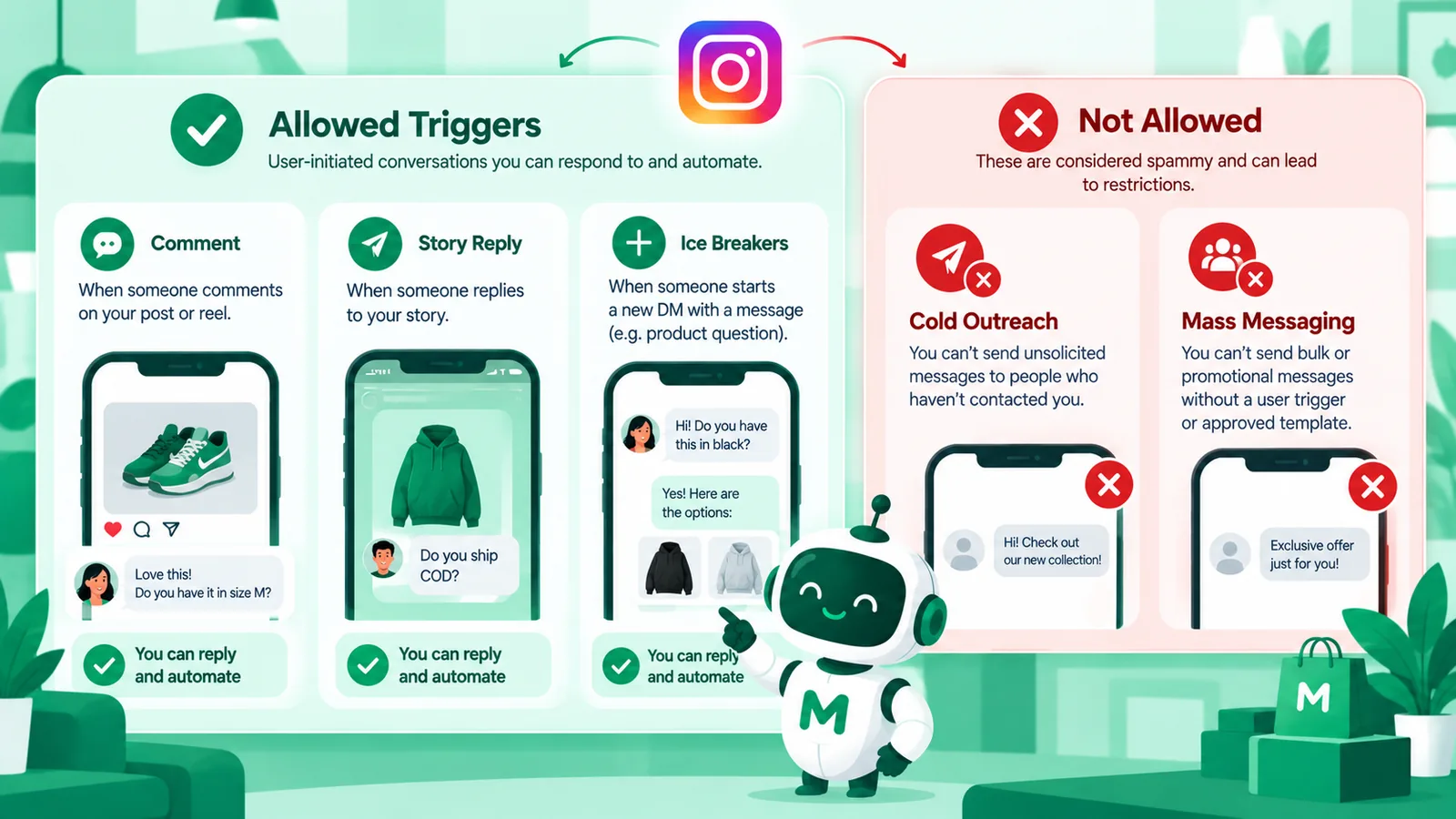
Instagram Messaging on the Messenger Platform is Meta’s official way for businesses to integrate Instagram Direct into a CRM, helpdesk, or AI agent platform. It is not a license to cold-DM scraped followers. It is not WhatsApp Business API with a different skin. It is a conversational channel for people who already interact with your professional account through DMs, eligible entry points, and related Instagram surfaces Meta documents.
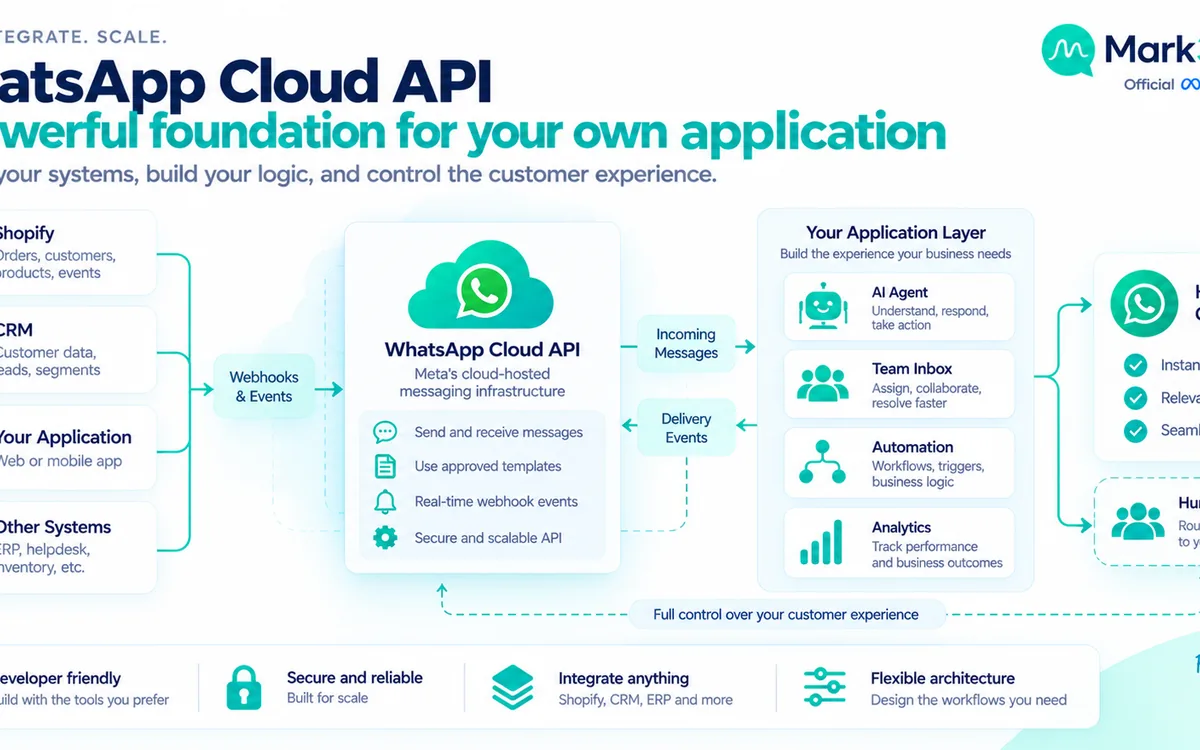
Mark360 uses Instagram Messaging as the capture and qualification layer alongside WhatsApp Business API for templates, notifications, and high-trust closes — as a Meta Partner stack. Always verify against Meta’s current Instagram Messaging documentation and messaging policies before launch.
Three misconceptions cause most failed projects:
- “API means unlimited outbound.” Access is not the same as permission to message everyone.
- “Instagram pricing equals WhatsApp pricing.” WhatsApp Business Platform uses category and market-based delivered-message pricing; Instagram Messaging is a different product.
- “Automation replaces policy.” AI agents must still operate inside windows and provide human escalation.
Quick answer: what is the Instagram chatbot API?
There is no separate “Instagram chatbot API”: Instagram chatbots run on the official Instagram Messaging API (part of Meta’s Graph API). It lets an approved app receive and reply to DMs, Story replies and comment-triggered messages for a professional account, within Meta’s messaging-window rules, with escalation to human agents. Tools that bypass it with unofficial automation risk account restrictions.
Related: unofficial Instagram DM API ban risk, Instagram DM automation vs WhatsApp Business API and AI agent vs Manychat flows.
Messaging windows: the core compliance concept
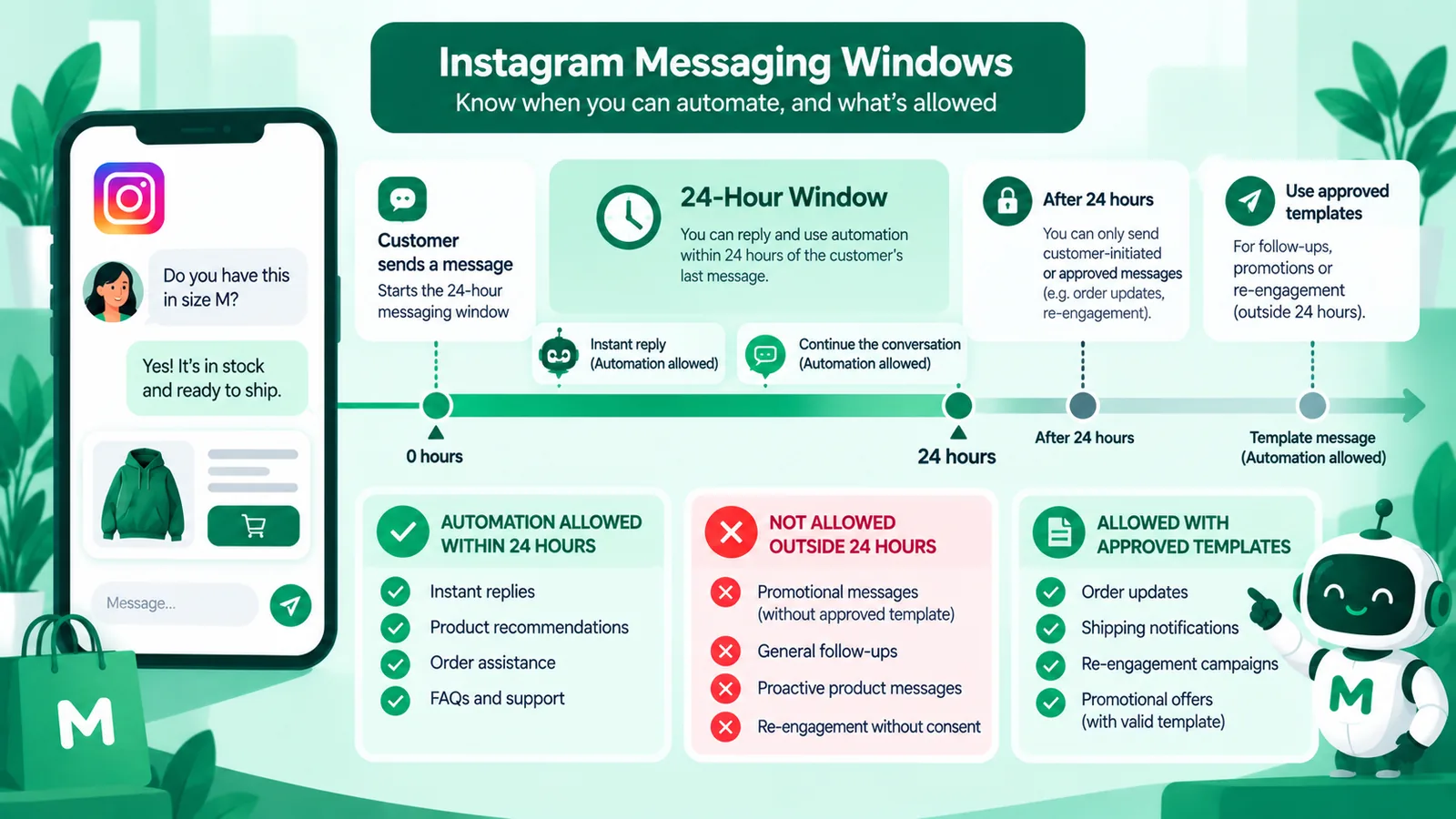
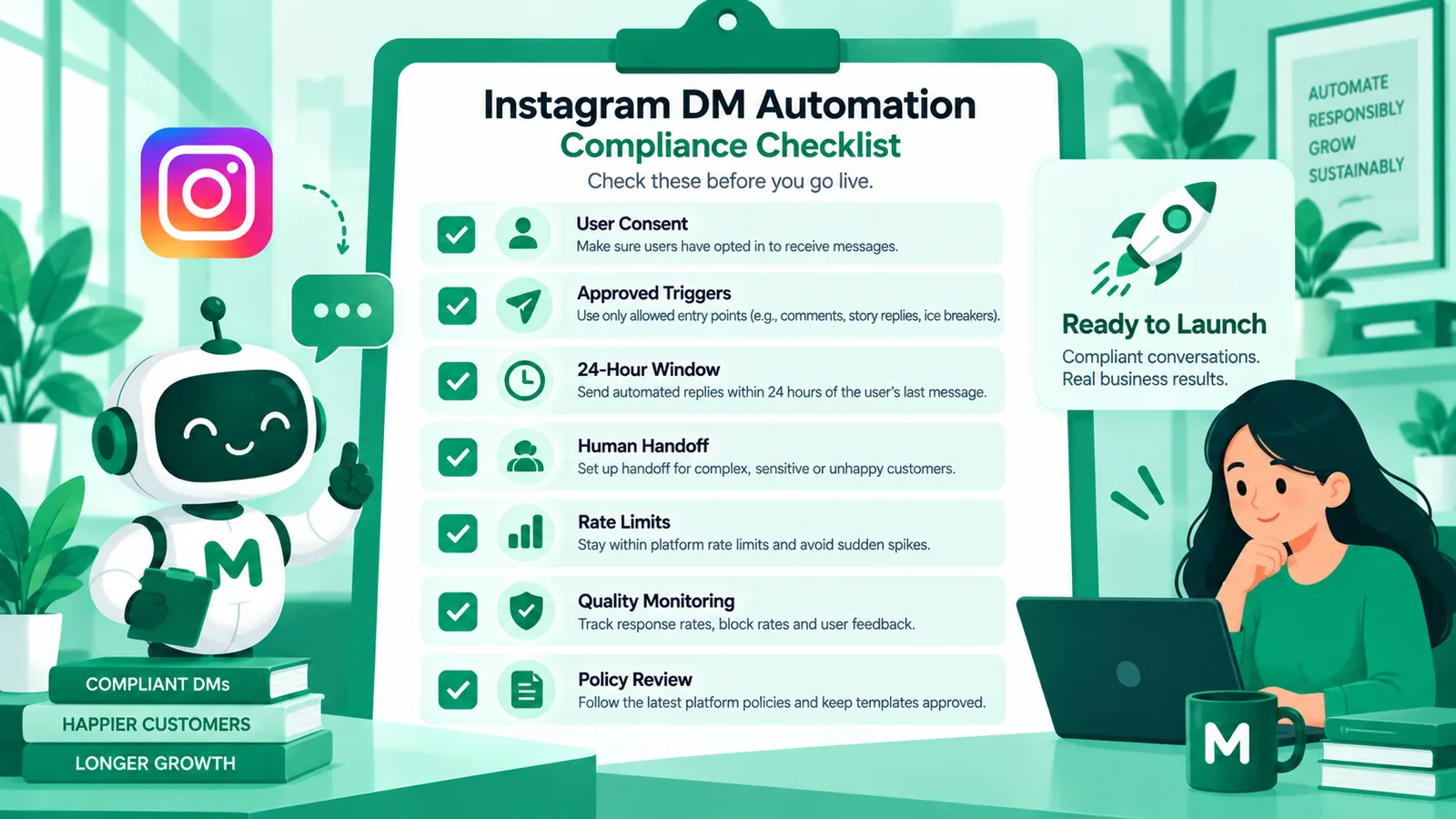
Like other Meta messaging products, Instagram business messaging revolves around when a business is allowed to send which kinds of messages. Broadly:
- When a customer messages your business (or uses an eligible entry point), a response window opens.
- Inside that window, standard conversational replies — including those from AI agents — are typically allowed for customer care and ongoing discussion.
- Outside that window, you must use only message types Meta currently permits for that scenario (which can change — do not invent loopholes).
- Human agent experiences may support additional tagged behaviors for eligible agent use cases; confirm the latest human-agent guidance in Meta’s docs before relying on extended windows in production.
If your automation assumes “we can always DM anyone who ever commented,” you are designing for enforcement tickets. Design for the window you actually have, log window state in your agent, and fail closed when unsure.
Operational tip: store the timestamp of the last user message on every conversation. Your AI agent and send pipeline should check that timestamp before every outbound attempt. “Send anyway” is how teams discover policy the hard way.
Human agents, AI agents, and escalation
Meta expects businesses to handle Instagram conversations responsibly. Practical operating rules that survive audits:
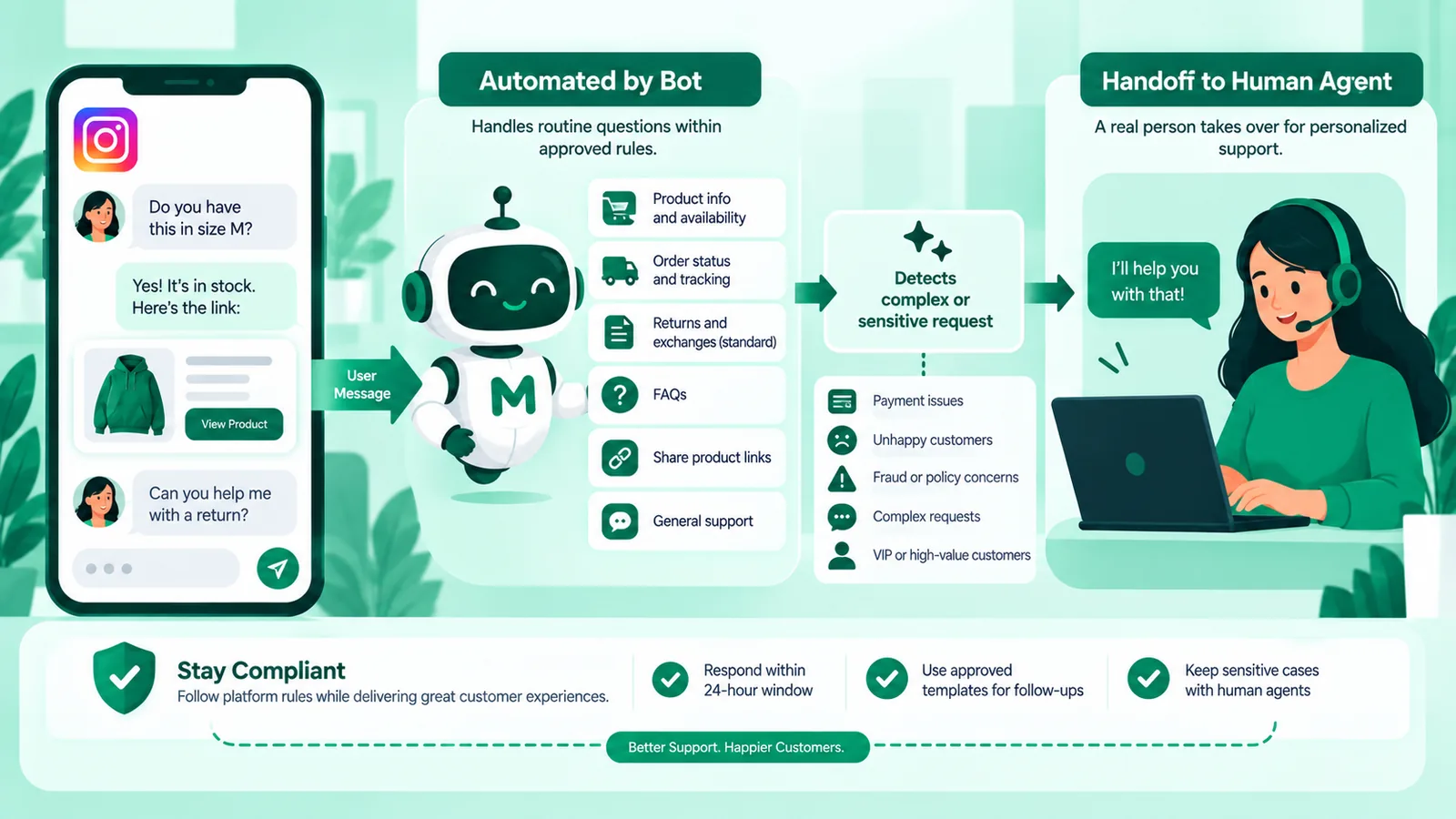
- Automate the repetitive, escalate the risky. Catalog FAQs, shipping ETAs, and store hours are safe automation targets. Refunds, harassment, legal threats, and payment disputes need humans with authority.
- Always expose a human path. “Talk to a person” is not optional UX polish — it is how you prevent trapped customers and policy complaints.
- Pass context on escalation. Agents should see the full Instagram thread (and WhatsApp history if the journey spans channels).
- Log who sent what. Distinguish AI, flow, and human messages in your inbox for quality review.
- Set SLAs. Automated first response in seconds; human takeover within a published number of minutes during business hours.
AI agents are compatible with Instagram Messaging when they operate inside allowed windows and brand policies. They are not a way to bypass Meta’s rules. Fair note: visual flow builders (including Manychat-style tools) remain useful for simple campaign menus; shopping-grade and compliance-sensitive brands often need AI agents plus a shared inbox with WhatsApp Business API continuity.
Rate limits and throughput planning
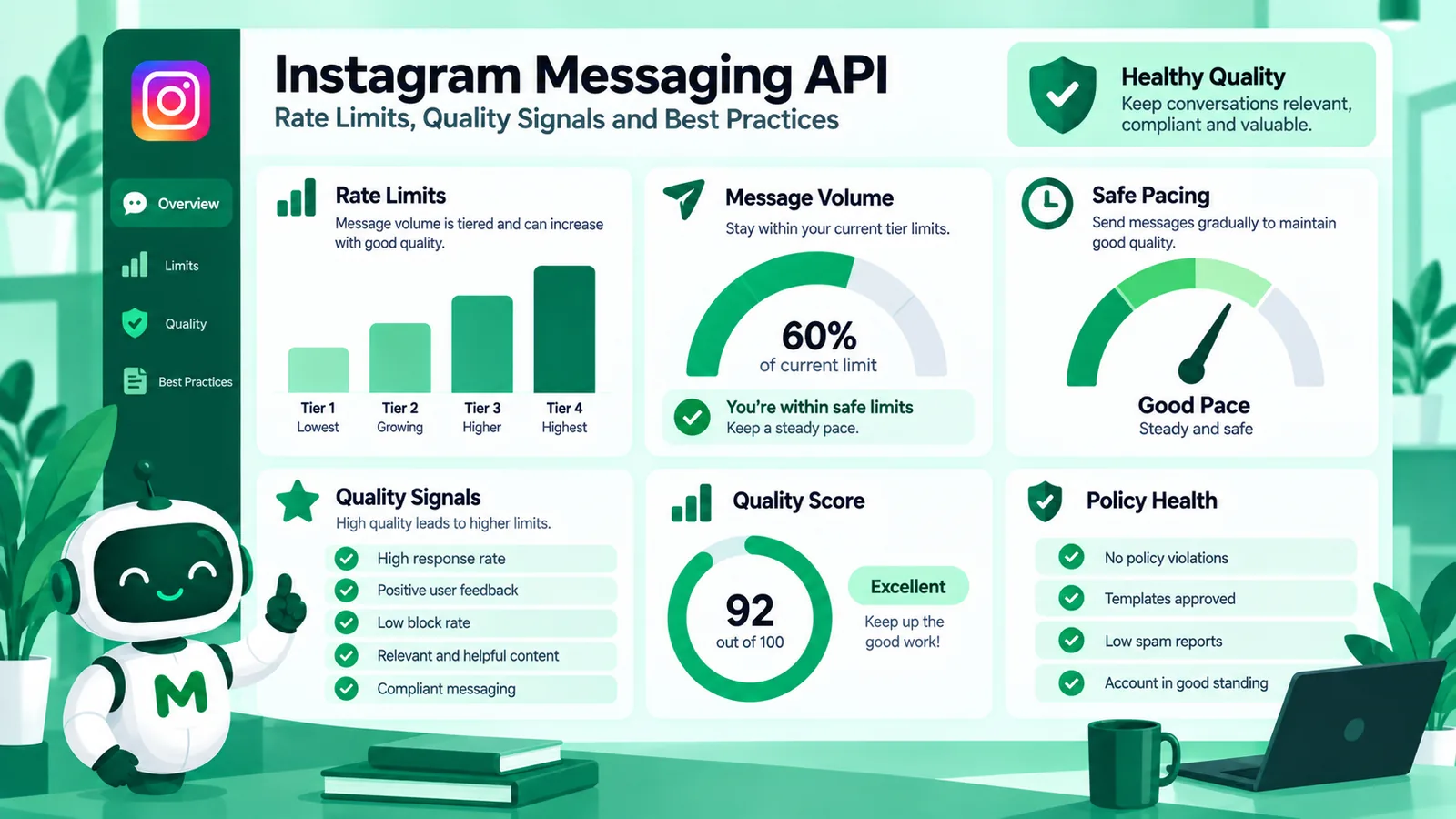
APIs protect platform stability with rate limits and error responses. Exact numeric limits can vary by app, permission, and Meta updates — so treat published developer docs and your app dashboard as source of truth, not a blog post’s remembered numbers.
What you can operationalize regardless of the exact ceiling:
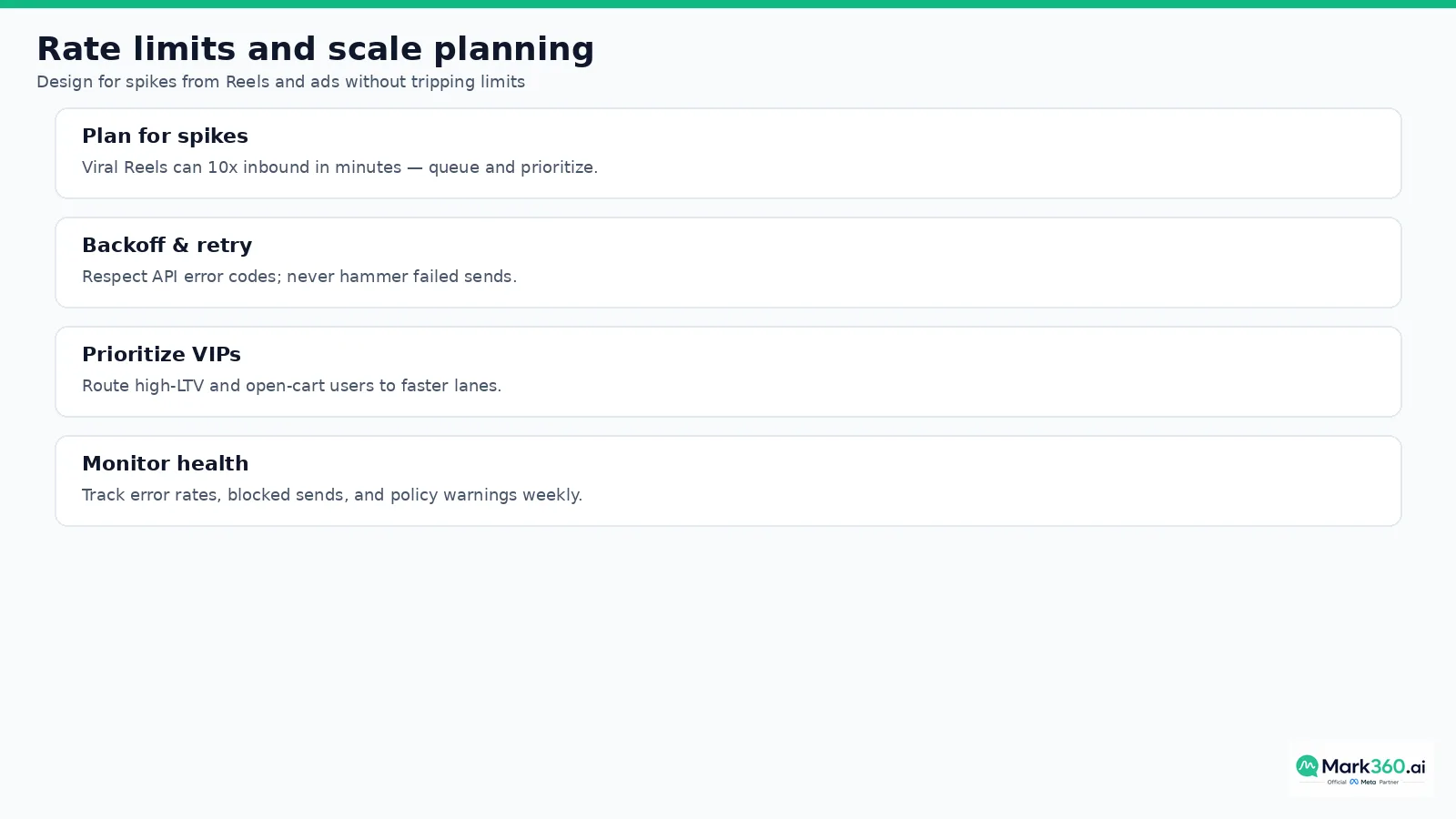
- Expect spikes. A viral Reel or large ad set can multiply inbound DMs within minutes.
- Queue thoughtfully. Prioritize open carts, VIP segments, and messages containing purchase intent keywords.
- Backoff on errors. Retry with jitter; do not tight-loop failed sends.
- Watch health metrics. Error rate, median send latency, and policy warnings beat vanity “messages attempted” charts.
- Separate burst vs sustained load. Campaign launches need capacity planning; steady support traffic needs reliability.
When marketers say “we hit the Instagram API limit,” diagnose which limit: messaging window, throughput/rate limit, permission scope, content policy, or account quality restriction. Each failure mode needs a different fix.
Instagram Messaging vs WhatsApp Business API rules


Teams often confuse the two channels:
| Topic | Instagram Messaging | WhatsApp Business API |
|---|---|---|
| Best at | Discovery chats, creative-led Q&A | Templates, notifications, transactional close |
| Pricing | Instagram product rules (not WA message fees) | Per delivered message by category and recipient market — see Meta WhatsApp pricing |
| Cold outreach | Not a bulk cold-DM channel | Opt-in + approved templates |
| Automation | In-window conversational automation with escalation | Bots OK in-window; templates outside |
For India Mark360 customer-facing WhatsApp examples only: Marketing ₹0.94 and Utility ₹0.138 per delivered message on Mark360 — not Meta rate-card claims and not markup language. Global teams should forecast by recipient market using Meta’s category model.
Prohibited and high-risk patterns
- Scraping follower lists to blast unsolicited DMs.
- Using Instagram as a substitute for email marketing without conversational context.
- Hiding human support behind endless bot loops.
- Moving users to WhatsApp marketing without clear consent.
- Promising outcomes Meta’s APIs do not support (“guaranteed unlimited DMs”).
- Storing or exposing sensitive personal data in insecure logs.
- Replying to public comments with private data (order IDs, addresses, payment details).
Meta’s Business Messaging / platform policies apply across products. When in doubt, read the policy pages linked from Meta’s developer documentation and Business Help Center rather than competitor marketing blogs.
Developer and ops checklist for 2026
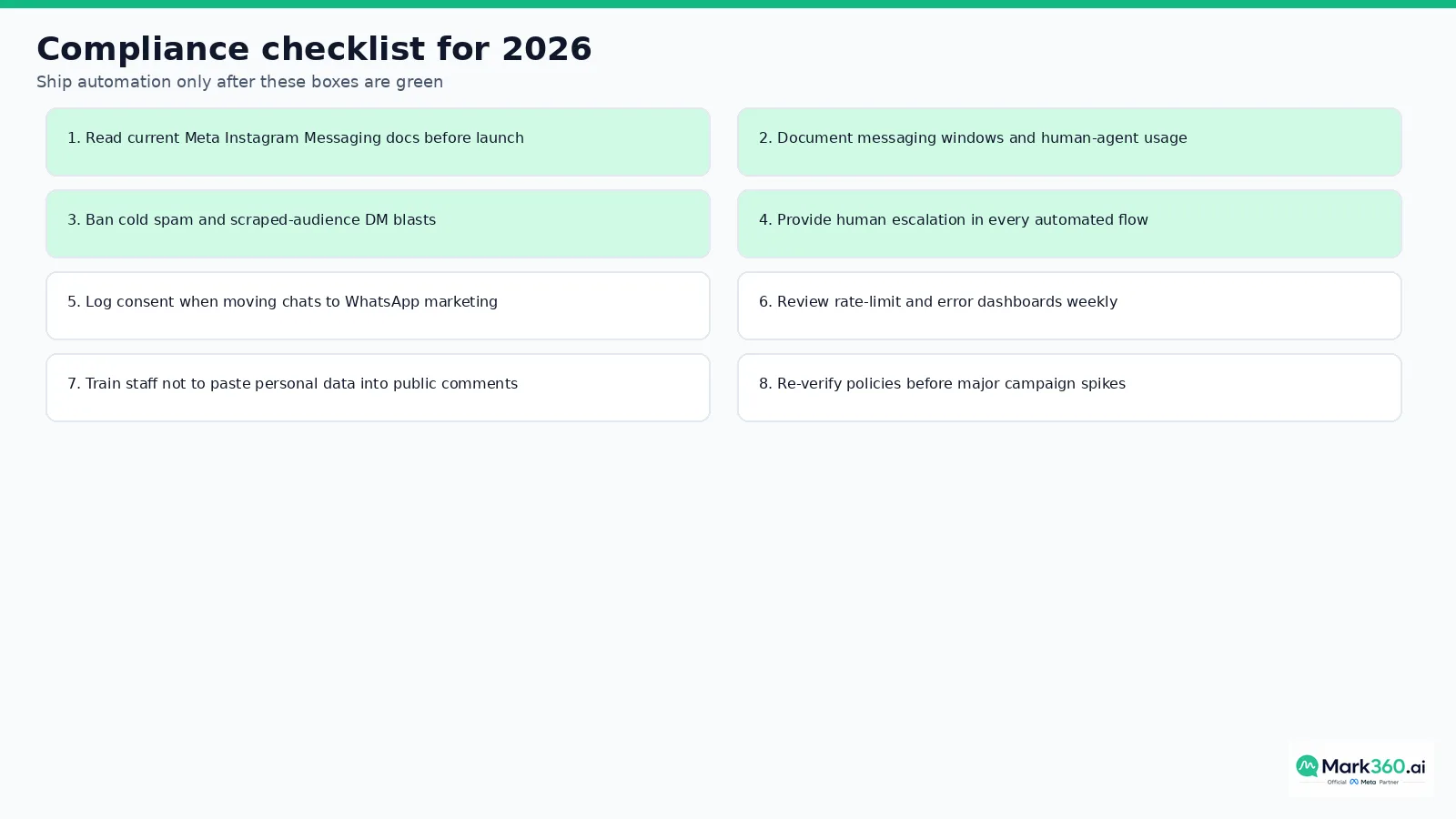
- Confirm Instagram professional account and required permissions on your Meta app.
- Implement webhook handling for inbound messages, deliveries, and echoes.
- Encode messaging-window logic in your agent — do not hardcode “always send.”
- Build human takeover with transcript and reason codes.
- Add observability: success/error rates, window misses, escalation volume.
- Document data retention and consent for any WhatsApp handoff.
- Run a policy review before Black Friday / major campaign spikes.
- Train CX staff on what automation will and will not say.
- Bookmark Meta Instagram Messaging docs and WhatsApp pricing docs in your runbook.
- Re-test after Meta platform updates or permission changes.
Change management for policy updates
Meta updates messaging products regularly. Assign an owner — usually a marketing ops or CX ops lead — to review Instagram Messaging changelog notes each quarter. When a window rule, attachment type, or permission scope changes, update your agent configuration the same week, not after a failed campaign.
Keep a living internal doc with: current window assumptions, escalation matrix, WhatsApp handoff consent language, and links to the exact Meta doc pages you relied on (with access dates). That artifact turns tribal knowledge into something auditors and new hires can use.
Also separate campaign automation (opt-in sequences) from service automation (order help). Mixing promotional language into service threads is how brands earn trust hits — and sometimes policy scrutiny.
Practical scenarios
Scenario A — Viral Reel spike
Inbound DMs jump 10x. AI acknowledges immediately with product truth. Queue prioritizes “buy / size / ship” intents. Humans take refunds and influencer partnership asks. Rate-limit backoff prevents cascading failures.
Scenario B — Ad-to-DM lead gen
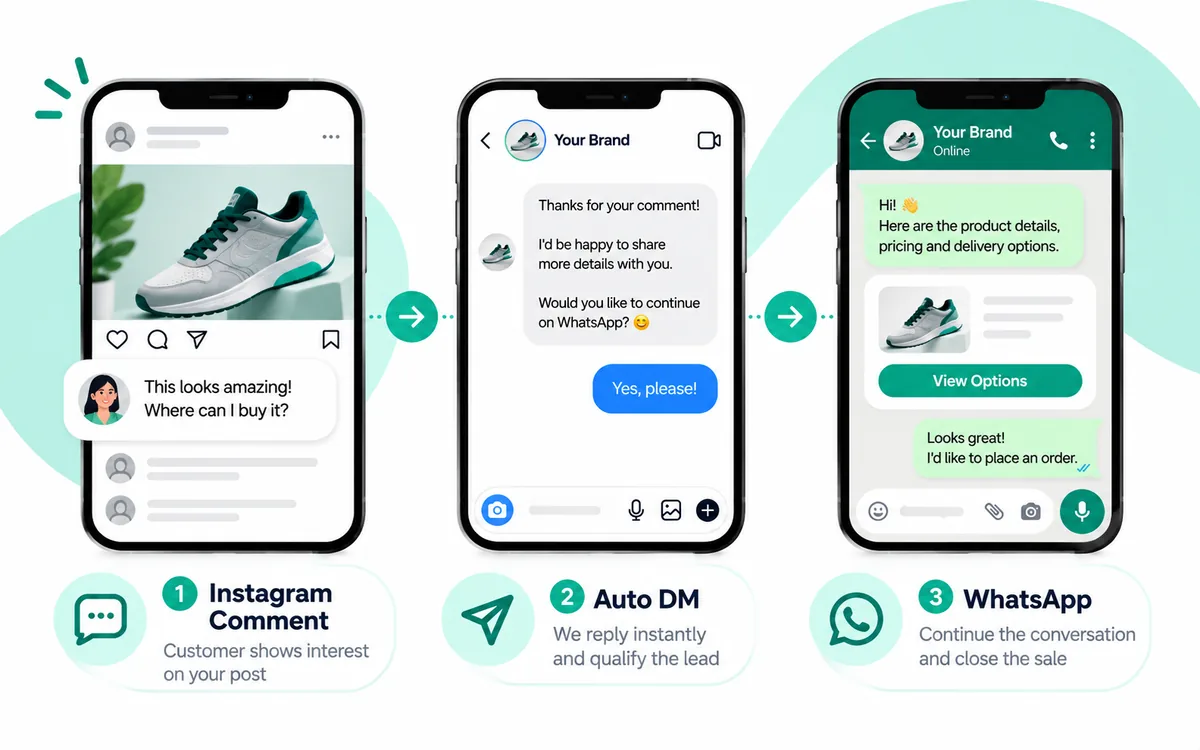
Prospects enter from an Instagram ad click-to-message. Automation qualifies budget and use case, then offers WhatsApp for demo scheduling with explicit opt-in. No after-hours spam outside windows.
Scenario C — Post-purchase confusion
Buyer DMs “where is my order?” on Instagram. Agent checks order status; if transactional follow-up is better on WhatsApp, it offers a consent-based handoff and uses the correct WhatsApp category for any template.
Scenario D — Agency multi-brand
Agencies need separate Meta assets where required, client-approved knowledge bases, and audit logs showing whether a human or AI replied. Never reuse one brand’s conversation data to train another brand’s public answers without permission.
Governance, privacy, and trust
Messaging automation expands the surface area for personal data: names, addresses, payment screenshots, and health or legal disclosures sometimes appear unsolicited in DMs. Train agents (human and AI) to minimize retention of sensitive data, redact where possible, and escalate instead of improvising legal advice.
Trust also means honesty about automation. Many markets do not require a robot disclaimer on every line, but customers should never feel trapped. A clear “human” affordance and accurate shipping or pricing answers beat clever scripts.
How Mark360 helps teams stay inside the lines
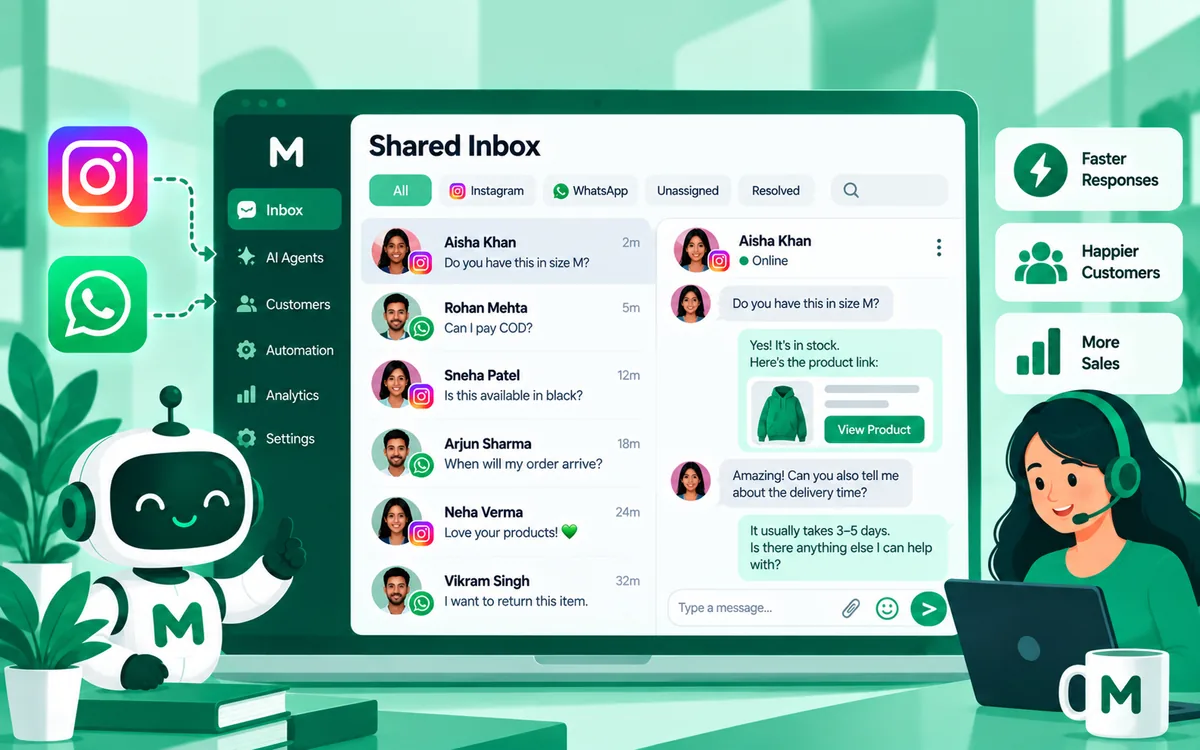
Mark360’s Instagram AI agents are designed for in-window shopping and support conversations, with escalation into a shared inbox and optional WhatsApp Business API continuation. Soft CTA: review your messaging architecture on mark360.ai, and read companion posts on ecommerce Instagram DM automation and WhatsApp service message pricing.
Related series: shared Instagram + WhatsApp inboxes with AI agents, WhatsApp Business API on-ramps for Instagram brands, and Click-to-WhatsApp + Instagram ads Meta funnels.
Measuring compliance health
Compliance is measurable. Track window-miss send attempts, human escalation rate, median first response time, policy warning counts from Meta, and the percentage of conversations that end with a clear resolution or handoff. Review these weekly the same way you review CAC or ROAS.
Create a red/yellow/green scorecard: green means automation stays inside windows with healthy escalation; yellow means rising window misses or customer complaints about bot loops; red means repeated send failures or policy notices. Pause aggressive campaigns when the scorecard is red.
Share the scorecard with both growth and CX leadership. Growth teams feel pressure to message more; CX teams feel pressure to protect trust. A shared metric set prevents one team from optimizing at the other’s expense.
Finally, keep a short “pre-flight” checklist before every major Instagram push: windows logic tested, human staffing confirmed for spike hours, WhatsApp consent copy reviewed, and Meta doc links re-checked for any product changes announced that month.
Runbook snippet for on-call messaging ops
When Instagram sends start failing, classify the failure before changing code. Window miss, rate limit, permission error, and content policy blocks each need different fixes. Capture the error payload, conversation ID, and last user message timestamp. If the failure coincides with a viral spike, prioritize VIP and open-cart threads first rather than retrying everything at once.
Keep a one-page runbook with Meta Instagram Messaging documentation links, escalation contacts, and the kill switch for non-essential automations. Review it after every major campaign. Compliance and reliability are the same discipline when messaging is a revenue channel.
Related reading: Instagram DM automation guide, Instagram auto reply and Story automation, and follow gate and Follow-to-DM.
Key takeaways
- Instagram Messaging API access is real — unlimited cold DMs are not.
- Windows, human escalation, and rate-limit hygiene are the 2026 compliance trio.
- Instagram and WhatsApp share a Meta family but not the same pricing or rules.
- Verify every production assumption against Meta’s official documentation.
- Mark360 pairs Instagram AI agents with WhatsApp Business API under Meta Partner practices.